







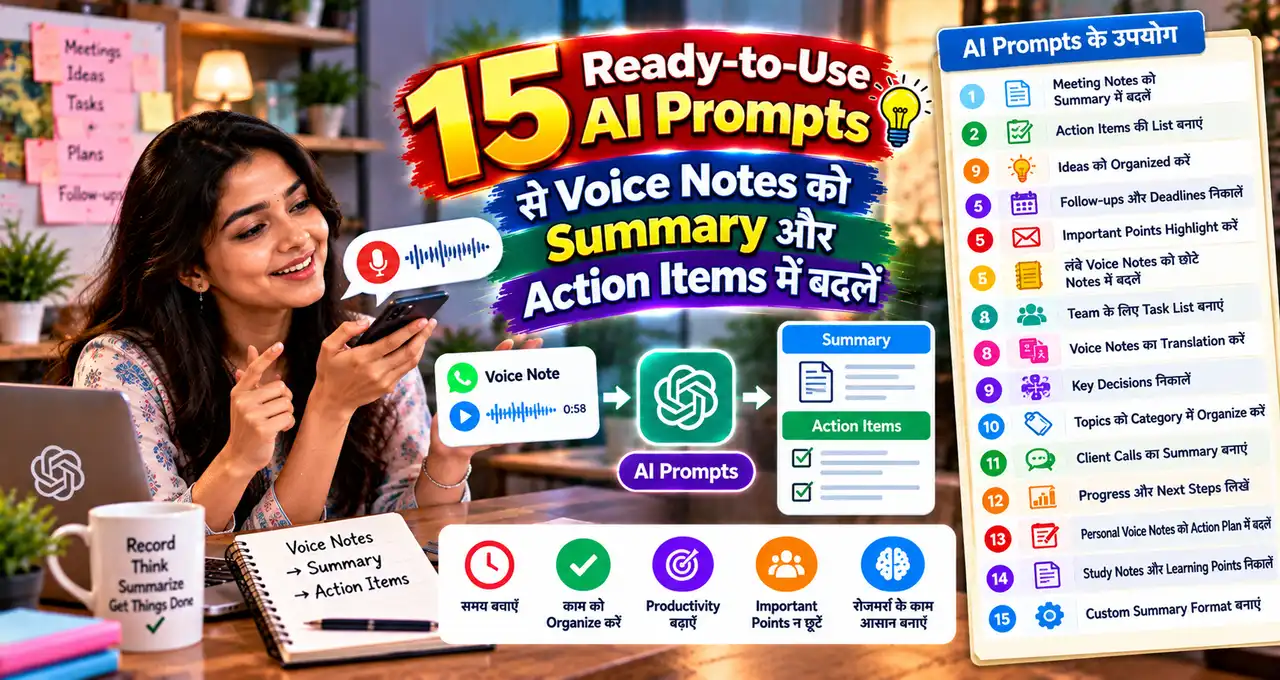




लंबा voice note आया है, लेकिन पूरा सुनने का समय नहीं—AI उसकी transcript को usable summary और action items में बदल सकता है।
इसके लिए सबसे reliable तरीका यह है कि पहले voice note की transcript लें, फिर AI को साफ context और desired output दें। अगर आपका AI tool audio input support करता है, तो audio सीधे दें; नहीं तो transcript paste करना भी पर्याप्त है।
इस guide में 15 ready-to-use AI prompts हैं, जो meeting, client work, study, sales, brainstorming, feedback और daily planning जैसे अलग-अलग voice-note use cases के लिए बने हैं।
इस लेख में आप क्या सीखेंगे?
- Voice note transcript तैयार करना
- Summary और action items
- 15 ready-to-use AI prompts
- गलत AI summary पहचानना
- Reusable Master Prompt workflow
Voice Note से Useful Output तक सही Workflow क्या है?
Voice note processing का simple flow यह है:
Audio / Voice Note
↓
Transcript
↓
Context + AI Prompt
↓
Summary / Tasks / Notes
↓
Human Verification
↓
Final Use
AI के लिए सबसे important input सिर्फ audio नहीं, बल्कि उसका साफ transcript और context है। अगर transcript में speaker names, dates, numbers या technical words गलत हैं, तो summary भी गलत दिशा में जा सकती है।
Audio, text और दूसरे input types को AI कैसे समझ सकता है, यह जानने के लिए Multimodal AI की practical explanation useful background देती है। AI की basic working समझनी हो, तो AI कैसे काम करता है वाली guide भी देख सकते हैं।
Prompt Use करने से पहले Transcript में ये 6 चीजें Check करें
AI prompt तभी अच्छा result देगा जब transcript कम-से-कम readable हो। Perfect grammar की जरूरत नहीं है, लेकिन meaning clear होना चाहिए।
- Speaker: अगर दो या ज्यादा लोग हैं, तो Speaker A / Speaker B या नाम mark करें।
- Numbers: Amount, date, quantity, phone number या deadline verify करें।
- Names: Person, company, product और place के नाम सही करें।
- Unclear words: Guess करने की बजाय [unclear] लिखें।
- Context: यह meeting, client call, lecture, idea note या feedback है—यह बताएं।
- Privacy: जरूरत न हो तो passwords, IDs, payment details और confidential client data remove करें।
अगर voice note में sensitive information है, तो पहले उसे redact करें। AI tools में personal data share करने से पहले AI privacy के practical rules समझना useful रहेगा।
Transcript को AI-ready बनाने का Quick Cleanup Method
बहुत बार transcript में punctuation नहीं होता, sentences टूटे होते हैं और speech-to-text किसी नाम को गलत लिख देता है। AI को देने से पहले पूरी transcript manually rewrite करने की जरूरत नहीं है; सिर्फ critical parts साफ करना काफी है।
सबसे पहले voice note एक बार सुनकर names, dates, amounts और deadlines check करें। फिर speakers अलग करें, repeated filler words रहने दें अगर वे meaning नहीं बदलते, और unclear हिस्से को [unclear] mark करें।
उदाहरण के लिए raw transcript ऐसा हो सकता है:
“Rohit client wala design kal tak bhejna hai शायद 15 ya 50 pieces bola tha aur logo old wala नहीं new वाला use करना.”
AI-ready version:
Speaker: Manager
Task: Rohit को client design भेजना है.
Deadline: कल.
Quantity: [unclear: 15 या 50 pieces]
Logo: New logo use करना है, old logo नहीं.
यह छोटा cleanup AI को uncertain information confidently invent करने से रोकता है। अगर transcript बहुत noisy है, तो पहले AI से केवल cleanup करवाएं और साफ transcript approve करने के बाद summary/action prompt चलाएं।
किन Voice Notes पर Extra सावधानी चाहिए?
हर voice note को सीधे AI में डालना सही नहीं है। Passwords, OTP, Aadhaar/PAN details, private medical discussion, confidential contracts, unpublished client strategy या दूसरे sensitive data वाले notes को पहले redact करें।
Legal, medical, financial या compliance-related voice note की AI summary को final professional advice या official record न मानें। ऐसे cases में summary सिर्फ navigation और organization के लिए use करें; final decision original recording, written document और qualified professional review पर आधारित होना चाहिए।
इसी तरह emotional argument या incomplete discussion में AI “किसने क्या मतलब निकाला” guess कर सकता है। Prompt में facts, direct statements और interpretation अलग रखने को कहें, और output को original audio से verify करें।
15 Ready-to-Use AI Prompts से Voice Notes को Useful Output में बदलें
नीचे हर prompt का उद्देश्य अलग है। Transcript को prompt के आख़िर में दिए field में paste करें और जरूरत के अनुसार context बदलें। बेहतर prompts लिखने की logic समझनी हो, तो Prompt Engineering guide useful foundation देती है।
Prompt 1: Long Voice Note की Quick Summary
Best for: किसी लंबे personal, work या general voice note का जल्दी overview लेना.
नीचे दिए voice-note transcript को ध्यान से पढ़ें और सिर्फ transcript में मौजूद information के आधार पर concise summary बनाएं.
Output format:
1. 3–5 line executive summary.
2. Main points की bullet list.
3. Important names, dates, numbers और commitments.
4. कोई unclear या contradictory point हो तो अलग section में flag करें.
5. Transcript में मौजूद नहीं information invent न करें.अगर कोई sentence incomplete है, तो guess करने की बजाय “unclear” लिखें.
Context: [Personal / Work / Client / General]
Output language: [Hindi / Hinglish / English]
Desired length: [Short / Medium]
Transcript: [Paste transcript here]
यह prompt तब use करें जब आपको पहले पूरा context समझना हो। Summary पढ़ने के बाद original transcript में critical numbers या commitments जरूर verify करें।
Prompt 2: Action Items, Owner और Deadline निकालें
Best for: Voice note में दिए काम, जिम्मेदारी और deadlines को task list में बदलना.
इस transcript से सभी actionable tasks निकालें। सिर्फ वही task शामिल करें जो transcript में clearly stated या directly implied हो; unsupported task invent न करें.
हर task के लिए यह format use करें:
Task
Owner / Responsible person
Deadline / Date
Priority [High / Medium / Low]
Dependency
Status [Not Started / Waiting / Unclear]अगर owner या deadline नहीं बताया गया है, तो “Not specified” लिखें। अंत में “Questions to clarify” section बनाएं.
Context: [Meeting / Team Voice Note / Client Message]
Today’s date for reference: [Date]
Output language: [Hindi / Hinglish / English]
Transcript: [Paste transcript here]
यह prompt task-management के लिए useful है, लेकिन “directly implied” tasks को final मानने से पहले check करें। खासकर deadline और owner गलत assign होने पर follow-up confusion बढ़ सकता है।
Prompt 3: Meeting Voice Note को Minutes of Meeting में बदलें
Best for: Team discussion, informal meeting recap या recorded meeting transcript.
इस meeting transcript से professional Minutes of Meeting तैयार करें.
Sections:
Meeting purpose
Participants mentioned
Key discussion points
Decisions taken
Action items
Owner and deadline
Open questions
Risks / blockers
Next meeting or follow-up, if mentionedRules:
— Discussion और final decision अलग रखें.
— Proposal को decision मत लिखें.
— Missing participant, date या deadline invent न करें.
— Important numbers और dates exactly preserve करें.Meeting context: [Project / Client / Internal]
Meeting date: [Date / Not provided]
Output language: [Hindi / Hinglish / English]
Transcript: [Paste transcript here]
Meeting summary का सबसे common error यह है कि AI suggestion को approved decision बना देता है। इसलिए “Decisions taken” section को original transcript से जरूर cross-check करें।
Prompt 4: Client Voice Note से Clear Requirement Brief बनाएं
Best for: Freelancers, designers, marketers, developers और service providers.
इस client voice-note transcript को structured requirement brief में बदलें। Client ने जो नहीं कहा है, उसे requirement की तरह assume न करें.
Output sections:
Client goal
Requested deliverables
Target audience
Style / preference
Deadline
Budget, if mentioned
Content/assets client देगा या हमें बनाना है
Revision expectation, if mentioned
Technical requirements
Missing information
Questions to ask before quotationअंत में एक 5–8 line client-confirmation message draft करें, जिसमें requirements summarize हों और missing details politely पूछी जाएं.
Service type: [Design / Content / Website / Marketing / Other]
Output language: [Hindi / Hinglish / English]
Transcript: [Paste transcript here]
यह brief quotation भेजने से पहले खास useful है। Client की कही बात और आपकी interpretation अलग रखने से scope creep कम करने में मदद मिलती है।
Prompt 5: Sales या Customer Call का Follow-up तैयार करें
Best for: Sales calls, enquiry voice notes और customer follow-up.
इस sales/customer transcript को review करें और useful follow-up summary बनाएं.
Output:
Customer need
Problem / pain point
Product or service interest
Budget indication, if any
Objections or concerns
Questions still unanswered
Commitment made by us
Commitment made by customer
Recommended next step
Follow-up date, only if mentionedइसके बाद एक short WhatsApp follow-up message draft करें। Message helpful हो, pushy न हो, और transcript से बाहर कोई offer, price या promise invent न करे.
Business type: [Type]
Tone: [Friendly / Professional]
Output language: [Hindi / Hinglish / English]
Transcript: [Paste transcript here]
Sales follow-up में AI को extra discount या “limited offer” invent करने से रोकना जरूरी है। Price, promise और delivery commitment original call से ही लें।
Prompt 6: Lecture या Class Voice Note से Revision Notes बनाएं
Best for: Students, coaching classes और self-study recordings.
इस lecture transcript को exam-friendly revision notes में बदलें। Transcript में मौजूद concept को simple language में organize करें, लेकिन बाहर से facts add न करें.
Output:
Topic overview
Key concepts
Important definitions
Examples mentioned by teacher
Formulas / dates / names, if present
Frequently repeated points
Potential exam questions based only on transcript
5 quick self-test questions
Unclear portions that need teacher/textbook verificationअगर transcript में कोई factual statement unclear है, उसे confidently correct करने की बजाय verification flag करें.
Class/subject: [Subject]
Student level: [Class / Course]
Output language: [Hindi / Hinglish / English]
Transcript: [Paste transcript here]
Students के लिए AI notes बनाते समय final textbook verification जरूरी है। आप AI से पढ़ाई करने की guide और exam notes prompts भी use कर सकते हैं।
Prompt 7: Brainstorming Voice Note को Action Plan में बदलें
Best for: अचानक आए ideas, business thoughts, project brainstorming और creator ideas.
नीचे एक rough brainstorming transcript है। इसे polished idea की तरह treat न करें; पहले ideas identify और group करें.
Output:
Raw ideas list
Similar ideas के clusters
Main goal
Potential opportunities
Assumptions
Unknowns / questions
What can be tested quickly
Next 3 practical actions
Ideas that should be parked for laterIdea को automatically “good” या “profitable” मत मानें। जहाँ evidence नहीं है, वहाँ “needs validation” लिखें.
Topic: [Business / Content / Project / Personal]
Available time/resources: [Details]
Output language: [Hindi / Hinglish / English]
Transcript: [Paste transcript here]
Brainstorming का काम possibilities निकालना है, final decision देना नहीं। AI को idea organizer की तरह use करें, market proof की तरह नहीं।
Prompt 8: Customer Feedback Voice Notes से Common Problems निकालें
Best for: कई customers के feedback, complaints या testimonial-style voice notes का internal analysis.
नीचे दिए customer voice-note transcripts को analyze करें और recurring feedback themes identify करें.
Output table:
Theme / Issue
How many transcripts mention it
Positive / Negative / Mixed
Representative wording from transcript
Possible root cause
Action to investigate
Confidence [High / Medium / Low]Rules:
— Fake quote create न करें.
— Exact quote तभी दें जब transcript में exact wording मौजूद हो.
— Small sample से broad customer conclusion न निकालें.
— Personal information को output में repeat न करें जब जरूरी न हो.Number of transcripts: [X]
Business context: [Type]
Output language: [Hindi / Hinglish / English]
Transcripts: [Paste transcripts here]
Feedback frequency useful signal है, लेकिन “तीन लोगों ने कहा” का मतलब “सभी customers यही चाहते हैं” नहीं होता। Sample size और context साथ में देखें।
Prompt 9: Creator Voice Note से Blog या Video Outline बनाएं
Best for: Creators जो चलते-फिरते ideas voice note में record करते हैं.
इस creator voice-note transcript से एक structured content outline बनाएं। मेरी original idea और examples preserve करें; missing facts invent न करें.
Output:
Core topic
Target audience inferred from transcript
Main reader/viewer problem
Strong hook options
Logical section order
Examples already mentioned
Facts that need research
CTA ideas
Possible title anglesइसके बाद “Research Needed” section बनाएं, जहाँ हर unverified claim, number, date या current feature अलग list हो.
Content format: [Blog / YouTube / Reel / Podcast]
Tone: [Practical / Educational / Conversational]
Output language: [Hindi / Hinglish / English]
Transcript: [Paste transcript here]
यह prompt raw idea को publish-ready content नहीं बनाता; यह research-ready outline बनाता है। Current claims को publish करने से पहले verify करना जरूरी है।
Prompt 10: Project Status Voice Note को Weekly Update में बदलें
Best for: Team lead, freelancer या project manager का spoken progress update.
इस project-status transcript को clean weekly update में बदलें.
Sections:
Completed this week
In progress
Blocked / Waiting
Decisions needed
Next week priorities
Owner, if mentioned
Deadline, if mentioned
Risks
Support requiredRules:
— “Almost done” को completed न लिखें.
— Missing percentages invent न करें.
— Delay का कारण transcript में नहीं है तो guess न करें.
— Duplicate updates merge करें लेकिन meaning preserve रखें.Project: [Name]
Reporting period: [Dates]
Audience: [Client / Manager / Team]
Output language: [Hindi / Hinglish / English]
Transcript: [Paste transcript here]
अगर ऐसे status voice notes हर week आते हैं, तो यह workflow बाद में automation candidate बन सकता है। Basic workflow thinking के लिए AI Automation guide relevant है।
Prompt 11: Field Visit या Site Visit Voice Note से Report बनाएं
Best for: Site inspection, shop visit, field sales, event visit या on-ground observation.
इस field/site visit transcript को structured visit report में बदलें। Observation, assumption और recommendation को अलग रखें.
Output:
Visit purpose
Location / date, only if mentioned
What was observed
Problems noticed
Photos/documents referenced in transcript
People consulted, if mentioned
Immediate actions
Follow-up actions
Risks / safety concerns
Information still missingकिसी व्यक्ति के intention, fault या responsibility का अनुमान न लगाएं। Transcript में unclear measurement या number हो तो verification flag करें.
Visit type: [Site / Store / Field / Event]
Report audience: [Internal / Client]
Output language: [Hindi / Hinglish / English]
Transcript: [Paste transcript here]
Field notes में context जल्दी भूल जाता है, इसलिए report बनाते समय date, location और measurement जैसे details पहले verify करें। AI organization में मदद करता है, evidence replace नहीं करता।
Prompt 12: Interview Voice Note से Themes और Verified Quotes निकालें
Best for: Research interview, founder conversation, user interview या podcast preparation.
इस interview transcript को analyze करें और themes identify करें.
Output:
Interview objective
Main themes
Key insights under each theme
Important factual claims requiring verification
Exact quotes worth reviewing
Follow-up questions
Contradictions or uncertainty
What the interview does NOT establishQuote rule: केवल transcript में exact wording मौजूद हो तभी quote दें। Grammar सुधारकर quote को बदलें नहीं; अगर wording unclear है तो quote न करें.
Interview type: [Research / Founder / Customer / Expert]
Goal: [Purpose]
Output language: [Hindi / Hinglish / English]
Transcript: [Paste transcript here]
Interview summary में polished paraphrase और exact quote को mix करना risky है। Publication से पहले quotes को original audio/transcript से line-by-line verify करें।
Prompt 13: Discussion से Decision Log बनाएं
Best for: ऐसे voice notes जहाँ कई options discuss हुए और अंत में कुछ decisions लिए गए.
इस transcript से decision log बनाएं। हर discussed option को final decision न मानें.
हर decision के लिए:
Decision
Why it was made, if stated
Alternatives discussed
Who approved / agreed, if clear
Date / deadline, if stated
Impact
Follow-up action
Confidence that it is final [High / Medium / Low]अलग section में “Discussed but not decided” items रखें। अगर agreement ambiguous है, तो final decision label न दें.
Context: [Project / Business / Personal]
Output language: [Hindi / Hinglish / English]
Transcript: [Paste transcript here]
Decision log पुराने discussions में “हमने तय क्या किया था?” वाली confusion कम कर सकता है। लेकिन low-confidence decision को confirmation के बिना execute न करें।
Prompt 14: Personal Voice Journal को Reflection और Next Steps में बदलें
Best for: Daily reflection, work journal, learning journal या personal idea dump.
इस personal voice-journal transcript को judgement-free reflection में organize करें.
Output:
What happened
What went well
What felt difficult
What I learned
Open thoughts
Things I can control
Tomorrow’s 3 realistic actions
One question for reflectionRules:
— Diagnosis या mental-health label न दें.
— Strong emotional wording को sensationalize न करें.
— मेरे own words और concerns का meaning preserve करें.
— Unrealistic productivity plan न बनाएं.Journal type: [Daily / Work / Learning]
Desired tone: [Neutral / Encouraging / Reflective]
Output language: [Hindi / Hinglish / English]
Transcript: [Paste transcript here]
Personal journal में privacy सबसे important है। Sensitive transcript cloud AI tool में देने से पहले decide करें कि कौन-सी details वास्तव में processing के लिए जरूरी हैं।
Prompt 15: कई Voice Notes को Daily Digest और Priority List में बदलें
Best for: एक दिन में आए कई team, client या personal voice notes को एक जगह organize करना.
नीचे multiple voice-note transcripts दिए हैं। हर transcript को पहले अलग पहचानें, फिर combined daily digest बनाएं.
Output:
Voice Note 1 summary
Voice Note 2 summary
Voice Note 3 summary, and so on
Combined action items
High-priority items
Deadlines mentioned
People waiting for response
Conflicts between notes
Duplicate tasks
Items that can wait
Questions requiring clarificationRules:
— अलग voice notes की information गलत तरीके से merge न करें.
— एक transcript का deadline दूसरे task पर apply न करें.
— Priority infer करें तो उसे “Suggested priority” label करें.
— Missing data invent न करें.Digest period: [Today / This week]
Priority rule: [Deadline / Client impact / Personal importance]
Output language: [Hindi / Hinglish / English]
Transcripts: [Paste numbered transcripts here]
Multiple inputs process करते समय source separation बहुत important है। Complex recurring workflows में AI Agents के practical examples से आगे का automation logic समझ सकते हैं।
Bonus Master Prompt: किसी भी Voice Note को Structured Output में बदलें
अगर आपका use case ऊपर के 15 prompts में exact match नहीं करता, तो यह reusable Master Prompt use करें। इसमें output खुद define कर सकते हैं।
आप एक careful information-organizer की तरह काम करें। नीचे दिए voice-note transcript को मेरे goal के अनुसार structured output में बदलें.
Process:
1. पहले transcript का purpose identify करें.
2. Facts, opinions, requests, decisions और action items अलग करें.
3. Names, dates, numbers और commitments preserve करें.
4. Repetition हटाएं, लेकिन meaning न बदलें.
5. Missing या unclear information को guess न करें.
6. Important ambiguity को “Needs clarification” में रखें.
7. अगर कोई statement factual verification मांगता है, तो “Verify before use” label करें.
8. Output concise लेकिन complete रखें.Required output structure:
[यहाँ अपना desired structure लिखें]My goal: [Summary / Tasks / Report / Notes / Brief / Follow-up / Other]
Context: [Meeting / Client / Study / Business / Personal / Other]
Audience: [Me / Team / Client / Manager / Student]
Output language: [Hindi / Hinglish / English]
Detail level: [Short / Medium / Detailed]
Special rules: [Any rules]
Transcript: [Paste transcript here]
इस Master Prompt का फायदा flexibility है। Output structure जितना clear देंगे, result उतना usable होगा।
AI Summary को Final मानने से पहले ये 7 Checks करें
Voice note से summary बनाना convenient है, लेकिन AI confident wording में गलत inference भी दे सकता है। यह risk समझने के लिए AI Hallucination guide useful है।
- Names: Person और company names original transcript से match करें।
- Numbers: Amount, quantity, percentage और measurements verify करें।
- Dates: “कल”, “Monday”, “next week” जैसे relative references का सही date context देखें।
- Decision vs discussion: प्रस्ताव को final decision तो नहीं बना दिया?
- Owner: Task गलत व्यक्ति को assign तो नहीं हुआ?
- Missing context: AI ने gap को guess से fill तो नहीं किया?
- Privacy: Final output में unnecessary sensitive data तो repeat नहीं हो गया?
अगर output high-stakes है—जैसे legal, financial, medical, compliance या formal contract-related—तो AI summary को केवल working note मानें और original source/professional review पर भरोसा करें।
Voice Notes के लिए Better AI Results पाने के 5 Practical Rules
पहला: “Summarize this” से आगे जाएं। Output format, audience और purpose बताएं.
दूसरा: Transcript में unclear शब्दों को guess करके “fix” न करें। [unclear] mark करना बेहतर है.
तीसरा: एक prompt में एक main job रखें। Summary, task list, email, report और strategy सब एक साथ मांगने पर output messy हो सकता है.
चौथा: Critical details के लिए verification rule prompt में ही लिखें। “Missing data invent न करें” जैसी line practical फर्क डालती है.
पाँचवाँ: Recurring workflow हो तो consistent format रखें। इससे weekly notes compare करना आसान होता है और बाद में automation भी possible हो सकता है.
आज से क्या करें?
- एक non-sensitive voice note चुनें और उसकी transcript बनाएं।
- पहले Prompt 1 से summary निकालें और original transcript से verify करें।
- अगर उसमें tasks हैं, तो Prompt 2 से action list बनाएं।
- अपने recurring use case के लिए एक fixed output format save करें।
- Confidential voice notes के लिए पहले privacy/redaction rule तय करें।
आख़िर में एक छोटी सी बात
Voice notes में useful information होती है, लेकिन उसे ढूँढने के लिए बार-बार audio सुनना practical नहीं होता। सही transcript, clear prompt और verification के साथ AI उस information को ज्यादा organized और actionable बना सकता है।
आप voice notes को सबसे ज्यादा किस काम के लिए use करते हैं—meeting, study, client work या personal ideas? अपना use case comments में बताइए। अगर इनमें से कोई prompt आपके काम आया, तो article को उस व्यक्ति के साथ share करें जिसे लंबे voice notes बार-बार मिलते हैं।