










मान लीजिए आपकी शाम की batch शुरू होने वाली है। एक student को extra worksheet चाहिए, दूसरे की test report बनानी है और parents को छुट्टी का message भी भेजना है।
ऐसे Tuition Center में AI का सबसे बड़ा फायदा “teacher की जगह लेना” नहीं है। सही इस्तेमाल में यह notes बनाने, tests तैयार करने, student progress समझने, parent communication और marketing के repetitive काम कम करने में मदद कर सकता है।
लेकिन इसके लिए 10 अलग-अलग AI tools सीखना ज़रूरी नहीं है। बेहतर तरीका है कि पहले अपने रोज़ के काम पहचानें, फिर हर काम के लिए 1 सही tool चुनें। इस guide में वही practical setup समझते हैं।
इस लेख में आप क्या सीखेंगे?
- सही AI tool selection
- Notes और worksheets workflow
- Tests और progress tracking
- Parent communication का तरीका
- Admission marketing में AI
- Simple weekly AI system
सबसे पहले: AI से Tuition Center में क्या बदलना चाहिए?
AI को coaching business में लगाने का मतलब यह नहीं है कि हर काम automate कर दिया जाए।
Teacher की सबसे valuable responsibilities वही रहेंगी—concept समझाना, student की confusion पकड़ना, motivation देना और यह तय करना कि किस बच्चे को किस तरह support चाहिए।
AI वहाँ लगाइए जहाँ आपका समय repetitive काम में जाता है।
जैसे:
- Chapter के बाद revision notes बनाना
- अलग level की worksheets तैयार करना
- Weekly test के questions बनाना
- Answer key और explanation draft करना
- Marks का basic analysis करना
- Parents के लिए progress message लिखना
- Admission poster और social post बनाना
- Enquiry के लिए WhatsApp replies तैयार करना
यानी सही model यह है:
Teaching और judgement — Teacher
↓
Drafting और repetition — AI
↓
Final checking — Teacher
↓
Student/parent delivery — आपका system
यही distinction बहुत important है। AI output को बिना check किए सीधे students तक भेजना सही workflow नहीं है।
अगर आप school-level teaching में AI के broader uses देखना चाहते हैं, तो School Teachers के लिए AI के practical तरीके वाली guide भी useful है।
Tuition Center के लिए कौन-सा AI Tool कहाँ काम आएगा?
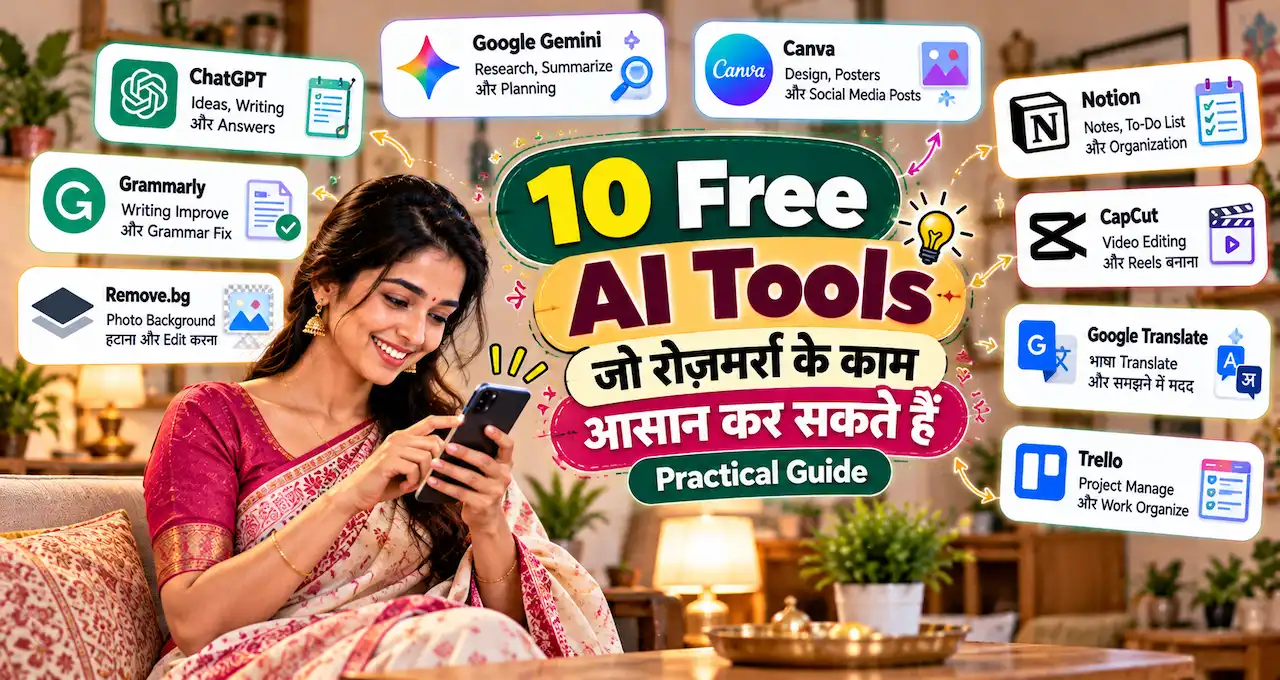
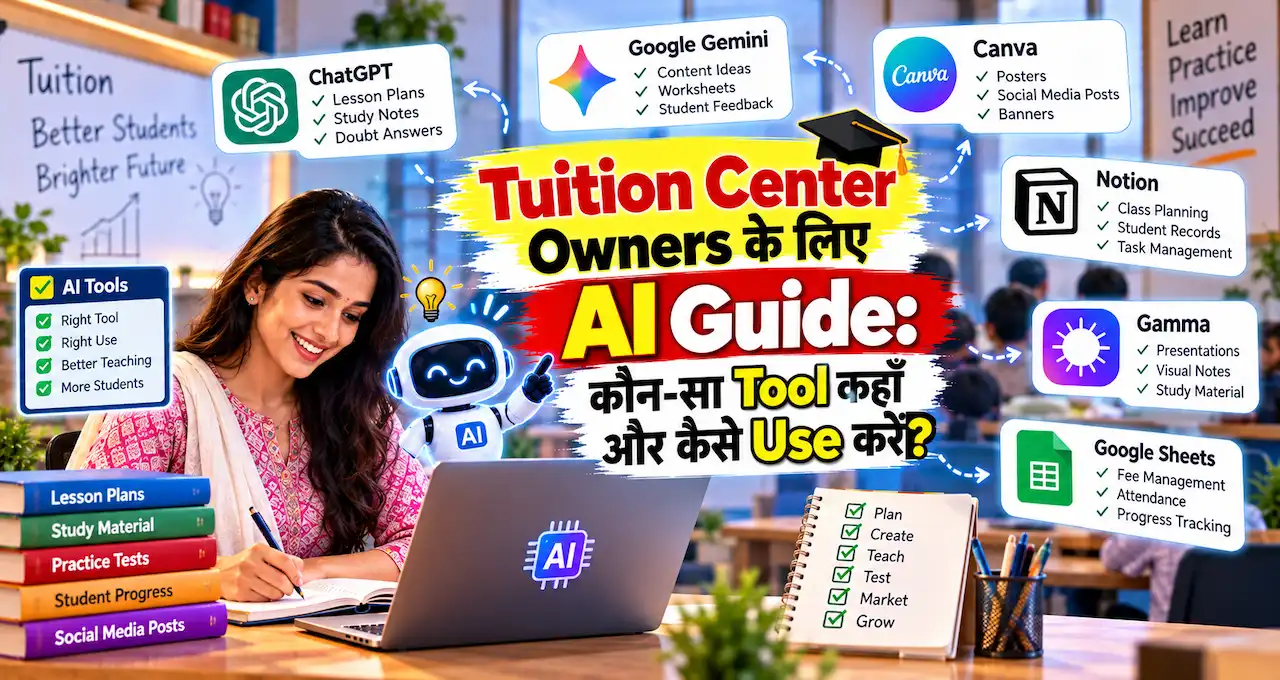
शुरुआत में tool collection बनाने की ज़रूरत नहीं है। नीचे का simple map काफी है:
| काम | Useful tool | कहाँ मदद करेगा |
|---|---|---|
| Lesson planning, notes, explanations | ChatGPT या Gemini | Draft, examples, worksheets, messages |
| अपने notes/PDF से content | NotebookLM | Source-based summary, quiz, flashcards |
| Interactive tests | Wayground | Quiz generation, homework, reports |
| Simple online tests | Google Forms | Quiz, marks, responses |
| Worksheets, slides, posters | Canva | Teaching material और marketing creatives |
| Attendance, fees, marks | Google Sheets + AI assistant | Formulas, analysis, summaries |
| Parent/student communication | ChatGPT/Gemini + WhatsApp Business | Message drafts, quick replies |
| Admission marketing | Canva + ChatGPT/Gemini | Poster copy, captions, campaign ideas |
यहाँ सबसे important बात यह है कि हर tool एक अलग problem solve करे। अगर ChatGPT और Gemini दोनों से एक ही काम हो रहा है, तो शुरुआत में दोनों को maintain करने की ज़रूरत नहीं है।
1. ChatGPT या Gemini: आपका General AI Assistant
Tuition center owner के लिए एक general AI assistant सबसे पहले useful होता है।
आप ChatGPT या Gemini में से किसी एक से शुरुआत कर सकते हैं। दोनों का practical role broadly similar हो सकता है: lesson plan draft करना, topic को सरल भाषा में explain करना, questions बनाना, parent messages लिखना और content ideas देना।
मान लीजिए आप Class 9 Science में “Motion” पढ़ा रहे हैं।
सिर्फ़ “Motion के notes बनाओ” लिखने के बजाय यह context दें:
Class, board, chapter, student level, language, desired length, examples और test pattern.
तब output ज़्यादा useful होगा।
कहाँ-कहाँ इस्तेमाल करें?
- अगले class का lesson outline
- 10-minute revision activity
- Weak students के लिए simpler explanation
- Advanced students के लिए challenge questions
- Homework worksheet
- MCQ + short-answer questions
- Parent progress message
- New batch announcement
- Instagram/WhatsApp caption
OpenAI की educator guidance भी AI-generated lesson plans और teaching aids को starting point मानती है और final review teacher के हाथ में रखने पर जोर देती है।
अगर आप PDF या document upload करके उससे काम लेना चाहते हैं, तो ChatGPT में File Upload का practical use पहले समझ लेना useful रहेगा।
2. NotebookLM: अपने Notes और Study Material पर काम करने के लिए
General AI assistant से एक common problem यह होती है कि वह broad knowledge के आधार पर जवाब दे सकता है।
अगर आप चाहते हैं कि AI आपके दिए हुए material के आसपास ही काम करे, तो NotebookLM useful हो सकता है।
उदाहरण के लिए आप इसमें अपने:
- Self-made notes
- Chapter summary
- Class handout
- Allowed PDF material
- Previous test paper
- Course outline
जैसे sources जोड़ सकते हैं।
फिर उसी material से summary, FAQs, flashcards, quiz या revision content तैयार करवाया जा सकता है। Google ने NotebookLM में source-grounded interaction के साथ quizzes, flashcards और अलग overview formats जैसे learning features भी जोड़े हैं।
Tuition center में इसका practical use
मान लीजिए आपने Class 10 के “Carbon and Its Compounds” chapter के 18 pages के notes बनाए हैं।
उन्हें NotebookLM में डालकर आप पूछ सकते हैं:
“इन notes से 20-minute revision sheet बनाओ।”
फिर:
“इसी content से 15 MCQs और 5 short-answer questions बनाओ।”
और फिर:
“किन concepts में students को confusion हो सकता है? उनके लिए simple analogy सुझाओ।”
इससे फायदा यह है कि एक ही source material को अलग-अलग teaching formats में reuse किया जा सकता है।
अगर exam notes के लिए student-facing workflow चाहिए, तो Class 9–12 students वाली AI notes guide भी useful है।
ध्यान रखें कि copyrighted books या ऐसे documents upload न करें जिन्हें इस्तेमाल करने का अधिकार आपके पास नहीं है। अपने notes और permitted material सबसे safe starting points हैं।
3. Wayground: Weekly Tests को Interactive बनाने के लिए
अगर आपके tuition center में regular tests होते हैं, तो Wayground एक useful tool हो सकता है। इसे पहले Quizizz के नाम से जाना जाता था। Wayground
Wayground AI prompt, document, webpage, YouTube video या दूसरे learning material से assessment questions generate कर सकता है। Teacher questions edit करके उन्हें live quiz या homework के रूप में assign कर सकता है। Wayground
यह उन centers में ज़्यादा useful है जहाँ weekly testing already routine का हिस्सा है।
इसका practical workflow
Chapter complete हुआ
↓
Notes/PDF तैयार
↓
Wayground में assessment generate
↓
Questions manually check
↓
Class में test
↓
Report देखें
↓
Weak topics identify करें
अगर हर student के पास phone नहीं है, तब भी एक interesting option है।
Wayground का Paper Mode printed QR-based answer cards के साथ class test चलाने देता है। Teacher questions display करता है और students cards से answers show करते हैं; teacher mobile से responses scan कर सकता है। Wayground
यानी छोटे offline tuition center में भी digital assessment का कुछ फायदा लिया जा सकता है, बिना हर बच्चे को अलग device दिए।
4. Google Forms: Simple और Low-Complexity Test System
हर tuition center को gamified quiz platform की ज़रूरत नहीं होती।
अगर आपको सिर्फ़:
- Weekly MCQ test
- Admission form
- Parent feedback
- Student survey
- Homework submission
जैसा simple system चाहिए, तो Google Forms काफी हो सकता है।
Google Forms में form को quiz बनाया जा सकता है। आप correct answers, points और feedback set कर सकते हैं, फिर responses collect कर सकते हैं।
यहाँ AI का role question drafting में आ सकता है।
आप ChatGPT या Gemini से पहले questions बनवाएँ। फिर final checking के बाद उन्हें Google Forms में डाल दें।
किसे Wayground और किसे Google Forms चुनना चाहिए?
अगर आपको simple test + basic marks चाहिए, Google Forms से शुरू करें।
अगर आपको interactive quiz, varied question types, class engagement और richer reports चाहिए, तब Wayground explore करें।
एक छोटा center पहले Forms से शुरुआत कर सकता है और ज़रूरत बढ़ने पर advanced assessment tool जोड़ सकता है।
5. Canva: Worksheets, Slides और Admission Creatives
Canva सिर्फ़ social media poster tool नहीं है।
Teaching setup में इसका use worksheets, lesson slides, activity sheets, certificates और classroom visuals के लिए किया जा सकता है।
Canva के current teacher-focused AI tools lesson planning, quizzes, worksheets, classroom activities और presentations में मदद कर सकते हैं। Canva
लेकिन Canva Education eligibility को private tuition owner के लिए automatic न मानें। Canva इसे eligible K–12 teachers और institutions के लिए offer करता है, इसलिए अपने account की eligibility और available plan पहले check करें। Canva
Tuition center में Canva कहाँ काम आएगा?
Teaching side
- Chapter cover sheet
- Formula sheet
- Vocabulary cards
- Revision worksheet
- Diagram-based explanation
- Test result certificate
- Parent orientation presentation
Business side
- New batch poster
- Admission open creative
- Result announcement
- Topper congratulations
- Holiday notice
- Demo class poster
- WhatsApp Status creative
AI से पहले copy draft कराएँ और Canva में final visual बनाएं।
अगर small-business marketing को ज्यादा systematically करना है, तो AI से छोटे Business की Marketing वाली guide भी useful रहेगी।
6. Google Sheets + AI: Attendance, Fees और Marks को समझने के लिए
Tuition center grow होने पर सबसे ज्यादा confusion अक्सर teaching में नहीं, records में होता है।
किस student की fee pending है?
कौन लगातार absent है?
किसका Maths score पिछले तीन tests से गिर रहा है?
किस batch का average कमजोर है?
यहाँ Google Sheets practical base बन सकता है।
AI assistant से आप formulas लिखवाने, columns structure करने और anonymized marks data का summary analysis करवाने में मदद ले सकते हैं।
उदाहरण:
Student ID | Attendance % | Test 1 | Test 2 | Test 3 | Homework Status
इसके बाद AI से पूछ सकते हैं:
“किन students के scores लगातार नीचे जा रहे हैं?”
लेकिन एक important rule रखें।
नाम, phone number, address, Aadhaar, fee details या दूसरे sensitive student data को किसी general AI chat में paste न करें।
Analysis के लिए Student A, Student B या internal IDs जैसे anonymized labels का use करना बेहतर है।
AI trend दिखा सकता है। Final judgement teacher का होना चाहिए।
7. Parent Communication में AI: Message जल्दी, लेकिन Human Tone के साथ
Tuition center में parent communication surprisingly time-consuming हो सकता है।
हर सप्ताह आपको अलग-अलग messages लिखने पड़ सकते हैं:
- बच्चा absent था
- Homework incomplete है
- Test अच्छा गया
- Extra class रखी गई है
- Fee reminder भेजना है
- PTM schedule बताना है
- New batch की जानकारी देनी है
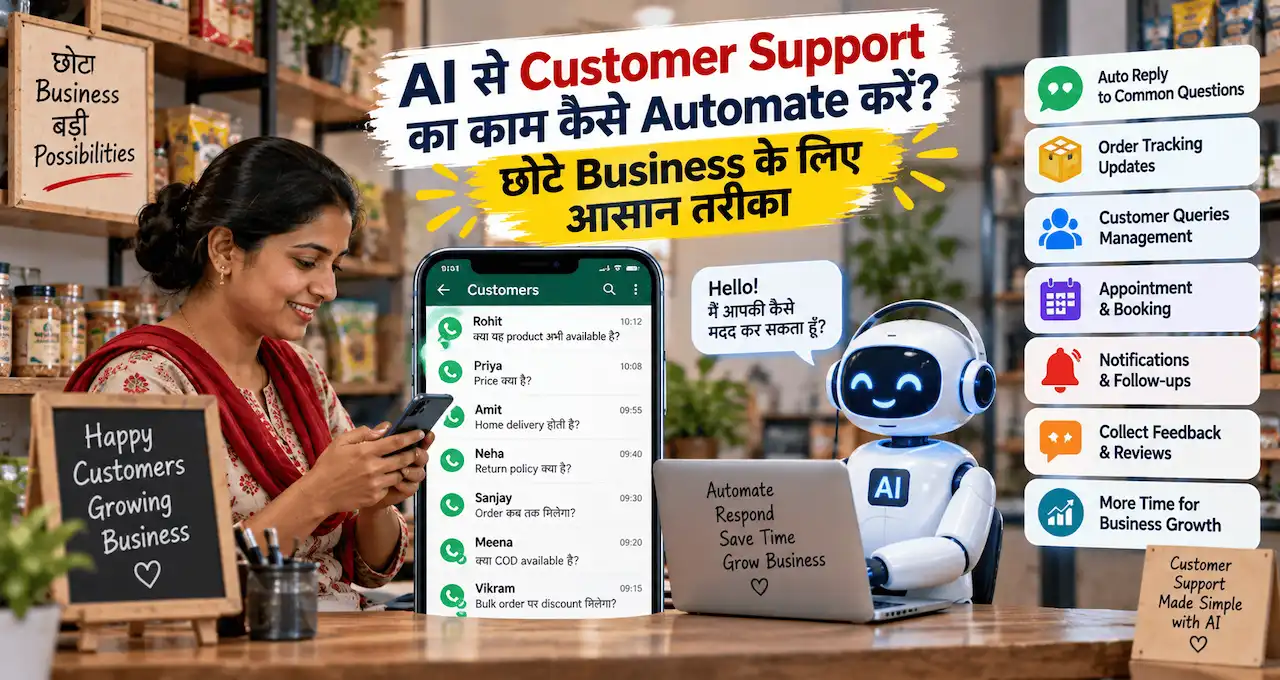
ChatGPT या Gemini इन messages का first draft बना सकता है।
फिर WhatsApp Business में labels, quick replies और organised chat workflow इस्तेमाल किए जा सकते हैं।
अगर WhatsApp Business setup अभी basic level पर है, तो WhatsApp Business को छोटे Business में कैसे इस्तेमाल करें वाली guide useful होगी।
Tone का rule
Parent message robotic नहीं लगना चाहिए।
“Your ward has demonstrated insufficient academic compliance” जैसी भाषा से बचें।
इसके बजाय simple और respectful wording रखें:
“आज Arman ने homework complete नहीं किया था। कृपया घर पर Chapter 4 के questions 1–5 revise करा दें। अगली class में मैं दोबारा check करूँगा।”
AI draft दे सकता है। Relationship आप संभालते हैं।
8. Admission और Local Marketing में AI कहाँ मदद करेगा?
Tuition center grow करने के लिए सिर्फ़ अच्छे notes काफी नहीं हैं।
Parents को यह भी समझ आना चाहिए कि आपके center की speciality क्या है।
यहीं AI marketing में मदद कर सकता है।
मान लीजिए आपकी strength है:
- Small batch size
- Weekly tests
- Doubt sessions
- Class 9–10 Maths/Science
- Monthly parent report
AI से इन्हीं points को use करके:
- Poster headline
- WhatsApp Status
- Instagram caption
- Google Business Profile post draft
- New batch announcement
- Demo class message
बनवाया जा सकता है।
लेकिन AI से fake result, fake topper, fake review या “100% marks guarantee” जैसी claim बनवाना सही marketing नहीं है।
Marketing में जो सच है, उसी को clear तरीके से communicate करना सबसे sustainable strategy है।
एक Tuition Center का Practical Weekly AI Workflow
Tuition Center में AI तभी useful बनेगा जब वह random use के बजाय routine का हिस्सा बने।
एक simple weekly system ऐसा हो सकता है:
Sunday: अगले सप्ताह की planning
ChatGPT/Gemini से chapters के अनुसार lesson outline, homework ideas और revision questions draft कराएँ।
Monday–Thursday: Teaching material
अपने notes को refine करें। ज़रूरत हो तो NotebookLM से source-based summary या flashcards बनवाएँ। Canva में worksheet या visual तैयार करें।
Friday: Test preparation
Wayground या Google Forms के लिए question bank तैयार करें। हर answer और calculation manually verify करें।
Saturday: Progress review
Marks और attendance को Sheets में update करें। Anonymized data से trends देखें और weak topics की list बनाएं।
Weekend: Parent communication और marketing
Parents को concise progress updates भेजें। अगले batch या demo class के लिए एक useful social/WhatsApp creative तैयार करें।
इस तरह AI अलग काम नहीं करता। वह existing tuition workflow में छोटे-छोटे time-saving points पर जुड़ जाता है।
5 Ready-to-Use Prompts जो Tuition Owner तुरंत इस्तेमाल कर सकता है
Prompt 1: Chapter Notes
Best for: Class के बाद revision material
मैं [Class] के [Subject] में [Chapter] पढ़ा रहा/रही हूँ। [Board/Exam] level के students के लिए 2-page revision notes बनाओ। भाषा simple Hindi-English mix रखो। इसमें key concepts, important definitions, formulas/rules, 3 real-life examples, common mistakes और अंत में 5 quick revision questions दो। किसी fact या formula में uncertainty हो तो साफ़ बताओ ताकि मैं verify कर सकूँ।
Output को अपने textbook/syllabus से compare करके ही students को दें।
Prompt 2: Weekly Test
Best for: 30-minute assessment
[Class], [Subject], [Chapter] के लिए 30-minute test बनाओ। Total [20] marks रखें। इसमें 5 MCQs, 3 short-answer questions और 1 application-based question हो। Difficulty आसान 30%, medium 50%, difficult 20% रखो। अंत में separate answer key और marking scheme दो। Questions केवल इन topics से बनाओ: [topics].
अगर numerical subject है, हर answer को manually solve करके verify करें।
Prompt 3: Weak Student Support Plan
Best for: Performance improvement
नीचे anonymized test data दिया है। Student की पहचान के लिए सिर्फ़ codes इस्तेमाल किए गए हैं। Patterns देखकर बताओ कि कौन-से concepts weak लग रहे हैं, किस तरह की errors repeat हो रही हैं और अगले 7 दिनों के लिए 20-minute daily revision plan सुझाओ। Student की ability या intelligence पर judgement मत दो; सिर्फ़ performance evidence के आधार पर suggestions दो। Data: [paste anonymized marks/errors].
AI की recommendation को classroom observation के साथ combine करें।
Prompt 4: Parent Progress Message
Best for: Monthly update
एक parent के लिए 70–100 words का respectful WhatsApp progress message लिखो। Student का नाम [Name], class [Class], strong area [X], improvement area [Y], attendance [Z] और अगले महीने का focus [Goal] है। Tone supportive रखें, डराने या blame करने वाली भाषा न हो। अंत में एक clear action दें जो parent घर पर कर सकता है।
हर message में real student situation के अनुसार बदलाव करें।
Prompt 5: New Batch Marketing
Best for: Admission campaign
मेरे tuition center के लिए new batch admission campaign का copy draft बनाओ। Details: Class [ ], Subjects [ ], Area [ ], Batch size [ ], Key features [ ], Demo class [ ], Contact method [ ]. एक short poster headline, WhatsApp Status text और Instagram/Facebook caption दो। कोई fake result, fake urgency, guaranteed marks या unsupported claim मत बनाना।
इस prompt का output Canva creative और WhatsApp Business campaign में reuse किया जा सकता है।
AI इस्तेमाल करते समय 6 गलतियाँ न करें
पहली गलती है AI-generated answer को final answer मान लेना।
AI गलत fact, formula या explanation दे सकता है। AI Hallucination क्या है? समझना हर teacher के लिए useful है, क्योंकि education में छोटी factual mistake भी student तक गलत concept पहुँचा सकती है।
दूसरी गलती है पूरा student database AI chat में upload करना।
Sensitive information anonymize करें।
तीसरी गलती है हर बच्चे को same AI-generated worksheet देना।
Weak और advanced students की ज़रूरतें अलग हो सकती हैं।
चौथी गलती है सिर्फ़ “एक test बनाओ” जैसे vague prompts देना।
Class, chapter, board, marks, duration और difficulty बताने से result बेहतर होगा।
पाँचवीं गलती है AI को teacher का replacement समझना।
AI draft और analysis दे सकता है। लेकिन बच्चे की hesitation, confidence और वास्तविक understanding teacher ज्यादा अच्छी तरह देखता है।
छठी गलती है बहुत सारे tools एक साथ शुरू कर देना।
Tool सीखने में ही time चला जाएगा और system बन नहीं पाएगा।
छोटे Tuition Center के लिए Minimum AI Setup क्या होना चाहिए?
अगर आपके पास local tuition/coaching setup है, तो शुरुआत के लिए यह stack काफी है:
एक General AI: ChatGPT या Gemini
एक Design Tool: Canva
एक Test Tool: Google Forms; ज़रूरत बढ़े तो Wayground
एक Record System: Google Sheets
एक Communication Tool: WhatsApp Business
Optional Source-Based Tool: NotebookLM
बस।
इस setup से notes, worksheets, tests, progress tracking, parent messages और basic marketing cover हो सकते हैं।
जब system stable हो जाए, तभी additional tools जोड़ें।
अगर आगे tuition को online workshop या digital coaching में expand करना हो, तो Online Coaching शुरू करने की complete guide natural next step होगी।
AI से Growth का मतलब सिर्फ़ ज्यादा Students नहीं है
Tuition center की growth को सिर्फ़ admissions से नहीं मापना चाहिए।
AI का बेहतर use यह भी हो सकता है कि:
- Notes ज्यादा consistent हों
- Tests regular हों
- Weak students जल्दी identify हों
- Parents को clear updates मिलें
- Admin work कम हो
- Teacher को actual teaching के लिए ज्यादा time मिले
अगर इन areas में improvement आता है, तो service quality मजबूत होती है।
और long term में वही referrals, retention और reputation को support कर सकती है।
Students को AI का responsible use भी सिखाना ज़रूरी है। Students के लिए AI से पढ़ाई का सही तरीका इस discussion को आगे ले जाता है।
आख़िर में एक छोटी सी बात
Tuition center में AI की शुरुआत किसी expensive software stack से करने की ज़रूरत नहीं है। पहले एक ऐसा repetitive काम चुनें जो हर सप्ताह आपका समय खाता है—जैसे test बनाना, notes तैयार करना या parent updates—और उसी workflow को AI की मदद से बेहतर बनाएं।
जब पहला workflow stable हो जाए, तब दूसरा जोड़ें। इस तरह AI आपके center में extra complexity नहीं, बल्कि teaching और management के बीच समय बचाने वाला practical assistant बनेगा।
आप tuition या coaching center चलाते हैं तो comment में बताइए कि आपका सबसे ज्यादा समय notes, tests, fees, parents या marketing में कहाँ जाता है। आपकी situation किसी दूसरे teacher से मिलती हो तो यह article उनके साथ share करना भी useful हो सकता है।