आज के समय में AI सिर्फ़ सवालों के जवाब देने या लिखने तक सीमित नहीं है। अब आप सिर्फ़ कुछ शब्द लिखकर ऐसी Photo भी बना सकते हैं, जिसके लिए पहले आपको Camera, Designer या Photoshop की ज़रूरत पड़ सकती थी।
आप किसी पहाड़ का खूबसूरत दृश्य, किसी Product का Advertisement, Social Media Post, YouTube Thumbnail, Cartoon Character या पूरी तरह काल्पनिक दुनिया की तस्वीर AI की मदद से बना सकते हैं।
सबसे ख़ास बात यह है कि इसके लिए आपको शुरुआत में Graphic Designer होना भी ज़रूरी नहीं है।
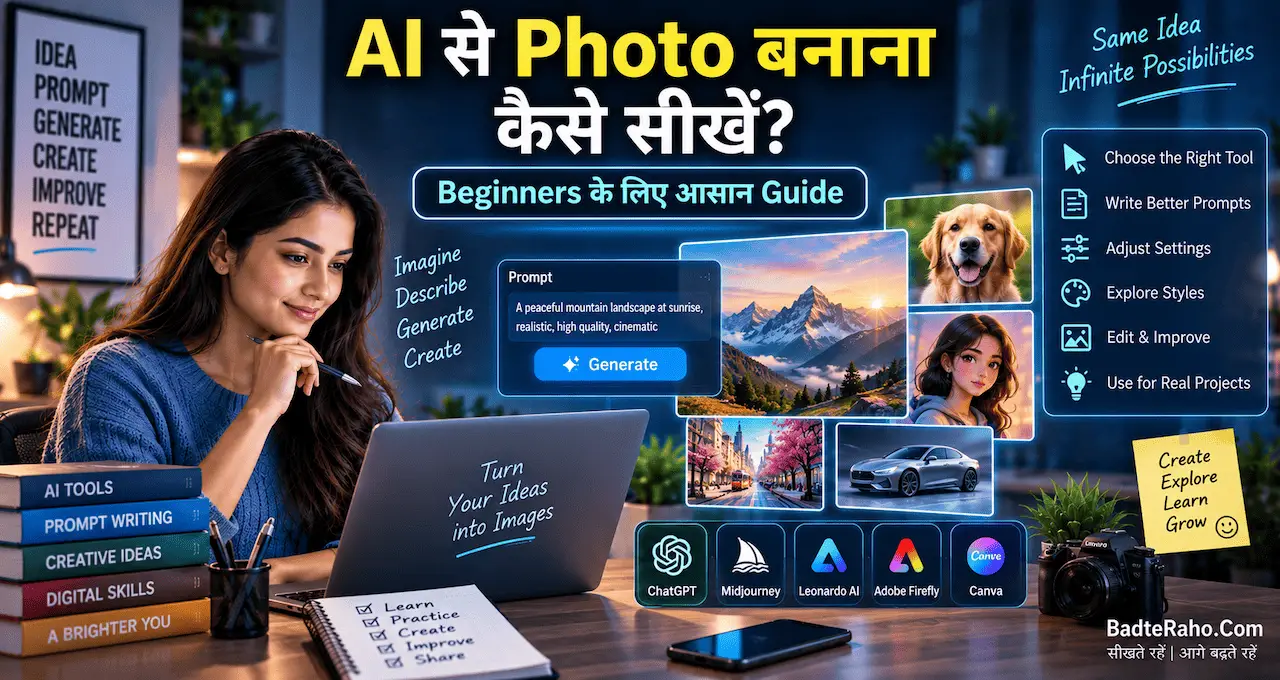
अगर आप पहली बार AI से Photo बनाने की कोशिश कर रहे हैं और आपके मन में सवाल है कि AI से Photo कैसे बनाएं, कौन-से AI Tools इस्तेमाल करें और Prompt कैसे लिखें, तो यह Guide आपके लिए है।
इस लेख में हम बिल्कुल शुरुआत से समझेंगे कि AI Image Generation क्या है, Photo बनाने के लिए क्या चाहिए, सही Prompt कैसे लिखा जाता है और बेहतर Result पाने के लिए किन बातों का ध्यान रखना चाहिए।
इस लेख में आप क्या सीखेंगे
इस Guide में आप जानेंगे:
- AI से Photo बनाना क्या होता है
- AI Image Generator कैसे काम करता है
- Beginners को कौन-से AI Tools इस्तेमाल करने चाहिए
- AI से Photo बनाने का आसान तरीका
- अच्छा Prompt कैसे लिखें
- एक ही Idea से अलग-अलग Photos कैसे बनाएं
- AI Photo को बेहतर कैसे करें
- AI-generated Photo में होने वाली आम गलतियाँ
- Copyright और किसी दूसरे व्यक्ति की Photo इस्तेमाल करते समय किन बातों का ध्यान रखें
- AI Photo बनाने की Practice कैसे शुरू करें
AI से Photo बनाना क्या होता है?
सरल भाषा में समझें तो AI Image Generation ऐसी Technology है जिसमें आप Text Prompt या कुछ मामलों में किसी मौजूदा Image के आधार पर नई Image तैयार कर सकते हैं।
मान लीजिए आपने AI Tool में लिखा:
“बारिश के बाद एक शांत भारतीय शहर की सड़क, शाम का समय, सड़क पर हल्की रोशनी, realistic photography”
AI आपके Prompt को समझने की कोशिश करता है और उसके आधार पर एक नई Image तैयार करता है।
यानी आपको हर चीज़ खुद Photoshop में बनानी नहीं पड़ती।
आप AI को बताते हैं कि आपको क्या चाहिए, और AI उस Description के आधार पर Image बनाने की कोशिश करता है।
यही वजह है कि आज AI Image Generation सीखना Creators, Bloggers, YouTubers, Students और Small Businesses के लिए उपयोगी Skill बन गया है।
AI Image Generator कैसे काम करता है?
AI Image Generator के पीछे काफी complex Technology होती है, लेकिन Beginner के तौर पर आपको इसकी पूरी technical working समझने की ज़रूरत नहीं है।
इसे एक आसान उदाहरण से समझिए।
आप AI से कहते हैं:
“एक छोटे भारतीय Café का realistic Photo बनाओ, जहाँ सुबह के समय लोग Coffee पी रहे हों।”
AI आपके शब्दों में मौजूद चीज़ों को समझने की कोशिश करता है:
- Café
- Indian setting
- Morning
- People
- Coffee
- Realistic photography
इसके बाद Model सीखी हुई visual patterns के आधार पर एक Image generate करता है।
अगर आप AI और Machine Learning की basic understanding भी बनाना चाहते हैं, तो Machine Learning क्या है और AI से इसका क्या संबंध है वाला लेख मददगार हो सकता है।
AI से Photo बनाने के लिए क्या चाहिए?
अच्छी शुरुआत के लिए आपको बहुत सारी चीज़ों की आवश्यकता नहीं है।
आपको मुख्य रूप से चाहिए:
- Internet connection
- Smartphone या Computer
- किसी AI Image Generation Tool का access
- एक अच्छा Idea
- सही Prompt लिखने की basic समझ
बस।
आप शुरुआत में Mobile से भी AI Images बना सकते हैं।
हालांकि, अगर आप बड़े size की Images, detailed editing या professional workflow पर काम करना चाहते हैं, तो Computer पर काम करना ज़्यादा सुविधाजनक हो सकता है।
Beginners के लिए AI Photo बनाने का आसान तरीका
अब सबसे practical हिस्सा आता है।
अगर आपने पहले कभी AI से Photo नहीं बनाई है, तो यह simple process follow करें।
Step 1: सबसे पहले तय करें कि आपको क्या बनाना है
AI Tool खोलने से पहले अपने दिमाग में Image का Idea साफ़ करें।
उदाहरण के लिए आपको सिर्फ़ यह नहीं सोचना है:
“एक लड़की की Photo बनानी है।”
इसके बजाय सोचें:
- लड़की कैसी दिखे?
- उसकी उम्र लगभग कितनी हो?
- वह कहाँ हो?
- क्या कर रही हो?
- मौसम कैसा हो?
- Photo realistic हो या illustration?
- Camera angle कैसा हो?
- Lighting कैसी हो?
जितना साफ़ आपका Idea होगा, उतना ही अच्छा Prompt लिखना आसान होगा।
Step 2: सही AI Image Tool चुनें
आज कई AI Tools Image Generation और Editing की सुविधा देते हैं।
उदाहरण के लिए, आप अपनी ज़रूरत के हिसाब से अलग-अलग Platforms आज़मा सकते हैं।
कुछ लोकप्रिय नाम हैं:
- ChatGPT
- Midjourney
- Adobe Firefly
- Canva के AI features
- Leonardo जैसे AI Image Tools
लेकिन एक Beginner के लिए सबसे ज़रूरी बात यह नहीं है कि वह एक साथ 10 Tools सीखना शुरू कर दे।
एक Tool चुनिए और उसी पर Practice कीजिए।
क्योंकि असली Skill Tool की संख्या में नहीं, बल्कि Idea + Prompt + Editing + Experimentation में है।
अगर आप AI की basic terminology समझना चाहते हैं, तो AI क्या है और कैसे काम करता है भी पढ़ सकते हैं।
Step 3: अपना पहला Prompt लिखें
अब आपको AI को बताना है कि आपको कैसी Photo चाहिए।
एक basic Prompt ऐसा हो सकता है:
“A realistic photo of a young Indian man standing near a modern office building, morning light, professional clothing, natural expression, cinematic photography.”
ध्यान दीजिए कि हमने सिर्फ़ “एक आदमी की Photo बनाओ” नहीं लिखा।
हमने कई details दी हैं:
- Subject — young Indian man
- Location — modern office building
- Clothing — professional
- Expression — natural
- Time — morning
- Lighting — morning light
- Style — cinematic photography
यही Prompt को बेहतर बनाता है।
अच्छा AI Photo Prompt कैसे लिखें?
Beginners के लिए एक simple formula याद रखना आसान है:
Subject + Action + Location + Appearance + Lighting + Style + Camera/Composition
उदाहरण:
Subject: Young Indian woman
Action: Working on a creative project
Location: Modern studio
Appearance: Professional casual clothing
Lighting: Soft natural light
Style: Editorial photography
Composition: Medium shot
इन सबको जोड़कर Prompt बन सकता है:
“A young Indian woman working on a creative project inside a modern studio, professional casual clothing, soft natural lighting, premium editorial photography, medium shot, realistic details.”
आप जितनी ज़रूरी जानकारी देंगे, AI को आपकी कल्पना समझने के लिए उतना बेहतर context मिलेगा।
Prompt लिखने की Skill को और बेहतर बनाने के लिए Prompt Engineering क्या है और बेहतर Prompt कैसे लिखें वाला लेख भी उपयोगी रहेगा।
शुरुआत में छोटे Prompt से Practice करें
एक आम गलती यह होती है कि Beginner पहली ही कोशिश में बहुत लंबा Prompt लिख देता है।
ऐसा करना ज़रूरी नहीं है।
पहले छोटा Prompt लिखिए।
उदाहरण:
“A realistic Indian street market during evening.”
फिर Result देखिए।
इसके बाद उसमें details जोड़िए:
“A realistic Indian street market during evening, warm shop lights, people walking, small local shops, cinematic photography, natural colors.”
अब फिर Result compare करें।
इस तरह आपको धीरे-धीरे समझ आने लगेगा कि कौन-सी Description Image को किस दिशा में ले जाती है।
AI से अलग-अलग Style की Photo कैसे बनाएं?
एक ही Idea को अलग-अलग visual styles में बदला जा सकता है।
मान लीजिए आपका Idea है:
“पहाड़ों में एक छोटा घर।”
आप इसे कई तरीक़ों से लिख सकते हैं।
Realistic Photography
“A realistic photograph of a small wooden house in the mountains, morning sunlight, natural environment, high detail.”
Cinematic
“A cinematic scene of a small wooden house surrounded by mountains, dramatic morning light, atmospheric clouds, wide-angle composition.”
Illustration
“A beautiful digital illustration of a small wooden house in the mountains, colorful landscape, artistic style.”
3D Style
“A detailed 3D render of a small modern house in the mountains, realistic materials, soft lighting.”
यानी Idea वही है, लेकिन Prompt बदलने से visual style बदल सकता है।
AI Photo में Aspect Ratio क्यों ज़रूरी है?
अगर आप सिर्फ़ एक Image बनाना चाहते हैं तो Aspect Ratio शायद बहुत बड़ा मुद्दा नहीं लगेगा।
लेकिन अलग-अलग Platforms के लिए Image बनाते समय यह काफ़ी महत्वपूर्ण हो जाता है।
उदाहरण के लिए:
- Blog featured image → Wide landscape
- Instagram Post → Square
- Instagram Story → Vertical
- YouTube Thumbnail → Wide
- Mobile Wallpaper → Vertical
इसलिए Image generate करने से पहले सोचें कि उसे कहाँ इस्तेमाल करना है।
अगर आप Blog के लिए Image बना रहे हैं, तो पहले से तय करें कि आपका मुख्य Text और Subject कहाँ रहेगा।
ख़ास तौर पर Thumbnail या Featured Image में important content को बहुत किनारे पर न रखें।
AI से Photo बनाते समय Text क्यों बिगड़ जाता है?
यह Beginners की सबसे common problems में से एक है।
आप AI से कह सकते हैं:
“एक Poster बनाओ जिस पर लिखा हो — मेहनत कभी बेकार नहीं जाती।”
लेकिन कई बार AI-generated Image में Text गलत spelling, random letters या distorted words के रूप में दिखाई दे सकता है।
इसलिए अगर Image में बहुत सारा Text चाहिए, तो बेहतर workflow यह हो सकता है:
पहले AI से Visual बनाएं → फिर Canva या किसी दूसरे editor में Text जोड़ें।
इससे आपके Poster, Thumbnail या Social Media Creative पर Text का control ज़्यादा रहेगा।
AI Photo को बेहतर बनाने का सबसे आसान तरीका
पहली Image देखकर तुरंत यह मत सोचिए कि यही Final Result है।
AI Image Generation को एक experiment process की तरह समझें।
पहले Image generate करें।
फिर देखें:
- Face natural है?
- Hands ठीक हैं?
- Background सही है?
- Object सही जगह है?
- Lighting अच्छी है?
- Composition balanced है?
- Image में कोई unwanted चीज़ तो नहीं?
- आपके original Idea से Image कितनी match कर रही है?
अगर Result सही नहीं है, तो Prompt बदलें।
यही असली learning process है।
एक ही Prompt को बार-बार बदलकर सीखें
मान लीजिए आपने लिखा:
“A young man reading a book in a park.”
अब इसमें एक-एक चीज़ बदलकर experiment करें।
Version 1
“A young man reading a book in a park.”
Version 2
“A young Indian man reading a book in a peaceful city park during early morning.”
Version 3
“A young Indian man reading a book in a peaceful city park during early morning, soft sunlight, realistic photography, shallow depth of field.”
अब तीनों Images को compare कीजिए।
इस Practice से आपको Prompt और visual result के बीच relationship समझ में आने लगेगा।
AI से Photo बनाने में Beginners कौन-सी गलतियाँ करते हैं?
1. बहुत vague Prompt लिखना
“एक अच्छी Photo बनाओ।”
यह AI को बहुत कम information देता है।
इसके बजाय बताइए कि क्या, कहाँ, कैसे और किस Style में चाहिए।
2. एक ही Prompt में बहुत सारी चीज़ें डाल देना
कभी-कभी हम AI को इतनी सारी बातें बता देते हैं कि original idea ही unclear हो जाता है।
इसलिए Prompt में वही details रखें जो वास्तव में Image के लिए ज़रूरी हैं।
3. पहली Image को Final मान लेना
AI से पहली कोशिश में perfect Result मिलना ज़रूरी नहीं है।
Generate → Check → Improve → Generate Again.
यही बेहतर तरीका है।
4. हर काम के लिए एक ही Style इस्तेमाल करना
हर Image को cinematic, neon और futuristic बनाने की ज़रूरत नहीं है।
किसी article के लिए realistic photography बेहतर हो सकती है।
किसी बच्चों की कहानी के लिए illustration।
किसी Product के लिए clean commercial photography।
किसी Fantasy Idea के लिए cinematic artwork।
Style को Topic के हिसाब से चुनें।
5. दूसरे व्यक्ति की Photo बिना सोचे इस्तेमाल करना
अगर आप किसी वास्तविक व्यक्ति की Photo AI में upload करके उसे modify करना चाहते हैं, तो privacy और permission का ध्यान रखना ज़रूरी है।
ख़ास तौर पर किसी व्यक्ति की Photo को ऐसी स्थिति में बदलना ठीक नहीं है जिससे उसके बारे में गलत impression पैदा हो।
AI की सुविधा के साथ ज़िम्मेदारी भी आती है।
AI Photo बनाना सीखने के लिए 7 दिन का Simple Practice Plan
अगर आप सच में यह Skill सीखना चाहते हैं, तो रोज़ सिर्फ़ 20–30 मिनट Practice करके शुरुआत कर सकते हैं।
Day 1 — Basic Prompt
सिर्फ़ Subject और Location के साथ 5 Images बनाएं।
Day 2 — Lighting
Morning, sunset, studio, dramatic और soft lighting के साथ experiment करें।
Day 3 — Photography Styles
Realistic, cinematic, editorial, portrait और product photography try करें।
Day 4 — Composition
Close-up, medium shot, wide shot, top view और side angle जैसे concepts आज़माएं।
Day 5 — Same Idea, Different Styles
एक ही Idea की 5 अलग-अलग styles में Images बनाएं।
Day 6 — Editing
अपनी बनाई Image में बदलाव करवाने की कोशिश करें।
Day 7 — Real Project
अब एक पूरा छोटा Project बनाएं।
उदाहरण के लिए:
एक Blog Featured Image या Instagram Creative तैयार करें।
इसमें Idea से लेकर Prompt, Generation और Final Editing तक पूरा workflow खुद करें।
AI से Photo बनाना सीखकर क्या-क्या कर सकते हैं?
यह Skill सिर्फ़ मज़े के लिए Images बनाने तक सीमित नहीं है।
आप इसका इस्तेमाल कई practical कामों में कर सकते हैं।
Bloggers
Blog Posts के लिए custom featured images और illustrations बना सकते हैं।
YouTubers
Thumbnail concepts और visual assets तैयार कर सकते हैं।
Students
Presentation, project और creative assignments के लिए visual material तैयार कर सकते हैं।
Small Businesses
Social Media Posts, promotional creatives और product concepts के लिए Images बना सकते हैं।
Freelancers
Client के लिए visual concepts और design drafts तैयार कर सकते हैं।
Content Creators
Instagram, Facebook और दूसरे platforms के लिए creative visuals बना सकते हैं।
यानी AI Image Generation धीरे-धीरे एक Creative Productivity Skill की तरह इस्तेमाल हो सकती है।
क्या AI से Photo बनाना Graphic Design की जगह ले देगा?
ऐसा कहना सही नहीं होगा कि AI आने के बाद Graphic Design की ज़रूरत ही खत्म हो जाएगी।
AI Image Generator एक powerful tool है, लेकिन अच्छा visual बनाने के लिए अभी भी इंसानी सोच ज़रूरी है।
किसी अच्छे Creative में सिर्फ़ Image नहीं होती।
उसमें होता है:
- Idea
- Story
- Composition
- Typography
- Branding
- Audience understanding
- Editing
- Context
इसलिए AI को replacement की बजाय creative assistant की तरह समझना ज़्यादा practical है।
जैसे-जैसे आप AI Tools सीखेंगे, वैसे-वैसे यह समझना भी ज़रूरी होगा कि AI कहाँ अच्छा काम करता है और कहाँ आपको खुद decision लेना चाहिए।
AI Photo बनाते समय Copyright और Privacy का ध्यान रखें
AI से Image बनाना आसान है, लेकिन इसका मतलब यह नहीं है कि हर Image को हर जगह बिना सोचे इस्तेमाल किया जा सकता है।
किसी AI Tool की terms और commercial-use conditions अलग हो सकती हैं।
इसी तरह किसी दूसरे व्यक्ति की Photo को बिना permission के इस्तेमाल करना privacy और ethical problem पैदा कर सकता है।
अगर आप Business, Blog या Client Project के लिए AI-generated Images इस्तेमाल कर रहे हैं, तो जिस Tool का इस्तेमाल कर रहे हैं उसकी current terms और usage rights को देखना अच्छी आदत है।
AI Photo बनाना सीखने का सबसे अच्छा तरीका क्या है?
इसका जवाब बहुत simple है:
Practice.
आप 20 अलग-अलग AI Tools के बारे में पढ़कर भी उतना नहीं सीखेंगे, जितना एक Tool पर 50–100 अलग Prompts आज़माकर सीख सकते हैं।
एक Notebook या Digital Notes में अपने अच्छे Prompts save करें।
साथ ही यह भी लिखें कि:
- कौन-सा Prompt अच्छा Result देता है
- कौन-सी Style अच्छी लगी
- किस Lighting में बेहतर Image आई
- कौन-से Words काम नहीं किए
- कौन-से बदलाव से Result improve हुआ
कुछ दिनों बाद आपके पास अपना छोटा-सा Prompt Library तैयार हो जाएगा।
यही चीज़ आगे चलकर आपकी Speed बढ़ाएगी।
BadteRaho Tip 💡
AI से Photo बनाना सीखने के लिए सबसे पहले “Perfect Prompt” खोजने की कोशिश मत कीजिए।
पहले एक Simple Prompt लिखिए, Result देखिए और फिर उसे Improve कीजिए।
यानी:
Think → Prompt → Generate → Check → Improve → Repeat
यही छोटा-सा cycle आपकी AI Image Generation Skill को धीरे-धीरे बेहतर करेगा।
और एक बात याद रखिए—AI से अच्छी Image बनाना सिर्फ़ Tool जानने का काम नहीं है। अच्छी Image की शुरुआत अच्छे Idea से होती है।
Action Plan Box 🚀
आज से शुरुआत करनी है? तो ये 5 काम करें:
☐ एक AI Image Generator चुनें
☐ अपना पहला Simple Prompt लिखें
☐ एक ही Idea की 3 अलग Images बनाएं
☐ हर Image में एक चीज़ बदलकर Result compare करें
☐ सबसे अच्छा Prompt save कर लें
7 दिन तक रोज़ 20–30 मिनट Practice कीजिए।
आपको धीरे-धीरे समझ आने लगेगा कि AI को सिर्फ़ “क्या बनाना है” बताना काफ़ी नहीं है—कैसे दिखना चाहिए, यह बताना भी उतना ही ज़रूरी है।
आख़िर में एक छोटी सी बात
AI से Photo बनाना कोई ऐसी Skill नहीं है जिसे सीखने के लिए आपको पहले से Designer होना चाहिए।
आप Beginner हैं तो भी आज से शुरुआत कर सकते हैं।
पहली Image शायद वैसी न बने जैसी आपने सोची थी। दूसरी भी perfect नहीं होगी। लेकिन तीसरी, चौथी और दसवीं कोशिश के साथ आपको यह समझ आने लगेगा कि Prompt में कौन-सी बात जोड़नी है और कौन-सी हटानी है।
यही सीखने का असली तरीका है।
AI आपके Ideas को Image में बदलने में मदद कर सकता है, लेकिन Idea आपका होना चाहिए।
इसलिए सिर्फ़ Tools की list याद करने के बजाय सोचना, Prompt लिखना, Experiment करना और Improve करना सीखिए।
आपको ये लेख कैसा लगा, हमें कमेंट करके ज़रूर बताएँ। अगर आपके पास भी कोई लेख, कहानी या कविता है, तो आप उसे हमें badteraho@gmail.com पर भेज सकते हैं। पसंद आने पर हम आपके लेख को आपके नाम के साथ BadteRaho.Com पर प्रकाशित करेंगे।
Keywords: AI से Photo कैसे बनाएं, AI Photo कैसे बनाएं, AI से फोटो बनाना कैसे सीखें, AI image generator, AI image generation, AI photo generator, AI से image बनाना, AI Photo बनाने का तरीका, AI image prompt, AI Prompt कैसे लिखें, Best AI image generator, AI photo editing, AI generated images, AI tools for beginners, AI image generation for beginners, फोटो बनाने वाला AI, AI से तस्वीर कैसे बनाएं, AI से फोटो बनाने का तरीका, AI image बनाने की पूरी जानकारी, Beginners के लिए AI Photo Guide