

















हर छोटे काम के लिए paid AI subscription लेना पड़े, तो monthly खर्च जल्दी बढ़ सकता है।
अच्छी बात यह है कि email, research, PDF reading, design और meeting notes जैसे कई रोज़मर्रा के काम free AI tools से हो सकते हैं। लेकिन “free” का मतलब unlimited नहीं होता; कई tools usage limits या restricted features के साथ आते हैं।
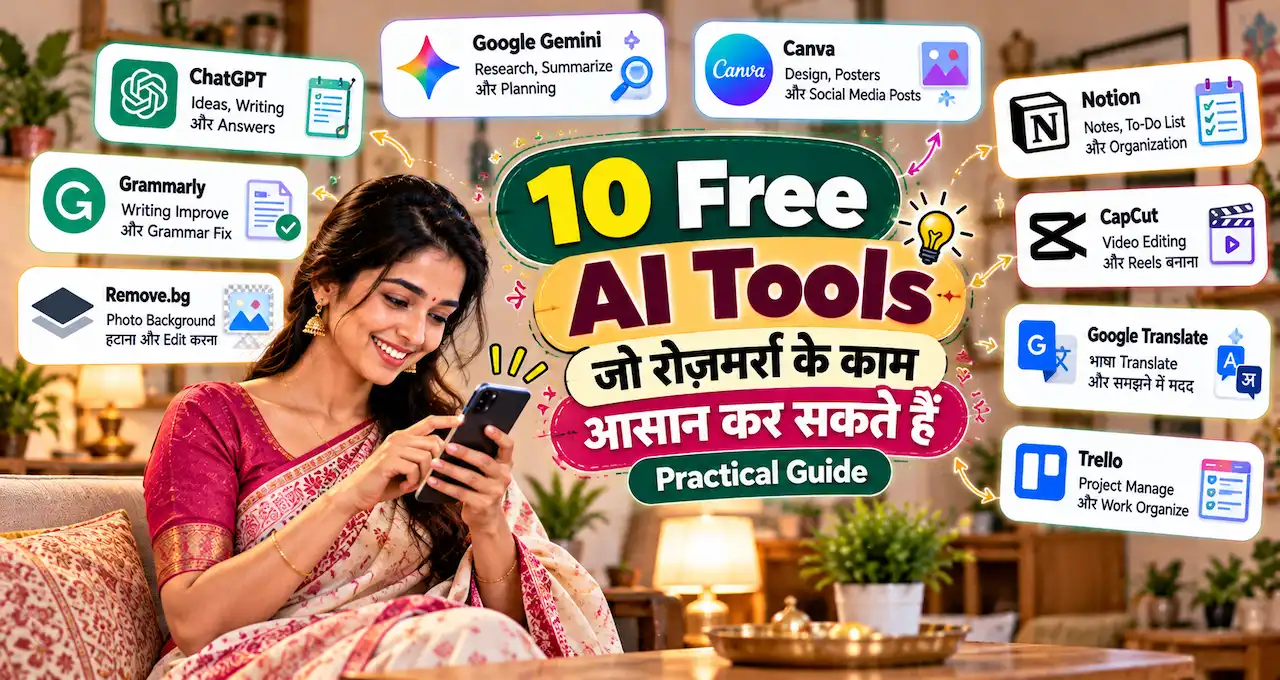
इस guide में 10 practical AI tools देखेंगे और समझेंगे कि कौन-सा tool किस काम में useful है। Focus tools collect करने पर नहीं, सही काम के लिए सही free option चुनने पर रहेगा।
चलिए पहले देखते हैं कि daily use के लिए कौन-से tools सच में काम आते हैं।
इस लेख में आप क्या सीखेंगे?
- सही free AI tools
- Daily tasks के लिए
- Research और writing options
- Design और meeting tools
- Free limits की समझ
- Safe AI usage
Free AI Tool चुनते समय किन बातों पर ध्यान दें?
Free plan देखकर तुरंत account बना लेना जरूरी नहीं है। पहले अपना actual task identify करें।
किसी tool को चुनते समय चार सवाल useful हैं:
- क्या यह मेरे weekly काम में आएगा?
- Free plan में core task पूरा हो जाता है?
- Output verify करना आसान है?
- Free limit खत्म होने पर alternative available है?
बहुत से users एक ही काम के लिए ChatGPT, Gemini और Claude तीनों का use करते रहते हैं। इससे quality हमेशा नहीं बढ़ती; कई बार सिर्फ़ tool switching बढ़ती है।
अगर AI की basic working अभी clear नहीं है, तो Generative AI कैसे काम करता है समझना useful रहेगा।
इस article में दिए free-plan details 12 October 2026 की current official information पर based हैं। Future में limits और features बदल सकते हैं।
10 Free AI Tools का quick comparison
| AI Tool | Daily use में सबसे useful | Free plan का practical मतलब |
|---|---|---|
| ChatGPT | General help, files, planning | Free text chat; advanced tools पर limits |
| Gemini | Writing, planning, explanations | Free access with compute-based limits |
| Claude | Long text, structured work | Free plan with usage limits |
| Microsoft Copilot | Web, files, images | Free Copilot Chat with standard access |
| Perplexity | Current web research | Free search with citations |
| Gemini Notebook | PDFs और source-based research | Free standard access with limits |
| Canva AI | Posters, presentations, graphics | Canva Free में limited AI usage |
| Grammarly | English writing और tone | Free writing checks + limited AI prompts |
| QuillBot | Rewrite, summary, translation | Free tools with per-use limits |
| Otter | Meeting transcription | Free Basic plan with monthly minutes |
यह strict ranking नहीं है। हर tool अलग काम में useful है।
1. ChatGPT: general daily assistant
अगर एक ही AI tool से शुरुआत करनी हो, तो ChatGPT broad daily tasks cover कर सकता है।
Free tier में everyday text chats available हैं। Web search, file/image upload, image creation और data analysis जैसे tools भी free users को मिलते हैं, लेकिन इन पर अलग usage limits लागू हो सकती हैं। OpenAI Help Center
Daily use examples:
- Email draft करना
- WhatsApp message improve करना
- Long text summarize करना
- Shopping या travel checklist बनाना
- Resume points refine करना
- Image या screenshot समझना
- CSV या simple data analyze करना
- PDF से key points निकालना
- Ideas को table में organize करना
मान लें आपके पास 8-page PDF है और सिर्फ़ action points चाहिए। पूरा document खुद पढ़ने से पहले AI से summary और key questions निकलवा सकते हैं।
अगर files के साथ काम करना नया है, तो ChatGPT में PDF और documents upload करने का तरीका useful रहेगा।
Prompt जितना clear होगा, output उतना practical होगा। इसलिए बार-बार generic answer मिल रहा हो, तो बेहतर AI prompt लिखने की basics समझना काम आएगा।
Best for: General writing, planning, files और everyday problem-solving.
Free limitation: Text chat broadly available है, लेकिन advanced tools के separate limits हो सकते हैं।
2. Gemini: planning, writing और explanations
Gemini भी general-purpose AI assistant है, इसलिए ChatGPT के साथ इसका काफी overlap है।
Google के current help documentation के अनुसार Gemini Apps free access पर compute-based limits use करती हैं। Prompt complexity, selected model, feature और chat length के हिसाब से usage अलग हो सकती है; limits fixed message count जैसी simple नहीं हैं। Google Support
Daily use में Gemini से:
- Email या note draft कर सकते हैं
- Pros/cons compare कर सकते हैं
- Study concept simplify कर सकते हैं
- Trip या event plan बना सकते हैं
- Long text को checklist में बदल सकते हैं
- Brainstorming कर सकते हैं
- Alternative wording मांग सकते हैं
उदाहरण:
अगले महीने घर shifting करनी है। Packing, documents, utilities और moving-day tasks को 4-week plan में organize करो।
ChatGPT और Gemini दोनों को हर काम में parallel चलाना जरूरी नहीं है। एक primary assistant रखें और दूसरे को alternate perspective के लिए use करें।
Best for: Planning, explanations, brainstorming और general writing.
Free limitation: Limits compute-based हैं और usage level task complexity पर depend कर सकते हैं।
3. Claude: long text और structured work
Claude long documents और structured thinking वाले tasks में useful option है।
Anthropic का current Free plan web, desktop और mobile chat के साथ web search, file creation, code execution, memory और content creation जैसी capabilities देता है। Usage limits Free plan पर लागू होती हैं। Claude
Practical daily uses:
- Long report summarize करना
- Notes को action items में बदलना
- Formal email rewrite करना
- Detailed comparison बनाना
- Policy document को simple language में समझना
- Spreadsheet या document output create करना
- Long instructions को clean checklist में बदलना
उदाहरण:
नीचे meeting notes हैं। इन्हें Decisions, Pending Questions और Next Actions में organize करो। कोई नई information add मत करना।
Claude file creation भी support करता है, और official documentation के अनुसार Free users code execution के जरिए spreadsheets, presentations और documents create/edit कर सकते हैं।
Best for: Long text, structured writing और document-heavy work.
Free limitation: Usage limits rolling windows और task complexity के हिसाब से vary कर सकती हैं। Claude
4. Microsoft Copilot: web, files और Microsoft workflow
अगर आप Windows, Edge या Microsoft services regularly use करते हैं, तो Copilot convenient हो सकता है।
Microsoft के current support pages के अनुसार, free Copilot Chat users standard access के तहत file upload, image generation और advanced reasoning जैसी capabilities use कर सकते हैं। High-demand periods में availability या speed vary हो सकती है। Microsoft Support
Daily use examples:
- Webpage summarize करना
- PDF या DOCX analyze करना
- Quick comparison बनाना
- Email draft करना
- Simple image generate करना
- Presentation idea brainstorm करना
- Uploaded file से questions पूछना
Copilot file upload कई common formats support करता है, जिनमें PDF, DOCX, XLSX, PPTX, CSV और images शामिल हैं।
लेकिन free Copilot Chat और deeper Microsoft 365 app integration को एक ही चीज़ न समझें। कुछ features account type और paid license पर depend कर सकते हैं।
Best for: Microsoft users, web tasks, files और quick content creation.
Free limitation: Standard access capacity-based हो सकता है और paid licenses priority access देते हैं।
5. Perplexity: current information और source discovery
जब task “answer लिखो” से ज्यादा “current information कहाँ मिलेगी?” हो, तब Perplexity useful है।
Perplexity खुद को real-time web research और cited answers वाला AI answer engine बताता है। Free plan core search/chat और citations देता है, जबकि deeper research और higher limits paid plans में मिलते हैं। Perplexity AI
Daily use में इसका उपयोग कर सकते हैं:
- Current topic का quick overview
- Official sources खोजने
- Product या service comparison की शुरुआत
- Travel rules के source pages ढूँढने
- Multiple articles का direction समझने
- Research के लिए primary links identify करने
उदाहरण:
India में UPI transaction limits के current official RBI या NPCI sources identify करो। सिर्फ़ source discovery करो, final claim मत बनाओ।
Citation दिखाई देना accuracy की guarantee नहीं है। Important claim के लिए source खोलकर verify करें।
AI confident language में गलत information भी दे सकता है। इसलिए AI hallucination पहचानने का तरीका daily AI use में भी relevant है।
Best for: Current web research और source discovery.
Free limitation: Free plan limited daily use के लिए designed है और advanced research higher plans में ज्यादा मिलता है। Perplexity AI
6. Gemini Notebook: अपने PDFs और sources से research
Gemini Notebook source-grounded research के लिए बनाया गया Google tool है।
Current Google documentation के अनुसार free tier में 100 notebooks, हर notebook में 50 sources, 50 daily chat queries और 3 audio generations जैसे limits दिए गए हैं। Sources में PDFs, websites, Google Docs, Slides और YouTube URLs जैसी सामग्री add की जा सकती है।
यह खासतौर पर useful है जब answer open web से नहीं, आपके चुने हुए documents से चाहिए।
Use cases:
- Exam PDFs से revision notes
- Office policies compare करना
- Research papers organize करना
- Multiple reports से common findings निकालना
- Source-based FAQs बनाना
- Uploaded material से citations के साथ answers लेना
उदाहरण:
इन चार uploaded documents में leave policy कहाँ अलग है? सिर्फ़ provided sources के आधार पर comparison table बनाओ।
अगर आपके पास सिर्फ़ एक छोटा paragraph है, तो Gemini Notebook की ज़रूरत नहीं है। इसका real value multi-source work में आता है।
Best for: Study material, reports, PDFs और source-grounded research.
Free limitation: Notebook, source, chat और audio limits लागू हैं।
7. Canva AI: posters, presentations और visual work
हर daily task text-based नहीं होता।
Canva Free design editor, templates और limited AI usage देता है। Current India pricing page के अनुसार Free plan में shared allowance के तहत up to 20 Standard या Premium AI uses हो सकते हैं; actual usage task complexity और selected AI feature पर depend कर सकती है। Canva
Daily use examples:
- Birthday invitation
- School project poster
- Office presentation
- Social media creative
- Resume layout
- Small business offer banner
- Simple infographic
- AI-generated image
Canva का biggest advantage यह है कि AI output को उसी editor में manually refine किया जा सकता है।
AI-generated poster publish करने से पहले text, date, contact number और price manually check करें। Visual अच्छा दिखना factual accuracy की guarantee नहीं है।
अगर AI-generated visual की जरूरत नहीं है, तो free stock photo websites कई projects में बेहतर option हो सकती हैं।
Best for: Posters, presentations, graphics और visual content.
Free limitation: AI allowance limited है और advanced features paid plans में ज्यादा मिलते हैं। Canva
8. Grammarly: English writing और tone improve करने के लिए
Workplace English में छोटे errors भी email का tone बदल सकते हैं।
Grammarly Free grammar, spelling और writing assistance देता है। Current support documentation के अनुसार Free users को 100 generative AI prompts per month मिलते हैं। support.grammarly.com
Daily use में:
- Professional email polish करना
- Grammar check
- Tone improve करना
- Resume wording refine करना
- Short LinkedIn post review करना
- Awkward sentence simplify करना
- Formal और casual versions compare करना
उदाहरण:
इस email को polite और professional बनाओ। Meaning, date और commitment मत बदलना।
Hindi/Hinglish content के लिए Grammarly को final editor न मानें। इसका strongest use English-heavy writing में है।
Best for: English emails, workplace writing और proofreading.
Free limitation: Monthly AI prompts limited हैं; higher allowances paid plans में मिलते हैं।
9. QuillBot: rewrite, summary और translation
QuillBot उन users के लिए useful है जिन्हें छोटे text को rewrite या summarize करना होता है।
Current Free account में Standard और Fluency paraphrasing modes, 125 words तक paraphrasing, 1,200 words तक summarization और 20 AI Chat queries per day listed हैं। Translator free users के लिए 5,000 characters per use तक available है। Quillbot Help Center
Daily use examples:
- Difficult paragraph सरल करना
- Short text rewrite करना
- Notes summarize करना
- Translation
- Alternative wording देखना
- Presentation text polish करना
लेकिन paraphrasing को originality shortcut न बनाएं। किसी और के article या assignment के words बदल देना original work नहीं होता।
QuillBot का plagiarism checker Free plan में available नहीं है। Quillbot Help Center
Best for: Short rewrites, summaries और translation.
Free limitation: Word, query और feature limits हैं; long-form heavy use में free plan जल्दी restrictive हो सकता है।
10. Otter: meetings को notes में बदलने के लिए
Meeting के दौरान notes बनाते-बनाते discussion miss हो जाना common problem है।
Otter का Basic plan free है। Current pricing के अनुसार इसमें Zoom, Microsoft Teams और Google Meet support, live transcription, speaker identification, AI Chat और 300 monthly transcription minutes शामिल हैं। Free plan पर per-conversation और import limits भी लागू हैं। Otter AI
Work use cases:
- Meeting transcript
- Interview notes
- Action items निकालना
- Discussion summary
- Speaker-wise notes
- बाद में key decision search करना
Simple workflow:
Meeting record/transcribe करें
↓
AI summary देखें
↓
Important decisions verify करें
↓
Final action items share करें
Otter की current transcription language support में English, Spanish, French, German, Japanese और Chinese listed हैं। Hindi meeting के लिए current language support अलग से verify करें। Otter AI
Best for: Supported-language meetings, interviews और automatic notes.
Free limitation: 300 monthly minutes और 30-minute per-transcription limit Basic plan में practical ceiling बना सकते हैं। help.otter.ai
अगर सिर्फ़ 3 Free AI Tools चुनने हों तो?
सभी 10 tools का use करना जरूरी नहीं है।
Normal personal use
ChatGPT + Perplexity + Canva
ChatGPT general help के लिए, Perplexity current research के लिए और Canva visual काम के लिए।
Office work
Claude + Grammarly + Microsoft Copilot
Claude long documents के लिए, Grammarly English writing के लिए और Copilot files/web workflow के लिए।
Student use
Gemini + Gemini Notebook + QuillBot
Gemini explanations के लिए, Gemini Notebook study sources के लिए और QuillBot short summaries या wording help के लिए।
अगर meetings आपका बड़ा हिस्सा हैं, तो Otter को specialist tool की तरह add किया जा सकता है।
Simple rule: एक general AI + एक specialist AI + एक research/design tool काफी होते हैं।
रोज़मर्रा के काम में कौन-सा AI कब use करें?
Email लिखना है
ChatGPT, Gemini, Claude या Grammarly.
Actual dates, prices और commitments manually check करें।
Current information चाहिए
Perplexity या Copilot.
Important claim के लिए original source खोलें।
PDF समझनी है
Gemini Notebook, Claude या ChatGPT file upload.
Sensitive file हो तो upload करने से पहले privacy rules check करें।
Poster या presentation चाहिए
Canva AI.
Visible text और factual details publish करने से पहले verify करें।
Meeting notes चाहिए
Otter.
Transcript और action items share करने से पहले mistakes check करें।
Task के हिसाब से tool चुनना ज्यादा efficient है, बजाय हर काम के लिए एक ही AI force करने के।
Free AI Tools का use करते समय privacy कैसे रखें?
Free tool convenient है, लेकिन unnecessary personal data share करना avoid करें।
AI chats में casually यह information paste न करें:
- Passwords
- OTP
- Full bank details
- Aadhaar या PAN scans
- Confidential office documents
- Customer personal data
- Private medical information
- Sensitive legal documents
- Unpublished business information
अगर किसी document पर AI help चाहिए, तो पहले unnecessary identifiers remove करना बेहतर है।
Office या client data के लिए अपनी organization की AI policy follow करें। Personal free account और business/enterprise account की data protections एक जैसी हों, यह assume न करें।
Free plan कब काफी है और paid plan कब लेना चाहिए?
Paid plan सिर्फ़ इसलिए न लें क्योंकि tool अच्छा लगा।
पहले free version को कुछ हफ्तों तक actual work में test करें। फिर देखें:
- क्या tool weekly use हो रहा है?
- क्या free limit सच में work रोक रही है?
- क्या paid feature measurable time बचाएगा?
- क्या वही काम दूसरे free tool से हो सकता है?
- क्या client या office work higher reliability मांगता है?
अगर free limit कभी hit ही नहीं होती, तो subscription की जरूरत शायद अभी नहीं है।
Daily professional use, large files, heavy research, frequent meetings या high-volume visual creation में paid plan practical हो सकता है।
10 Tools को एक line में कैसे याद रखें?
General help: ChatGPT, Gemini, Claude
Web + files: Microsoft Copilot
Current research: Perplexity
Own sources: Gemini Notebook
Design: Canva AI
English writing: Grammarly
Rewrite/summary: QuillBot
Meeting notes: Otter
Tool names बदल सकते हैं और free plans भी बदलते रहते हैं। Actual skill यह है कि आप task पहचानें और उसके लिए सही category का tool चुनें।
अगर AI के अलावा useful online resources भी explore करना चाहते हैं, तो work, study और daily life के लिए useful websites की curated list देख सकते हैं।
आख़िर में एक छोटी सी बात
Free AI tools daily work आसान कर सकते हैं, लेकिन दस tools का collection बनाना goal नहीं होना चाहिए। सही tool वही है जो किसी real task में आपका समय बचाए और output बेहतर करे।
एक general AI चुनें और अपनी ज़रूरत के हिसाब से सिर्फ़ एक या दो specialist tools add करें। इससे workflow simple रहेगा और हर नए AI के पीछे भागने की जरूरत नहीं पड़ेगी।
आज एक ऐसा daily task चुनिए जिसमें आपका समय बार-बार जाता है और ऊपर दिए गए tools में से एक को उसी काम में test कीजिए। अगर genuinely फायदा दिखे, तभी उसे अपने regular workflow का हिस्सा बनाइए।