












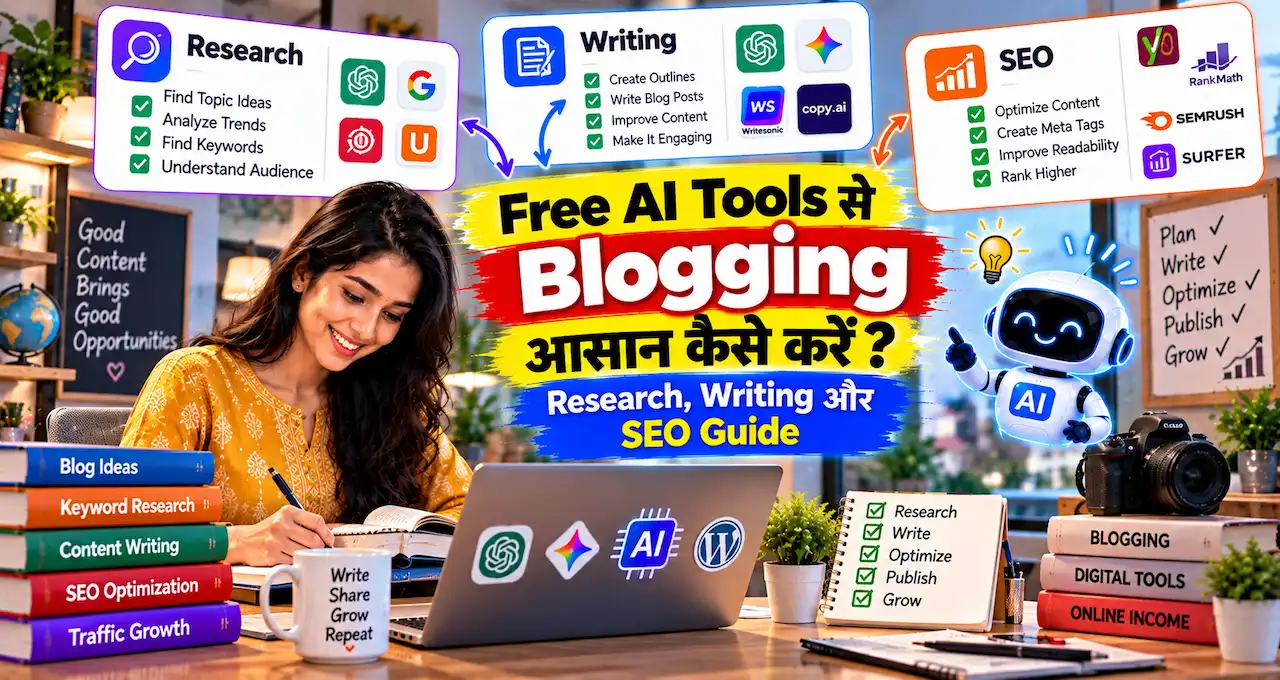



अगर blogging करते समय research, draft, SEO, editing और images के लिए अलग-अलग paid tools लेने पड़ें, तो शुरुआती cost जल्दी बढ़ सकती है।
अच्छी बात यह है कि 2026 में कई useful AI tools free tier के साथ available हैं। लेकिन “free” का मतलब हमेशा unlimited नहीं होता। कहीं usage limit है, कहीं monthly prompts, और कहीं advanced features paid plan में चले जाते हैं।
इस guide का focus सिर्फ़ tools की list देना नहीं है। हम देखेंगे कि blogger के किस काम के लिए कौन-सा free AI tool practical है, कहाँ उसकी limit आती है और किन tasks में paid plan लेने की अभी ज़रूरत नहीं है।
इस article में बताए गए free-plan details 12 October 2026 को official product और help pages से verify किए गए हैं। Plans और usage limits बाद में बदल सकते हैं।
सबसे important बात: एक blogger को 8 tools रोज़ use करने की ज़रूरत नहीं है। सही 3–4 tools का simple workflow अक्सर ज़्यादा useful होता है।
इस लेख में आप क्या सीखेंगे?
- सही free AI tools
- Research के बेहतर options
- Writing और editing workflow
- SEO के useful tools
- Blog visuals का तरीका
- Free limits की समझ
Free AI Tool चुनते समय सिर्फ़ “Free” मत देखिए
किसी tool का free plan होना और blogging के लिए genuinely useful होना दो अलग बातें हैं।
Tool चुनते समय पाँच चीजें देखें:
- आपका actual task क्या है?
- Free tier में वह task पूरा हो रहा है या सिर्फ़ demo मिल रहा है?
- Output verify करना कितना आसान है?
- Tool आपकी existing workflow में fit बैठता है?
- Free limit खत्म होने पर क्या दूसरा free option available है?
अगर AI tools की working अभी नई लगती है, तो पहले Generative AI की basic working समझना useful रहेगा।
Blogging के लिए practical categories broadly ऐसी बनती हैं:
| काम | Useful Free AI Tool |
|---|---|
| Ideas, outline, drafting | ChatGPT / Gemini |
| Web research | Perplexity |
| Source-based research | Gemini Notebook |
| Grammar और tone | Grammarly |
| Rewrite और summary | QuillBot |
| Featured images और graphics | Canva |
| SEO ideas और content checks | Ahrefs Free |
अब हर tool को blogger के point of view से देखते हैं।
1. ChatGPT Free: All-round Blogging Assistant
अगर आपको एक ही free AI tool से शुरुआत करनी हो, तो ChatGPT practical choice है।
Free tier में text chat के साथ web search, file और image upload, data analysis तथा image creation जैसी capabilities available हैं। Advanced tools की अपनी usage limits हो सकती हैं और उपलब्ध limits समय के साथ बदल सकती हैं।
Blogging में इसका best use:
- Topic angles brainstorm करना
- Reader questions identify करना
- Outline बनाना
- Rough draft improve करना
- Existing article से repetition ढूँढना
- Uploaded PDF या document से notes निकालना
- Title और meta variations बनाना
- Internal-link anchor ideas तैयार करना
लेकिन इसे “पूरा article लिखो” machine बनाना सबसे weak use है।
Better workflow यह है कि पहले brief दें, फिर section-by-section काम लें और final facts manually verify करें।
अगर documents या PDFs के साथ research करना है, तो ChatGPT में files upload करके documents से काम लेने का practical तरीका अलग से समझ सकती हैं।
Prompt quality भी output को काफी बदलती है। इसलिए बार-बार generic response मिल रहा हो, तो बेहतर AI prompts लिखने का basic framework काम आएगा।
Free plan की practical limitation
File uploads, images और data-analysis जैसे tools के separate limits हो सकते हैं। Heavy research या लगातार image generation करते समय free quota जल्दी hit हो सकता है।
Best for: General blogging assistant, outline, drafting और editorial review.
2. Gemini Free: Brainstorming, Drafting और Google-centric Workflow
Gemini का free access bloggers के लिए दूसरा strong general-purpose option है।
Google की current documentation के अनुसार बिना paid Google AI plan के Gemini standard usage limits के साथ available है। Free access में brainstorming, summaries, first drafts और Canvas जैसे features use किए जा सकते हैं। Usage limits prompt complexity, model और feature use के हिसाब से vary कर सकती हैं।
Blogging में Gemini useful है जब:
- एक topic के multiple angles चाहिए
- Existing paragraph को simpler बनाना है
- Long notes summarize करने हैं
- Outline का alternate structure चाहिए
- Content idea को table या checklist में organize करना है
- Google ecosystem में already काम करते हैं
ChatGPT और Gemini दोनों रखने का फायदा यह नहीं है कि हर prompt दोनों में चलाना है।
एक tool primary रखें। दूसरा तब use करें जब आपको alternative reasoning, दूसरा draft या cross-check चाहिए।
Free plan की practical limitation
Standard limits हमेशा fixed “इतने prompts per day” वाली simple संख्या में नहीं होतीं। Google compute-based limits use करता है, इसलिए heavier features basic text prompts से ज़्यादा usage consume कर सकते हैं।
Best for: Brainstorming, summaries और alternative drafts.
3. Perplexity Free: Source Discovery और Quick Web Research
Bloggers के लिए Perplexity का biggest advantage writing नहीं, research discovery है।
Free plan web search-based answers के साथ citations देता है और basic AI models तक access देता है। Free usage limited है, लेकिन normal research questions के लिए इसका basic tier useful हो सकता है। Perplexity AI
मान लें topic है:
“भारत में UPI fraud के नए patterns”
Perplexity से आप शुरुआत में पूछ सकते हैं:
- कौन-से official sources relevant हैं?
- Recent announcements कौन-से हैं?
- अलग reports क्या कह रही हैं?
- किन claims के लिए primary source चाहिए?
लेकिन citation दिखना automatic truth guarantee नहीं है।
हर important claim के लिए source खोलें। देखें कि cited page वास्तव में वही बात कह रहा है या सिर्फ़ related topic cover कर रहा है।
Research-heavy articles में यह habit बहुत important है, क्योंकि AI confident language में गलत या incomplete information दे सकता है। इसी risk को detail में समझने के लिए AI के गलत जवाब पहचानने का तरीका useful रहेगा।
Free plan की practical limitation
Free plan simple questions और citations के लिए अच्छा है। Deeper research और expanded premium-model access higher plans में मिलते हैं। Perplexity AI
Best for: Source discovery, current-topic research और quick fact-finding.
4. Gemini Notebook: अपने Sources से Grounded Research
जिस tool को पहले NotebookLM कहा जाता था, उसका नाम अब Gemini Notebook है। Google ने July 2026 में product rename किया था; यह वही standalone source-grounded research product है।
Bloggers के लिए यह normal chatbot से अलग तरह से useful है।
आप इसमें अपने sources add कर सकते हैं, जैसे:
- PDFs
- Websites
- Google Docs
- Slides
- YouTube sources
- Research notes
फिर उन्हीं sources के आधार पर questions पूछ सकते हैं। Gemini Notebook responses को uploaded/provided sources से ground करता है और inline citations भी देता है।
मान लें आप किसी government scheme पर article लिख रहे हैं। अलग-अलग official PDFs, FAQ और notification pages एक notebook में डालें।
फिर पूछें:
इन sources में eligibility से जुड़ी common information और differences अलग-अलग दिखाओ। कोई information sources के बाहर से add मत करना।
इससे random web facts के mix होने का risk कम किया जा सकता है।
Gemini Notebook Standard को Google account के साथ free use किया जा सकता है। 2026 में Google ने इसके usage system को flexible compute-based limits की तरफ shift किया है, इसलिए पुराने fixed daily-limit screenshots जल्दी outdated हो सकते हैं।
कब use न करें?
अगर आपको बस 200-word intro लिखना है, तो Gemini Notebook overkill है।
इसका real value multi-source research, official documents और source synthesis में है।
Best for: Research-heavy articles, official documents और source comparison.
5. Grammarly Free: Final Editing और English-heavy Content
Draft complete होने के बाद AI का काम खत्म नहीं होता।
Grammarly Free spelling, grammar और tone assistance देता है। Current Free plan में 100 generative AI prompts per month भी listed हैं। Grammarly
English या English-heavy blogging में यह खासतौर पर useful है:
- Grammar errors
- Awkward sentences
- Tone check
- Short rewrites
- Clarity review
- Final proofreading
Hindi/Hinglish blog के लिए इसे पूरी editorial authority न दें।
Brand terms, Hindi sentence structure, transliterated words और local expressions को tool कभी-कभी बदलने की कोशिश कर सकता है, जबकि वे जानबूझकर लिखे गए हों।
इसलिए suggestion accept करने से पहले context देखें।
Free plan की practical limitation
Advanced full-sentence rewrites, higher AI allowances और कुछ deeper writing features paid plans में available हैं। Free plan final cleanup के लिए useful है, लेकिन complete editorial workflow का replacement नहीं है। Grammarly
Best for: English grammar, tone और final proofreading.
6. QuillBot Free: Short Rewrite, Summary और Alternative Phrasing
QuillBot का free plan उन bloggers के लिए useful है जो छोटे passages को rewrite, simplify या summarize करना चाहते हैं।
Current free account में Standard और Fluency paraphrasing modes, एक बार में 125 words तक paraphrasing, 1,200 words तक summarization और limited AI Chat access मिलते हैं।
Practical use cases:
- Complicated paragraph सरल करना
- एक sentence के alternatives देखना
- Research note summarize करना
- Repetitive phrasing बदलना
- English paragraph को smoother बनाना
लेकिन paraphrasing को originality shortcut न बनाएं।
किसी दूसरे article का paragraph paste करके सिर्फ़ शब्द बदल देना original content नहीं बनाता। Idea, structure और value भी आपकी होनी चाहिए।
QuillBot का plagiarism checker Free plan में included नहीं है। इसलिए free version को plagiarism verification tool न समझें। Quillbot Help Center
Free plan की practical limitation
125-word paraphrase limit long-form bloggers के लिए छोटा है। इसे full article rewriting के बजाय targeted editing tool की तरह use करना बेहतर है।
Best for: Short rewrites, summaries और wording alternatives.
7. Canva Free: Featured Image, Social Visuals और Blog Graphics
Blog article publish होने के बाद visual भी चाहिए।
Canva Free में design editor, templates, stock assets और limited AI usage मिलते हैं। Current India pricing page Free plan में limited AI uses list करती है, जबकि Canva AI 2.0 का full access paid plans में broader है। Canva
Bloggers के लिए Canva Free practical है:
- Featured image
- Pinterest graphic
- Instagram carousel
- Simple infographic
- Quote card
- Blog chart layout
- Social sharing creative
AI यहाँ visual idea या first draft दे सकता है, लेकिन readable text, branding और final hierarchy manually check करें।
हर article के लिए AI-generated image ज़रूरी नहीं है। कई informational posts में clean screenshot, simple diagram या relevant stock photo ज़्यादा useful हो सकते हैं।
अगर AI visual की जगह real stock photo बेहतर fit बैठती है, तो bloggers के लिए useful free stock-photo sources भी available हैं।
Free plan की practical limitation
AI usage limited है और कुछ premium assets या features locked रहते हैं। इसलिए free AI allowance decorative experiments पर waste करने के बजाय important visuals के लिए रखें।
Best for: Featured images, social visuals और basic infographics.
8. Ahrefs Free: SEO Checks और AI Writing Utilities
SEO tools अक्सर expensive होते हैं, लेकिन Ahrefs का current free offering bloggers के लिए काफी practical है।
Verified website के लिए Ahrefs Free account में limited Site Explorer, Site Audit, Web Analytics, Social Media Manager, AI Content Helper और SEO Toolbar मिलते हैं। Current free limits में Site Audit के 5,000 crawl credits per month per project और AI Content Helper का 1 new document per month listed हैं। Ahrefs Help Center
इसके अलावा Ahrefs के standalone AI Writing Tools subscription के बिना भी use किए जा सकते हैं।
Bloggers इनके जरिए:
- SEO title ideas
- Meta description drafts
- Image alt-text drafts
- Blog outline ideas
- Keyword ideas
- Backlink checks
- Basic site audit
कर सकते हैं।
यहाँ सबसे useful distinction यह है:
AI writing tool आपको suggestion देता है।
SEO data tool आपको evidence देता है।
दोनों को mix करना चाहिए, replace नहीं।
AI से “इस keyword पर rank हो जाएगा?” पूछने से बेहतर है actual Search Console और SEO data देखें।
Free plan की practical limitation
Ahrefs Free paid Ahrefs का complete replacement नहीं है। Keyword research, competitor analysis और advanced AI/SEO features में higher plans ज्यादा access देते हैं।
लेकिन small blogger के लिए technical issues, own-site visibility और basic SEO support में Free account useful हो सकता है।
Best for: SEO titles, technical checks और basic content optimization.
Blogger के किस काम के लिए कौन-सा Tool चुनें?
सब tools install करने की ज़रूरत नहीं है।
| Blogging Task | First Choice | Backup / Specialist |
|---|---|---|
| Topic ideas | ChatGPT | Gemini |
| Outline | ChatGPT / Gemini | Ahrefs AI Writing Tools |
| Current web research | Perplexity | ChatGPT web search |
| Official-source synthesis | Gemini Notebook | ChatGPT file upload |
| First draft | ChatGPT / Gemini | — |
| English proofreading | Grammarly | QuillBot |
| Short rewriting | QuillBot | Grammarly |
| SEO titles/meta | Ahrefs | ChatGPT |
| Featured image | Canva | Stock photo resources |
| Final fact check | Original source | AI नहीं |
आखिरी row सबसे important है।
Fact check के लिए AI को final authority न बनाएं। Original source देखें।
अगर सिर्फ़ 3 Free Tools चुनने हों तो?
Beginner blogger के लिए 8 tools की ज़रूरत नहीं है।
Stack 1: General Blogger
ChatGPT + Perplexity + Canva
ChatGPT drafting के लिए, Perplexity research discovery के लिए और Canva visuals के लिए।
Stack 2: Research-heavy Blogger
Gemini Notebook + ChatGPT + Ahrefs Free
Official documents और deep sources के लिए Gemini Notebook, drafting/editing के लिए ChatGPT और SEO checks के लिए Ahrefs।
Stack 3: English Content Blogger
ChatGPT + Grammarly + Ahrefs Free
Drafting, proofreading और basic SEO—तीनों cover हो जाते हैं।
Tool stack niche और workflow के अनुसार बदलना चाहिए। “Best AI tool” universal नहीं होता।
Free AI Tools को Simple Blogging Workflow में कैसे जोड़ें?
Tool hopping productivity कम भी कर सकता है।
एक simple workflow रखें:
Step 1: Topic और intent
ChatGPT या Gemini से reader questions और angles brainstorm करें।
Step 2: Source discovery
Current topic है तो Perplexity से official और reliable sources identify करें।
Step 3: Deep research
Multiple PDFs या sources हों तो Gemini Notebook में organize करें।
Step 4: Draft
ChatGPT या Gemini से outline के अनुसार section-by-section draft बनाएं।
Step 5: Edit
English-heavy content हो तो Grammarly या QuillBot से specific passages review करें।
Step 6: SEO
Ahrefs Free से basic technical और content checks करें। Title और meta के alternatives generate करें।
Step 7: Visual
Canva से featured image या supporting graphic बनाएं।
Step 8: Human review
Facts, internal links, examples, screenshots, claims और CTA manually check करें।
यही last step AI workflow को publishing workflow बनाता है।
Free AI Tools Use करते समय 6 गलतियाँ
1. हर tool में account बनाना
Tool collection productivity नहीं है। सिर्फ़ वही tools रखें जो weekly use होते हैं।
2. Free limit को unlimited मानना
Plans और limits बदलते रहते हैं। Article या course में exact limit लिखी हो तो official pricing page check करें।
3. AI research को source मान लेना
AI answer starting point है। Important claim के लिए original source देखें।
4. Rewrite को originality मान लेना
Paraphrasing copied idea को original research नहीं बनाता।
5. एक ही काम के लिए चार tools use करना
Outline ChatGPT से बन गई है तो सिर्फ़ curiosity में वही outline कई दूसरे tools में बार-बार generate करना time waste हो सकता है।
6. Free tool के पीछे अपना workflow बदल देना
Tool workflow को support करे। Workflow tool की limitations के हिसाब से unnecessarily complicated न हो।
Paid Plan कब लेना चाहिए?
Free plan से शुरुआत करना sensible है। लेकिन कुछ situations में paid tool time बचा सकता है।
Paid plan evaluate करें जब:
- Free limits weekly work रोकने लगें
- Client work में reliable higher usage चाहिए
- Large files regularly process करने हों
- Advanced SEO data से revenue impact हो
- Premium visual assets regularly चाहिए
- Team collaboration ज़रूरी हो
- Repetitive manual workaround paid plan से ज्यादा costly हो
Simple rule:
पहले free tool से workflow prove करें, फिर subscription लें।
अगर किसी tool का free version ही महीने में सिर्फ़ दो बार use हो रहा है, तो paid plan लेने की urgency नहीं है।
Bloggers के लिए Free AI Toolkit का Practical Bottom Line
Free AI tools का सबसे बड़ा फायदा यह नहीं है कि “अब blogging zero-cost हो गई।”
Domain, hosting, time, research, expertise और distribution की अपनी cost रहती है।
लेकिन सही free stack शुरुआती stage पर unnecessary software spending कम कर सकता है।
एक practical setup ऐसा हो सकता है:
Thinking और drafting: ChatGPT या Gemini
Research discovery: Perplexity
Source-grounded work: Gemini Notebook
Editing: Grammarly या QuillBot
SEO: Ahrefs Free
Visuals: Canva
इनमें से हर category के लिए एक primary tool चुनें।
बाकी tools backup रहें।
अगर blogging के अलावा भी useful online resources explore करना चाहते हैं, तो work, study और blogging के लिए useful websites की curated list भी देख सकते हैं।
आख़िर में एक छोटी सी बात
Free AI tools blogger का काम तेज़ कर सकते हैं, लेकिन अच्छे blog की पहचान tool stack नहीं है। Reader की problem समझना, reliable sources use करना और original value देना अभी भी आपकी responsibility है।
पहले एक primary writing tool, एक research tool और एक visual या SEO tool चुनें। दो हफ्ते उसी simple stack पर काम करें और देखें कि कौन-सा tool सच में आपका समय बचा रहा है।
अगर अभी blogging शुरू कर रहे हैं, तो आठों tools एक साथ use करने की ज़रूरत नहीं है। तीन useful tools चुनिए, workflow stable कीजिए और ज़रूरत आने पर ही नया tool जोड़िए।