















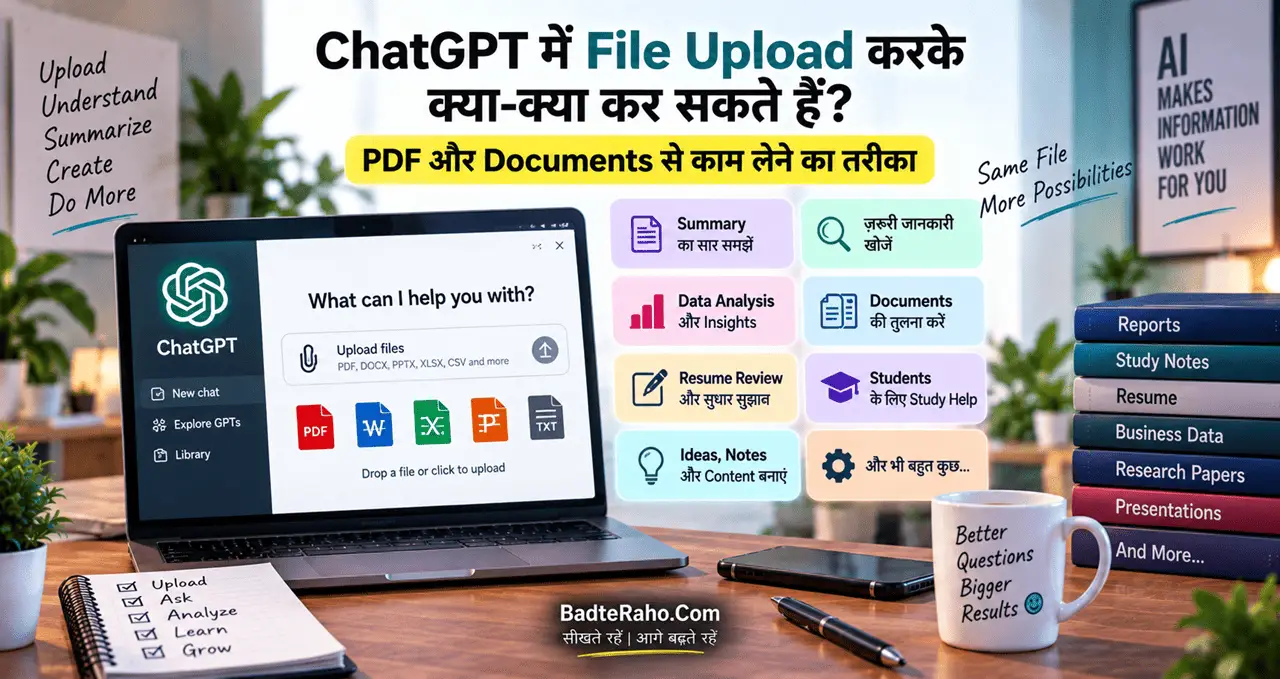




आज ChatGPT का इस्तेमाल सिर्फ सवाल पूछने या Text लिखवाने तक सीमित नहीं है। अगर आपके पास कोई PDF, Word Document, Excel Sheet, PowerPoint या Text File है, तो आप उसे ChatGPT में Upload करके उस File के साथ कई तरह का काम कर सकते हैं।
मान लीजिए आपके पास 100 पेज की कोई Report है और आपको उसमें से सिर्फ 5 ज़रूरी बातें जाननी हैं। पूरी Report पढ़ने में काफी वक़्त लग सकता है। ऐसे में आप File को ChatGPT में Upload करके सीधे पूछ सकते हैं कि इसमें क्या ख़ास है, कौन-से महत्वपूर्ण Points हैं या किसी ख़ास Topic का ज़िक्र कहाँ-कहाँ हुआ है।
इसी तरह कोई Student अपनी Notes की PDF Upload करके Summary बनवा सकता है, कोई Job Seeker अपना Resume Upload करके सुधार के सुझाव ले सकता है और कोई Business Owner Sales की Excel File Upload करके Data को समझ सकता है।
OpenAI के अनुसार ChatGPT uploaded files से information को extract, summarize, compare, transform और analyze करने जैसे काम कर सकता है।
तो आइए आसान भाषा में समझते हैं कि ChatGPT में File Upload करके क्या-क्या किया जा सकता है और PDF या Documents से बेहतर काम कैसे लिया जाए।
इस लेख में आप क्या सीखेंगे
इस लेख में हम जानेंगे:
- ChatGPT में File Upload क्या होता है?
- कौन-कौन सी Files Upload की जा सकती हैं?
- PDF से Summary कैसे बनाएं?
- किसी Document में जरूरी जानकारी कैसे खोजें?
- दो Documents की तुलना कैसे करें?
- Resume और CV को कैसे Review कराएं?
- Students PDF और Notes से कैसे पढ़ाई कर सकते हैं?
- Excel और CSV Data का Analysis कैसे कराएं?
- बड़ी Files के साथ क्या सावधानी रखें?
- Scanned PDF में क्या समस्या हो सकती है?
- ChatGPT को File के बारे में बेहतर Prompt कैसे दें?
ChatGPT में File Upload क्या होता है?
साधारण तौर पर जब आप ChatGPT से कोई सवाल पूछते हैं, तो आप सवाल के साथ अपना Context Text के रूप में देते हैं।
लेकिन अगर आपकी जानकारी पहले से किसी File में मौजूद है, तो उसे पूरा Copy-Paste करने की ज़रूरत नहीं है।
आप उस File को ChatGPT में Upload कर सकते हैं और फिर उसके आधार पर सवाल पूछ सकते हैं।
उदाहरण के लिए आपके पास एक PDF है जिसका नाम है:
“Digital Marketing Course.pdf”
आप इसे Upload करके पूछ सकते हैं:
“इस PDF को आसान हिंदी में समझाइए और इसके सभी महत्वपूर्ण Topics की List बनाइए।”
या:
“इस PDF में SEO से संबंधित सभी महत्वपूर्ण बातें निकालिए।”
इस तरह ChatGPT को आपकी File का Context मिल जाता है और वह उसी File के आधार पर काम कर सकता है।
कौन-कौन सी Files ChatGPT में Upload कर सकते हैं?
ChatGPT आम तौर पर कई Common File Formats के साथ काम कर सकता है।
इनमें प्रमुख हैं:
- DOCX
- PPTX
- XLSX
- XLS
- CSV
- TSV
- TXT
- JSON
- XML
- YAML
- Markdown जैसी Text/Data Files
हालांकि उपलब्ध File Types और कुछ सुविधाएँ आपके Model, Plan, Account और Workspace Settings के अनुसार अलग हो सकती हैं।
एक छोटी-सी महत्वपूर्ण बात: Google Docs की
1 | .gdoc |
File सीधे Supported नहीं है। ऐसी File को पहले PDF या DOCX जैसे Supported Format में Export करना बेहतर है।
PDF Upload करके ChatGPT से क्या-क्या कर सकते हैं?
PDF शायद सबसे उपयोगी File Formats में से एक है, क्योंकि इसमें Reports, Books, Notes, Research Papers, Manuals और दूसरे Documents आसानी से रखे जा सकते हैं।
1. PDF का Summary बनाएं
अगर कोई Report बहुत लंबी है, तो आप ChatGPT से उसका छोटा और आसान Summary बनवा सकते हैं।
उदाहरण:
“इस PDF को पढ़कर 10 सबसे महत्वपूर्ण Points बताइए।”
या:
“इस 50 पेज की Report को 500 शब्दों में आसान हिंदी में समझाइए।”
इससे आपको पूरी File पढ़ने से पहले उसका एक Quick Overview मिल सकता है।
2. किसी ख़ास Topic को PDF में खोजें
मान लीजिए आपके पास 200 पेज की Report है और आपको उसमें सिर्फ AI से जुड़ी जानकारी चाहिए।
आप पूछ सकते हैं:
“इस PDF में Artificial Intelligence से संबंधित सभी महत्वपूर्ण Sections निकालिए।”
या:
“इस Document में AI का ज़िक्र किन-किन जगहों पर हुआ है? हर जगह का छोटा Summary दें।”
File Upload का एक बड़ा फायदा यही है कि आपको पूरी File manually Search करने की ज़रूरत कम पड़ सकती है। OpenAI भी PDF से किसी खास Topic के References खोजने को File Upload के प्रमुख उपयोगों में शामिल करता है।
3. Important Points निकालें
किसी Report में बहुत सारी जानकारी हो सकती है, लेकिन आपको सिर्फ Important Findings चाहिए।
ऐसे में Prompt दें:
“इस Report की सबसे महत्वपूर्ण Findings निकालिए और हर Finding को एक लाइन में समझाइए।”
आप चाहें तो Output का Format भी बता सकते हैं:
| Point | जानकारी |
|---|---|
| Finding 1 | मुख्य जानकारी |
| Finding 2 | मुख्य जानकारी |
| Finding 3 | मुख्य जानकारी |
इस तरह जवाब पढ़ना काफी आसान हो जाता है।
4. Document से Specific Information निकालें
मान लीजिए किसी Contract या Report में आपको किसी खास Term की जानकारी चाहिए।
आप पूछ सकते हैं:
“इस Document में ‘Payment’ से संबंधित सभी महत्वपूर्ण बातें निकालिए।”
या:
“इस File में दिए गए सभी Important Dates की List बनाइए।”
इसी तरह किसी Document से Headings, Bullet Points, Metadata या किसी खास Topic के Mentions भी निकाले जा सकते हैं।
दो Documents को एक साथ Compare करें
यह Feature Students, Professionals और Businesses के लिए काफी उपयोगी हो सकता है।
मान लीजिए आपके पास किसी Product की दो Reports हैं:
- Report A
- Report B
आप दोनों Files Upload करके पूछ सकते हैं:
“इन दोनों Reports की तुलना कीजिए और बताइए कि इनमें क्या समान है और क्या अलग है।”
या:
“दोनों Documents में दिए गए Pricing, Features और Limitations को एक Table में Compare करें।”
आप चाहें तो यह भी पूछ सकते हैं:
“Report B में ऐसी कौन-सी जानकारी है जो Report A में नहीं है?”
इस तरह ChatGPT सिर्फ Summary नहीं बनाता, बल्कि अलग-अलग Documents की जानकारी को एक साथ देखकर Comparison तैयार कर सकता है।
Resume और CV को Review कराएं
अगर आप Job के लिए Apply कर रहे हैं, तो अपना Resume Upload करके ChatGPT से उसका Review भी करा सकते हैं।
उदाहरण:
“इस Resume को Job Recruiter की नज़र से Review करें और बताएं कि इसमें क्या सुधार किया जा सकता है।”
इसके बाद आप पूछ सकते हैं:
“इस Resume की भाषा Professional बनाइए, लेकिन मेरी वास्तविक जानकारी न बदलें।”
या:
“इस Resume में कौन-सी Skills ज्यादा स्पष्ट तरीके से दिखाई जानी चाहिए?”
यहाँ एक बात ज़रूरी है—ChatGPT को अपना Resume सुधारने के लिए कहें, लेकिन ऐसी Qualification, Experience या Skill जोड़ने को न कहें जो आपके पास वास्तव में नहीं है।
Students PDF और Notes से कैसे काम ले सकते हैं?
Students के लिए File Upload काफी उपयोगी हो सकता है।
मान लीजिए आपके पास किसी Chapter की PDF है।
आप उससे सिर्फ Summary नहीं, बल्कि पूरा Study Material तैयार कर सकते हैं।
उदाहरण के लिए:
“इस Chapter को Class 10 के Student के लिए आसान हिंदी में समझाइए।”
फिर:
“इस Chapter से 20 Important Questions बनाइए।”
फिर:
“इन Questions के Short Answers भी दीजिए।”
और आखिर में:
“अब इसी Chapter का एक Revision Sheet बनाइए।”
इस तरह एक ही PDF से:
Summary → Questions → Answers → Revision Notes
तैयार किए जा सकते हैं।
हालांकि Exam की तैयारी में सिर्फ AI के जवाब पर निर्भर रहना सही तरीका नहीं है। Original Book, Teacher की सामग्री और आपके Syllabus से जानकारी को Cross-check करना ज़रूरी है।
Research Paper को आसान भाषा में समझें
Research Paper कई बार बहुत Technical भाषा में लिखा होता है।
ऐसी File को Upload करके आप कह सकते हैं:
“इस Research Paper को आसान हिंदी में समझाइए।”
इसके बाद आप और भी Specific सवाल पूछ सकते हैं:
- इस Research का उद्देश्य क्या था?
- इसमें कौन-सी Method इस्तेमाल हुई?
- मुख्य Findings क्या हैं?
- Research की Limitations क्या हैं?
- इस Research का Practical मतलब क्या है?
अगर कोई शब्द समझ नहीं आता, तो आप सीधे उसी शब्द के बारे में पूछ सकते हैं।
PowerPoint Presentation से भी काम ले सकते हैं
अगर आपके पास कोई PPTX File है, तो ChatGPT उससे भी काम कर सकता है।
उदाहरण:
“इस Presentation के हर Slide का एक लाइन में Summary दें।”
या:
“इस Presentation की Content Quality Review करें और बताएं कि कहाँ सुधार की ज़रूरत है।”
आप Presentation को एक अलग Format में बदलने के लिए भी सहायता ले सकते हैं। OpenAI के File Upload examples में Presentation को Document में बदलना और Presentation के Content पर Feedback लेना शामिल है।
Excel और CSV File का Analysis
File Upload सिर्फ Documents के लिए नहीं है।
अगर आपके पास Excel या CSV में Data है, तो ChatGPT उसका Analysis भी कर सकता है।
उदाहरण के लिए आपके पास Monthly Sales Data है:
| Month | Sales |
|---|---|
| January | ₹50,000 |
| February | ₹62,000 |
| March | ₹55,000 |
आप पूछ सकते हैं:
“इस Data का Analysis करके बताइए कि Sales किस महीने सबसे ज्यादा रही।”
या:
“Sales का Month-wise Trend बताइए और एक Chart बनाइए।”
ChatGPT uploaded Data से Tables, Charts, Calculations और दूसरे प्रकार के Analysis में मदद कर सकता है।
Data Analysis के लिए अच्छा Prompt कैसे लिखें?
सिर्फ यह लिखने के बजाय:
“इस Excel को Analyze करो।”
बेहतर Prompt होगा:
“इस Excel File में पिछले 12 महीनों की Sales है। Month-wise Sales का Analysis करें, सबसे ज्यादा और सबसे कम Sales वाले महीने बताएं और Trend को आसान भाषा में समझाएं।”
यानी ChatGPT को तीन चीजें बताना अच्छा रहता है:
1. File में क्या है
2. आपको क्या जानना है
3. Output किस Format में चाहिए
यही Formula Documents पर भी लागू होता है।
एक ही File से कई तरह का काम कराएं
मान लीजिए आपने कोई Business Report Upload की है।
आप एक ही बार में सब कुछ पूछने के बजाय Step-by-Step काम कर सकते हैं।
Step 1 — Summary
“इस Report का 300 शब्दों में Summary दें।”
Step 2 — Important Findings
“अब इसकी 10 सबसे महत्वपूर्ण Findings बताएं।”
Step 3 — Problems
“Report में दिखाई देने वाली मुख्य Problems बताएं।”
Step 4 — Data
“Report में दिए गए महत्वपूर्ण Numbers को Table में व्यवस्थित करें।”
Step 5 — Action Plan
“इन Findings के आधार पर अगले 30 दिनों के लिए एक Action Plan बनाएं।”
इस तरह File सिर्फ पढ़ने की चीज़ नहीं रहती, बल्कि आपके काम का working material बन सकती है।
ChatGPT को File के साथ काम देते समय Prompt कैसे लिखें?
अच्छा Output पाने के लिए आपका Prompt भी Clear होना चाहिए।
एक आसान Formula याद रखें:
File + काम + Context + Output Format
उदाहरण:
“मैंने एक Business Report Upload की है। इसे पढ़कर छोटे Business Owner के लिए सबसे महत्वपूर्ण 10 Findings निकालिए। हर Finding को आसान हिंदी में 2–3 Lines में समझाइए और आखिर में 5 Action Points दें।”
यह Prompt:
- File का Context बताता है
- काम स्पष्ट करता है
- Audience बताता है
- Output का Format बताता है
इसलिए जवाब भी ज्यादा उपयोगी हो सकता है।
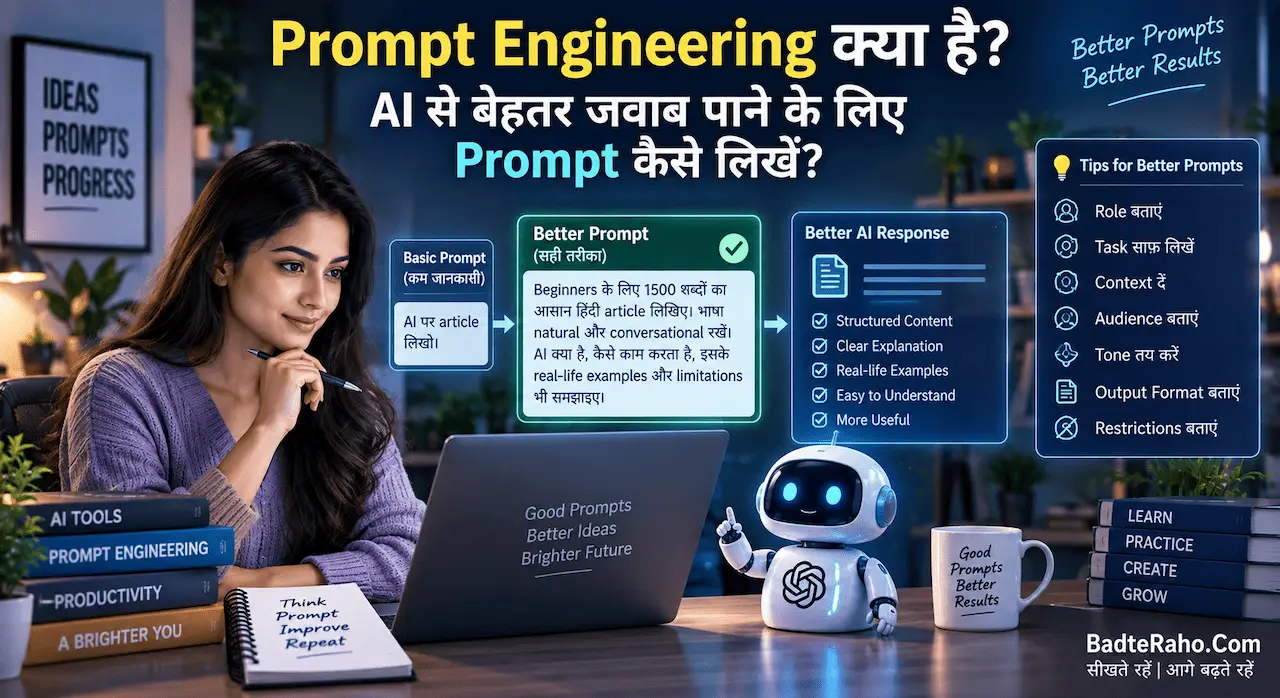
अगर आप AI से बेहतर जवाब लेने की कला सीखना चाहते हैं, तो Prompt Engineering पर हमारा लेख भी आपके काम आ सकता है।
File Upload के साथ ये 10 Prompts आज़माएं
अगर आपने पहली बार कोई PDF या Document Upload किया है, तो इन Prompts से शुरुआत कर सकते हैं:
1. Summary
“इस File का आसान भाषा में Summary दें।”
2. Important Points
“इस File के 10 सबसे महत्वपूर्ण Points निकालिए।”
3. Specific Topic
“इस Document में [Topic] से संबंधित सारी महत्वपूर्ण जानकारी निकालिए।”
4. Questions
“इस Document से 20 Important Questions बनाइए।”
5. Comparison
“इस File और दूसरी Upload की गई File में अंतर बताइए।”
6. Rewrite
“इस Content को आसान हिंदी में Rewrite करें।”
7. Table
“इस Document में मौजूद महत्वपूर्ण Data को Table में व्यवस्थित करें।”
8. Action Plan
“इस Report के आधार पर Practical Action Plan बनाइए।”
9. Beginner Explanation
“इस Document को ऐसे समझाइए जैसे मैं इस Topic को पहली बार पढ़ रहा हूँ।”
10. Missing Information
“इस Document में कौन-सी महत्वपूर्ण जानकारी Missing लगती है, बताइए।”
क्या ChatGPT हर PDF को पूरी तरह पढ़ सकता है?
यहाँ थोड़ा सावधान रहना ज़रूरी है।
किसी File का Upload हो जाना यह गारंटी नहीं है कि हर परिस्थिति में उसकी पूरी जानकारी बिल्कुल सही तरीके से समझ ली जाएगी।
बहुत बड़ी, जटिल, खराब तरीके से Structured या बहुत ज्यादा Images वाली Files में Analysis अधूरा हो सकता है। OpenAI भी ऐसे मामलों में जरूरत पड़ने पर किसी Specific Section, Sheet, Row या Column को अलग से जांचने या File को छोटे हिस्सों में बाँटने की सलाह देता है।
इसलिए अगर जवाब अधूरा लगे, तो आप कह सकते हैं:
“अब सिर्फ Page 20 से 35 के बीच की जानकारी Analyze करें।”
या:
“इस Document के Chapter 3 पर ध्यान दें।”
इससे काम ज्यादा Focused हो सकता है।
Scanned PDF के मामले में सावधानी रखें
यह एक बहुत महत्वपूर्ण बात है।
हर PDF एक जैसी नहीं होती।
कुछ PDFs में असली Text मौजूद होता है। वहीं कुछ PDFs असल में Scanned Images होती हैं।
अगर किसी PDF का हर Page एक Image की तरह है, तो उसमें मौजूद Text या Tables को पढ़ने की क्षमता आपके Account, Plan और File-processing capabilities पर निर्भर कर सकती है।
OpenAI के वर्तमान Help Center के अनुसार सामान्य File Analysis में scanned files, image-based tables और complex visual layouts से exact information निकालना हमेशा भरोसेमंद नहीं हो सकता। वहीं Enterprise में PDF के अंदर मौजूद Images, Charts और Diagrams के लिए Visual Retrieval की अलग सुविधा उपलब्ध है।
इसलिए अगर किसी scanned PDF से कोई महत्वपूर्ण Number, Date या Figure निकाल रहे हैं, तो उसे Original Source से जरूर Verify करें।
File Upload की कुछ Limits भी होती हैं
ChatGPT में File Upload काफी उपयोगी है, लेकिन इसकी कुछ Technical Limits भी हैं।
OpenAI के वर्तमान File Upload FAQ के अनुसार किसी ChatGPT Conversation या GPT में एक File की Hard Size Limit 512 MB है। Text और Document Files के लिए 2 million tokens per file की सीमा है। Spreadsheet के लिए लगभग 50 MB की सीमा हो सकती है, जो Row Size पर भी निर्भर करती है। Upload frequency और अन्य limits भी Plan के अनुसार अलग हो सकती हैं।
इसलिए बहुत बड़ी File को एक ही बार में डालने के बजाय जरूरत पड़ने पर उसे छोटे हिस्सों में Divide करना बेहतर हो सकता है।
Upload की गई Files बाद में भी काम आ सकती हैं
एक और उपयोगी बदलाव यह है कि ChatGPT में Upload की गई Files को Library में Save करके बाद में दोबारा इस्तेमाल किया जा सकता है।
OpenAI के अनुसार ChatGPT में Upload या Create की गई Files Library में Save हो सकती हैं, जहाँ से उन्हें बाद में खोजकर दोबारा Chat में इस्तेमाल किया जा सकता है।
इसका मतलब यह है कि अगर आपने कोई Important Document पहले Upload किया था, तो हर बार उसे फिर से Upload करना आवश्यक नहीं हो सकता—यदि वह आपके Account की उपलब्ध Library और संबंधित Settings में मौजूद है।
Privacy का भी ध्यान रखें
File Upload करते समय सिर्फ यह मत सोचिए कि “ChatGPT इसे पढ़ सकता है या नहीं?”
यह भी सोचिए:
“क्या मुझे यह File किसी AI Tool में Upload करनी चाहिए?”
अगर किसी Document में बहुत Sensitive Personal Information, Password, Banking Details, Private Business Information या किसी दूसरे व्यक्ति की Confidential Information है, तो Upload करने से पहले सावधानी बरतें।
खास तौर पर किसी दूसरे व्यक्ति के Private Documents को बिना अनुमति Upload करना उचित नहीं है।
अपने काम के हिसाब से ChatGPT की Data Controls और Privacy Settings को भी समझना अच्छा रहेगा।
ChatGPT में File Upload का सबसे सही इस्तेमाल क्या है?
File Upload का सबसे बड़ा फायदा तब मिलता है जब आप इसे सिर्फ “Summary बनाने वाली मशीन” की तरह इस्तेमाल नहीं करते।
मान लीजिए आपके पास कोई 100-page Report है।
सिर्फ यह पूछना:
“इसका Summary बताओ।”
एक शुरुआत है।
लेकिन इससे बेहतर Workflow हो सकता है:
Upload → Understand → Extract → Compare → Analyze → Question → Action Plan
यानी पहले File को समझें, फिर जरूरी जानकारी निकालें, उसके बाद Analysis करें और अंत में उससे Practical Action Plan तैयार करें।
यही तरीका Students, Job Seekers, Researchers, Bloggers, Teachers और Business Owners—सभी के लिए उपयोगी हो सकता है।
BadteRaho Tip 💡
File Upload करते समय ChatGPT को सिर्फ File मत दें, अपना Goal भी बताएं।
अगर आप सिर्फ लिखेंगे:
“इस PDF को पढ़ो।”
तो आपको सामान्य जवाब मिल सकता है।
लेकिन अगर आप लिखेंगे:
“मैं इस PDF से Exam की तैयारी कर रहा हूँ। पहले इसका Chapter-wise Summary बनाइए, फिर Important Questions निकालिए और आखिर में Revision Checklist दीजिए।”
तो ChatGPT को आपका उद्देश्य समझ में आएगा और Output ज्यादा काम का हो सकता है।
यानी बेहतर File Analysis के लिए सिर्फ अच्छी File नहीं, अच्छा Prompt भी ज़रूरी है।
अगर आप AI से बेहतर जवाब लेने के लिए Prompt लिखना सीखना चाहते हैं, तो Prompt Engineering क्या है और सही Prompt कैसे लिखें वाला लेख भी पढ़ सकते हैं।
Action Plan: आज ही File Upload करके देखें
अगर आपने अभी तक ChatGPT में File Upload का इस्तेमाल नहीं किया है, तो आज यह छोटा सा Experiment करें।
Step 1
अपने Phone या Computer से कोई ऐसी PDF चुनें जिसे आप जानते हैं।
Step 2
उसे ChatGPT में Upload करें।
Step 3
पहले पूछें:
“इस File का आसान Summary दें।”
Step 4
फिर पूछें:
“इसमें से मेरे लिए सबसे महत्वपूर्ण 10 बातें कौन-सी हैं?”
Step 5
अब अपने काम से जुड़ा Specific सवाल पूछें।
यहीं से आपको समझ आएगा कि File Upload सिर्फ Document पढ़ने का Feature नहीं है। यह आपकी Information को समझने, व्यवस्थित करने और उससे काम लेने का तरीका भी बदल सकता है।
आख़िर में एक छोटी सी बात
ChatGPT में File Upload का असली फायदा सिर्फ यह नहीं है कि आपको किसी लंबी PDF का Summary मिल जाता है। असली फायदा तब शुरू होता है जब आप अपनी File को एक working resource की तरह इस्तेमाल करते हैं।
आप Report से Insights निकाल सकते हैं, Notes से Questions बना सकते हैं, Resume को Review करा सकते हैं, दो Documents Compare कर सकते हैं और Excel Data से Patterns समझ सकते हैं।
लेकिन एक बात हमेशा याद रखें—AI का जवाब अंतिम सत्य नहीं है। खासकर जब बात Legal, Financial, Academic Research या किसी महत्वपूर्ण Decision की हो, तो जरूरी जानकारी को Original Document से Verify करना चाहिए।
इसलिए अगली बार जब आपके सामने कोई लंबी PDF या Document आए, उसे देखकर यह मत सोचिए कि “इसे पूरा पढ़ना पड़ेगा।”
पहले सोचिए:
“इस File से मुझे क्या काम करवाना है?”
फिर सही File Upload करें, स्पष्ट Prompt दें और धीरे-धीरे उस जानकारी को अपने काम में बदलें।
आपको ये लेख कैसा लगा, हमें कमेंट करके ज़रूर बताएँ। अगर आपके पास भी कोई लेख, कहानी या कविता है, तो आप उसे हमें badteraho@gmail.com पर भेज सकते हैं। पसंद आने पर हम आपके लेख को आपके नाम के साथ BadteRaho.Com पर प्रकाशित करेंगे।
Keywords: ChatGPT file upload, ChatGPT में File Upload कैसे करें, ChatGPT PDF upload, ChatGPT PDF से सवाल कैसे पूछें, ChatGPT document analysis, ChatGPT PDF summary, ChatGPT documents के साथ काम, ChatGPT में PDF कैसे पढ़ें, ChatGPT file upload features, PDF analysis with ChatGPT, ChatGPT Word file upload, ChatGPT Excel analysis, ChatGPT document summary, ChatGPT file analysis, AI से PDF पढ़ें, PDF से जानकारी निकालना, PDF summary AI, ChatGPT for students, ChatGPT productivity, AI tools for work