
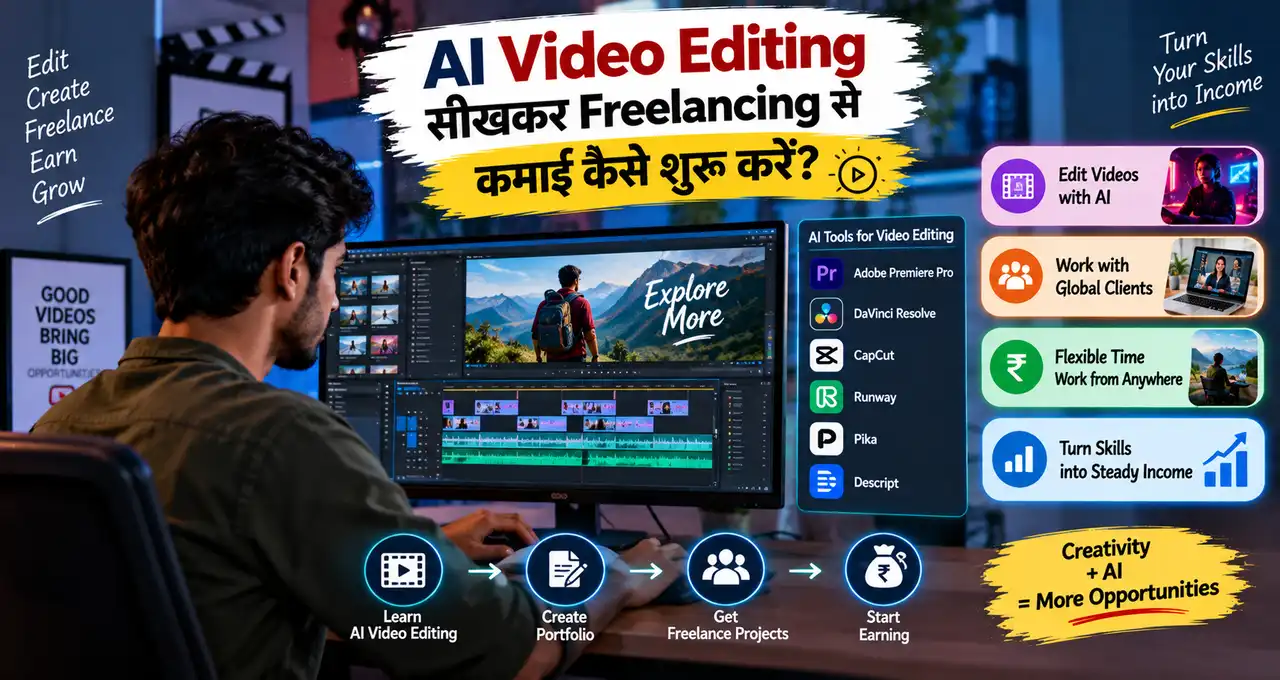
AI video editing से freelancing शुरू करना अब पहले से आसान हो गया है, क्योंकि AI tools transcript, captions, silence removal, rough cuts, background cleanup और short-form variations जैसे repetitive काम तेज़ कर सकते हैं।
लेकिन सिर्फ़ किसी tool का “auto edit” button दबा देना professional service नहीं बनाता।
Client को ऐसा final video चाहिए जो साफ़ दिखे, सही pace में चले, brand के हिसाब से हो और viewer को confuse न करे। इसलिए beginner के लिए सही approach है: editing basics सीखें, एक narrow service चुनें, AI को speed के लिए use करें और final storytelling, accuracy और quality खुद control करें।
इस guide में समझेंगे कि कौन-सी video editing services से शुरुआत की जा सकती है, portfolio कैसे बनाएं, client brief कैसे लें, pricing और revisions कैसे तय करें और पहला paying client कैसे ढूँढें।
इस लेख में आप क्या सीखेंगे?
- सही editing service चुनना
- Video basics समझना
- AI workflow बनाना
- Portfolio बिना client बनाना
- Pricing और revisions तय करना
- First client ढूँढना
- Final delivery improve करना
AI Video Editing Freelancing वास्तव में क्या है?
AI video editing freelancing का मतलब यह नहीं है कि client की footage upload की और tool ने जो पहला output बनाया वही भेज दिया।
Professional workflow कुछ ऐसा हो सकता है:
Client Brief
↓
Raw Footage Review
↓
Story और Structure
↓
AI-Assisted Rough Cut
↓
Manual Editing
↓
Captions, Audio और Visual Cleanup
↓
Quality Check
↓
Final Export
AI repetitive steps तेज़ कर सकता है, लेकिन कौन-सा shot रखना है, किस moment पर cut करना है, video boring कहाँ हो रही है और brand message सही जा रहा है या नहीं—यह editor का काम है।
अगर freelancing का broader model नया है, तो Freelancing क्या है? घर से काम करके पैसे कमाने की शुरुआत कैसे करें? useful starting point है।
शुरुआत में कौन-सी Video Editing Service चुनें?
Beginner को “मैं हर तरह की video edit करता हूँ” कहने की बजाय एक narrow service चुननी चाहिए।
Possible services:
- Short-form Reels editing
- YouTube talking-head editing
- Podcast clips
- Business promo videos
- Product demo edits
- Course videos
- Subtitle और caption editing
एक category चुनकर 5–8 strong samples बनाना ज़्यादा practical है।
उदाहरण:
“मैं coaches और local businesses के लिए short vertical reels edit करता हूँ।”
यह positioning “AI video editor available” से ज़्यादा clear है।
Client tool नहीं खरीदता। वह final edited video खरीदता है।
Editing Basics सीखे बिना AI पर Depend क्यों नहीं करना चाहिए?
AI cuts suggest कर सकता है, लेकिन उसे हमेशा यह नहीं पता कि story कहाँ slow हो रही है या कौन-सा moment emotionally important है।
कम-से-कम ये basics समझें:
Cutting: Unnecessary pauses और weak sections हटाना।
Pacing: Video बहुत slow या बहुत rushed न लगे।
Audio: Voice clear हो और music overpower न करे।
Captions: Readable, timed और correct हों।
Framing: Vertical या horizontal format में subject properly placed हो।
B-roll: Main message support करे, distract न करे।
Continuity: Cuts awkward न लगें।
Export: Platform के लिए सही aspect ratio और quality का use करें।
Tools बदलते रहेंगे, लेकिन ये editing principles long-term में useful रहेंगे।
Client Brief में क्या पूछें?
Editing शुरू करने से पहले client की expectation clear करें।
कम से कम यह information लें:
Video Type: Reel, YouTube video, ad, course या podcast clip?
Platform: Instagram, YouTube, LinkedIn, website या WhatsApp?
Final Length: Approximate duration क्या होनी चाहिए?
Raw Footage: कितनी footage है और किस format में है?
Style: Clean, fast-paced, educational, cinematic या minimal?
Brand Assets: Logo, fonts, colors और intro/outro available हैं?
Captions: Burned-in captions चाहिए या separate file?
References: Client को कौन-सा editing style पसंद है?
Deadline: Final delivery कब चाहिए?
Revisions: कितने rounds agreed हैं?
अगर brief clear नहीं होगा तो “कुछ और engaging कर दो” जैसी endless feedback आने की संभावना बढ़ती है।
AI Video Editing Workflow कैसे बनाएं?
एक simple workflow रखें।
Step 1: Raw Footage Review करें
पूरी footage कम से कम once skim करें। सिर्फ़ AI transcript देखकर edit न करें।
Step 2: Main Message Identify करें
Video का core takeaway क्या है?
Step 3: AI से Rough Work तेज़ करें
Transcript, silence detection, caption draft या clip suggestions जैसे tasks में AI help ले सकता है।
Step 4: Manual Cut करें
Weak pauses, duplicate lines और unnecessary sections remove करें।
Step 5: B-roll और Visual Support Add करें
जहाँ useful हो वहाँ supporting visuals रखें।
Step 6: Captions और Audio Check करें
Spelling, timing और voice clarity verify करें।
Step 7: Final Export और Review करें
पूरा video एक बार final output में देखें।
AI speed देता है, लेकिन final pacing और story human editor को judge करनी चाहिए।
AI से Transcript और Captions बनाते समय क्या Check करें?
Automatic transcription useful है, लेकिन perfect नहीं।
Errors खासकर इन जगहों पर हो सकते हैं:
Names
Hindi-English mixed words
Technical terms
Brand names
Numbers
Dates
Local accents
अगर speaker “₹15,000” कह रहा है और caption “₹50,000” दिखाता है, तो video misleading हो सकता है।
इसलिए captions को final export से पहले line-by-line check करें।
AI-generated factual mistakes को समझने के लिए AI Hallucination क्या है? ChatGPT गलत जवाब क्यों देता है और कैसे पहचानें? useful है।
Short-Form Reels Editing से शुरुआत क्यों Practical हो सकती है?
Short-form editing beginner के लिए useful starting service हो सकती है क्योंकि deliverable clear रखा जा सकता है।
Possible package:
30–60 second reel
Clean cuts
Captions
Simple zooms
Basic B-roll
Background music
Brand colors
लेकिन हर reel को flashy transitions की ज़रूरत नहीं है।
Business content में कई बार clean editing और clear message ज़्यादा useful होते हैं।
एक long video से multiple short clips बनाना भी service बन सकता है।
Long Video
↓
Key Moments Identify करें
↓
Short Clips बनाएं
↓
Captions Add करें
↓
Platform-wise Export करें
यह creators, coaches, podcasters और business owners के लिए useful हो सकता है।
Talking-Head YouTube Editing में क्या सीखना चाहिए?
YouTube talking-head video में सिर्फ़ jump cuts enough नहीं होते।
Editor को देखना होगा:
Intro कितना लंबा है?
Viewer को जल्दी context मिलता है?
Repeated lines हटाई गई हैं?
B-roll सही जगह है?
On-screen text ज़रूरत से ज़्यादा तो नहीं?
Audio consistent है?
Video का structure logical है?
YouTube creators के लिए editing के साथ thumbnail और content packaging भी important होते हैं। Creator-side AI workflows की broader understanding के लिए YouTube के नए AI Tools: Video Editing, Dynamic Thumbnails और Channel Growth में कैसे मदद करेंगे? relevant हो सकता है।
Portfolio बिना Client के कैसे बनाएं?
पहला client आने का wait न करें।
5–6 concept projects बनाएं।
Example portfolio:
- 2 Talking-head reels
- 1 Podcast clip
- 1 Product demo edit
- 1 Local business promo
- 1 Long-to-short repurposing sample
अगर footage आपकी नहीं है, तो licence और permission check करें। Random creator की video download करके portfolio में client work की तरह दिखाना सही नहीं है।
Practice के लिए अपनी footage shoot कर सकते हैं, royalty-free clips use कर सकते हैं या friend/known business से permission लेकर sample बना सकते हैं।
Portfolio पर “Concept Project” या “Practice Edit” लिखना honest approach है।
Before-and-After Sample क्यों Useful है?
Video editing skill सिर्फ़ final polished reel देखकर हमेशा clear नहीं होती।
Before-and-after example दिखा सकता है:
Raw clip कैसा था?
आपने pauses कैसे remove किए?
Captions कैसे improve किए?
Framing क्या बदली?
Audio क्या clean किया?
Final pacing कैसे better हुई?
यह prospective client को आपका actual contribution समझाता है।
लेकिन raw footage share करने से पहले permission ज़रूरी हो सकती है।
पहला Client कहाँ से मिल सकता है?
Possible client sources:
- Local businesses
- Coaches
- YouTubers
- Podcasters
- Freelance platforms
- Marketing agencies
- Small brands
- LinkedIn network
- Existing contacts
Outreach को personalized रखें।
Weak message:
“Video editing चाहिए?”
Better approach:
“मैंने आपकी recent talking-head reel देखी। Content useful है, लेकिन opening 5–7 seconds और captions को थोड़ा tighter करके retention-friendly version बनाया जा सकता है। मैं short-form editing service देता हूँ और चाहें तो एक short sample cut दिखा सकता हूँ।”
Client की actual content देखकर specific observation करना generic message से better है।
LinkedIn को professional discovery channel की तरह use करना हो तो LinkedIn Profile कैसे बनाएं? Job के लिए Professional Profile बनाने की Guide useful है।
Client Outreach का Simple Template
Hi [Name],
मैं [Short Reels / YouTube / Podcast Clips] के लिए video editing service देता/देती हूँ।
मैंने आपका [Specific Video/Profile] देखा और notice किया कि [Specific Observation].
मैं आपकी existing footage को cleaner cuts, readable captions और stronger pacing के साथ short-form content में convert करने में मदद कर सकता/सकती हूँ।
Portfolio: [Link]
अगर useful लगे तो एक छोटा sample direction या package details share कर सकता/सकती हूँ।
हर prospect के लिए specific observation बदलें।
Same message 100 लोगों को भेजना targeted outreach नहीं है।
Pricing कैसे तय करें?
Video editing pricing कई factors पर depend कर सकती है:
Raw footage length
Final video length
Editing complexity
Captions
B-roll sourcing
Motion graphics
Audio cleanup
Revisions
Turnaround time
Number of formats
Possible pricing models:
Per Reel
Per Video
Clip Pack
Monthly Retainer
Hourly, अगर scope unpredictable हो
Example package:
8 Reels
Up to 60 seconds each
Captions
Basic B-roll
Brand Style
2 Revision Rounds
यह सिर्फ़ package structure example है। Actual rate skill, market और workload के हिसाब से तय करें।
सिर्फ़ Final Video Length पर Price क्यों नहीं तय करनी चाहिए?
एक 30-second reel कभी-कभी 5 minutes में edit हो सकती है, लेकिन दूसरे case में 40 minutes के raw footage से best 30 seconds ढूँढने पड़ सकते हैं।
इसलिए सिर्फ़ final duration misleading हो सकती है।
Scope में यह भी देखें:
Raw footage कितना है?
Multiple camera angles हैं?
Captions manually correct करने हैं?
B-roll client देगा?
Music कौन source करेगा?
Revisions कितनी हैं?
Client expectations जितनी clear होंगी, pricing उतनी fair होगी।
Revision Policy पहले Clear रखें
Video editing में “थोड़ा fast करो”, “music बदलो”, “यह clip हटाओ” जैसी feedback common है।
Project शुरू होने से पहले लिखें:
Included revisions कितनी?
Revision और complete re-edit में फर्क क्या है?
Music change included है?
Caption correction कितनी बार?
Brief बदलने पर extra charge होगा?
Source/project file included है या नहीं?
Example:
“2 revision rounds included हैं, provided कि original brief और video direction same रहे।”
यह boundary future confusion कम करती है।
File Delivery और Organization Professional कैसे रखें?
Freelancing में file management भी service quality का हिस्सा है।
Simple folder structure:
Client Name
Raw Footage
Assets
Project Files
Exports
Final
File names clear रखें:
Client_Reel01_V1
Client_Reel01_V2
Client_Reel01_Final
“final2_new_latest_real_final.mp4” जैसी naming avoid करें।
Cloud link share करते समय access permissions verify करें।
Client files को agreement से ज़्यादा समय तक रखने की ज़रूरत न हो तो retention policy भी clear रख सकते हैं।
Music और B-roll use करते समय copyright का ध्यान रखें
Random song या YouTube clip download करके client video में use करना risk पैदा कर सकता है।
Check करें:
Music licence
Stock footage licence
Commercial use rights
Client-provided asset permissions
Platform restrictions
“Internet पर available” का मतलब “commercial project में free to use” नहीं होता।
Royalty-free या licensed assets use करें और licence terms client use case के हिसाब से verify करें।
Client Footage की Privacy कैसे Protect करें?
Raw video में private information हो सकती है:
Family footage
Office interiors
Customer faces
Unreleased product
Internal meeting clips
Phone numbers
Documents
इन files को unnecessary tools में upload न करें।
AI-assisted editing feature use करने से पहले tool की privacy/data-handling terms समझें।
जहाँ possible हो sensitive information blur या remove करें।
AI privacy के practical basics AI इस्तेमाल करते समय Privacy कितनी सुरक्षित है? Personal Data बचाने के 10 तरीके में समझ सकते हैं।
AI से Video Hook और Script भी बनवा सकते हैं?
हाँ, अगर client script support भी चाहता है तो AI hook variations और short script drafts दे सकता है।
लेकिन script service scope में पहले से included होनी चाहिए।
Reusable prompt:
Video topic: [Topic]
Audience: [Audience]
Goal: [Education / Lead / Product Demo]
Verified facts: [Facts]
30–45 second short video के लिए 5 hook options और एक concise script draft बनाएं।
Tone natural Hindi-Hinglish रखें।
कोई statistic, price, result, guarantee, customer claim या product feature invent न करें।
Script spoken language में हो और unnecessary intro avoid करे।
Prompt writing improve करने के लिए Prompt Engineering क्या है? AI से बेहतर जवाब पाने के लिए Prompt कैसे लिखें? useful foundation है।
Client को कौन-से Deliverables दें?
Scope के हिसाब से deliverables clear रखें।
Possible deliverables:
Final MP4
Vertical 9:16 version
Horizontal 16:9 version
Square 1:1 version
Captioned version
Clean version without captions
Thumbnail frame
Subtitle file, अगर agreed हो
Project/source file, अगर package में हो
हर client को सब formats देने की ज़रूरत नहीं है।
जो package में है, वही clearly लिखें।
AI Video Editing में कौन-सी Skills Long-Term Useful रहेंगी?
Specific tool बदल सकता है, लेकिन ये skills useful रहेंगी:
Storytelling
Pacing
Audio editing
Caption accuracy
Color basics
B-roll selection
Platform formats
Client communication
File organization
Copyright awareness
Prompt writing
Quality control
AI सिर्फ़ repetitive work कम करेगा। अच्छे editor की judgement अभी भी differentiator रहेगी।
अगर AI field में broader career options explore करना चाहते हैं, तो AI में Career कैसे बनाएं? बिना AI Engineer बने कौन-सी Skills सीखें relevant है।
पहले 14 दिनों का Beginner Action Plan
Day 1
एक editing service चुनें।
Day 2
Target client define करें।
Day 3
3 reference styles study करें।
Day 4–7
Portfolio के 4 strong samples बनाएं।
Day 8
Before-and-after sample तैयार करें।
Day 9
Portfolio को shareable folder/page में organize करें।
Day 10
Service package और revision policy लिखें।
Day 11
20 relevant prospects की list बनाएं।
Day 12
5 personalized outreach messages भेजें।
Day 13
5 और prospects से contact करें।
Day 14
Responses देखकर offer और portfolio improve करें।
इन 14 दिनों का goal guaranteed income नहीं है।
Goal है यह देखना कि आपकी editing service real client problems solve करती है या नहीं।
Common Mistakes जिनसे बचना चाहिए
- सिर्फ़ auto-edit पर depend करना
- Editing basics न सीखना
- Captions बिना check export करना
- हर तरह की service offer करना
- Fake client work portfolio में दिखाना
- Copyrighted music casually use करना
- Unlimited revisions देना
- Raw footage length ignore करके pricing करना
- Client files बिना permission AI tools में upload करना
- Final video पूरा देखे बिना deliver करना
AI workflow तेज़ कर सकता है, लेकिन खराब judgement को अच्छे edit में नहीं बदलता।
AI speed के लिए, इंसान judgement और trust के लिए।
आख़िर में एक छोटी सी बात
AI video editing ने beginners के लिए entry barrier कम किया है, लेकिन कमाई सिर्फ़ tool चलाने से नहीं आएगी। Client को clean, engaging और reliable final video चाहिए—और उसके लिए editing basics, communication और quality control ज़रूरी हैं।
शुरुआत में एक narrow service चुनें, जैसे short reels, talking-head videos या podcast clips। उसी category में focused portfolio बनाएं, simple package रखें और personalized outreach के साथ real clients तक पहुँचें।
AI transcript, captions, rough cuts और content repurposing में time बचा सकता है। लेकिन final pacing, story, factual accuracy, copyright और client satisfaction आपकी responsibility रहेगी।
आप AI video editing में किस service से शुरुआत करना चाहेंगे—Reels, YouTube Videos, Podcast Clips या Business Promo Videos? Comments में अपना choice बताएं, ताकि उसी service के लिए portfolio ideas और first-client roadmap पर अगली practical guide बनाई जा सके।