










अगर आप नौकरी ढूँढ रहे हैं और LinkedIn पर सिर्फ़ अपना नाम, college और एक-दो skills डालकर छोड़ चुके हैं, तो शायद आपकी profile अभी अपना पूरा काम नहीं कर रही है।
जब हमने blogging और online work के बारे में शुरुआत में समझना शुरू किया था, तब LinkedIn को लेकर हमें भी यही लगता था कि यह बस एक online resume है। अपना education डालो, experience डालो और फिर jobs के लिए apply कर दो।
लेकिन धीरे-धीरे समझ आया कि LinkedIn सिर्फ़ resume रखने की जगह नहीं है।
यह एक ऐसी जगह है जहाँ recruiter, hiring manager और दूसरे professionals आपके बारे में पहली जानकारी हासिल कर सकते हैं।
और अगर आपकी profile देखकर किसी को 10–15 seconds में यह समझ ही नहीं आता कि आप क्या करते हैं, आपकी skills क्या हैं और आप किस तरह की job चाहते हैं, तो profile को बेहतर बनाने की ज़रूरत है।
इसलिए अगर आप fresher हैं, job switch करना चाहते हैं या अपनी पहली नौकरी ढूँढ रहे हैं, तो यह article आपके लिए है।
आइए step-by-step समझते हैं कि 2026 में एक अच्छी LinkedIn Profile कैसे बनाएं और उसे job search के लिए कैसे बेहतर करें।
LinkedIn Profile क्यों ज़रूरी है?
आज recruiter सिर्फ़ resume ही नहीं देखते।
कई बार किसी candidate के बारे में जानने के लिए LinkedIn profile भी देखी जा सकती है।
आपकी LinkedIn profile एक तरह से आपकी professional identity बन सकती है।
यहाँ आप दिखा सकते हैं:
- आप कौन हैं
- क्या काम करते हैं
- कौन-सी skills जानते हैं
- कहाँ पढ़े हैं
- किस तरह के projects किए हैं
- किस field में career बनाना चाहते हैं
- किस तरह के काम में आपकी रुचि है
लेकिन इसका मतलब यह नहीं है कि सिर्फ़ LinkedIn profile बना लेने से job मिल जाएगी।
Profile आपका introduction है, job की guarantee नहीं।
इसलिए इसे अपने resume, skills, projects और actual job applications के साथ इस्तेमाल करना बेहतर है।
LinkedIn Profile बनाने के लिए क्या-क्या चाहिए?
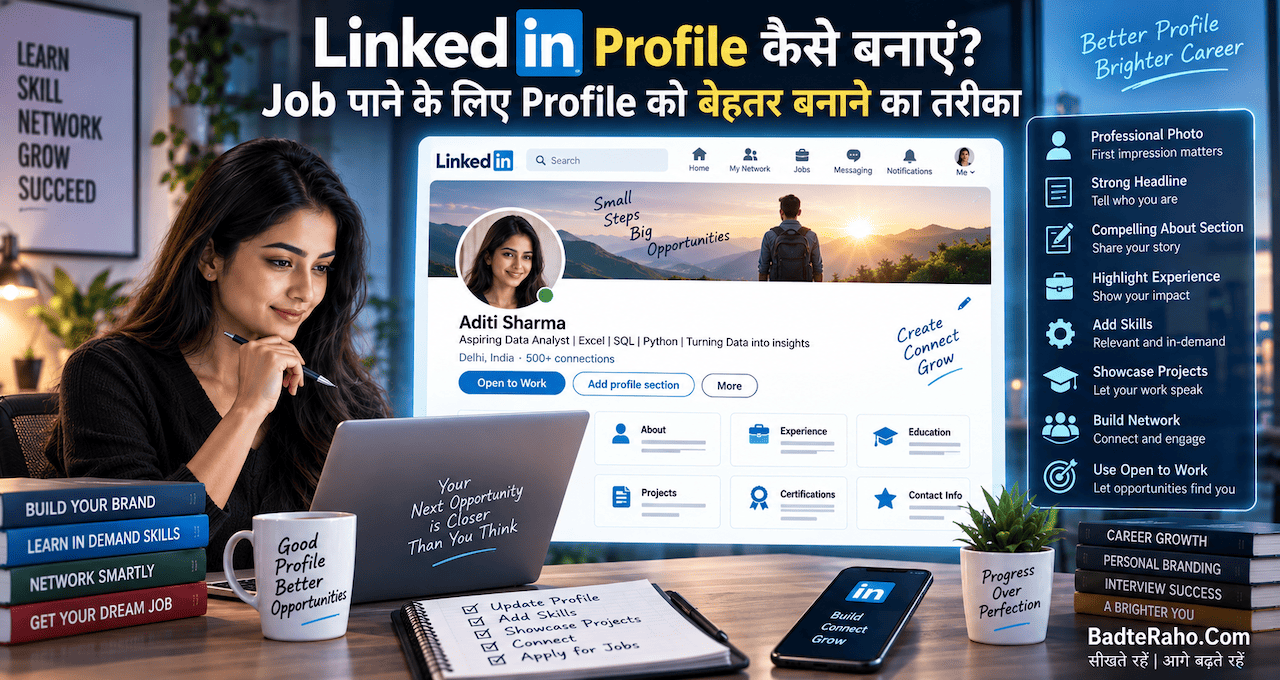
अगर आप पहली बार profile बना रहे हैं, तो कम से कम इन चीज़ों को तैयार रखें:
- Professional profile photo
- Clear headline
- About section
- Education
- Experience
- Skills
- Projects
- Certifications
- Location
- Contact information
- Relevant profile URL
- Job preferences / Open to Work, अगर लागू हो
हर section को भरना ही लक्ष्य नहीं होना चाहिए।
सही information भरना ज्यादा important है।
1. LinkedIn Profile Photo कैसी होनी चाहिए?
सबसे पहले profile photo।
आपकी photo देखकर ही profile visitor को पहला impression मिलता है।
इसलिए बहुत casual या unclear photo लगाने से बचें।
अच्छी profile photo में:
- चेहरा साफ़ दिखाई दे
- photo अच्छी quality की हो
- lighting ठीक हो
- background बहुत distracting न हो
- आपका appearance professional और natural लगे
आपको suit पहनना जरूरी नहीं है।
अगर आप student हैं, तो simple और साफ़ photo काफी है।
अगर आप creative field में हैं, तो थोड़ा personal style दिखा सकते हैं।
लेकिन याद रखें:
LinkedIn profile photo passport photo बनाना भी जरूरी नहीं है और Instagram selfie बनाना भी नहीं।
एक natural professional photo सबसे practical option है।
2. LinkedIn Headline सबसे ध्यान से लिखें
यह profile का सबसे important हिस्सा है।
बहुत से लोग headline में सिर्फ़ लिखते हैं:
“Looking for a Job”
या
“Student at XYZ College”
यह बहुत ज्यादा information नहीं देता।
Headline में कोशिश करें कि visitor को तुरंत समझ आए:
आप कौन हैं + क्या करते हैं + आपकी मुख्य skill क्या है + किस direction में जाना चाहते हैं।
Fresher के लिए Example
❌
Looking for a job
बेहतर:
Computer Science Graduate | Python | SQL | Machine Learning | Aspiring Data Analyst
अगर आप AI में जाना चाहते हैं:
AI & ML Enthusiast | Python | Machine Learning | Generative AI | Building AI Projects
अगर आप Digital Marketing सीख रहे हैं:
Digital Marketing Learner | SEO | Social Media | Content Marketing | Google Analytics
यहाँ एक बात ध्यान रखें।
ऐसी skills headline में न डालें जो आपको आती ही नहीं हैं।
Keyword डालने के चक्कर में 20 technologies लिख देना profile को बेहतर नहीं बनाता।
3. About Section को खाली न छोड़ें
About section आपकी छोटी professional story हो सकती है।
यहाँ सिर्फ़ यह लिखना जरूरी नहीं है:
“I am hardworking and passionate.”
ऐसी lines बहुत generic हैं।
इसके बजाय बताइए:
- आप कौन हैं
- आपका background क्या है
- आपकी मुख्य skills क्या हैं
- आपने क्या projects किए हैं
- आपको किस field में interest है
- आप किस तरह के opportunities देख रहे हैं
Example
मान लीजिए आप fresher हैं:
मैं Computer Science graduate हूँ और मुझे Data Analytics तथा AI में रुचि है। मैंने Python, SQL और basic Machine Learning पर काम किया है और अपने learning journey के दौरान कुछ practical projects बनाए हैं।
फिलहाल मेरा focus Data Analyst और entry-level AI/ML opportunities पर है। मुझे data को समझना, problems को solve करना और technology की मदद से practical solutions बनाना पसंद है।
मैं ऐसे opportunities की तलाश में हूँ जहाँ मैं अपनी technical skills को real-world projects में इस्तेमाल करते हुए आगे सीख सकूँ।
देखिए, इसमें कोई बड़ी-बड़ी बातें नहीं हैं।
बस साफ़ तरीके से बताया गया है कि व्यक्ति कौन है और क्या चाहता है।
यही अच्छी About section की ताकत है।
4. Experience Section में सिर्फ़ Job Title न लिखें
अगर आपने कहीं काम किया है तो Experience section में सिर्फ़:
Digital Marketing Executive
लिखकर छोड़ देना पर्याप्त नहीं है।
बताइए कि आपने क्या किया।
उदाहरण:
Digital Marketing Executive
- Website के SEO content पर काम किया
- Social media campaigns manage किए
- Keyword research और content planning की
- Monthly performance reports तैयार कीं
- Website traffic और engagement metrics analyze किए
अगर possible हो तो result या impact भी बताएं।
उदाहरण:
Organic traffic में 30% growth लाने वाले content optimization projects पर काम किया।
लेकिन numbers तभी लिखें जब वे वास्तविक हों।
Fake achievements डालकर profile impressive बनाने की कोशिश न करें।
5. Fresher हैं तो Experience खाली होने से डरें नहीं
यह बहुत common problem है।
Student profile बनाता है और सोचता है:
“मेरे पास experience ही नहीं है, तो LinkedIn में क्या डालूँ?”
अगर आपने अभी full-time job नहीं की है, तो भी आपके पास दिखाने के लिए बहुत कुछ हो सकता है।
आप relevant होने पर जोड़ सकते हैं:
- Internship
- Freelance work
- College projects
- Personal projects
- Volunteer work
- Student organizations
- Research work
- Part-time work
- Relevant practical experience
उदाहरण के लिए, अगर आपने एक website बनाई है, तो उसे project के रूप में दिखाइए।
अगर आपने Python में कोई data analysis project किया है, तो उसे भी दिखाइए।
Experience सिर्फ़ salary वाली नौकरी का दूसरा नाम नहीं है।
6. Projects जरूर जोड़ें
ख़ासकर freshers के लिए Projects बहुत useful हो सकते हैं।
अगर आप कहते हैं:
“मुझे Python आती है।”
तो recruiter के मन में अगला सवाल हो सकता है:
“क्या बनाया है?”
यहीं project आपकी बात को proof में बदल सकता है।
उदाहरण:
Project: Sales Data Analysis Dashboard
Tools: Python, Pandas, SQL, Power BI
क्या किया:
- Sales data clean किया
- Customer trends analyze किए
- Monthly sales report तैयार की
- Interactive dashboard बनाया
- Business insights identify किए
अगर आपके पास GitHub, portfolio या live demo है और उसे share करना उचित है, तो project के साथ उसका link भी जोड़ा जा सकता है।
7. Skills Section को Random Keywords से न भरें
मान लीजिए आपने 30 skills डाल दीं:
- AI
- Python
- Java
- Marketing
- Photoshop
- Excel
- Blockchain
- SEO
- Data Science
- Leadership
- Communication
- Sales
- JavaScript
लेकिन इनमें से आधी skills आपको ठीक से आती ही नहीं।
यह अच्छा idea नहीं है।
Skills वही डालें जो:
आपको आती हैं + आपके target role से relevant हैं।
अगर आप Data Analyst बनना चाहते हैं तो:
- SQL
- Excel
- Python
- Data Analysis
- Power BI
- Statistics
जैसी relevant skills ज्यादा useful हो सकती हैं।
अगर AI/ML में जाना चाहते हैं:
- Python
- Machine Learning
- SQL
- Deep Learning
- Generative AI
- Data Analysis
जैसी skills relevant हो सकती हैं।
8. Job Description देखकर Skills चुनें
यह एक practical तरीका है।
मान लीजिए आपका target है:
Junior Data Analyst
अब LinkedIn पर 10–20 relevant job postings देखें।
ध्यान दें कि उनमें बार-बार कौन-सी skills मांगी जा रही हैं।
अगर कई job descriptions में:
- SQL
- Excel
- Power BI
- Python
- Data Visualization
बार-बार दिखाई दे रहा है, तो यह आपके लिए एक useful signal है।
अब अपनी skills को उस target role के हिसाब से evaluate करें।
लेकिन इसका मतलब यह नहीं कि हर job description के keywords copy करके अपनी profile में डाल दें।
जो आता है वही लिखें।
9. Education Section को सही तरीके से भरें
Student और fresher के लिए Education काफी important हो सकती है।
इसमें:
- College/University
- Degree
- Field of Study
- Start/End Year
- Relevant activities
जैसी information दी जा सकती है।
अगर आपने कोई relevant project या academic achievement किया है, तो उसे भी context के हिसाब से दिखाया जा सकता है।
लेकिन Education section को unnecessarily बहुत लंबा बनाने की जरूरत नहीं है।
10. Certifications भी जोड़ें—लेकिन समझदारी से
अगर आपने कोई relevant certification की है तो उसे profile में दिखा सकते हैं।
उदाहरण:
- Google Analytics
- AWS
- Microsoft
- Data Analytics
- Digital Marketing
- Python
- AI/ML
लेकिन यहाँ भी quantity से ज्यादा relevance important है।
20 random certificates देखकर profile necessarily strong नहीं बनती।
5 relevant certifications, 20 unrelated certificates से ज्यादा useful हो सकती हैं।
11. LinkedIn का Featured Section इस्तेमाल करें
अगर आपके पास अच्छा work है तो उसे सिर्फ़ Experience में mention करके मत छोड़िए।
आप relevant होने पर:
- Portfolio
- Project
- Article
- Presentation
- Case Study
- GitHub project
- Website
- Video
जैसी चीज़ें showcase कर सकते हैं।
इसका फायदा यह है कि profile देखने वाला व्यक्ति आपके काम का example जल्दी देख सकता है।
और job search में एक बात बहुत important है:
“मैं यह skill जानता हूँ” कहने से बेहतर है “यह रहा मेरा काम” दिखाना।
12. LinkedIn Profile URL को Clean रखें
अगर आपकी profile URL बहुत random characters से बनी हुई है, तो उसे custom/clean public URL में बदलना useful हो सकता है, अगर option आपके account में available हो।
उदाहरण के लिए:
linkedin.com/in/yourname
जैसा कि simple URL resume और email signature में share करना आसान होता है।
13. Open to Work का इस्तेमाल कैसे करें?
अगर आप actively job ढूँढ रहे हैं, तो LinkedIn का Open to Work feature उपयोगी हो सकता है।
इसमें आप अपनी job preferences के बारे में information दे सकते हैं, जैसे:
- किस तरह की job चाहिए
- कौन-से job titles
- preferred location
- remote/hybrid/on-site preference
- employment type
LinkedIn की current settings में कुछ information recruiters के साथ private तरीके से share करने का option भी हो सकता है, जबकि broader visibility चुनने पर profile पर Open to Work indicator दिखाई दे सकता है। Settings समय के साथ बदल सकती हैं, इसलिए अपने account में उपलब्ध current options देखना अच्छा रहेगा।
अगर आप currently employed हैं और discreetly job search कर रहे हैं, तो visibility option चुनते समय थोड़ा ध्यान रखें।
14. सिर्फ़ “Open to Work” लिखकर मत रुकिए
यह एक common mistake है।
कुछ लोग profile headline में बड़ा सा लिख देते हैं:
OPEN TO WORK | NEED JOB URGENTLY
लेकिन बाकी profile खाली रहती है।
इससे बेहतर है:
Strong Profile + Relevant Skills + Projects + Clear Job Preferences
और उसके बाद Open to Work feature।
अगर recruiter profile देखता है तो उसे तुरंत समझ आना चाहिए कि आप किस role के लिए relevant हैं।
15. LinkedIn पर सही Keywords इस्तेमाल करें
यह हिस्सा job seekers के लिए काफी important है।
मान लीजिए आप:
Data Analyst
की job चाहते हैं।
तो आपकी profile में relevant जगहों पर naturally ये terms आ सकती हैं:
- Data Analyst
- SQL
- Excel
- Power BI
- Python
- Data Visualization
- Data Analytics
इसी तरह अगर आपका target:
AI Engineer
है, तो आपके actual skills के अनुसार:
- AI Engineer
- Python
- Machine Learning
- Generative AI
- LLM
- APIs
- RAG
जैसी terms relevant हो सकती हैं।
यह keyword stuffing नहीं होना चाहिए।
Profile इंसानों के लिए भी readable रहनी चाहिए।
16. LinkedIn पर सिर्फ़ Profile बनाकर छोड़ मत दीजिए
यह भी हमारी एक पुरानी सोच थी कि profile बना दी, अब recruiter खुद ढूँढ लेगा।
लेकिन LinkedIn networking platform भी है।
आप:
- Relevant लोगों को connect कर सकते हैं
- Industry professionals को follow कर सकते हैं
- Useful posts पर thoughtful comments कर सकते हैं
- अपने projects share कर सकते हैं
- अपनी learning journey दिखा सकते हैं
- Relevant job alerts सेट कर सकते हैं
लेकिन हर व्यक्ति को एक ही message:
“Sir job चाहिए, please help.”
भेजना networking नहीं है।
पहले genuine professional connection बनाने की कोशिश करें।
17. LinkedIn पर क्या Post करें?
अगर आप fresher हैं तो शायद सोचेंगे:
“मेरे पास post करने के लिए है ही क्या?”
बहुत कुछ है।
आप share कर सकते हैं:
आपने क्या सीखा
“आज मैंने SQL में JOINs को practical example के साथ समझा।”
आपने क्या बनाया
“मैंने Python का इस्तेमाल करके एक simple sales analysis project बनाया।”
कोई useful insight
“आज मैंने AI Agents और chatbots के बीच यह difference समझा…”
Project का छोटा breakdown
“इस project में मैंने data cleaning के लिए Pandas इस्तेमाल किया…”
इससे profile धीरे-धीरे आपकी learning और professional interest दिखाने लगती है।
18. AI की मदद से LinkedIn Profile बेहतर कर सकते हैं
यह 2026 में काफी useful तरीका है।
अगर आपको English में professional writing करने में परेशानी होती है, तो AI से help ली जा सकती है।
उदाहरण के लिए आप AI को अपनी information देकर कह सकते हैं:
“मेरे लिए LinkedIn About section लिखिए। मैं B.Com graduate हूँ, Excel और Power BI जानता हूँ और Data Analytics में career बनाना चाहता हूँ। भाषा professional लेकिन natural रखें और कोई fake achievement न जोड़ें।”
फिर AI आपको draft दे सकता है।
लेकिन उसे सीधे copy-paste करने के बजाय अपनी आवाज़ के हिसाब से edit करें।
AI आपकी profile को polish कर सकता है।
आपकी वास्तविक skills और experience AI invent नहीं कर सकता।
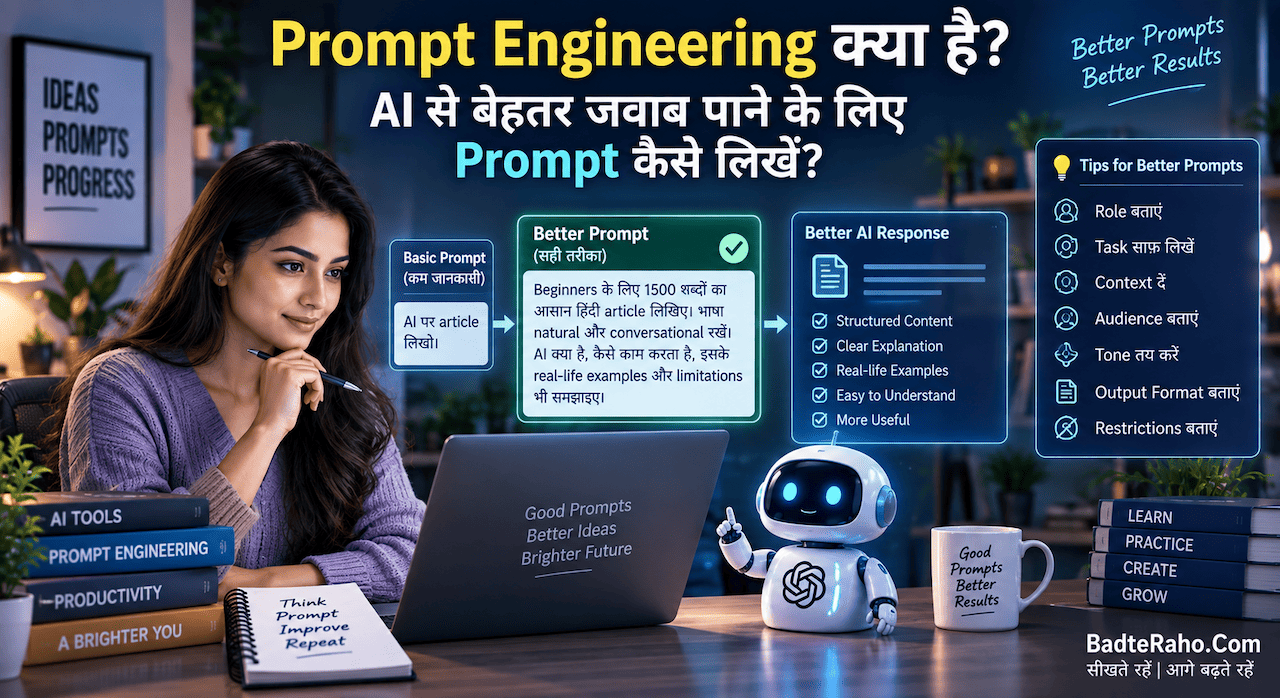
अगर आप Prompt लिखना सीखना चाहते हैं, तो हमारा Prompt Engineering क्या है? AI से बेहतर जवाब पाने के लिए Prompt कैसे लिखें? article भी पढ़ सकते हैं।
19. अगर AI Career में जाना है तो LinkedIn Profile कैसे बनाएं?
मान लीजिए आपका लक्ष्य AI में career बनाना है।
तो profile में सिर्फ़:
AI Enthusiast
लिखने के बजाय थोड़ा specific होना बेहतर है।
उदाहरण:
Aspiring AI/ML Engineer | Python | Machine Learning | Generative AI | Building AI Projects
About में:
- आपने क्या सीखा
- कौन-से projects किए
- किन tools पर काम किया
- किस तरह की AI jobs देख रहे हैं
यह सब साफ़ तरीके से बताएं।
अगर आप AI Career की पूरी direction समझना चाहते हैं, तो AI में Career कैसे बनाएं? बिना AI Engineer बने कौन-कौन सी Jobs कर सकते हैं? article आपके लिए useful रहेगा।
और अगर आपको अलग-अलग AI roles और उनकी salary समझनी है, तो AI Jobs की Salary कितनी है? 2026 में AI Career के प्रमुख Roles और Skills भी पढ़ सकते हैं।
20. LinkedIn Profile को Resume जैसा ही क्यों नहीं बनाना चाहिए?
Resume और LinkedIn profile दोनों professional documents हैं, लेकिन उनका purpose बिल्कुल identical नहीं है।
Resume आमतौर पर किसी specific job application के लिए customized होता है।
LinkedIn profile आपकी broader professional identity दिखा सकती है।
इसलिए LinkedIn पर आप:
- Projects
- Interests
- Professional posts
- Recommendations
- Certifications
- Networking activity
जैसी चीज़ों को भी दिखा सकते हैं।
यानी:
Resume = Job application document
LinkedIn = Professional presence
दोनों को एक-दूसरे की exact copy बनाने की जरूरत नहीं है।
LinkedIn Profile में कौन-सी गलतियाँ नहीं करनी चाहिए?
अब कुछ common mistakes।
1. Profile Photo न लगाना
अगर आप comfortable हैं और job search के लिए profile इस्तेमाल कर रहे हैं, तो professional photo profile को ज्यादा complete बनाती है।
2. Headline में सिर्फ़ “Job Seeker” लिखना
अपनी actual skills और target role बताना ज्यादा useful है।
3. About Section खाली छोड़ना
यह आपकी story बताने का मौका है।
4. Skills की लंबी random list
Relevant skills रखें।
5. Fake Experience
यह बिल्कुल न करें।
6. Fake Certificates
एक भी fake certification आपकी credibility को नुकसान पहुँचा सकती है।
7. हर जगह “I am hardworking” लिखना
अपने काम से दिखाइए।
8. Grammar और spelling mistakes
Professional profile में basic proofreading जरूर करें।
9. बहुत ज्यादा emojis
कुछ जगहें ठीक हैं, लेकिन पूरी profile को colourful advertisement बनाने की जरूरत नहीं है।
10. Profile update न करना
नई skill, project, job या certification जोड़ने के बाद profile भी update करें।
Fresher के लिए LinkedIn Profile का Example
मान लीजिए आप B.Tech graduate हैं और Data Analyst बनना चाहते हैं।
Headline
B.Tech Graduate | Aspiring Data Analyst | SQL | Python | Excel | Power BI
About
मैं B.Tech graduate हूँ और Data Analytics में career बनाने की दिशा में काम कर रहा हूँ। मुझे data को समझना, patterns identify करना और business problems को data की मदद से solve करना पसंद है।
मैंने SQL, Python, Excel और Power BI पर practical projects किए हैं और लगातार अपनी analytical skills improve कर रहा हूँ।
फिलहाल मैं entry-level Data Analyst opportunities और ऐसे projects की तलाश में हूँ जहाँ मैं अपनी skills को real-world problems पर apply कर सकूँ।
Skills
- SQL
- Python
- Excel
- Power BI
- Data Analysis
- Data Visualization
- Statistics
Projects
Sales Analysis Dashboard
- Excel और Power BI का इस्तेमाल
- Monthly sales trends analyze किए
- Customer segments identify किए
- Dashboard तैयार किया
अब recruiter को candidate के बारे में काफी clear idea मिल जाता है।
अगर आपके पास Experience है तो Profile कैसे अलग होगी?
अगर आप 3–5 साल से काम कर रहे हैं, तो focus बदल जाएगा।
आपको सिर्फ़ यह नहीं बताना है कि:
“मैं क्या करता हूँ?”
बल्कि:
“मैंने क्या impact create किया?”
उदाहरण:
❌
Managed social media accounts.
बेहतर:
Managed social media campaigns across Instagram and LinkedIn, planned monthly content calendars and tracked engagement metrics.
और अगर genuine result available है:
Increased organic engagement by 28% through content optimization and audience-focused campaigns.
यानी experience के साथ responsibility + result + skill दिखाना ज्यादा useful हो सकता है।
Job पाने के लिए LinkedIn Profile की सबसे जरूरी चीज़ क्या है?
अगर मुझे इसे बहुत छोटा करके समझाना हो तो मैं कहूँगा:
Clarity.
आपकी profile देखकर सामने वाले को जल्दी समझ आना चाहिए:
यह व्यक्ति कौन है?
क्या कर सकता है?
किस role के लिए suitable है?
इसके काम का proof कहाँ है?
अगर इन चार सवालों के जवाब आपकी profile में मिल जाते हैं, तो आपने काफी अच्छा foundation तैयार कर लिया है।
Action Plan: आज अपनी LinkedIn Profile ऐसे सुधारें
अगर आपकी profile पहले से बनी हुई है, तो आज सिर्फ़ ये 8 काम करें:
Step 1
Profile photo को check करें।
Step 2
Headline को generic “Job Seeker” से specific बनाएं।
Step 3
About section लिखें।
Step 4
अपनी top relevant skills जोड़ें।
Step 5
कम से कम 2–3 genuine projects दिखाएं।
Step 6
Education और certifications update करें।
Step 7
अगर job ढूँढ रहे हैं तो relevant Open to Work preferences सेट करें।
Step 8
अपनी target jobs देखकर profile keywords को naturally improve करें।
इसके बाद महीने में एक बार profile को review कर लें।
BadteRaho Tip
LinkedIn Profile को “मैंने क्या-क्या किया है” की list बनाने की बजाय “मैं अभी क्या कर सकता हूँ और किस तरह का काम करना चाहता हूँ” बताने वाली जगह बनाइए।
ख़ासकर freshers के लिए यह बहुत useful है।
आपके पास 5 साल का experience नहीं है?
कोई बात नहीं।
लेकिन अगर आपने 3 अच्छे projects बनाए हैं, अपनी skills को honestly दिखाया है और यह साफ़ लिखा है कि आप किस role की तरफ जाना चाहते हैं, तो आपकी profile में बताने के लिए फिर भी काफी कुछ हो सकता है।
कम experience होना और profile को खाली छोड़ देना—दो अलग बातें हैं।
आख़िर में एक छोटी सी बात
LinkedIn Profile बनाना मुश्किल नहीं है।
मुश्किल तब लगता है जब हम सोचते हैं कि profile में ऐसी बातें लिखनी हैं जो हमें “बहुत impressive” दिखाएँ।
असल में आपको बस clear, honest और relevant रहना है।
अगर आप fresher हैं तो अपनी learning, projects और skills दिखाइए।
अगर आप experienced हैं तो अपने काम और results को दिखाइए।
अगर आप career change कर रहे हैं, तो अपनी transferable skills और नए field की preparation बताइए।
और अगर आप actively job ढूँढ रहे हैं, तो profile के साथ-साथ relevant jobs के लिए apply भी करते रहें और professional networking पर भी ध्यान दें।
सबसे important बात—LinkedIn Profile नौकरी नहीं देती, लेकिन एक अच्छी profile लोगों को यह समझने में मदद कर सकती है कि आप कौन हैं और क्या कर सकते हैं।
इसलिए आज अपनी profile खोलिए और खुद से पूछिए:
“अगर कोई recruiter मेरी profile सिर्फ़ 30 seconds देखे, तो क्या उसे समझ आ जाएगा कि मैं किस तरह का professional हूँ?”
अगर जवाब “नहीं” है, तो यही आपकी profile सुधारने की पहली जगह है।
आपको ये लेख कैसा लगा, हमें कमेंट करके ज़रूर बताएँ। अगर आपके पास भी कोई लेख, कहानी या कविता है, तो आप उसे हमें badteraho@gmail.com पर भेज सकते हैं। पसंद आने पर हम आपके लेख को आपके नाम के साथ BadteRaho.Com पर प्रकाशित करेंगे।
Keywords: LinkedIn Profile कैसे बनाएं, LinkedIn Profile कैसे बनाएं for job, LinkedIn profile tips, LinkedIn पर job कैसे पाएं, LinkedIn Profile कैसे बेहतर बनाएं, LinkedIn headline कैसे लिखें, LinkedIn About section कैसे लिखें, LinkedIn skills कैसे add करें, LinkedIn profile for freshers, LinkedIn profile for students, LinkedIn पर नौकरी कैसे खोजें, Open to Work LinkedIn, LinkedIn profile tips 2026, LinkedIn resume profile, LinkedIn पर recruiter को कैसे attract करें, LinkedIn job search tips, LinkedIn profile optimization, LinkedIn पर job पाने का तरीका, fresher LinkedIn profile, LinkedIn profile examples, LinkedIn headline examples, LinkedIn About examples, LinkedIn skills for jobs, LinkedIn career tips