



YouTube पर video बनाना अब सिर्फ़ recording, editing और upload तक सीमित नहीं है।
एक creator को topic research, script, thumbnail, audience feedback, analytics और पुराने videos की performance—सब manage करना पड़ता है। YouTube अब इन्हीं stages में अपने native AI tools जोड़ रहा है, ताकि Studio सिर्फ़ analytics dashboard न रहकर creative workflow का हिस्सा बने।
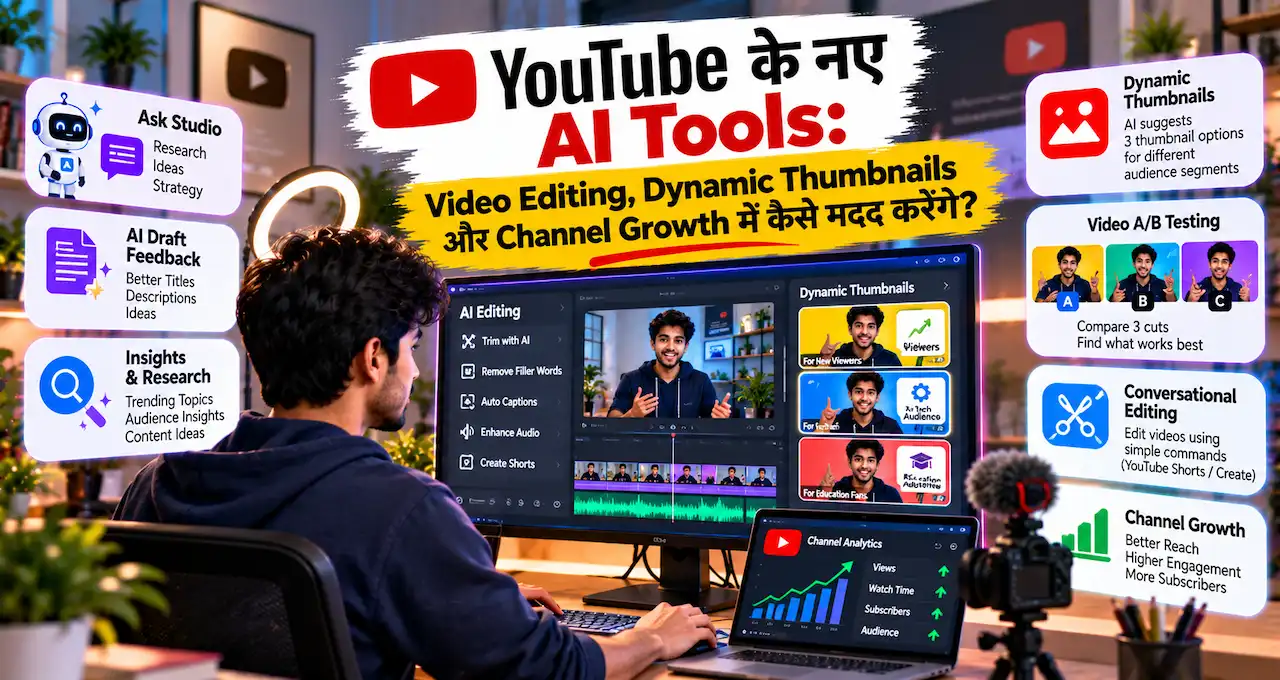
23 September 2026 को Made on YouTube में Ask Studio, personalized feedback, Dynamic Thumbnails, video A/B testing और conversational editing जैसे features को आगे बढ़ाया गया।
यह article launch news की list नहीं है। Focus यह है कि ये tools creator के actual काम में कहाँ useful हो सकते हैं।
आगे समझते हैं कि कौन-सा feature अभी usable है, कौन-सा rollout में है और creator इसे practical तरीके से कैसे use कर सकता है।
इस लेख में आप क्या सीखेंगे?
- Ask Studio का काम
- Draft feedback का इस्तेमाल
- Insights और Research workflow
- Dynamic Thumbnails का फर्क
- Video A/B testing
- Conversational editing rollout
YouTube के नए AI Tools का असली बदलाव क्या है?
YouTube का नया approach सिर्फ़ “AI से video बनाओ” नहीं है।
Platform AI को creator journey के अलग-अलग stages में जोड़ रहा है:
Topic समझें
↓
Draft तैयार करें
↓
Feedback लें
↓
Thumbnail बनाएँ
↓
Publish और test करें
↓
Performance से सीखें
यानी goal content creation को one-time upload process की जगह feedback loop बनाना है।
यह distinction important है। Generic AI tool आपके लिए script, image या idea बना सकता है, लेकिन YouTube के native tools की खासियत यह है कि वे आपके channel, videos, audience response और Studio data के context में काम कर सकते हैं।
अगर generative AI का basic concept पहले समझना चाहते हैं, तो Generative AI क्या है? ChatGPT और दूसरे AI Tools कैसे काम करते हैं? useful रहेगा।
यहाँ focus third-party AI tools पर नहीं, सिर्फ़ YouTube के अपने creator ecosystem पर है।
Ask Studio क्या है और Creator के लिए कैसे Useful है?
Ask Studio YouTube Studio के अंदर built-in AI creative partner है।
Creator इससे सिर्फ़ generic ideas नहीं, अपने channel से जुड़े सवाल पूछ सकता है। उदाहरण के लिए:
“मेरे recent videos में कौन-से topics comparatively बेहतर perform कर रहे हैं?”
“Comments में viewers कौन-से questions बार-बार पूछ रहे हैं?”
“इस video की performance में सबसे noticeable pattern क्या है?”
YouTube की current information के अनुसार Ask Studio most eligible creators के लिए globally available है, लेकिन अभी desktop web तक limited है। Official Artist Channels, Made for Kids channels और 18 साल से कम उम्र के creators के लिए access restricted है।
Ask Studio images भी accept कर सकता है, इसलिए thumbnail references या visual concepts पर feedback लेना possible है।
एक practical prompt ऐसा हो सकता है:
मेरे पिछले videos के available channel data को देखकर बताएँ कि किन topics और formats में audience response comparatively बेहतर रहा। कोई metric invent न करें। तीन patterns और उनके आधार पर practical next steps दें।
Prompt जितना clear होगा, answer उतना focused हो सकता है। अगर prompting की foundation समझनी हो तो Prompt Engineering क्या है? AI से बेहतर जवाब पाने के लिए Prompt कैसे लिखें? मदद कर सकता है।
लेकिन Ask Studio को channel strategist का final replacement न मानें। यह data interpret कर सकता है; audience positioning और creative direction का final judgement creator का रहेगा।
Draft Feedback, Insights और Research Creator की Planning कैसे बदलती है?
Video publish होने से पहले creator अक्सर खुद decide नहीं कर पाता कि intro slow है, structure confusing है या किसी section में unnecessary repetition है।
YouTube का personalized feedback feature इसी stage को target करता है। Draft content पर title, structure, script, pacing और storytelling से जुड़े suggestions creator को publish करने से पहले मिल सकते हैं।
मान लीजिए आपने 10-minute tutorial बनाया है।
AI यह point out कर सकता है कि शुरुआत लंबी है या important result बहुत देर से आता है। Creator उस suggestion को blindly apply करने की बजाय अपने audience और video goal के against check कर सकता है।
इसके साथ नए Insights और Research destinations का focus पुराने channel data से patterns निकालने पर है।
मान लीजिए किसी पुराने video ने आपकी normal performance से काफी बेहतर result दिया। सिर्फ़ यह देखकर नया video copy कर देना सही strategy नहीं है। पहले पूछना चाहिए:
क्या topic strong था?
क्या title या thumbnail clearer था?
क्या opening hook बेहतर था?
क्या audience problem ज्यादा specific थी?
क्या उसी theme का useful follow-up बन सकता है?
यही AI-assisted content planning का बेहतर use है—data से pattern निकालना, फिर creator judgement से next experiment तय करना।
AI recommendation गलत भी हो सकती है। इसलिए performance analysis में actual Studio metrics को priority दें। AI Hallucination क्या है? ChatGPT गलत जवाब क्यों देता है और कैसे पहचानें? वाला verification principle यहाँ भी लागू होता है।
Channel-Matched Thumbnails और Dynamic Thumbnails में क्या नया है?
Thumbnail YouTube video की packaging का बड़ा हिस्सा है, लेकिन सिर्फ़ attractive image बनाना काफी नहीं है।
Thumbnail को video के topic, channel style और viewer expectation से match भी करना चाहिए।
Ask Studio में thumbnail generation creator के video theme और channel style के context में visual suggestions दे सकती है। Creator reference images देकर colors, layout या visual direction refine कर सकता है।
उदाहरण:
इस video के topic और मेरे existing channel style के हिसाब से एक clean thumbnail concept बनाएँ। Main subject तुरंत समझ आना चाहिए, text minimal रखें और misleading clickbait use न करें।
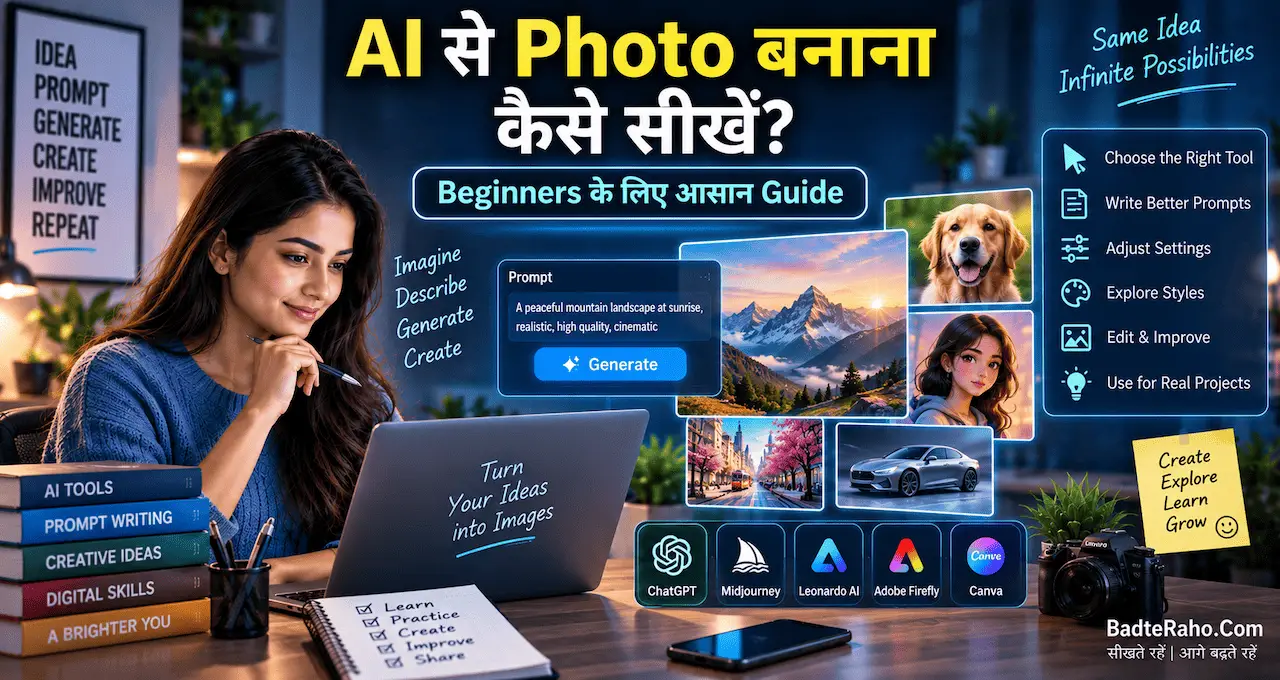
अगर AI image generation की basic process समझना चाहते हैं, तो AI से Photo बनाना कैसे सीखें? Beginners के लिए आसान Guide useful है।
अब Dynamic Thumbnails को existing A/B testing से अलग समझना ज़रूरी है।
Current title और thumbnail A/B testing में eligible creators up to three titles, thumbnails या उनके combinations compare कर सकते हैं। Test का winner watch-time share के आधार पर चुना जाता है।
Dynamic Thumbnails का announced idea अलग है। Creator तीन thumbnail options दे सकेगा और YouTube अलग audience segments के लिए उनमें से suitable option दिखा सकेगा।
Simple difference:
Existing A/B testing: overall कौन-सा option बेहतर perform करता है?
Dynamic Thumbnails: अलग audience segments के लिए कौन-सा thumbnail ज्यादा relevant हो सकता है?
Dynamic Thumbnails नया announced feature है, इसलिए हर channel में immediate availability assume नहीं करनी चाहिए।
Video A/B Testing Creator के लिए क्यों Important हो सकता है?
Thumbnail और title testing packaging improve करते हैं।
लेकिन अगर problem video के अंदर है तो?
मान लीजिए एक tutorial के तीन possible openings हैं।
पहली सीधे problem बताती है।
दूसरी final result पहले दिखाती है।
तीसरी short story से शुरू होती है।
YouTube ने upcoming video A/B testing feature announce किया है, जिसमें creators up to three different video cuts compare कर सकेंगे ताकि देखा जा सके कि कौन-सा hook audience attention को बेहतर hold करता है।
यह important shift है।
अब test सिर्फ़ “viewer click करेगा या नहीं?” तक limited नहीं रहेगा। Creator यह भी समझ सकेगा कि click के बाद कौन-सा edit audience को ज्यादा देर video में बनाए रखता है।
लेकिन current और upcoming features को mix नहीं करना चाहिए।
Title और thumbnail A/B testing अभी existing eligible feature है।
Video-cut A/B testing नया announced feature है।
जब तक आपके Studio account में video testing option दिखाई न दे, किसी unofficial tutorial के imaginary steps follow न करें।
Shorts और YouTube Create में Conversational Editing क्या करेगा?
Editing beginners के लिए सबसे time-consuming stages में से एक है।
Clips reorder करना, pauses trim करना, pacing improve करना और on-screen text add करना कई छोटे decisions मांगते हैं।
YouTube ने Shorts और YouTube Create के लिए conversational editing announce की है।
Creator अपनी photos और video clips select करके suggested या custom prompt से first draft शुरू कर सकेगा। इसके बाद chat-style instructions से quiet pauses trim करने, clips को better pacing के लिए arrange करने और on-screen text add करने जैसे changes किए जा सकेंगे।
Important बात यह है कि manual editing control बना रहेगा।
इसलिए इसे “AI video खुद बना देगा” की बजाय AI-assisted editing समझना बेहतर है।
YouTube के announced schedule के अनुसार conversational editing का global rollout Android और iPhone पर early 2027 से शुरू होगा।
इसलिए 2026 में इसे universally available feature समझकर imaginary tutorial देना सही नहीं होगा।
कौन-सा Feature अभी Available है और कौन Upcoming है?
Creators के लिए सबसे useful distinction यही है:
Ask Studio: Most eligible creators के लिए desktop web पर available है। Mobile access आने वाला है।
Title और Thumbnail A/B Testing: Eligible long-form videos के लिए existing desktop Studio feature है; up to three variants test किए जा सकते हैं।
Personalized Draft Feedback: Studio के creator workflow में title, script, structure और pacing पर guidance के लिए designed है।
Insights और Research: Channel performance और outlier videos से नई content opportunities समझने के लिए नए Studio destinations हैं।
Dynamic Thumbnails: Announced capability है; creator up to three thumbnails दे सकेगा और different audiences के लिए suitable options दिखाए जा सकेंगे।
Video A/B Testing: Up to three video cuts compare करने वाला upcoming feature है।
Conversational Editing: Shorts और YouTube Create के लिए early 2027 से Android और iPhone पर global rollout planned है।
यही reason है कि “YouTube ने announce किया” और “मेरे account में आज available है” को एक ही बात नहीं मानना चाहिए।
Creator इन Tools को एक Practical Workflow में कैसे Use करे?
इन features की real value तब आएगी जब creator इन्हें अलग-अलग tricks की बजाय connected workflow की तरह use करे।
मान लीजिए आपका educational channel है।
Insights से देखें कि कौन-से पुराने topics ने unusually अच्छा perform किया।
Ask Studio से audience comments और recent performance के context में next angle explore करें।
Draft बनने के बाद pacing और structure feedback लें।
Thumbnail के लिए channel-matched concepts बनाएँ।
Available title और thumbnail A/B testing से packaging compare करें।
Future में video A/B testing मिलने पर अलग hooks या cuts test करें।
Publish होने के बाद actual analytics को अगले content decision में use करें।
यानी workflow बने:
Research → Create → Test → Learn → Improve
यहाँ AI speed देता है, लेकिन strategy automate नहीं करनी चाहिए।
पुराने evergreen videos पर भी यही approach useful है। अगर content अभी accurate है लेकिन packaging weak है, refreshed thumbnail test करने से उसे नया chance मिल सकता है।
लेकिन outdated video को सिर्फ़ नया thumbnail देकर revive करना audience trust के लिए सही नहीं होगा।
Privacy और Creator Control को Ignore न करें
Ask Studio channel context और creator-provided information के आधार पर responses दे सकता है।
इसलिए confidential client information, passwords, private business data या ऐसी sensitive details prompt में न डालें जिन्हें unnecessary exposure नहीं देना चाहते।
AI tools में personal information handle करते समय AI इस्तेमाल करते समय Privacy कितनी सुरक्षित है? Personal Data बचाने के 10 तरीके के principles useful हैं।
दूसरा control creative judgement है।
AI thumbnail suggest कर सकता है।
AI intro छोटा करने को कह सकता है।
AI किसी पुराने video को refresh करने की recommendation दे सकता है।
लेकिन अगर suggestion आपकी audience, brand voice या actual content से match नहीं करता, तो सिर्फ़ इसलिए implement न करें क्योंकि AI ने recommend किया है।
AI speed और analysis के लिए है। Trust और final judgement creator के लिए।
आज से क्या करें?
अगर Ask Studio आपके channel में available है, तो किसी नए idea से पहले एक recent video पर सवाल पूछें। देखें कि AI आपके actual channel context को कितनी अच्छी तरह interpret करता है।
फिर किसी unpublished draft पर pacing और structure feedback test करें।
इसके बाद किसी evergreen video के लिए तीन genuinely different thumbnail concepts बनाएँ। सिर्फ़ color बदलकर उसे meaningful test न मानें।
अगर title और thumbnail A/B testing available है, तो पहले किसी older suitable video पर experiment करें ताकि workflow समझ सकें।
और Dynamic Thumbnails, video A/B testing या conversational editing के लिए अपना पूरा process अभी से redesign न करें। Feature आपके account में आने के बाद actual capabilities और limitations देखकर workflow बदलें।
आख़िर में एक छोटी सी बात
YouTube के नए AI tools का सबसे useful हिस्सा यह नहीं है कि AI creator की जगह ले लेगा।
बड़ा बदलाव यह है कि research, draft review, thumbnail creation, testing और editing जैसे decisions उसी platform के अंदर ज्यादा connected हो रहे हैं जहाँ आपका content और audience data पहले से मौजूद है।
इससे creator जल्दी experiment कर सकता है और actual performance से सीख सकता है।
लेकिन strong channel strategy अभी भी वही रहेगी—audience को समझना, useful content बनाना, honest packaging करना और analytics से सीखना।
AI आपको faster decision लेने में मदद कर सकता है। Final creative responsibility creator की ही रहेगी।
आपको इन features में सबसे useful कौन-सा लगता है—Ask Studio, Dynamic Thumbnails, video A/B testing या conversational editing? अपना experience या opinion comment में share करें।
Keywords: YouTube AI Tools, YouTube Ask Studio, YouTube Dynamic Thumbnails, YouTube Video A/B Testing, YouTube AI Video Editing, YouTube Studio AI, YouTube Creator AI Tools, Ask Studio YouTube, YouTube Conversational Editing, YouTube Create AI, YouTube Thumbnail AI, YouTube Channel Growth