











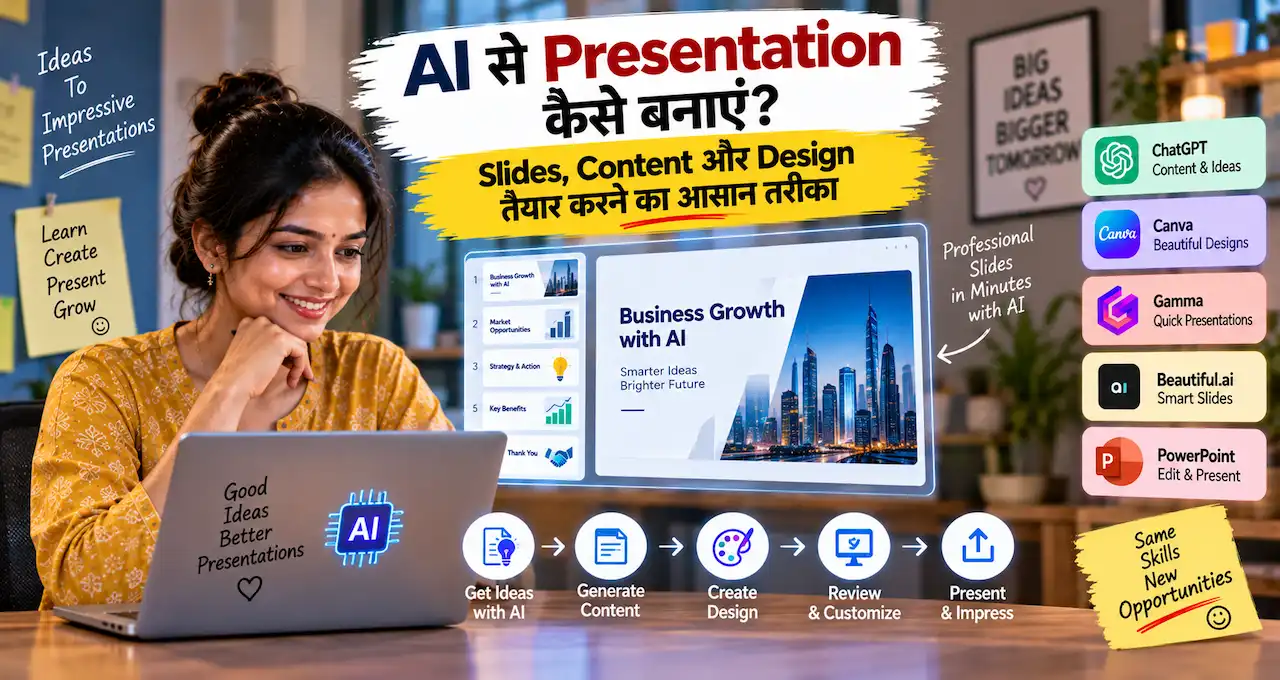


Presentation बनाना सिर्फ़ slides भर देना नहीं है।
अच्छी presentation में तीन चीज़ें साथ काम करती हैं—clear story, useful content और ऐसा visual design जो audience को main point जल्दी समझा दे। AI इन तीनों में मदद कर सकता है: outline बनाना, long notes को short bullets में बदलना, slide titles suggest करना, examples organize करना और visual direction देना।
लेकिन AI से पूरी deck एक click में बनवा लेना हमेशा best approach नहीं है। अगर goal, audience और facts clear नहीं हैं, तो output polished दिख सकता है लेकिन message weak हो सकता है।
इसलिए बेहतर तरीका है कि पहले presentation का purpose तय करें, फिर AI को research, structure और drafting में use करें, और final slides को human judgement से edit करें।
इस लेख में आप क्या सीखेंगे?
- Presentation goal तय करना
- Audience के हिसाब से structure
- AI से outline बनाना
- Slide content छोटा रखना
- Visual consistency maintain करना
- Facts और charts verify करना
- Final presentation polish करना
Presentation शुरू करने से पहले Goal और Audience क्यों तय करें?
AI को prompt देने से पहले दो सवालों का जवाब लिखें:
Presentation किसलिए है?
और
Presentation किसके लिए है?
एक school project, sales pitch, training deck, business report और job interview presentation का structure एक जैसा नहीं होगा।
उदाहरण के लिए, अगर आप किसी small business owner को AI adoption समझा रहे हैं, तो audience को technical model architecture से ज़्यादा practical use, cost, risk और next steps चाहिए होंगे।
अगर वही topic AI students के लिए है, तो basic concepts, examples और terminology ज़्यादा useful हो सकते हैं।
इसलिए शुरुआत में यह लिखें:
- Goal
- Audience
- Duration
- Expected outcome
- Required facts
- Final CTA या next step
यही context AI को generic deck की जगह relevant presentation बनाने में मदद करेगा।
AI की basic working पहले समझनी हो तो AI क्या है और कैसे काम करता है? Machine Learning से Generative AI तक आसान Guide useful foundation है।
पूरी Presentation से पहले One-Line Message लिखें
हर अच्छी presentation का एक central message होना चाहिए।
अपने topic को एक line में पूरा करने की कोशिश करें:
“इस presentation के बाद audience को ______ समझना/करना चाहिए।”
उदाहरण:
“इस presentation के बाद shop owner को समझ आना चाहिए कि daily sales और expenses कैसे track करने हैं।”
या:
“इस presentation के बाद student को समझ आना चाहिए कि internship के लिए portfolio क्यों ज़रूरी है।”
अगर यह line clear नहीं है, तो slides अलग-अलग directions में जा सकती हैं।
AI से भी पहले central message finalize करें। फिर हर slide से पूछें:
क्या यह slide central message को आगे बढ़ाती है?
अगर नहीं, तो उसे हटाना या appendix में रखना बेहतर हो सकता है।
Presentation की Story कैसे Structure करें?
Random information को slide 1, slide 2, slide 3 में रखना presentation structure नहीं है।
एक simple practical flow हो सकता है:
Problem
↓
Why It Matters
↓
Main Idea
↓
How It Works
↓
Examples
↓
Risks या Mistakes
↓
Action Plan
↓
Next Step
हर topic में यही exact structure ज़रूरी नहीं है, लेकिन audience को logical journey मिलनी चाहिए।
Business pitch में flow अलग हो सकता है:
Customer Problem
↓
Opportunity
↓
Solution
↓
Proof
↓
Business Model
↓
Go-to-Market
↓
Ask
Training deck में flow हो सकता है:
What
↓
Why
↓
How
↓
Demo
↓
Practice
↓
Checklist
Presentation का structure पहले तय करने से AI-generated content भी ज़्यादा focused रहता है।
AI से Presentation Outline कैसे बनवाएं?
AI outline बनाने में काफी useful हो सकता है, लेकिन prompt में context दें।
यह reusable prompt use कर सकते हैं:
Topic: [Presentation Topic]
Audience: [Audience]
Goal: [What audience should understand/do]
Duration: [Minutes]
Approximate slides: [Number]
Required points: [Must-cover points]
मेरे लिए logical presentation outline बनाएं।
हर slide के लिए:
- Short slide title
- Slide का purpose
- 2–4 key points
- Suggested visual type
कोई statistic, date, research finding, price, company fact या claim invent न करें। Missing factual information को “Verify” mark करें।
Repetitive slides हटाएं और presentation को beginning-to-end story की तरह organize करें।
अगर output बहुत generic है, तो पूरा नया prompt लिखने के बजाय correction दें:
Slide 3 और 4 overlap कर रही हैं। इन्हें merge करें और practical example के लिए अलग slide जोड़ें।
Better prompting की foundation Prompt Engineering क्या है? AI से बेहतर जवाब पाने के लिए Prompt कैसे लिखें? में समझ सकते हैं।
एक Slide में कितना Content होना चाहिए?
Presentation document नहीं होता।
Audience को screen पढ़ते हुए speaker को भी सुनना होता है। अगर slide पर पूरा paragraph होगा, तो attention split हो जाएगी।
Practical rule रखें:
एक slide = एक main idea.
Slide title साफ़ हो।
Body में 2–5 key points रखें।
जहाँ possible हो, sentence की जगह phrase use करें।
Example:
Weak slide:
“Digital marketing छोटे businesses के लिए important है क्योंकि social media के माध्यम से businesses अपने customers तक कम cost में पहुँच सकते हैं और brand awareness बढ़ा सकते हैं…”
Better slide:
Small Business के लिए Digital Marketing क्यों?
- Local reach
- Customer discovery
- Repeat engagement
- Measurable enquiries
Detailed explanation speaker notes में जा सकती है।
Slide Title सिर्फ़ Topic नहीं, Message भी हो सकता है
Generic slide title:
“Sales Data”
Stronger title:
“Weekend में Sales सबसे ज़्यादा रही”
Generic:
“Customer Problems”
Stronger:
“Delivery Delay सबसे बड़ा Customer Complaint है”
Message-style title audience को तुरंत takeaway दे देता है।
लेकिन message तभी लिखें जब data या evidence actually support करता हो।
AI से titles rewrite करवाए जा सकते हैं, पर facts verify करें।
AI से Long Notes को Slide Content में कैसे बदलें?
अगर आपके पास article, meeting notes या report है, तो AI उसे short slide points में convert कर सकता है।
Prompt:
नीचे source notes दिए गए हैं:
[Notes]
इन्हें 6 presentation slides में organize करें।
Source में मौजूद information के बाहर नया fact add न करें।
हर slide के लिए:
- Short title
- Maximum 4 concise points
- Suggested visual
- Speaker note में 2–3 sentence explanation
Repetition हटाएं लेकिन source का meaning न बदलें।
यह खासकर तब useful है जब आपके पास बहुत information हो और presentation limited time की हो।
लेकिन source summary बनाते समय check करें कि AI ने important qualification या context remove तो नहीं कर दिया।
AI Content को सीधे Slide में Paste क्यों नहीं करना चाहिए?
AI अक्सर complete sentences और long explanations देता है। वही text slides में paste करने पर presentation भारी हो जाती है।
AI output को तीन layers में divide करें:
Slide Title: Main message
Slide Body: Key points
Speaker Notes: Explanation
उदाहरण:
Slide Title:
AI repetitive work तेज़ कर सकता है
Slide Body:
- Drafting
- Summaries
- Classification
- Content ideas
Speaker Notes:
AI repetitive information work में मदद कर सकता है, लेकिन sensitive decisions और factual claims के लिए human verification ज़रूरी है।
यह separation presentation को readable और speaker को prepared रखता है।
AI-assisted writing workflow समझने के लिए AI Content Writing से कमाई कैसे करें? Beginners के लिए Freelance Service शुरू करने का तरीका में research, drafting और human editing का useful framework दिया गया है।
Presentation Design के लिए Simple Visual System कैसे बनाएं?
हर slide पर अलग font, color और layout use करना professional नहीं लगता।
शुरुआत में छोटा design system बनाएं:
Primary Color: एक main brand/theme color
Accent Color: Highlight के लिए
Background: Light या dark direction
Heading Font: एक consistent heading style
Body Font: Readable body style
Image Style: Photo, illustration, icon या minimal graphic
Spacing: Similar margins और alignment
यानी 20 slides में 20 designs नहीं चाहिए।
2–4 reusable layouts काफी हो सकते हैं:
Title Slide
Text + Visual
Comparison
Data/Chart
Section Divider
Consistency presentation को polished बनाती है।
अगर visual design skill improve करनी है, तो AI Graphic Design से कमाई कैसे करें? Beginners के लिए Design Service शुरू करने का तरीका में hierarchy, typography और visual consistency के practical principles मिलेंगे।
AI से Visual Direction कैसे लें?
AI से सीधे “best presentation design बनाओ” कहने की बजाय style direction मांगें।
Prompt:
Topic: [Topic]
Audience: [Audience]
Tone: [Professional / Friendly / Academic / Premium]
Presentation के लिए visual direction suggest करें।
Include:
- Color palette direction
- Typography style
- Image style
- 3 reusable slide layouts
- Chart style
- Icon style
Design simple, readable और consistent रखें।
Decorative elements content से attention न हटाएं।
फिर selected direction को अपनी presentation tool में implement करें।
AI ideas दे सकता है; final readability screen पर check करें।
Images और Icons कब Use करने चाहिए?
हर slide पर image डालना ज़रूरी नहीं है।
Visual तभी add करें जब वह message समझने में मदद करे।
Useful cases:
Process समझाना
Before/after दिखाना
Product या place दिखाना
Comparison दिखाना
Complex concept simplify करना
Emotion या context establish करना
Avoid करें:
Random stock photo
Decorative image जिसका point से relation नहीं
बहुत छोटे icons
Background image के ऊपर unreadable text
अगर supporting visuals चाहिए हों, तो Free Stock Images कहाँ से डाउनलोड करें? Best Websites और Safe Use Guide useful है। Commercial use में asset licence और usage terms जरूर check करें।
Charts और Data Slides कैसे बनाएं?
Chart का goal data दिखाना नहीं, pattern समझाना है।
पहले decide करें कि question क्या है।
अगर trend दिखाना है:
Line chart useful हो सकता है।
Categories compare करनी हैं:
Bar chart useful हो सकता है।
Composition दिखानी है:
Simple percentage breakdown useful हो सकता है।
लेकिन fancy chart तभी use करें जब audience उसे जल्दी समझ सके।
Chart slide में तीन चीजें clear रखें:
Metric: क्या measure हो रहा है?
Period: किस समय का data है?
Source: Data कहाँ से आया?
AI chart type suggest कर सकता है या data summary कर सकता है, लेकिन numbers source से verify करें।
अगर AI ने 23% को 32% कर दिया, तो polished chart भी गलत है।
AI से Fake Data या Statistics Generate न करवाएं
Presentation में data visual credibility बढ़ाता है, इसलिए invented statistic खास तौर पर dangerous है।
AI को कभी यह freedom न दें:
“कुछ realistic numbers add कर दो।”
“Market size का estimate बना दो।”
“Customer survey result generate कर दो।”
अगर real data नहीं है, तो स्पष्ट लिखें:
Illustrative Example
Sample Scenario
Hypothetical Calculation
Real data और example data को visually अलग रखें।
AI confident language में गलत data बना सकता है। इस risk को detail में AI Hallucination क्या है? ChatGPT गलत जवाब क्यों देता है और कैसे पहचानें? में समझ सकते हैं।
Speaker Notes कैसे तैयार करें?
Speaker notes slide text का duplicate नहीं होना चाहिए।
Notes में रखें:
Slide की opening line
Main explanation
Example
Transition to next slide
Possible question
Example:
Slide title:
Customer Follow-up क्यों ज़रूरी है?
Speaker note:
“हर enquiry तुरंत order में convert नहीं होती। इसलिए follow-up का goal pressure बनाना नहीं, unanswered question clear करना है। अगली slide में simple follow-up workflow देखेंगे।”
AI notes draft कर सकता है, लेकिन बोलने की natural language में edit करें।
अगर आप notes को पढ़ते हुए robotic लग रहे हैं, तो sentences छोटे करें।
Presentation की Opening कैसे Strong बनाएं?
Opening slide पर सिर्फ़ title बोलकर आगे न बढ़ें।
पहले 30–60 seconds में audience को तीन चीजें समझ आनी चाहिए:
Topic क्या है?
यह उनके लिए relevant क्यों है?
Presentation के अंत तक उन्हें क्या मिलेगा?
Opening structure:
Problem
↓
Relevance
↓
Promise
Example:
“बहुत-से small businesses AI tools खरीद लेते हैं, लेकिन उन्हें clear नहीं होता कि कौन-सा task automate करना safe है। इस presentation में हम तीन low-risk use cases और एक simple adoption checklist देखेंगे।”
यह generic “Good morning, आज मैं…” से stronger context देता है।
Presentation का Ending कैसे करें?
Last slide सिर्फ़ “Thank You” होने की ज़रूरत नहीं है।
Ending में audience को takeaway दें।
Possible structure:
3 Key Takeaways
या
Next 3 Actions
या
Decision Required
या
Questions + Contact
Training presentation में:
आज क्या सीखा?
अब क्या practice करें?
Business pitch में:
आपसे next step क्या चाहिए?
Presentation की ending action-oriented होगी तो message याद रखना आसान होगा।
AI से Presentation Review कैसे करवाएं?
Final draft तैयार होने के बाद AI से critic की तरह review करवाएं।
Prompt:
नीचे मेरी presentation outline और slide content है।
Audience: [Audience]
Goal: [Goal]
इसे reviewer की तरह evaluate करें।
Check करें:
- Repetitive slides
- Weak logical transitions
- Overloaded slides
- Unclear titles
- Unsupported claims
- Missing examples
- Weak ending
कोई नया fact add न करें।
सिर्फ़ improvement suggestions दें और बताएं कि किस slide पर change चाहिए।
यह useful second pass हो सकता है, लेकिन final decision context समझने वाला presenter ले।
Presentation में Privacy का ध्यान कैसे रखें?
Presentation में client, company या employee information हो सकती है।
AI tool में upload करने से पहले remove या mask करें:
- Customer names
- Phone numbers
- Private email addresses
- Account details
- Confidential pricing
- Internal strategy
- Unreleased product information
- Sensitive employee data
अगर identity analysis के लिए required नहीं है, तो:
Customer A
Client B
Team Member 1
जैसे labels use कर सकते हैं।
AI tools में personal या confidential files upload करते समय privacy settings और terms समझना ज़रूरी है। AI इस्तेमाल करते समय Privacy कितनी सुरक्षित है? Personal Data बचाने के 10 तरीके इस area में useful guide है।
Presentation में Video या Animation कब Use करें?
Animation message support करे तो useful है।
Examples:
Process step-by-step reveal करना
Before/after दिखाना
Short product demo
Complex motion explain करना
लेकिन हर bullet को bounce, spin या fly करवाना presentation को distracting बना सकता है।
Video clip भी short और purposeful रखें।
अगर clip 3 minutes का है और presentation 10 minutes की है, तो वह disproportionate हो सकता है।
Video editing basics और AI-assisted workflow के लिए AI Video Editing सीखकर Freelancing से कमाई कैसे शुरू करें? useful related guide है।
Presentation बनाते समय Common Mistakes क्या हैं?
बहुत ज़्यादा Text
Slide document बन जाता है।
हर Slide पर अलग Design
Visual consistency टूटती है।
Tiny Font
Projector या mobile पर content unreadable हो जाता है।
Unsupported Statistics
Credibility risk बढ़ता है।
Random Stock Photos
Message dilute होता है।
AI Text बिना Editing
Generic और repetitive content रह जाता है।
Wrong Aspect Ratio
Screen पर layout crop या distort हो सकता है।
No Rehearsal
अच्छी slides भी weak delivery से impact खो सकती हैं।
Presentation creation और presentation delivery दोनों important हैं।
Final Presentation Checklist
Presentation export करने से पहले यह check करें:
- Goal clear है?
- Audience के लिए language सही है?
- हर slide का एक main point है?
- Slide titles meaningful हैं?
- Paragraphs unnecessary तो नहीं?
- Fonts readable हैं?
- Colors consistent हैं?
- Images relevant और licensed हैं?
- Facts verified हैं?
- Statistics के sources clear हैं?
- AI-generated claims check किए?
- Spelling सही है?
- Charts सही data दिखा रहे हैं?
- Speaker notes ready हैं?
- Final CTA clear है?
- Presentation एक बार rehearse की है?
- Backup PDF/export available है?
यह checklist small project, school presentation या business deck—तीनों में useful हो सकती है।
एक Reusable Master Prompt
अगर आपको शुरुआत से deck plan करना है, तो यह prompt use कर सकते हैं:
मुझे [Topic] पर presentation बनानी है।
Audience: [Audience]
Goal: [Goal]
Duration: [Minutes]
Approximate slides: [Number]
Verified facts/source notes: [Information]
Required sections: [Must-cover points]
मेरे लिए slide-by-slide presentation plan बनाएं।
हर slide के लिए:
- Short title
- Slide का key message
- Maximum 4 concise points
- Suggested visual/chart
- Speaker notes
Presentation को logical story की तरह organize करें।
कोई statistic, date, company fact, research claim, price या policy invent न करें।
Missing information को “Verify” mark करें।
Final slide में 3 key takeaways और clear next step रखें।
पहला output final deck नहीं है। उसे अपने audience और actual facts के हिसाब से edit करें।
आज से Presentation बनाने का Practical Workflow
Topic और Goal लिखें
↓
Audience Define करें
↓
One-Line Message बनाएं
↓
AI से Outline Draft लें
↓
Slide Order Human Review करें
↓
Verified Content Add करें
↓
Visual System तय करें
↓
Slides Design करें
↓
Facts और Charts Check करें
↓
Speaker Notes बनाएं
↓
Rehearse करें
↓
Final Export करें
इस workflow में AI structure और speed देता है, लेकिन presentation की quality human judgement से आती है।
AI speed के लिए, इंसान judgement और trust के लिए।
आख़िर में एक छोटी सी बात
AI से presentation बनाना useful तब है जब वह आपका thinking process replace नहीं, improve करे। सबसे पहले goal और audience clear करें, फिर AI से outline, content compression, slide-title ideas, speaker notes और visual direction में मदद लें।
हर slide को एक main idea दें। Verified facts use करें। Data और charts को source से check करें। Design में consistency रखें और final presentation को कम से कम एक बार बोलकर rehearse करें।
एक polished deck सिर्फ़ सुंदर slides का collection नहीं होता। वह audience को beginning से ending तक ऐसी clear journey देता है जिसमें हर slide अगले point की वजह बनती है।
आप AI की मदद से किस तरह की presentation बनाना चाहते हैं—School/College Project, Business Pitch, Training Deck, Sales Presentation या Job Interview Presentation? Comments में अपना use case बताएं, ताकि उसी format के लिए practical slide structure और prompt template पर अगली guide बनाई जा सके।