


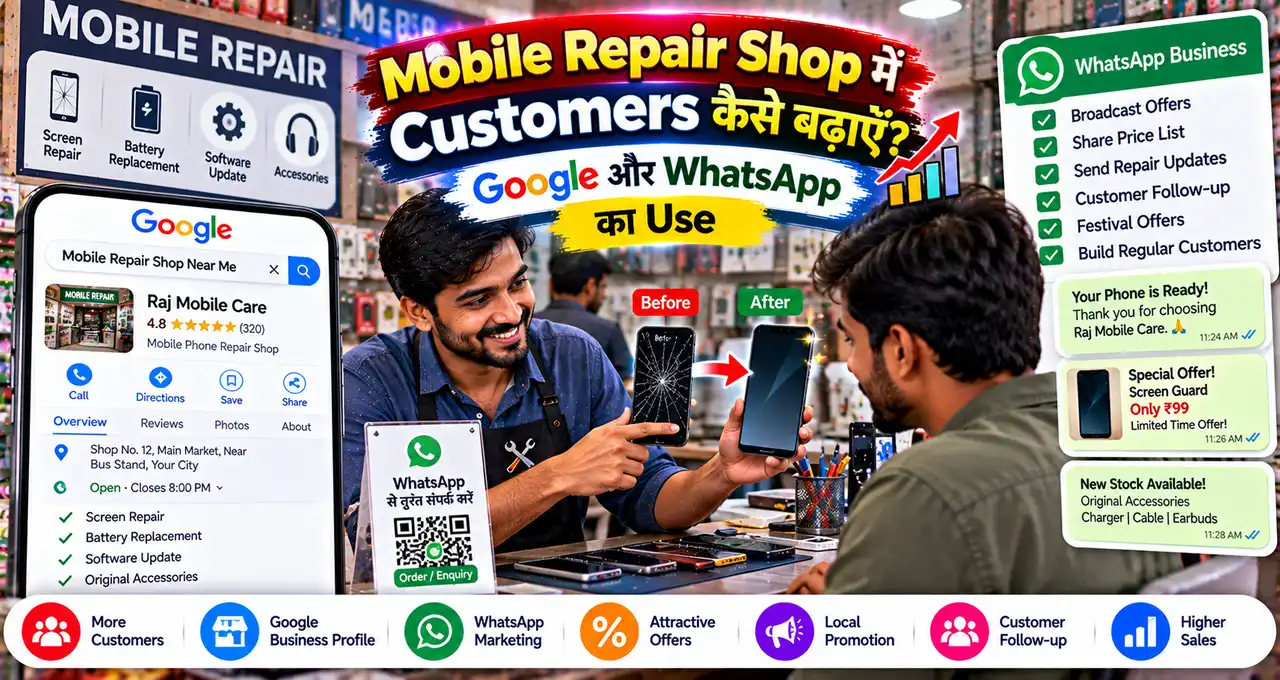

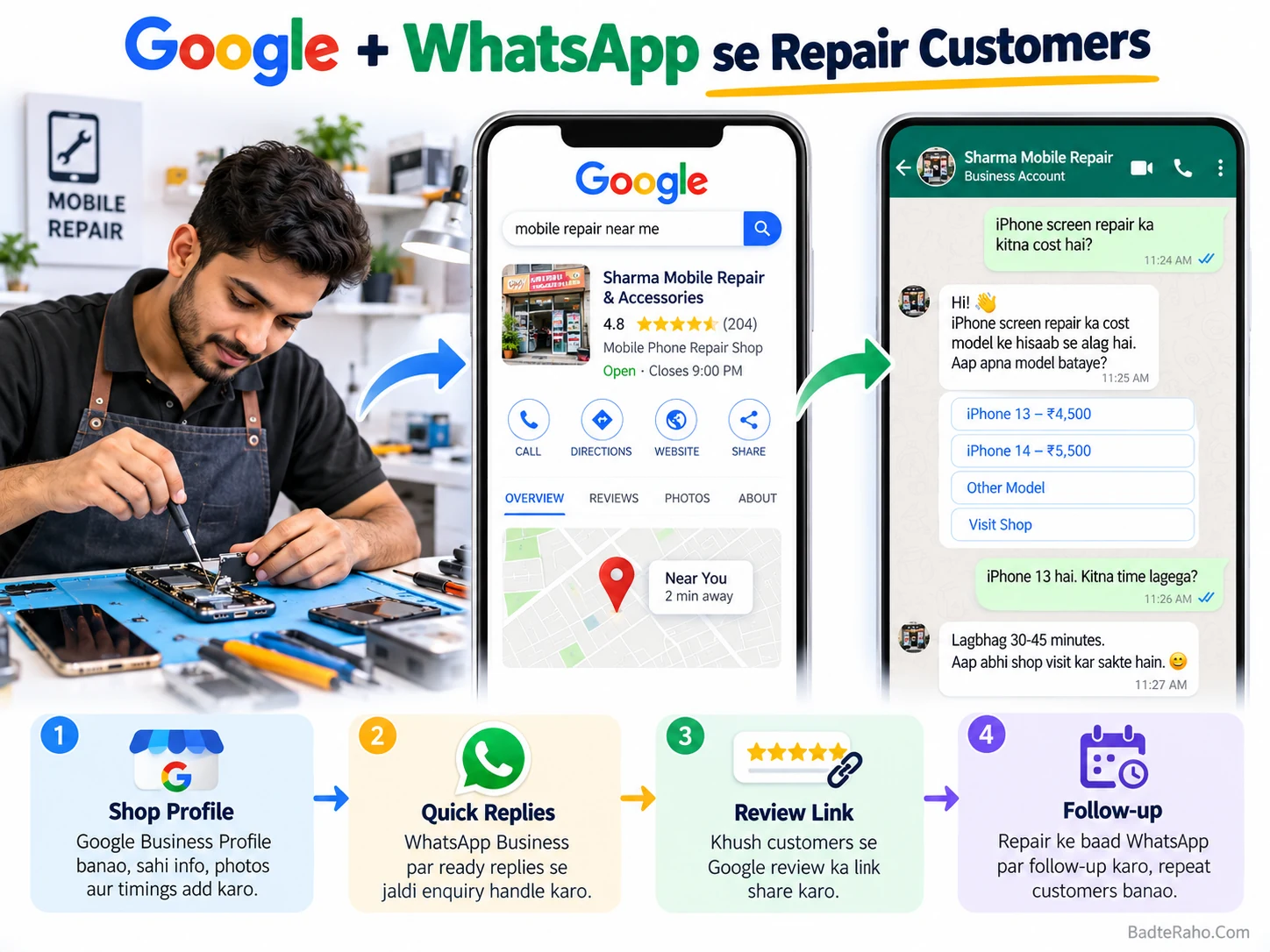
Customer ने Google पर “phone repair near me” search किया, लेकिन आपकी shop profile अधूरी दिखी। यहीं Mobile Repair Shop Marketing का पहला gap दिखता है: अच्छी service होते हुए भी customer आपको choose नहीं कर पाता।
Local repair business में marketing का मतलब expensive ads से शुरू करना ज़रूरी नहीं है। पहले Google पर सही information, real photos और reviews दिखें; फिर WhatsApp पर enquiry का fast, organized और trustworthy response मिले।
इस guide में हम इसी customer journey को practical steps में set करेंगे—ताकि search से enquiry और repair के बाद review तक हर stage साफ़ रहे।
पहले उस point से शुरू करते हैं जहाँ customer आपको पहली बार Search या Maps पर देखता है।
इस लेख में आप क्या सीखेंगे?
- Google profile सुधारना
- Repair services दिखाना
- Genuine reviews माँगना
- WhatsApp enquiries संभालना
- Follow-up system बनाना
- 7-day action plan
Mobile repair shop के लिए customer journey पहले समझें
Local customer अक्सर “best marketing campaign” नहीं ढूँढ रहा होता। वह जल्दी यह जानना चाहता है कि shop कहाँ है, कब खुली है, किस तरह की repair होती है और भरोसा किया जा सकता है या नहीं।
एक simple journey ऐसे दिख सकती है:
Google Search/Maps → Business Profile → Call/WhatsApp → Problem details → Shop visit/diagnosis → Repair → Payment → Review → Repeat customer.
इस chain में कोई एक step weak हो तो customer दूसरी shop चुन सकता है। इसलिए Google visibility और WhatsApp response को अलग-अलग tactics नहीं, एक connected system की तरह देखें।
Local discovery का broader framework समझना हो, तो Google पर local business को customers तक पहुँचाने वाली guide useful है।
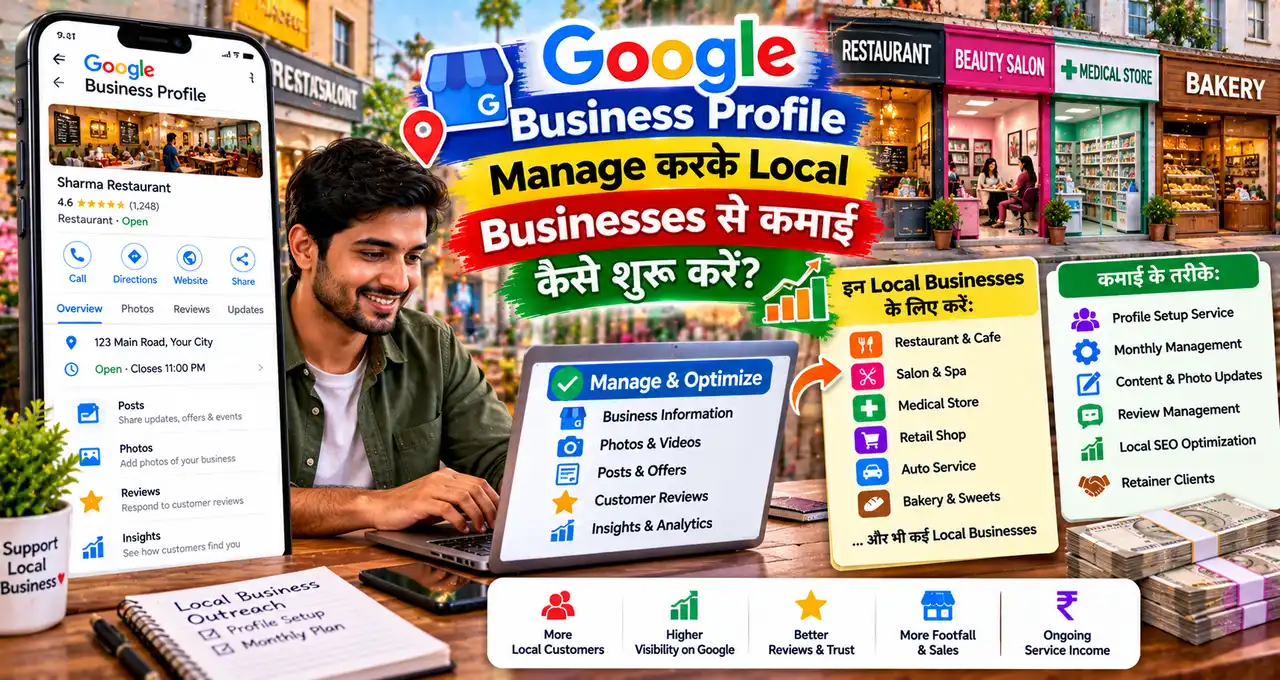
Step 1: Google Business Profile को complete और accurate रखें
Google के मुताबिक local results में relevance, distance और prominence जैसे factors काम करते हैं। कोई shortcut या payment बेहतर local ranking guarantee नहीं करता। Official guidance complete और accurate business information रखने पर जोर देती है।
Google Business Profile की official local-ranking guidance address, hours, category, reviews और photos जैसी information complete रखने की सलाह देती है।
Mobile repair shop के लिए पहले ये details check करें:
- Real-world business name
- Correct primary category
- Shop address या service area
- Regular और special hours
- Working phone number
- Website, अगर available हो
- Relevant services
- Recent shop/work photos
Business name में “Best Mobile Repair Cheapest iPhone Samsung Service” जैसी keyword stuffing न करें। Google की guidelines के अनुसार name real-world business name को accurately represent करना चाहिए।
अगर आपके पास profile अभी properly set नहीं है, तो Google Business Profile Learning Center से setup और verification steps check कर सकते हैं।
Step 2: Customer को साफ़ दिखाएँ कि आप कौन-सी repairs करते हैं
“Mobile repair available” बहुत broad information है। Customer को जल्दी समझ आना चाहिए कि उसकी problem आपके काम की category में आती है या नहीं।
आप services को simple groups में organize कर सकते हैं:
| Service group | Example information | क्या avoid करें? |
|---|---|---|
| Screen | Screen inspection / replacement options | Inspection से पहले fixed result promise |
| Battery | Battery issue diagnosis / replacement | Unknown battery health claim |
| Charging | Port, cable, charging diagnosis | Exact repair बिना checking |
| Software | Update, reset, basic troubleshooting | Data recovery guarantee |
| Water damage | Inspection available | “100% ठीक होगा” claim |
Price तभी public करें जब वह सच में fixed और current हो। Model, part quality और damage level के कारण cost बदलती है, तो “inspection के बाद quote” ज़्यादा honest wording हो सकती है।
Google Business Profile की business description useful services explain करने के लिए है, लेकिन Google उसमें promotional pricing और links avoid करने को कहता है। Official profile-edit guidance इसी distinction को explain करती है।
Step 3: Photos से trust build करें, सिर्फ decoration नहीं
Local repair shop की photos customer को यह judge करने में मदद करती हैं कि business real, active और approachable लगता है या नहीं।
Useful photo ideas:
- Shop front और signboard
- Clean repair counter
- Technician workspace
- Tools का organized setup
- Waiting/customer area
- Repair process का non-sensitive view
Customer के phone screen, messages, IMEI, personal photos या private data को photo में visible न रखें। Before/after photo तभी use करें जब customer privacy और permission clear हो।
Marketing के लिए AI use करते हैं, तो real repair work को fake result की तरह present न करें। Small-business marketing में AI का practical role समझने के लिए small business AI marketing guide देख सकते हैं।
Step 4: Genuine Google reviews माँगने का simple system बनाएँ
Repair complete होने के बाद satisfied customer से review माँगना normal business follow-up है। लेकिन review खरीदना या discount/free service के बदले positive review माँगना सही नहीं है।
Google की official review guidance के अनुसार reviews genuine experience reflect करने चाहिए। Incentive देकर review, rating change या negative review removal करवाना fake engagement माना जा सकता है।
Google अब Business Profile से review link या QR code generate करने देता है। इसे receipt, thank-you message या shop display में use किया जा सकता है।
Simple review request:
नमस्ते [Customer Name], आपका [Phone Model] repair complete हो गया है। अगर service का आपका experience अच्छा रहा, तो आप इस Google review link पर अपना genuine feedback share कर सकते हैं: [Review Link]. आपका feedback दूसरे local customers को सही decision लेने में मदद करता है।
Review में क्या लिखना है, यह customer को dictate न करें। Genuine positive, neutral या critical feedback—तीनों useful signal हैं।
Step 5: Google posts को offers से ज़्यादा updates के लिए use करें
Business Profile posts Search और Maps पर updates, offers या events share करने के लिए use किए जा सकते हैं। Google के official help page के अनुसार post में text, photo/video और action button शामिल हो सकता है।
Google Business Profile posts guidance के हिसाब से timely और relevant information रखें। Unverified contact information वाले posts reject भी हो सकते हैं।
Mobile repair shop के useful post ideas:
- Holiday opening hours
- New repair service added
- Temporary shop timing change
- Common battery-care reminder
- Verified limited-period offer
Offer की price, validity और terms वही लिखें जो shop पर सच में लागू हों। AI से random discount या “same-day guaranteed repair” जैसी line invent न करवाएँ।
Step 6: WhatsApp Business को enquiry desk की तरह set करें
WhatsApp Business सिर्फ chat app नहीं है। Business profile, catalog, QR code, greeting/away messages, quick replies और chat organization जैसे tools enquiry handling को consistent बना सकते हैं।
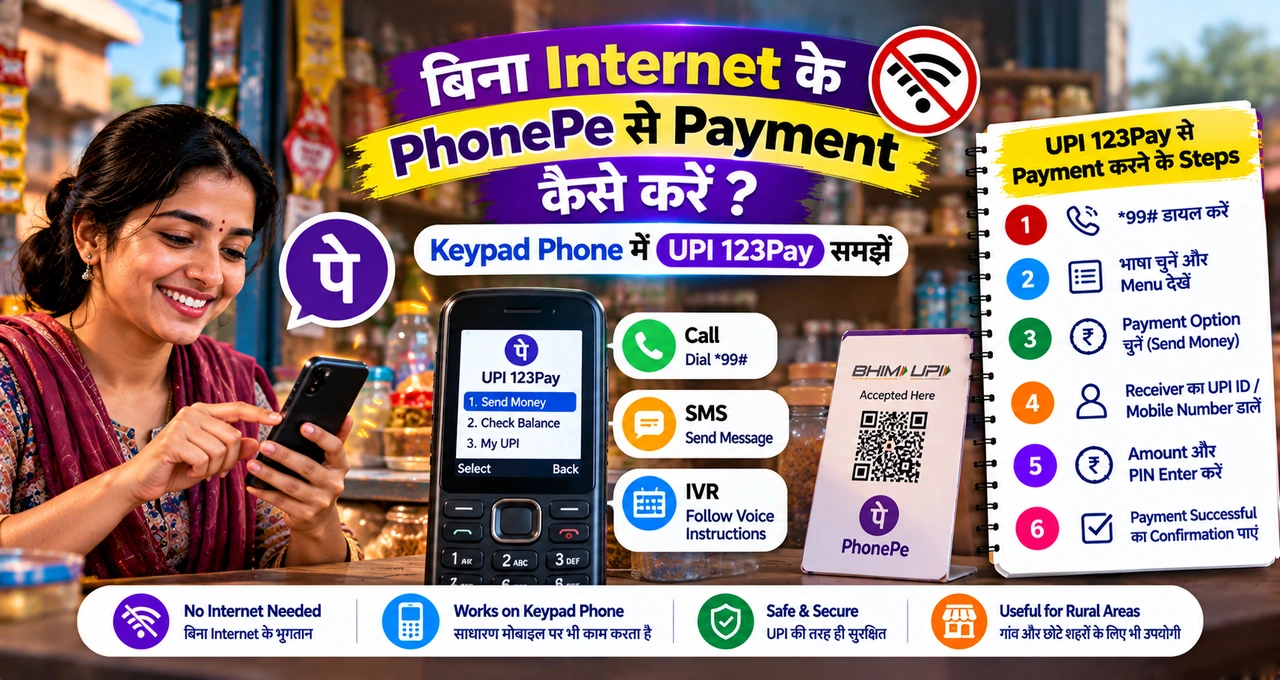
Basic setup समझना हो, तो WhatsApp Business की beginner guide पहले देख सकते हैं।
Mobile repair shop के लिए चार चीज़ें सबसे useful हैं:
- Business profile: shop details और hours clear रखें।
- Catalog: services को product/service items की तरह organize करें, जहाँ feature available हो।
- Quick replies: repeated questions के जवाब ready रखें।
- Lists: New Enquiry, Awaiting Device, Repair in Progress, Ready, Follow-up जैसे groups रखें।
WhatsApp की official help के अनुसार Business catalog में products/services share किए जा सकते हैं। Price field कुछ देशों में ही available हो सकती है, इसलिए app में current availability check करें।
Labels को WhatsApp धीरे-धीरे Lists में बदल रहा है। Current help page के अनुसार Lists chats organize करने के लिए use की जा सकती हैं।
Google Profile से WhatsApp chat direct कैसे जोड़ें?
Google Business Profile में कुछ regions/profiles के लिए text या WhatsApp chat option available है। Google की current guidance के अनुसार claimed और verified profile पर WhatsApp click-to-chat URL add किया जा सकता है, जहाँ feature available हो।
Official Google chat setup page में availability और setup steps दिए गए हैं। यह feature हर region/profile में दिखे, यह ज़रूरी नहीं है।
अगर option available न हो, तो fake workaround use न करें। Profile phone number, website और shop QR code जैसे verified contact routes रखें।
WhatsApp enquiry आते ही कौन-सी details पूछें?
Customer “screen टूट गई है, कितने में होगा?” लिखता है। बिना model और damage देखे fixed quote देना बाद में conflict बना सकता है।
एक short intake message रखें:
नमस्ते! Repair check करने के लिए ये details भेज दें:
- Phone brand/model
- Main problem क्या है?
- Phone चालू हो रहा है या नहीं?
- कोई visible damage/water exposure है?
- आपको shop visit कब convenient है?
कृपया password, OTP, banking details या personal documents chat में share न करें। Exact repair/price device inspection के बाद confirm होगी, अगर inspection ज़रूरी है।
यह message diagnosis replace नहीं करता। इसका काम technician को सही starting context देना है।
5 Quick Replies बनाएँ ताकि response fast और consistent रहे
WhatsApp Business में quick replies repeated messages को जल्दी insert करने में मदद करती हैं। Official help page के अनुसार
1 | / |
WhatsApp Quick Replies Help current setup/use explain करता है।
- /location — shop address + map link
- /hours — today’s working hours
- /check — device-details intake message
- /ready — device ready for pickup
- /review — genuine review request link
Quick reply भेजने से पहले message edit करें। Customer का model, status या promised timing गलत copy न हो।
Greeting और away message कहाँ useful हैं?
नई enquiry को acknowledgement मिलना useful है, खासकर जब technician repair work में busy हो। WhatsApp Business greeting message first contact या लंबी inactivity के बाद automatically भेजा जा सकता है।
Greeting message और away message दोनों customizable हैं। Away message business hours के बाहर schedule भी किया जा सकता है।
Auto-message में ऐसा promise न करें जिसे आप consistently पूरा नहीं कर सकते। “हम 5 मिनट में reply करेंगे” तभी लिखें जब यह real operating standard हो।
WhatsApp QR code shop पर कहाँ लगाएँ?
WhatsApp Business QR code customer को number manually save किए बिना chat start करने देता है। Official WhatsApp help के अनुसार QR code storefront signage, business cards, packaging और marketing material में use किया जा सकता है।
Repair shop में practical placements:
- Billing counter
- Repair receipt
- Shop entrance
- Visiting card
- Pickup message image
WhatsApp Business QR code guidance के अनुसार pre-populated message भी set किया जा सकता है। Example: “Hi, मुझे phone repair enquiry करनी है.”
Repair enquiry को sale में बदलने का practical flow
Fast response useful है, लेकिन clarity ज़्यादा important है। एक clean flow रखें:
Enquiry → Basic details → Visit/inspection → Clear quote → Customer approval → Repair → Status update → Pickup/payment → Review request.
Repair शुरू करने से पहले customer approval और expected cost/timeline clear रखें। Parts, warranty या data safety policy आपकी actual business policy के अनुसार ही बताएँ।
Sales process को broader तरीके से improve करना हो, तो small business customer growth guide pricing, follow-up और repeat customer thinking में useful है।
7-Day Mobile Repair Shop Marketing Plan
| Day | Action | Deliverable |
|---|---|---|
| Day 1 | Google profile audit | Name, category, hours, phone correct |
| Day 2 | Services + photos update | 5 core services + recent real photos |
| Day 3 | WhatsApp profile setup | Hours, description, QR/short link |
| Day 4 | Quick replies बनाएँ | 5 reusable replies |
| Day 5 | Review system set करें | Google review link/QR ready |
| Day 6 | One useful Google post | Current service/update post |
| Day 7 | Enquiry review | Missed chats + follow-ups list |
इस plan का goal viral reach नहीं है। Goal है कि nearby customer को सही information मिले और enquiry का response repeatable process से हो।
हर week कौन-से numbers देखें?
Fancy dashboard ज़रूरी नहीं है। पाँच simple numbers से start करें:
- Google से calls/messages
- WhatsApp new enquiries
- Shop visits from enquiries
- Completed repairs
- Reviews requested/received
इन numbers से guaranteed growth prove नहीं होती। लेकिन week-to-week change देखकर आप यह समझ सकते हैं कि problem visibility में है, response में है या conversion में।
AI business data summarize करने में मदद कर सकता है, लेकिन original numbers verify करें। चाहें तो small business में Gemini के practical uses देख सकते हैं।
Mobile repair shop marketing में common mistakes
- Google profile में गलत hours
- Keyword-stuffed business name
- Months पुराने shop photos
- Inspection से पहले fixed promise
- Review के बदले incentive
- WhatsApp पर slow response
- हर customer को same reply
- Personal data photo में दिखाना
- Repair status update न देना
- Old enquiries follow-up न करना
Marketing trust से शुरू होती है। Customer को जितनी clear information और consistent communication मिलेगी, decision उतना आसान होगा।
आज से क्या करें?
- Google profile के hours और phone check करें।
- तीन recent real shop photos upload करें।
- WhatsApp में
और1/checkquick replies बनाएँ।1/ready
- Google review link या QR code निकालें।
- Last 10 enquiries की missed follow-up list बनाएँ।
इन पाँच actions में ad budget की ज़रूरत नहीं है। पहले discovery और response system ठीक करें, फिर paid promotion की ज़रूरत evaluate करें।
आख़िर में एक छोटी सी बात
Mobile repair shop की growth सिर्फ ज़्यादा लोगों तक पहुँचने से नहीं आती। सही customer को clear information, quick response और trustworthy repair process मिलना ज़्यादा important है।
Google आपकी local discovery मजबूत कर सकता है और WhatsApp enquiry handling को organized बना सकता है। दोनों को साथ चलाने पर marketing एक repeatable customer system बनती है।
आपकी shop में अभी सबसे बड़ा gap कहाँ है—Google visibility, WhatsApp response या genuine reviews? Comments में अपना experience बताएँ और article useful लगा हो तो किसी local shop owner के साथ share करें।