













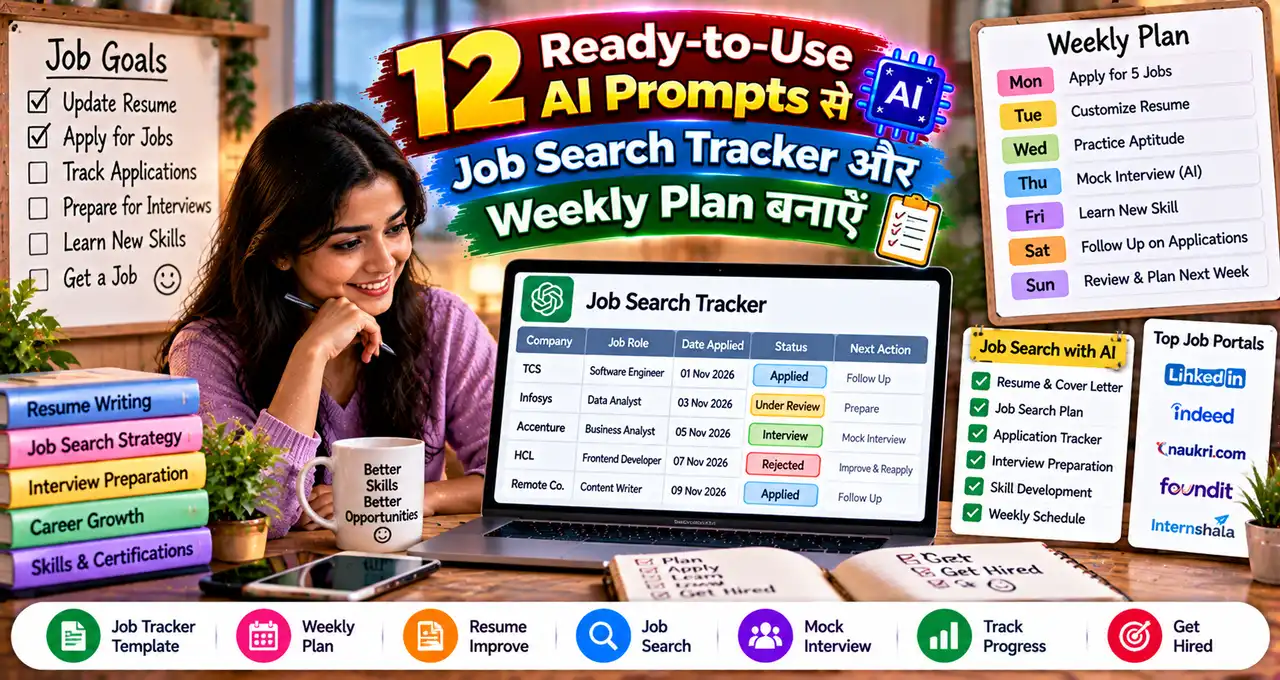






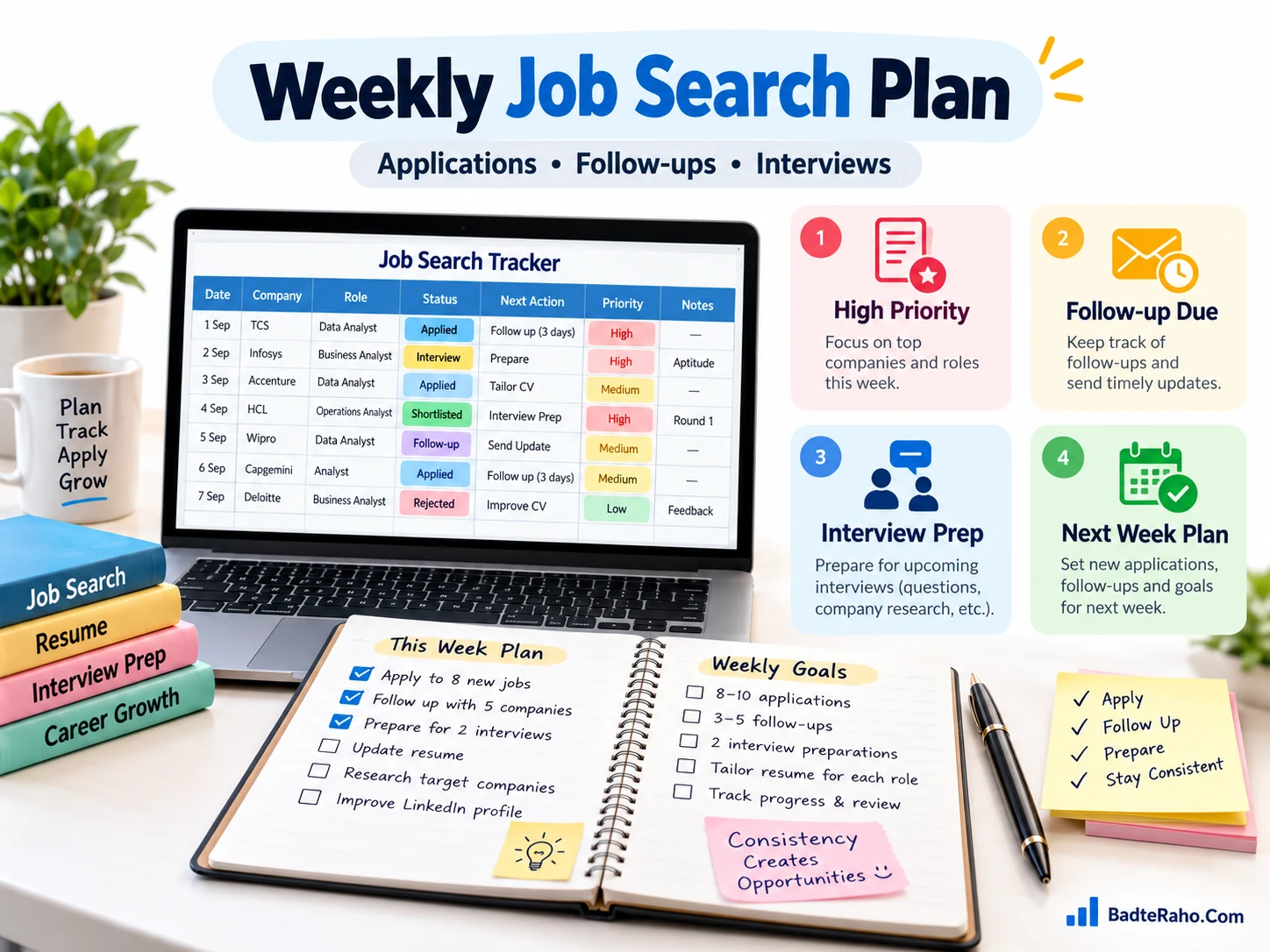
Job Search Tracker Prompts आपकी applications, follow-ups और weekly priorities को एक जगह व्यवस्थित रखने में मदद कर सकते हैं।
इस guide में 12 ready-to-use prompts हैं, जिन्हें आप सीधे copy-paste करके अपनी job search के हिसाब से बदल सकते हैं। साथ ही आप समझेंगे कि tracker prompt में कौन-सी details देना ज़रूरी है, weekly review कैसे करना है और bonus Master Prompt से अपना custom workflow कैसे बनाना है।
अगर applications बढ़ रही हैं लेकिन next action साफ़ नहीं है, तो tracker सिर्फ list नहीं—decision system बनना चाहिए।
चलिए पहले वही structure बनाते हैं जो रोज़ job portals खोलने के बजाय आपको सही application पर सही समय में action लेने में मदद करे।
इस लेख में आप क्या सीखेंगे?
- Tracker structure बनाना
- Applications prioritize करना
- Follow-up system बनाना
- Weekly review चलाना
- Interview pipeline track करना
- Master Prompt customize करना
Job search tracker में क्या-क्या track करना चाहिए?
Tracker का मकसद हर vacancy save करना नहीं है। उसका काम यह बताना है कि कहाँ apply किया, अभी status क्या है और अगला action कब लेना है।
अगर आप job search का पूरा process अभी set कर रहे हैं, तो resume, LinkedIn, skills और interview वाली job strategy पहले useful foundation दे सकती है। Tracker उसी strategy को daily execution में बदलता है।
| Field | क्या लिखें? | क्यों useful है? |
|---|---|---|
| Company | Company name | Duplicate applications रोकने के लिए |
| Role | Exact job title | Role-wise comparison के लिए |
| Source | LinkedIn / careers page / referral | Useful channels पहचानने के लिए |
| Date Applied | Application date | Follow-up timing समझने के लिए |
| Status | Saved / Applied / Reply / Interview / Closed | Pipeline देखने के लिए |
| Next Action | Apply / follow-up / prepare / close | Confusion कम करने के लिए |
| Due Date | Next action date | Missed follow-up रोकने के लिए |
| Contact | Recruiter name/email if verified | Conversation context रखने के लिए |
| Notes | Salary range, skills, interview notes | Decision बेहतर करने के लिए |
Tracker Google Sheets, Excel, Notion या simple table में हो सकता है। Tool से ज़्यादा important consistency है।

AI को tracker data देने से पहले 4 rules रखें
AI useful तभी होगा जब input साफ़ हो। Raw notes में company, role और status mix हों तो output भी confusing हो सकता है।
- Personal data कम रखें: Aadhaar, PAN, password, OTP या unnecessary private details prompt में न डालें।
- Status words fixed रखें: जैसे Saved, Applied, Follow-up Due, Interview, Rejected, Closed.
- Unknown data guess न करवाएँ: AI को missing salary, recruiter response या deadline invent करने से साफ़ मना करें।
- Final action खुद verify करें: job page, email और recruiter identity original source से check करें।
Unknown recruiter या suspicious offer मिलने पर fake job और recruiter red flags अलग से verify करें। Tracker में suspicious application को “Verify First” status देना useful रहता है।
Strong Job Search Tracker Prompts का simple formula
Useful prompt में सिर्फ “मेरी job search organize करो” लिखना काफी नहीं है। AI को current stage, tracker data, goal, constraints और output format साफ़ देना चाहिए।
Simple formula:
Current situation → Input data → Goal → Decision rules → Output format → Do-not-invent instruction.
Prompt writing नया है, तो Prompt Engineering की practical guide से role, context और constraints देना समझ सकते हैं।
अब 12 prompts देखते हैं। इन्हें copy-paste करें, फिर prompt के आखिर में दिए fields बदलें।
12 Ready-to-Use AI Prompts से Job Search Tracker और Weekly Plan बनाएँ
Prompt 1: Zero से Job Search Tracker बनाना
Use when: आपके पास tracker नहीं है और आप शुरुआत से clean system बनाना चाहते हैं।
मेरे लिए एक practical job search tracker structure बनाओ। Tracker ऐसा हो कि मैं applications, recruiter replies, interviews, follow-ups और closed opportunities को एक जगह manage कर सकूँ। Columns केवल वही रखो जो decision लेने में useful हों। हर column का short purpose भी बताओ और 5 example status values suggest करो। कोई company, salary, recruiter या deadline खुद से invent मत करो। Output पहले recommended columns की table में दो, फिर daily use के 5 simple rules बताओ।
Target roles: [Roles]
Experience level: [Fresher / 1–3 years / Other]
Preferred locations: [Locations / Remote]
Main job sources: [LinkedIn / Company Sites / Referrals / Other]
Tracker tool: [Google Sheets / Excel / Notion / Other]
Language: [Hindi / Hinglish / English]
पहला tracker छोटा रखें। 20 columns बनाकर दो दिन बाद छोड़ देने से बेहतर 8–10 useful fields लगातार update करना है।
Prompt 2: बिखरे Notes को Clean Tracker Rows में बदलना
Use when: आपने jobs WhatsApp, notes, browser tabs या messages में save कर रखी हैं।
नीचे दिए मेरे raw job notes को clean tracker rows में organize करो। हर job के लिए Company, Role, Source, Date Applied, Current Status, Next Action, Due Date और Notes निकालो। जो information input में नहीं है, वहाँ “Missing” लिखो; अनुमान मत लगाओ। Duplicate roles को अलग से flag करो, लेकिन बिना proof उन्हें delete मत करो। Output ऐसी table में दो जिसे मैं spreadsheet में paste कर सकूँ। अंत में सिर्फ वे rows list करो जिनमें next action तय नहीं है।
Raw notes: [Paste Notes]
Today’s date: [Date]
Status labels I use: [Labels]
Preferred output: [Markdown Table / CSV-style Table]
Language: [Hindi / Hinglish / English]
AI से cleanup करवाने के बाद company name और application date original email/job portal से check करें। यही दो fields आगे follow-up timing को प्रभावित करते हैं।
Prompt 3: इस Week किन Jobs पर Focus करना है?
Use when: tracker में कई applications हैं और priority clear नहीं है।
मेरे job tracker को analyse करके इस week के लिए priority list बनाओ। Priority देते समय role fit, application deadline, recruiter response, upcoming interview और pending follow-up को consider करो। केवल मेरे दिए data पर काम करो; salary, deadline या selection chance invent मत करो। Output को High, Medium और Low Priority में divide करो। हर High Priority item के सामने एक next action और suggested completion day लिखो। अगर data insufficient है, “Need More Info” लिखो।
Tracker data: [Paste Relevant Rows]
My target roles: [Roles]
Available time this week: [Hours]
Important constraints: [Location / Notice Period / Salary / Other]
Week start date: [Date]
Priority list का काम “best job predict” करना नहीं है। इसका काम limited time को deadline, fit और response status के हिसाब से allocate करना है।
Prompt 4: Daily Job Search Plan बनाना
Use when: आप रोज़ portals खोलते हैं लेकिन दिन के अंत में progress clear नहीं होती।
मेरे weekly goals और tracker status के आधार पर आज का realistic job search plan बनाओ। Plan को 3 blocks में बाँटो: New Applications, Follow-ups, Preparation. मेरे available time से ज़्यादा tasks मत दो। New jobs के लिए quantity के बजाय relevant applications को priority दो। हर task के सामने estimated minutes और clear completion condition लिखो। किसी recruiter को message भेजने या application submit करने से पहले जिन details को verify करना है, उन्हें भी बताओ।
Today’s date: [Date]
Available time today: [Minutes / Hours]
Tracker summary: [Paste Summary]
Target applications today: [Number or Range]
Upcoming interview/deadline: [Details or None]
Daily plan में 10 vague tasks की जगह 3–5 finishable tasks बेहतर हैं। Completion condition जैसे “resume tailored + application submitted” progress को measurable बनाती है।
Prompt 5: Follow-up Due Applications पहचानना
Use when: कई applications के बाद यह याद नहीं रहता कि किस recruiter को follow-up करना है।
मेरे tracker से ऐसी applications identify करो जहाँ follow-up consider किया जा सकता है। Date Applied, last recruiter interaction, current status और any stated timeline को ध्यान में रखो। अगर employer ने specific response timeline दी है, उसी को priority दो। कोई universal follow-up deadline assume मत करो। Output में Company, Role, Last Action, Why Follow-up May Be Due, और Suggested Next Step दो। जिन rows में follow-up inappropriate या too early लगता है, उन्हें अलग section में रखो।
Tracker rows: [Paste Rows]
Today’s date: [Date]
My preferred tone: [Professional / Concise / Warm]
Known employer timelines: [Paste if any]
Follow-up decision context-based है। Recruiter ने “दो हफ्ते में update देंगे” कहा है, तो generic three-day rule लागू करना सही नहीं होगा।
Prompt 6: Recruiter Follow-up Message Draft करना
Use when: follow-up due है और message short, relevant और professional रखना है।
मेरे दिए context से recruiter follow-up message draft करो। Message concise, professional और non-pushy हो। Role, application/interview stage और last interaction का सही reference दो। कोई fake enthusiasm, invented achievement, deadline या recruiter commitment add मत करो। पहले email version दो, फिर 2–3 line LinkedIn/WhatsApp-style short version दो। अगर context में important detail missing है, draft से पहले missing fields list करो।
Company: [Company]
Role: [Role]
Application/interview date: [Date]
Last interaction: [What Happened]
Recruiter name: [Name or Unknown]
One relevant qualification: [Qualification]
Tone: [Professional / Warm]
LinkedIn outreach और profile context मजबूत करना हो, तो LinkedIn job-search guide relevant next step है। Message भेजने से पहले recruiter identity ज़रूर verify करें।
Prompt 7: Interview Pipeline को Action List में बदलना
Use when: एक से ज़्यादा interviews या screening rounds चल रहे हों।
मेरे interview pipeline को chronological action list में convert करो। हर opportunity के लिए next interview stage, preparation task, documents/links to verify, questions to prepare और follow-up action दिखाओ। Upcoming date/time input में हो तभी use करो; missing schedule खुद से मत बनाओ। सबसे urgent interview पहले रखो। Output में एक compact table और उसके बाद “Today”, “Next 3 Days” और “Later” action groups दो।
Interview tracker: [Paste Rows]
Today’s date: [Date]
Available preparation time: [Hours]
Weak areas: [Technical / HR / Communication / Other]
Target roles: [Roles]
Interview preparation को tracker से जोड़ने पर “apply करने” और “selection की तैयारी” के बीच gap कम होता है। Detailed checklist के लिए job interview preparation guide use कर सकते हैं।
Prompt 8: Job Description Match Audit करना
Use when: हर vacancy पर apply करने के बजाय fit जल्दी समझना है।
मेरे resume summary और job description को compare करके practical fit audit दो। Requirements को Must-have, Good-to-have और Unclear में classify करो। मेरे resume में जो skill/experience साफ़ evidence के साथ मौजूद है उसे Match लिखो; missing evidence को “Not Shown” लिखो। कोई skill, project या experience invent मत करो। अंत में तीन outputs दो: Apply Now, Apply After Tailoring, या Skip/Low Priority — और decision का short reason बताओ।
Job description: [Paste JD]
Resume summary: [Paste Relevant Resume Content]
My non-negotiables: [Location / Salary / Shift / Other]
Role goal: [Role]
Language: [Hindi / Hinglish / English]
अगर resume को role के हिसाब से improve करना है, तो AI resume prompts से existing facts को बेहतर structure में ला सकते हैं। Fake skill या experience add न करें।
Prompt 9: Application Quality Audit करना
Use when: applications बहुत जा रही हैं लेकिन replies कम आ रहे हैं।
मेरी recent applications का process audit करो। Quantity की जगह quality gaps identify करो। हर application के लिए check करो: role relevance, resume tailoring, clear evidence, application source, follow-up status और missing information. मेरे data से pattern निकालो, लेकिन rejection reason invent मत करो। Output में “Working Well”, “Possible Process Gaps”, और “Next Experiment” sections दो। Next Experiment ऐसा हो जिसे मैं अगले 5 applications में test कर सकूँ।
Recent application rows: [Paste 5–15 Rows]
Resume tailoring approach: [Describe]
Typical roles: [Roles]
Replies/interviews received: [Known Count]
Current concern: [Low Replies / Wrong Roles / Slow Follow-up / Other]
कम replies का मतलब हमेशा resume खराब होना नहीं है। Role fit, timing, competition और employer process भी असर डाल सकते हैं; tracker सिर्फ observable pattern दिखा सकता है।
Prompt 10: No-response और Rejection Pattern Review
Use when: आप emotional guess के बजाय data देखकर approach adjust करना चाहते हैं।
मेरे tracker में Rejected, No Response और Closed applications को analyse करो। केवल available data से patterns identify करो—जैसे role type, experience requirement, source, location या application quality notes. Employer ने reason नहीं दिया हो तो rejection का कारण invent मत करो। Output में confirmed patterns और possible hypotheses अलग-अलग रखो। फिर 3 low-risk changes suggest करो जिन्हें मैं next week test कर सकूँ।
Closed application data: [Paste Rows]
Target roles: [Roles]
Experience level: [Level]
Recent changes already tried: [Changes]
Next-week application capacity: [Number]
Communication या interview stage पर बार-बार difficulty दिखे, तो communication skills guide से specific practice areas चुन सकते हैं।
Prompt 11: Weekly Job Search Review बनाना
Use when: week खत्म होने पर progress और bottlenecks दोनों समझने हैं।
मेरे पूरे week के job tracker का review करो। पहले factual summary दो: new applications, follow-ups completed, recruiter replies, interviews scheduled/completed और closed opportunities. केवल input में मौजूद counts use करो; missing data guess मत करो। फिर 3 questions answer करो: इस week क्या progress हुई, कहाँ bottleneck रहा, और next week किस activity को priority मिलनी चाहिए। Output concise dashboard + short review notes में दो।
Week: [Date Range]
Tracker data: [Paste Rows or Summary]
Weekly goal: [Goal]
Time actually spent: [Hours if known]
Main challenge: [Challenge]
Weekly review आपको सिर्फ “कितनी applications भेजीं” नहीं बताता। वह यह दिखाता है कि कौन-सी activity interview या useful conversation तक पहुँच रही है।
Prompt 12: Next Week का Action Plan बनाना
Use when: review के बाद अगले सात दिनों का realistic plan चाहिए।
मेरे weekly review और current tracker के आधार पर अगले 7 दिनों का job search action plan बनाओ। Plan में relevant applications, resume tailoring, LinkedIn/networking, follow-ups और interview preparation को ज़रूरत के हिसाब से balance करो। हर दिन 2–4 concrete actions से ज़्यादा मत दो। मेरे available time और upcoming deadlines के बाहर commitments मत बनाओ। अंत में “Stop Doing”, “Continue”, और “Try Next Week” की एक-एक recommendation दो।
Weekly review: [Paste Review]
Current active applications: [Paste Summary]
Available time next week: [Hours]
Upcoming interviews/deadlines: [Details]
Priority roles: [Roles]
Networking capacity: [Low / Medium / High]
अगर resume बन चुका है लेकिन next steps scattered हैं, तो resume के बाद job पाने वाला step-by-step workflow tracker के साथ combine किया जा सकता है।
इन 12 prompts को अपने tracker के हिसाब से customize कैसे करें?
हर prompt में तीन layers हैं: stable instruction, accuracy rules और editable fields। Stable instruction को बार-बार बदलने की ज़रूरत नहीं है; नीचे के fields आपके role और current stage के हिसाब से बदलेंगे।
- Fresher: projects, internships, skills और entry-level roles पर focus रखें।
- Experienced professional: role fit, notice period, leadership scope और interview pipeline जोड़ें।
- Career switcher: transferable skills और missing evidence अलग track करें।
- Multiple cities: location preference और relocation status अलग field रखें।
- Remote jobs: timezone, work authorization और remote eligibility तभी लिखें जब verified हो।
Prompt में “best job बताओ” जैसे broad questions कम useful होते हैं। Better है AI से data organize, compare और next action suggest करवाना। Final decision आपके verified information पर होना चाहिए।
Bonus Master Prompt: अपना पूरा Job Search System चलाएँ
यह Master Prompt 12 prompts का replacement नहीं है। इसे weekly system की तरह use करें, जब आपके पास tracker data और current priorities दोनों हों।
आप मेरे job-search planning assistant की तरह काम करें। मैं जो tracker data दूँ, उसे पहले साफ़ और factual तरीके से summarize करें। Missing information को “Missing” लिखें; कोई company detail, salary, deadline, recruiter response, skill, experience या selection probability खुद से assume न करें।
इसके बाद मेरे active applications को current stage और next action के हिसाब से organize करें। Urgent deadlines, promised recruiter timelines और upcoming interviews को priority दें। फिर मेरे available time के अनुसार realistic weekly plan बनाएँ। Follow-up या outreach suggest करते समय context और verification की ज़रूरत बताएँ। Suspicious recruiter/payment request दिखे तो उसे “Verify First” flag करें।
Output order:
1. Tracker cleanup issues
2. Active pipeline summary
3. Priority applications
4. Follow-up due items
5. Interview preparation items
6. 7-day action plan
7. End-of-week review questionsTarget roles: [Roles]
Experience level: [Level]
Location preference: [Location / Remote]
Current tracker data: [Paste Data]
Available time this week: [Hours]
Upcoming deadlines/interviews: [Details]
Main challenge: [Challenge]
Language: [Hindi / Hinglish / English]
हर week same Master Prompt reuse किया जा सकता है। बस tracker data और constraints update करें।
Tracker को weekly system में कैसे चलाएँ?
Tracker तभी useful रहेगा जब update routine छोटा हो। एक simple cycle रखें:
Apply → Tracker update → Next action → Follow-up → Interview prep → Weekly review → Next-week plan.
Application submit करते ही row update करें। Recruiter reply आए तो पुराना status overwrite करने के बजाय Notes में context रखें और Current Status बदलें।
Sunday या week-end पर 15–20 minutes review करें। यह देखें कि कौन-से sources useful replies दे रहे हैं, कौन-से roles बार-बार mismatch हो रहे हैं और कहाँ follow-up pending है।
Job search में networking भी शामिल है। LinkedIn profile और outreach कमजोर है, तो LinkedIn profile setup और job-search prompts वाला guide tracker से पहले profile quality सुधारने में मदद करेगा।
एक realistic example: 8 applications वाला week
मान लीजिए आपने एक week में 8 roles पर apply किया। Monday तक दो recruiter replies आए, एक screening call तय हुई और पाँच applications पर कोई response नहीं मिला।
अगर tracker नहीं है, तो common reaction यह हो सकता है कि सभी पाँच no-response jobs पर तुरंत follow-up भेज दिया जाए। लेकिन tracker context अलग picture दिखा सकता है।
| Application | Status | Next action |
|---|---|---|
| Company A | Screening booked | Interview prep |
| Company B | Recruiter replied | Requested details भेजना |
| Company C | Applied 1 day ago | Wait |
| Company D | Applied 5 days ago | Employer timeline check |
| Company E | Deadline tomorrow | Application quality verify |
| Company F | Role mismatch found | Close / low priority |
| Company G | Referral pending | Referral contact follow-up |
| Company H | Suspicious payment request | Verify First |
अब AI से Prompt 3 चलाने पर priority “सबको follow-up” नहीं होनी चाहिए। Company A की preparation, Company B का response, Company E की deadline और Company H की verification पहले आ सकती है।
यही tracker का असली फायदा है: application count को action quality में बदलना। AI decision support दे सकता है, लेकिन employer timeline, recruiter identity और job details original source से ही confirm करें।
Job Search Tracker में ये mistakes न करें
- हर saved job को active application मानना
- Application date छोड़ देना
- Follow-up due date guess करना
- Rejected jobs कभी close न करना
- Recruiter identity verify किए बिना contact save करना
- AI से missing facts invent करवाना
- Tracker update में बहुत समय लगाना
- Only application count को success मानना
Tracker आपका काम कम करे, बढ़ाए नहीं। अगर हर row update करने में पाँच मिनट लग रहे हैं, fields simplify करें।
आज से क्या करें?
- 8–10 essential tracker columns बनाएँ।
- Last 10 applications उसमें डालें।
- Prompt 3 से weekly priorities निकालें।
- Prompt 5 से follow-ups review करें।
- Week-end के लिए Prompt 11 save करें।
पहला goal perfect dashboard नहीं है। Goal है कि अगली application, follow-up और interview preparation बिना confusion के हो।
आख़िर में एक छोटी सी बात
Job search में सबसे ज़्यादा stress तब बढ़ता है जब बहुत कुछ चल रहा हो लेकिन अगला step साफ़ न हो। एक simple tracker और सही prompts उस confusion को manageable actions में बदल सकते हैं।
AI आपको organize और review करने में speed दे सकता है, लेकिन recruiter, deadline, role fit और final decision हमेशा original source से verify करें।
आप अभी job search में किस stage पर हैं—applications, follow-ups या interviews? Comments में बताएँ कि इन 12 prompts में से कौन-सा prompt आपके लिए सबसे useful रहेगा।