















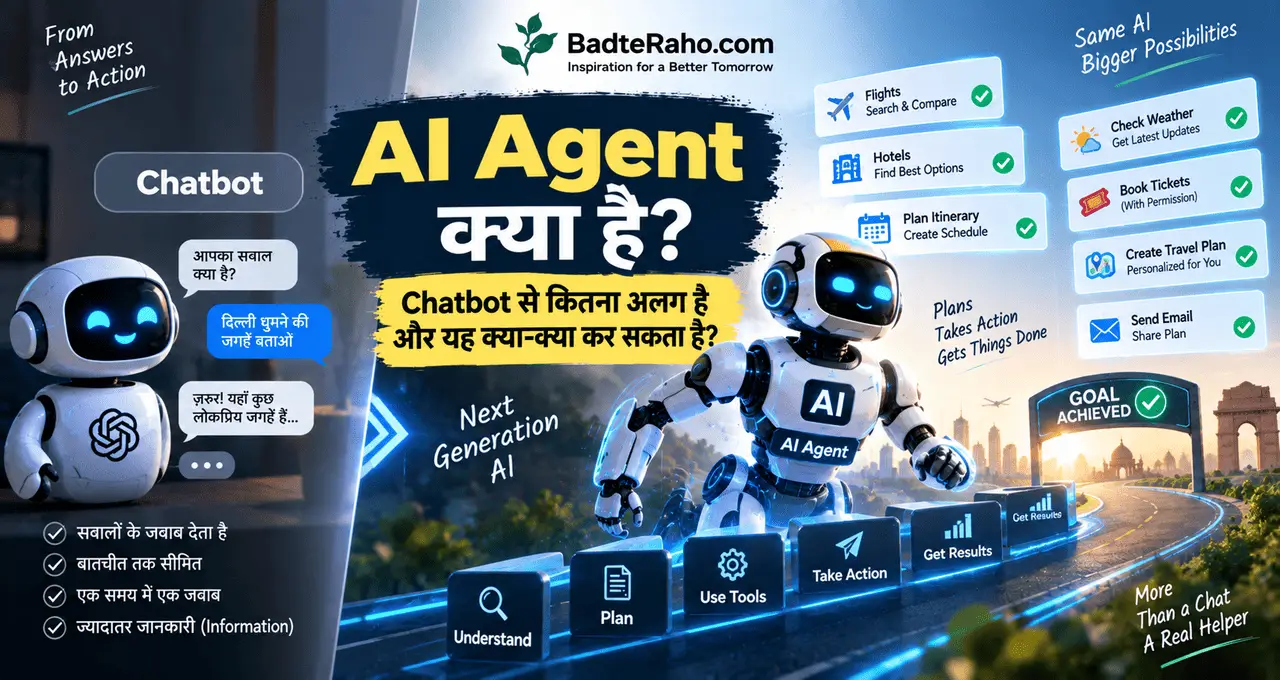
आप Chatbot से कहते हैं—“मेरे लिए Goa trip का plan बनाओ।”
वह itinerary लिख देता है।
लेकिन सोचिए कोई AI आपकी requirements समझे, hotels compare करे, suitable options shortlist करे, calendar check करे और आपकी permission मिलने पर अगले steps भी complete करे।
यहीं से AI Agent का idea शुरू होता है।
Chatbot आमतौर पर सवाल का जवाब देता है। AI Agent किसी goal को समझकर उसके लिए कई steps plan और execute कर सकता है—अगर उसे जरूरी tools, data और permissions मिले हों।
यानी फर्क सिर्फ़ “जवाब देने” और “काम आगे बढ़ाने” का है।
इस लेख में आप क्या सीखेंगे?
- AI Agent का मतलब
- Agent कैसे काम करता
- Chatbot से मुख्य फर्क
- Tools क्यों जरूरी
- Agent क्या कर सकता
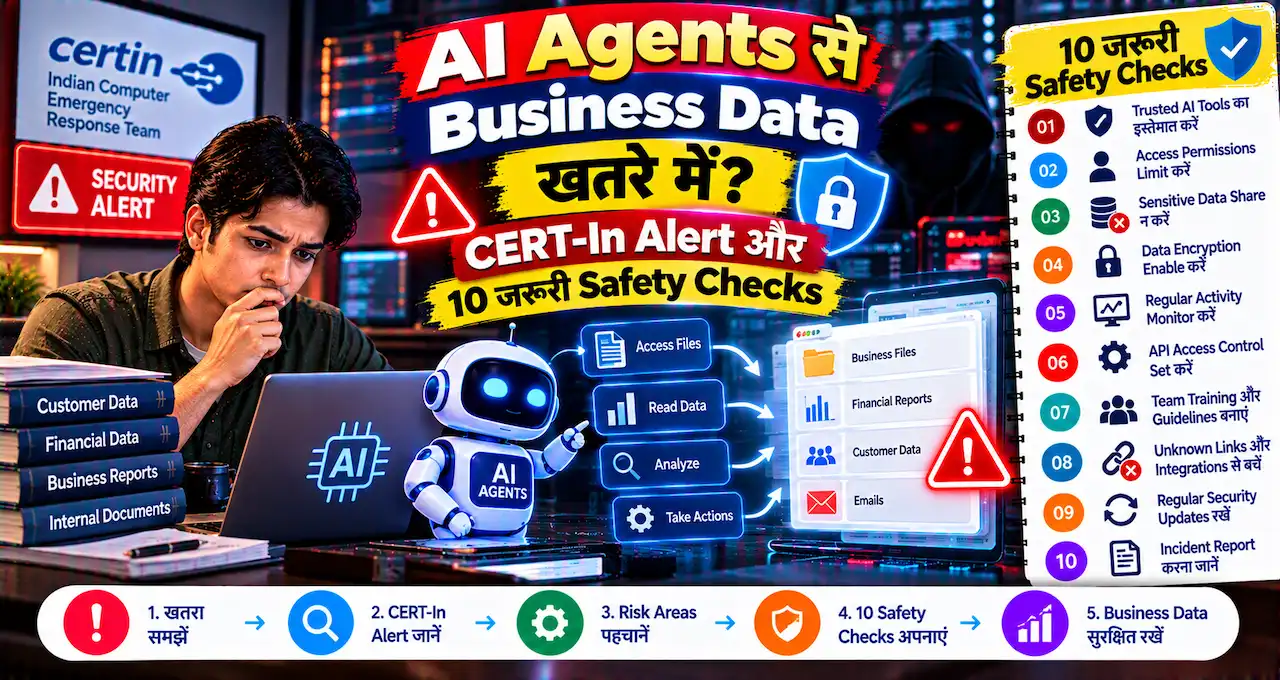
- कहाँ सावधानी रखें
- Practical Use Cases
- Ready-to-use Task Prompts
AI Agent क्या है?
AI Agent एक AI-based system होता है जिसे कोई goal दिया जाए और वह उस goal को पूरा करने के लिए एक या कई steps decide करके आगे बढ़ सके।
Simple chatbot से आप पूछ सकते हैं:
“मेरे लिए अगले week का study plan बनाओ।”
वह plan लिख देगा।
लेकिन एक capable AI Agent, अगर उसे relevant tools और permissions मिले हों, theoretically या practically इससे आगे के काम कर सकता है:
आपका calendar देखना.
Available time identify करना.
Tasks को priority देना.
Calendar blocks suggest या create करना.
Progress के आधार पर plan update करना.
यानी Agent सिर्फ़ response generate नहीं करता, बल्कि किसी task को workflow की तरह handle कर सकता है।
हालांकि हर product जिसे “AI Agent” कहा जाता है, उसकी capability same नहीं होती।
कुछ सिर्फ़ limited automated actions करते हैं, जबकि कुछ ज्यादा complex multi-step workflows handle कर सकते हैं।
पहले AI, LLM और Agent का Connection समझें
AI Agent समझने से पहले तीन layers clear करना useful है।
AI
Artificial Intelligence broad field है।
LLM
Large Language Model language समझने और generate करने में useful AI model है।
AI Agent
Agent किसी model की intelligence को tools, memory, instructions और actions के साथ combine कर सकता है।
इसे एक simple analogy से समझें।
LLM को brain जैसा reasoning engine मान लें।
Tools को hands समझें।
Memory को notes.
Instructions को rules.
और Agent वह system है जो इन सभी को मिलाकर goal पर काम करता है।
AI की basic foundation के लिए AI क्या है और कैसे काम करता है? Machine Learning से Generative AI तक आसान Guide useful रहेगा।
Chatbot और AI Agent में Basic फर्क क्या है?
मान लीजिए आपको Delhi से Jaipur जाना है।
Chatbot से पूछते हैं:
“Delhi से Jaipur जाने के options बताओ।”
Chatbot आपको train, bus और flight के options explain कर सकता है।
AI Agent को Goal देते हैं:
“मुझे Friday evening Delhi से Jaipur जाना है। Sunday रात लौटना है। Budget ₹5,000 है। मेरे लिए suitable travel options compare करो।”
अगर Agent को live travel information access करने के tools मिले हैं, तो वह:
available options search कर सकता है,
prices compare कर सकता है,
timings filter कर सकता है,
आपकी preference समझ सकता है,
shortlist बना सकता है,
और supported system में आगे action की तैयारी कर सकता है।
Main difference यह है:
Chatbot conversation पर focus करता है।
Agent goal completion पर focus कर सकता है।
लेकिन यह distinction हमेशा perfectly clean नहीं होता क्योंकि modern AI assistants में agent-like capabilities भी जुड़ रही हैं।
AI Agent कैसे काम करता है?
हर AI Agent का architecture same नहीं होता, लेकिन beginner level पर एक common flow समझ सकते हैं।
1. Goal मिलता है
User कहता है:
“मेरे पिछले महीने के expenses analyse करके बताओ कि कहाँ ज्यादा खर्च हुआ।”
2. Agent Task समझता है
उसे decide करना होगा:
Data कहाँ है?
क्या file चाहिए?
Categories कौन-सी हैं?
कौन-से calculations करने हैं?
3. Plan बनाता है
Agent task को छोटे steps में divide कर सकता है।
Expense file पढ़ना.
Transactions categorize करना.
Category totals निकालना.
Unusual spending देखना.
Suggestions तैयार करना.
4. Tools Use करता है
अगर system में file-reading या spreadsheet tool available है तो उसका use कर सकता है।
5. Result Check करता है
कुछ agent systems intermediate results evaluate करके next step decide कर सकते हैं।
6. Final Output देता है
User को summary और useful action points मिलते हैं।
यानी Agent में सिर्फ़ एक prompt और एक answer की जगह goal → plan → action → review → result जैसा flow हो सकता है।
Tools AI Agent के लिए इतने important क्यों हैं?
सिर्फ़ language model दुनिया में जाकर कोई action नहीं कर सकता।
अगर AI को Gmail पढ़ना है तो email access का tool चाहिए।
Calendar check करना है तो calendar integration चाहिए।
Website पर current information चाहिए तो browser या search capability चाहिए।
Spreadsheet analyse करनी है तो file/data tool चाहिए।
Example:
आप कहते हैं:
“मेरी कल की meetings देखकर खाली समय बताओ।”
अगर AI के पास आपके calendar का access ही नहीं है, तो वह सही schedule नहीं बता सकता।
वह सिर्फ़ generic advice दे सकता है।
इसलिए AI Agent की capability सिर्फ़ model की intelligence से तय नहीं होती।
यह भी depend करती है कि उसके पास:
कौन-से tools हैं,
कौन-सा data access है,
क्या permissions हैं,
और कौन-से actions allowed हैं?
क्या हर AI Agent Internet पर कुछ भी कर सकता है?
नहीं।
यह बहुत important misunderstanding है।
“Agent” शब्द सुनकर ऐसा लग सकता है कि AI को computer पर unlimited control मिल जाता है।
ऐसा जरूरी नहीं।
एक Agent को शायद सिर्फ़:
documents search करने की permission हो.
दूसरे को calendar access मिले.
तीसरा customer-support software use कर सके.
चौथा website browse कर सके लेकिन payment न कर सके.
Capabilities system design और permissions पर depend करती हैं।
अगर किसी Agent के पास tool नहीं है, तो सिर्फ़ prompt लिखकर आप उसे वह capability नहीं दे सकते।
इसलिए AI Agent use करते समय हमेशा पूछें:
यह system वास्तव में क्या access और क्या action कर सकता है?
AI Agent और Generative AI में क्या फर्क है?
Generative AI का main focus नया content generate करना हो सकता है।
जैसे:
Text.
Image.
Audio.
Code.
Video.
AI Agent Generative AI का use कर सकता है, लेकिन उसका focus सिर्फ़ content generation नहीं होता।
Agent का focus task complete करना हो सकता है।
Example:
Generative AI:
“Customer complaint का reply लिखो।”
AI Agent:
Customer complaint पढ़े.
Order details देखे.
Policy check करे.
Reply draft करें.
Refund eligibility identify करे.
Human approval मांगे.
Approved होने पर supported system में action आगे बढ़ाएँ.
यही multi-step behaviour Agent को interesting बनाता है।
Generative AI की detail समझने के लिए Generative AI क्या है? ChatGPT और दूसरे AI Tools कैसे काम करते हैं? useful रहेगा।
AI Agent और AI Assistant एक ही हैं?
दोनों terms कई products में overlap कर सकती हैं।
AI Assistant आमतौर पर user को task में assist करता है।
Agent में ज्यादा autonomy और multi-step action हो सकते हैं।
लेकिन industry में naming हमेशा consistent नहीं होती।
कुछ companies “Assistant” नाम वाले product में agent-like features देती हैं।
कुछ “Agent” नाम वाले systems बहुत limited workflows handle करते हैं।
इसलिए label से ज्यादा capability देखें।
इस difference को dedicated article AI Agent और AI Assistant में क्या अंतर है? आसान उदाहरण से समझें में detail से समझाया गया है।
AI Agent की 6 Important Capabilities
हर Agent में ये सभी features जरूरी नहीं, लेकिन broadly useful capabilities हैं।
1. Goal Understanding
User क्या achieve करना चाहता है, इसे समझना।
2. Planning
Big task को छोटे steps में divide करना।
3. Tool Use
Browser, files, email या दूसरी services use करना।
4. Memory
Previous context या task information को available system limits के अंदर remember/use करना।
5. Decision Making
Intermediate result देखकर अगला step choose करना।
6. Action
Supported environment में actual task execute करना।
यही capabilities AI Agent को simple question-answer bot से आगे ले जाती हैं।
Example 1: Job Search में AI Agent
मान लीजिए किसी candidate को नई job ढूंढनी है।
Simple AI से वह पूछ सकता है:
“Data Analyst job के लिए resume improve करो।”
Agent-based workflow ज्यादा broad हो सकता है।
Goal:
“मेरी skills के हिसाब से suitable Data Analyst roles identify करने में मदद करो।”
Agent potentially:
Resume analyse करे.
Relevant skills निकाले.
Job criteria बनाए.
Available job listings search करे.
Matching roles shortlist करे.
Required skills compare करे.
Applications की tracking list बनाएँ।.
Interview preparation plan तैयार करें.
हर step में human approval रखा जा सकता है।
लेकिन Agent को personal details, applications या external websites पर actions करने के लिए appropriate access चाहिए होगा।
Example 2: Small Business में AI Agent
मान लीजिए एक local clothing store है।
हर दिन कई customer enquiries आती हैं।
Agent-based system:
Customer message पढ़ सकता है.
Question identify कर सकता है.
Available product data check कर सकता है.
Suitable reply draft कर सकता है.
Complex complaint human owner को forward कर सकता है.
Follow-up reminder बना सकता है.
इससे repetitive customer-support workload कम हो सकता है।
लेकिन price, stock, return policy और customer data गलत handle हुए तो नुकसान भी हो सकता है।
इसलिए automation से पहले business rules clear होने चाहिए।
Small business में basic AI uses के लिए AI छोटे दुकानदारों और कारोबारियों का Business कैसे बदल सकता है? 10 Practical Uses useful starting point है।
Example 3: Students के लिए AI Agent
Student के लिए Agent सिर्फ़ answer-writing tool नहीं होना चाहिए।
Better use:
Syllabus analyze करना.
Exam date देखना.
Available study time समझना.
Weak topics की list बनाना.
Weekly plan create करना.
Completed topics के आधार पर next plan adjust करना.
Revision questions तैयार करना.
अगर learning platform या calendar integration हो, तो कुछ steps automatically manage भी किए जा सकते हैं।
लेकिन Agent से पूरा homework करवाना learning को कमजोर कर सकता है।
Student के लिए best Agent वह होगा जो काम करने की जगह काम organize करने में मदद करे।
Example 4: Research में AI Agent
मान लीजिए आपको किसी topic पर शुरुआती research करनी है।
Agent potentially:
Search queries बना सकता है.
Relevant sources ढूंढ सकता है.
Documents पढ़ सकता है.
Important points extract कर सकता है.
Contradictory claims identify कर सकते हैं.
Summary तैयार कर सकता है.
लेकिन research में एक बड़ी problem है—AI hallucination।
अगर Agent ने गलत source select किया या information गलत interpret की, तो पूरी summary misleading हो सकती है।
इसलिए serious research में citations और primary sources manually check करना जरूरी है।
AI Hallucination क्या है? ChatGPT गलत जवाब क्यों देता है और कैसे पहचानें? इसी risk को detail में समझाता है।
Example 5: Personal Productivity में AI Agent
यह AI Agent का सबसे practical use हो सकता है।
Goal:
“मेरा week organize करो।”
अगर relevant tools available हैं तो Agent:
Calendar देख सकता है.
Pending tasks identify कर सकता है.
Meetings के बीच focus blocks suggest कर सकता है.
Deadline-based priorities बना सकता है.
Daily reminder तैयार कर सकता है.
Week के end में progress review कर सकता है.
यहाँ value सिर्फ़ एक perfect timetable लिखने में नहीं है।
Value है changing situation के हिसाब से plan adapt करना।
क्या AI Agent खुद से Decision ले सकता है?
कुछ level तक—system design के अनुसार।
लेकिन हर decision AI को देना सही नहीं है।
Low-risk decisions:
Files categorize करना.
Meeting times shortlist करना.
Routine email draft करना.
Research results organize करना.
Higher-risk decisions:
Large payment करना.
Contract approve करना.
Employee terminate करना.
Medical decision लेना.
Investment करना.
Sensitive data share करना.
High-impact actions में human approval रखना ज्यादा safe approach है।
इस concept को अक्सर human-in-the-loop कहा जाता है।
मतलब Agent काम आगे बढ़ाता है, लेकिन important stage पर इंसान final decision लेता है।
Human Approval कहाँ जरूरी हो सकता है?
हर छोटी action approve करना automation का फायदा कम कर सकता है।
लेकिन कुछ checkpoints बहुत useful हैं।
पैसे भेजने से पहले
Payment या purchase human approve करे।
Email Send करने से पहले
Especially external या sensitive communication.
Data Delete करने से पहले
Irreversible action में approval रखें।
Contract या Legal Action
Professional review जरूरी हो सकता है।
Personal Data Share करने से पहले
User को पता होना चाहिए कि information कहाँ जाएगी।
Good Agent design का goal maximum autonomy नहीं होना चाहिए।
Goal होना चाहिए useful autonomy with sensible control।
AI Agent की सबसे बड़ी Risks क्या हैं?
1. गलत Planning
Agent task गलत समझ सकता है।
2. Hallucination
गलत fact पर next action हो सकता है।
3. Wrong Tool Use
सही tool गलत context में use हो सकता है।
4. Excess Permission
जरूरत से ज्यादा access security risk बढ़ाता है।
5. Privacy
Sensitive emails, files या customer information expose हो सकती है।
6. Cascading Error
एक शुरुआती mistake आगे कई steps को गलत कर सकती है।
Chatbot में गलत answer एक response तक limited हो सकता है।
Agent में वही गलत assumption कई actions तक पहुँच सकती है।
इसीलिए Agents के साथ verification और permissions ज्यादा important हो जाते हैं।
Agent को Minimum Permission क्यों देनी चाहिए?
मान लीजिए AI Agent को सिर्फ़ calendar में available time देखना है।
क्या उसे आपके पूरे email account का access भी चाहिए?
शायद नहीं।
इसे least privilege principle की तरह समझ सकते हैं।
System को सिर्फ़ उतनी permission दें जितनी task के लिए जरूरी है।
अगर Agent को document read करना है, तो edit/delete permission जरूरी नहीं हो सकती।
अगर draft email बनाना है, तो automatic sending permission अलग रखी जा सकती है।
कम permission का मतलब error या misuse होने पर potential damage भी कम।
AI Agent Use करते समय Privacy कैसे रखें?
Agent systems कई apps और data sources से connected हो सकते हैं।
इसलिए privacy simple chatbot से भी ज्यादा important हो सकती है।
Connect करने से पहले देखें:
Agent किस data तक access मांग रहा है?
Read-only access है या edit भी?
क्या emails पढ़ सकता है?
Files delete कर सकता है?
Contacts access कर सकता है?
Payments initiate कर सकता है?
Task खत्म होने के बाद permission की जरूरत है या नहीं?
Sensitive business और personal data में “Allow All” दबाना convenience हो सकता है, लेकिन हमेशा sensible choice नहीं।
क्या Agent आपके Computer पर खुद काम कर सकता है?
कुछ AI systems computer interfaces या browsers के साथ interact करने की capability रखते हैं।
वे supported environment में:
Webpage खोल सकते हैं.
Buttons click कर सकते हैं.
Forms fill कर सकते हैं.
Information collect कर सकते हैं.
Files download या organize कर सकते हैं.
लेकिन यह capability product-specific है।
हर AI chat में यह available नहीं होती।
और जहाँ available हो, वहाँ भी security rules, website restrictions और user permissions लागू हो सकते हैं।
इसलिए “AI Agent” का मतलब automatically “पूरे computer का unrestricted control” नहीं है।
Multi-Agent System क्या होता है?
एक interesting concept है multiple AI Agents का साथ काम करना।
मान लीजिए एक business task है।
एक Agent research करे।
दूसरा data analyse करे।
तीसरा report लिखे।
चौथा final output review करे।
इसे broadly multi-agent approach कहा जा सकता है।
Concept promising है, लेकिन multiple agents होने का मतलब automatically better result नहीं।
अगर शुरुआती data गलत है तो कई Agents भी गलत conclusion तक पहुँच सकते हैं।
Complexity भी बढ़ती है।
Beginner के लिए single clear workflow से शुरुआत ज्यादा practical है।
AI Agent और Automation को साथ कैसे use किया जा सकता है?
Automation fixed rules follow करती है।
Agent context के हिसाब से decision कर सकता है।
Example:
Automation:
हर Monday report email भेजो।
Agent:
Latest sales data analyse करो, major changes identify करो, summary बनाओ और फिर Monday report तैयार करो।
यहाँ automation schedule संभाल सकती है।
Agent content और analysis संभाल सकता है।
दोनों मिलकर ज्यादा useful workflow बना सकते हैं।
लेकिन हर workflow में AI जोड़ना जरूरी नहीं।
अगर simple rule से काम हो रहा है, simple automation ज्यादा reliable और cheaper हो सकती है।
AI Agent कब use नहीं करना चाहिए?
Agent सिर्फ़ इसलिए use न करें क्योंकि technology नई है।
अगर task:
एक simple calculation है,
एक paragraph rewrite करना है,
एक fixed reminder बनाना है,
या एक straight factual question है,
तो Agent की जरूरत शायद नहीं।
Agent ज्यादा useful तब है जब task में:
multiple steps हों,
information अलग-अलग जगह हो,
repeated decisions हों,
tools use करने पड़ें,
और workflow को adapt करना हो।
Technology task के हिसाब से चुनें।
Task technology के हिसाब से नहीं।
AI Agent से Better Result पाने के लिए Goal कैसे दें?
Weak instruction:
“मेरा काम manage करो।”
AI को clear नहीं है कि “काम” क्या है।
Better:
“मेरे अगले 7 दिनों के tasks को deadline और importance के आधार पर priority दो। Calendar में already booked time को ध्यान में रखो। बिना मेरी approval के कोई event delete या send मत करना।”
अब इसमें:
Goal clear है.
Time period clear है.
Decision rule clear है.
Safety boundary clear है.
Agent के लिए अच्छा instruction सिर्फ़ task नहीं बताता।
Limits भी बताता है।
5 Ready-to-Use AI Agent Task Prompts
इन prompts को ऐसे AI system में use करें जिसमें relevant tools या data access available हो। सिर्फ़ prompt लिखने से किसी AI को automatically calendar, email या files की permission नहीं मिलती।
1. Weekly Planning Prompt
मेरे अगले 7 दिनों के calendar और pending tasks को देखकर realistic weekly plan बनाओ। Deadlines और important work को priority दो। Meetings को change मत करना और कोई नया event मेरी approval के बिना create मत करना।
यह planning के साथ clear permission boundary भी देता है।
2. Email Triage Prompt
मेरे recent emails को urgent, needs reply, information only और low priority categories में organize करो। कोई email send, delete या archive मत करना। सिर्फ़ मुझे बताओ कि पहले किन messages पर attention देना चाहिए।
ऐसे task में read और action permissions अलग रखना useful है।
3. Research Agent Prompt
[Topic] पर research करो। अलग-अलग reliable sources से मुख्य facts collect करो, contradictory claims अलग दिखाओ और जिन points पर evidence कमजोर है उन्हें clearly mark करो। कोई fact source के बिना निश्चित रूप से मत लिखना।
Research में uncertainty explicitly मांगना useful है।
4. Business Task Prompt
मेरे business के pending tasks [Task List] को sales impact, customer urgency और time required के आधार पर prioritize करो। आज के लिए सिर्फ़ 5 realistic tasks चुनो। किसी customer को message मेरी approval के बिना send मत करना।
यह AI को planning देता है लेकिन customer communication control user के पास रहता है।
5. File Organisation Prompt
इन files को content और purpose के आधार पर categories suggest करके organize करने का plan बनाओ। Duplicate या unnecessary files identify करो, लेकिन मेरी approval के बिना किसी file को delete, rename या move मत करना।
Irreversible actions के लिए approval boundary useful है।
Agent Prompt में क्या-क्या बताना चाहिए?
Useful Agent instruction में 5 चीजें रखना अच्छा रहता है।
Goal
क्या result चाहिए?
Context
किस situation में काम हो रहा है?
Constraints
Budget, deadline या rules क्या हैं?
Permissions
क्या Agent कर सकता है?
Stop Condition
किस point पर human approval चाहिए?
Example:
“₹10,000 budget में तीन laptop options shortlist करो। Purchase मत करना। Final तीन options मिलने पर रुक जाओ और मुझे comparison दिखाओ।”
यह “Laptop खरीद दो” से ज्यादा controlled instruction है।
AI Agent की Output को कैसे Check करें?
Agent ने task complete कर दिया—इसका मतलब blindly trust करना नहीं है।
Result review करते समय देखें:
Goal पूरा हुआ?
Important step skip तो नहीं हुआ?
Wrong assumption तो नहीं की?
Sensitive data use हुआ?
कोई action बिना permission के तो नहीं हुआ?
Sources reliable हैं?
Numbers correct हैं?
High-impact task में activity log या action history उपलब्ध हो तो उसे देखना useful हो सकता है।
Agent जितना autonomous होगा, review उतना important हो सकता है।
Future में AI Agents क्यों important हो सकते हैं?
आज बहुत लोग AI को mainly “chat box” की तरह देखते हैं।
Question लिखा.
Answer मिला.
लेकिन AI Agents का direction यह है कि AI धीरे-धीरे software के साथ ज्यादा actively काम कर सके।
Future workflows में user शायद सिर्फ़ यह न कहे:
“Report लिखो।”
बल्कि कहे:
“Last month का data collect करो, report बनाओ, unusual changes identify करो और review के लिए तैयार रखो।”
AI conversation से workflow execution की तरफ बढ़ सकता है।
लेकिन autonomy बढ़ने के साथ accountability, privacy और safety की importance भी बढ़ेगी।
क्या AI Agent इंसान की जगह ले लेगा?
कुछ repetitive workflows में human effort कम हो सकता है।
लेकिन पूरी picture इससे ज्यादा complex है।
Agent data collect कर सकता है।
लेकिन goal कौन तय करेगा?
Important exception कौन समझेगा?
Customer relationship कौन संभालेगा?
Wrong result की responsibility कौन लेगा?
Ethical decision कौन करेगा?
हर situation में answer AI नहीं होगा।
कई workplaces में ज्यादा realistic model हो सकता है:
Human decides → AI Agent executes parts → Human reviews.
यानी Agent employee का exact replacement नहीं, कई cases में productivity layer बन सकता है।
AI Agents सीखना कहाँ से शुरू करें?
Beginner हैं तो directly complex autonomous system बनाने की जरूरत नहीं।
पहले sequence समझें:
AI basics.
Generative AI.
LLM.
Prompting.
AI Assistant.
AI Agent.
Tool use.
Automation.
Workflows.
Safety and permissions.
जब foundation clear होगा तो Agent पर सिर्फ़ buzzword नहीं लगेगा।
आप समझ पाएंगे कि system वास्तव में नया क्या कर रहा है।
आज AI Agent को Practical तरीके से कैसे समझें?
अपने daily life का एक task चुनें जिसमें multiple steps हैं।
Example:
“Weekend trip plan करना।”
फिर steps लिखें:
Destination decide.
Budget तय.
Travel options search.
Hotel compare.
Itinerary बनाना.
Calendar check.
Booking.
अब सोचें:
इनमें से कौन-से steps simple chatbot कर सकते हैं?
कौन-से steps के लिए live information चाहिए?
कहाँ external tool चाहिए?
कहाँ payment permission चाहिए?
कहाँ human approval जरूरी है?
यही exercise AI Agent की concept को definition से ज्यादा clearly समझा देती है।
आख़िर में एक छोटी सी बात
AI Agent को समझने का सबसे आसान तरीका यह है:
Chatbot से आप जवाब लेते हैं। Agent को आप goal दे सकते हैं।
लेकिन goal मिलने के बाद Agent कितना काम कर पाएगा, यह उसके model से उतना ही नहीं, बल्कि tools, permissions, data access और safety rules से भी तय होता है।
यही वजह है कि “AI Agent” सुनते ही unlimited automation imagine करना सही नहीं है।
Best Agent वह नहीं जो बिना पूछे सबसे ज्यादा actions करे।
Best Agent वह है जो सही task समझे, सही tools use करे, अपनी limits जाने और important decisions पर इंसान को control दे।
आने वाले समय में शायद AI के साथ हमारी बातचीत “यह सवाल answer करो” से आगे बढ़कर “यह काम complete करने में मेरी मदद करो” की तरफ और ज्यादा जाएगी।
आप AI Agent को सबसे पहले किस काम के लिए use करना चाहेंगे—research, business, study planning, emails, travel planning या daily productivity? अपना experience, feedback या सवाल comment में जरूर share करें।