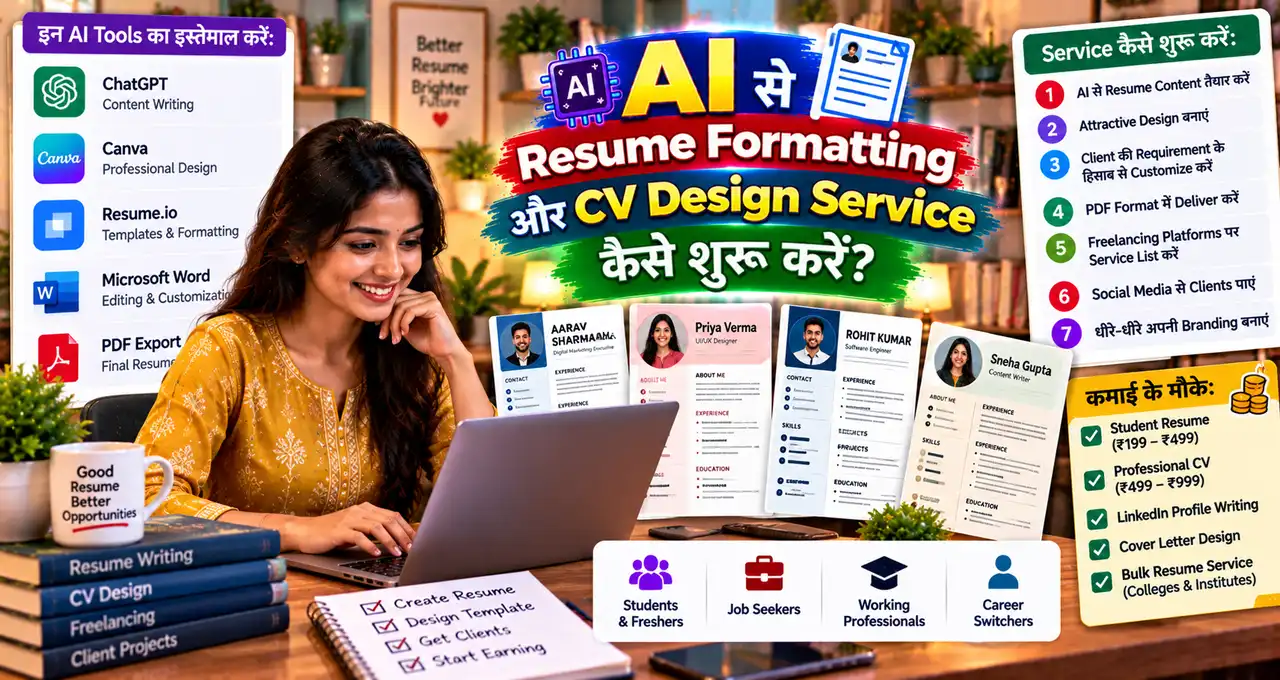

Job seeker का resume पढ़ने में मुश्किल हो, तो अच्छी skills भी साफ़ नहीं दिखतीं।किसी का font बिखरा होता है, किसी का spacing गलत होता है और किसी का CV अनावश्यक रूप से लंबा होता है। यह समस्या सुधारना एक entry-level formatting service बन सकती है, लेकिन candidate के experience में झूठ जोड़ना बिल्कुल नहीं।यह guide दिखाती है कि AI की मदद से readable, ATS-friendly resume layout कैसे तैयार करें, client brief कैसे लें और revisions के साथ deliver कैसे करें। Skills, sample portfolio, pricing और पहला client पाने के steps भी शामिल हैं।शुरुआत में design नहीं, candidate की सही जानकारी और clear structure को प्राथमिकता दें।
इस लेख में आप क्या सीखेंगे?
- ATS-friendly resume सीखें
- Candidate information verify करें
- Resume layout बेहतर बनाएं
- Client service package बनाएं
- Delivery और revisions समझें
- Portfolio samples तैयार करें
Resume Formatting और CV Design Service में क्या काम होता है?
Client आपको existing resume, raw information या old CV देता है। आप उसकी information को professional structure में arrange करते हैं और consistent design बनाते हैं।Service में ये काम शामिल हो सकते हैं:
- Margins, spacing और alignment ठीक करना
- Font hierarchy बनाना
- Section order improve करना
- Bullet points concise करना
- Dates और job titles consistent करना
- Grammar/proofreading
- Role-relevant keywords highlight करना
- ATS-friendly version बनाना
- PDF + editable file देना
अगर client content rewrite भी चाहता है, तो उसे separate add-on मानें क्योंकि formatting और full resume writing अलग scope हैं।
AI इस Service में कहाँ मदद करेगा?
AI को assistant की तरह use करें:
- Long bullet को concise करना
- Action verbs suggest करना
- Grammar check करना
- Job description से relevant keywords identify करना
- Summary के alternative drafts बनाना
- Skills grouping suggest करना
लेकिन AI को facts invent करने न दें। Client ने “Excel basics” बताया है तो “advanced financial modeling” मत जोड़ें। AI-generated achievements तभी use करें जब client उन्हें verify करे।
ATS-Friendly Resume का मतलब क्या है?
ATS यानी Applicant Tracking System resume information parse कर सकता है। हर company का ATS अलग हो सकता है, इसलिए कोई single “magic ATS score” नहीं है। लेकिन simple structure generally safer रहता है।Practical checks:
- Standard section headings use करें
- Important information image के अंदर न रखें
- बहुत complex multi-column design avoid करें
- Readable fonts use करें
- Dates consistent रखें
- Job description से relevant genuine keywords use करें
- Text selectable PDF दें
LinkedIn profile भी resume के साथ align होनी चाहिए। इसके लिए LinkedIn Profile guide useful है।
Client Onboarding Form में क्या पूछें?
- Target job role
- Experience level
- Existing resume
- Education
- Work history
- Skills/tools
- Projects
- Certifications
- Achievements
- Preferred location/industry
- Target job description, अगर available हो
Personal data minimum रखें। Aadhaar, PAN, bank details, full home address या unnecessary sensitive information resume में नहीं चाहिए।
Basic Workflow क्या होगा?
- Client requirement और target role समझें।
- Existing resume का content audit करें।
- Missing information की list भेजें।
- AI से wording/structure suggestions लें।
- Facts client से verify करें।
- ATS-friendly layout बनाएं।
- Spelling, dates और contact details check करें।
- PDF और editable version deliver करें।
- एक limited revision round दें।
Freelancing की शुरुआत के broader steps के लिए Freelancing beginner guide भी useful है।
Resume Design के लिए कौन-से Tools Use कर सकते हैं?
Google Docs, Microsoft Word, Canva या similar design/document tools use किए जा सकते हैं। Tool से ज्यादा important output की readability है।Corporate roles के लिए clean single-column या simple two-column layout useful हो सकता है। Creative portfolio roles में थोड़ा visual personality add किया जा सकता है, लेकिन resume को poster न बनाएं।
Pricing कैसे तय करें?
| Service | Possible beginner scope |
|---|---|
| Formatting only | Existing content, clean layout |
| Formatting + proofreading | Layout + grammar fixes |
| Resume rewrite | Structure + bullet rewriting |
| Resume + LinkedIn | Resume + profile alignment |
Beginners ₹500–₹1,500 जैसे small-ticket projects से testing शुरू कर सकते हैं, लेकिन price market guarantee नहीं है। Experience, complexity और revisions के हिसाब से pricing बढ़ सकती है।
Portfolio बिना Client के कैसे बनाएं?
3 sample resumes बनाएं:
- Fresher software graduate
- Sales executive with 3 years’ experience
- Career-break returning professional
Fake person का sensitive data use न करें। Dummy information रखें और clearly “sample” mark करें। Before/after layout comparison portfolio में दिखाएँ।
पहला Client कहाँ मिलेगा?
- College students
- Job-seeking friends
- Local coaching centers
- LinkedIn network
- Freelance platforms
- WhatsApp community groups
- Career counselors
Free unlimited work की बजाय “first 3 clients discounted package” offer करें और testimonial मांगें।
Client Pitch कैसे करें?
मैं existing resume को professional, clean और ATS-friendly format में organize करने की service देता/देती हूँ। मैं fake experience नहीं जोड़ता/जोड़ती; आपकी real skills और work history को clear structure में present करता/करती हूँ। आप चाहें तो existing resume भेजें, मैं पहले 5-point audit बता दूँगा/दूँगी।
AI Prompt: Existing Resume Audit
You are a resume editor. Review the resume text below for clarity, consistency, unnecessary repetition, weak bullet points and missing role-relevant information. Do not invent any experience, numbers, skills or achievements. First list issues, then suggest revised wording only where the original information supports it. Target role: [ROLE]. Resume: [PASTE TEXT].
Prompt Engineering improve करना हो तो Prompt Engineering guide useful है।
Resume में कौन-सी चीजें कभी Invent न करें?
- Fake company experience
- Fake degree/certification
- Fake salary
- Fake project ownership
- Made-up performance numbers
- Tools जिन्हें client use नहीं कर सकता
Resume service का goal presentation improve करना है, credentials fabricate करना नहीं।
Delivery Checklist
- Name spelling correct?
- Phone/email correct?
- Dates consistent?
- Job title accurate?
- File text selectable?
- PDF खुल रही है?
- File name professional है?
- Typos नहीं?
- Target role clear है?
- Client ने facts approve किए?
Service को आगे कैसे Scale करें?
Resume formatting के बाद आप related services add कर सकते हैं: LinkedIn optimization, cover letter formatting, portfolio layout और interview preparation worksheet। लेकिन पहले एक core service में repeatable quality बनाएं।AI-assisted freelancing के और ideas के लिए AI से Freelancing शुरू करने की guide भी देख सकते हैं।
Common Mistakes
- Template को content से ज्यादा important मानना
- Too many icons/colors
- Client data public AI prompt में unnecessarily paste करना
- Every resume के लिए same summary
- Unlimited revisions promise करना
- Job guarantee देना
30-Day Action Plan
Week 1: Resume fundamentals और 3 sample designs बनाएं।Week 2: 10 job descriptions analyse करके role-specific keyword mapping practice करें।Week 3: 5 discounted client projects लें।Week 4: testimonials, before/after samples और simple service page/portfolio बनाएं।
Role के हिसाब से Resume Layout कैसे बदलें?
एक ही template हर profession पर fit नहीं बैठता। Software fresher के लिए projects/skills ऊपर useful हो सकते हैं, जबकि experienced sales professional के लिए recent experience और measurable outcomes ज्यादा important हैं। Academic CV और corporate resume भी अलग purpose serve करते हैं।Client से target role पूछे बिना formatting शुरू करेंगे तो beautiful लेकिन irrelevant resume बन सकता है।
ATS-Friendly Output को Manually कैसे Test करें?
PDF से text copy-paste करके plain text editor में देखें। अगर name, headings, dates और bullet content सही order में नहीं आ रहे, तो complex layout parsing issue create कर सकता है।Another check: important information header/footer या decorative text box में तो नहीं है? Some systems इन areas को अलग तरीके से parse कर सकते हैं। Simple structure safer है।
Three-Version Delivery Model
- ATS version: simple, text-first layout
- Recruiter PDF: polished but readable design
- Editable file: client future updates के लिए
हर package में तीनों देना जरूरी नहीं; scope और price पहले लिखें।
Client Data Privacy कैसे Manage करें?
Resume में phone, email, employment history और कभी-कभी location जैसी personal information होती है। AI tool में full resume upload करने से पहले unnecessary personal identifiers remove करना safer हो सकता है। Client consent के बिना public portfolio में real resume upload न करें।Portfolio के लिए dummy data या client-approved anonymised version use करें।
Revision Request को Scope में कैसे रखें?
Formatting revision और complete content rewrite अलग-अलग काम हैं। Example: “font थोड़ा बड़ा” normal revision है; “अब target role HR से Data Analyst कर दो” पूरा repositioning हो सकता है।Proposal में 1–2 revision rounds define करें और major scope change के लिए new quote दें।
Quality Control Checklist Client को भेजने से पहले
- Spelling और punctuation
- Dates chronological
- Verb tense consistent
- Bullet length readable
- Margins/line spacing consistent
- Hyperlinks working
- PDF selectable text
- Phone/email clickable जहाँ relevant
- File name professional: Name_Role_Resume.pdf
Service की reputation small mistakes से जल्दी खराब हो सकती है, इसलिए final 10-minute proofreading mandatory process बनाएं।
Upsell किन Services का करें?
Resume के साथ cover letter formatting, LinkedIn headline/about section, job-application tracker और interview question sheet add-on हो सकते हैं। लेकिन core resume quality stable होने से पहले बहुत services add न करें।
Client Approval Workflow
Final delivery से पहले client को “content approval” और “design approval” अलग दें। पहले facts/date/bullets approve हों, फिर layout lock करें। इसके बाद में बड़े content changes की वजह से पूरी design दोबारा नहीं बनानी पड़ती।Approval message में लिखें: “Please verify company names, dates, job titles, contact details and skills. Design finalisation factual approval के बाद होगा.” यह simple step errors कम कर सकता है।
एक Simple Service Promise रखें
Client को “job दिलाऊँगा” नहीं, “आपकी verified information को clear, readable और role-relevant resume format में present करूँगा” promise करें। यह expectation realistic रखता है और service quality को measurable बनाता है।Practical note: Final resume के दो filenames रखें—editable working copy और clean PDF delivery copy—ताकि accidental draft client को न भेजें.
Sample workflow: एक messy resume को client-ready कैसे बनाएं?
मान लें fresher का resume तीन pages लंबा है। Skills कई बार दोहराई गई हैं, dates का format अलग-अलग है और projects scattered हैं। आपका पहला काम redesign नहीं, information audit होना चाहिए।Client से verified education, skills, project descriptions और contact details लें। किस role के लिए apply करना है, यह भी समझें। Sensitive identity documents की जरूरत न हो तो उन्हें collect न करें।अब एक clean structure बनाएं: concise summary, relevant skills, selected projects, education और जरूरी links। AI से bullet wording concise बनवा सकते हैं, लेकिन achievements, marks, employers या work experience invent न कराएं।एक ATS-friendly sample में simple headings, standard fonts और readable layout रखें। Heavy graphics और text-as-image को default न बनाएं; कुछ systems में parsing प्रभावित हो सकती है।Deliver करने से पहले PDF को खुद पढ़ें। Dates, spelling, hyperlinks, line breaks और mobile readability check करें। Client को editable copy चाहिए या सिर्फ final PDF, यह quotation में पहले साफ करें।Portfolio बनाने के लिए fictional practice resume use करें और उसे sample label करें। किसी real candidate की private जानकारी permission के बिना public न करें। Trustworthy formatting ही इस service की असली value है।
आख़िर में एक छोटी सी बात
Resume Formatting और CV Design service कम investment में शुरू की जा सकती है, लेकिन इसकी value सिर्फ सुंदर template में नहीं है; accurate information, clear structure और recruiter-friendly presentation में है। AI drafting को तेज कर सकता है, पर final facts और quality control आपकी responsibility है।Resume formatting में आपको readability, ATS compatibility या client revisions में सबसे ज़्यादा चुनौती दिखती है? अपनी पसंद का sample layout या सवाल comments में बताएँ।