













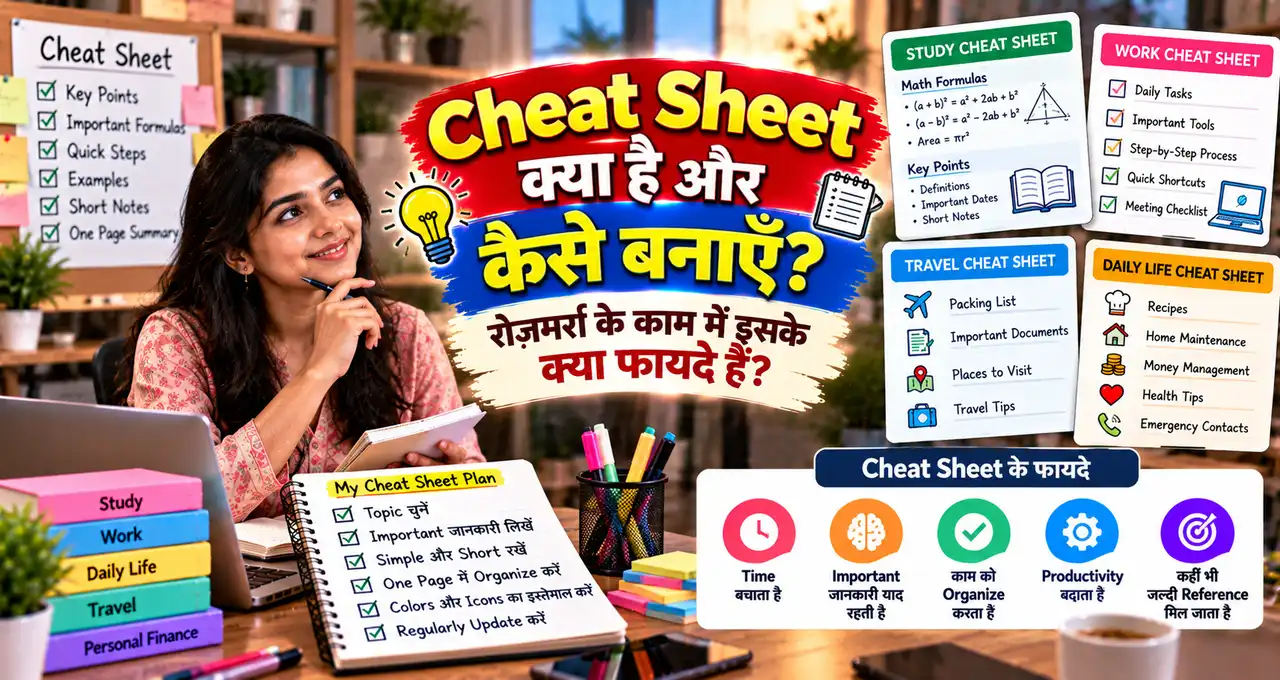






Cheat Sheet किसी topic की सबसे जरूरी information को short, structured और जल्दी scan होने वाले format में रखने का तरीका है।
यह cheating के लिए नहीं, quick reference के लिए होती है—जैसे formulas, keyboard shortcuts, process steps, commands, checklist, definitions या frequently used information। सही तरीके से बनाई गई cheat sheet आपको हर बार लंबा document खोलने से बचा सकती है।
इस guide में समझेंगे कि cheat sheet क्या है, किस काम आती है, इसे कैसे बनाएं और रोज़मर्रा के काम में practical तरीके से कैसे use करें।
इस लेख में आप क्या सीखेंगे?
- Cheat Sheet का मतलब
- सही format चुनना
- Important points filter करना
- Quick-reference layout बनाना
- Daily use cases समझना
- AI से draft बनाना
Cheat Sheet क्या होती है?
Cheat Sheet एक compact reference document होता है जिसमें किसी topic की important information condensed form में दी जाती है। इसका goal पूरा topic सिखाना नहीं, बल्कि पहले से सीखी हुई information को जल्दी याद दिलाना होता है।
Example:
- Excel shortcuts की one-page list.
- GST calculation formulas का quick reference.
- Interview questions checklist.
- Photography settings table.
- Grammar rules summary.
- Linux commands reference.
- Monthly budgeting categories.
अगर आपको किसी चीज़ को बार-बार Google करना पड़ता है, तो वह cheat sheet का अच्छा candidate हो सकती है।
Cheat Sheet और Notes में क्या Difference है?
Normal notes detailed हो सकते हैं। उनमें explanation, examples और background information ज्यादा होती है। Cheat sheet ज्यादा compressed होती है।
| Point | Notes | Cheat Sheet |
|---|---|---|
| Purpose | Topic सीखना | Quick recall |
| Length | Long हो सकती है | Short/compact |
| Detail | Explanation-heavy | Key points only |
| Use | Study/learning | Reference during work |
Best workflow यह है कि पहले detailed notes हों, फिर उन्हीं से cheat sheet निकाली जाए।
Cheat Sheet कब Useful होती है?
Cheat sheet खास तौर पर useful है जब:
- Same information बार-बार चाहिए.
- Steps का sequence भूल जाता है.
- Shortcuts याद नहीं रहते.
- Multiple formulas compare करने हों.
- Client call से पहले checklist चाहिए.
- Exam revision में quick scan करना हो.
- Software commands जल्दी देखनी हों.
यह memory replace नहीं करती, बल्कि cognitive load कम करती है।
Step 1: पहले Topic बहुत छोटा करें
Weak topic:
“Digital Marketing Cheat Sheet”
यह बहुत broad है। Better:
- Instagram Reel Posting Checklist.
- Google Ads Basic Metrics.
- Email Subject Line Formula.
- Local SEO Setup Checklist.
Topic जितना focused होगा, cheat sheet उतनी useful होगी।
Step 2: सिर्फ़ Frequently Used Information चुनें
Cheat sheet में सब कुछ डालना उसकी सबसे common गलती है।
हर point पर पूछें:
- क्या मैं इसे बार-बार भूलता हूँ?
- क्या काम के दौरान इसे जल्दी देखना पड़ता है?
- क्या यह action लेने में मदद करता है?
- क्या इसे one-line में लिखा जा सकता है?
अगर answer नहीं है, तो उस point को detailed notes में रहने दें।
Step 3: Information को Categories में बाँटें
Random list की बजाय sections बनाएं।
Example: Excel Cheat Sheet
- Navigation.
- Formatting.
- Formulas.
- Data cleaning.
- Keyboard shortcuts.
Sections से scan speed बढ़ती है।
Step 4: सही Format चुनें
हर cheat sheet one-page PDF होना जरूरी नहीं। Format use case पर depend करता है:
- Printable A4 page.
- Mobile note.
- Google Doc.
- Spreadsheet tab.
- Notion page.
- Desktop wallpaper.
- Small laminated card.
अगर information काम के दौरान mobile पर चाहिए, A4 printable से ज्यादा phone-friendly version useful होगा।
Step 5: Visual Hierarchy बनाएं
Cheat sheet को readable बनाने के लिए:
- Clear headings.
- Short bullets.
- Tables जहाँ comparison हो.
- Bold keywords.
- Enough spacing.
- Consistent symbols.
बहुत छोटे font में सब कुछ fit करना practical नहीं है। दो pages की readable sheet एक unreadable one-page sheet से बेहतर है।
Example 1: Daily Work Cheat Sheet
मान लीजिए आप रोज़ client calls handle करते हैं। Quick sheet में हो सकता है:
- Client name.
- Main goal.
- Last discussion.
- Next action.
- Payment status.
- Deadline.
- Important links.
हर call से पहले पूरी CRM history पढ़ने की बजाय short reference useful हो सकता है।
Example 2: Student Revision Cheat Sheet
Student cheat sheet में:
- Key formulas.
- Dates.
- Definitions.
- Important diagrams.
- Common mistakes.
- Last-minute revision points.
यह exam rules के अंदर revision material के रूप में use करें; exam hall में allowed material अलग policy पर depend करता है।
AI से study support का सही use समझने के लिए AI से पढ़ाई कैसे करें guide useful है।
Example 3: Software Shortcut Sheet
अगर आप Photoshop, Excel, VS Code या किसी दूसरे software में काम करते हैं, तो shortcuts की custom list बना सकते हैं।
Public shortcut list copy करने की बजाय सिर्फ़ वही shortcuts रखें जो आप actually use करते हैं।
Example structure:
| Task | Shortcut | Note |
|---|---|---|
| Save | [Shortcut] | Frequently used |
| Find | [Shortcut] | Search |
| Undo | [Shortcut] | Basic |
Software shortcuts version और operating system के हिसाब से बदल सकते हैं, इसलिए current documentation verify करें।
Example 4: Personal Finance Cheat Sheet
Monthly money sheet में:
- Salary date.
- Fixed bills.
- EMI due dates.
- Savings transfer.
- Insurance renewal.
- Subscription review.
- Emergency fund target.
Private banking password, OTP, PIN या card details cheat sheet में न रखें। Reference information और secrets अलग चीजें हैं।
Example 5: Content Creation Cheat Sheet
Blog या social post publish करने से पहले:
- Title checked?
- Featured image?
- Alt text?
- Internal links?
- CTA?
- Mobile preview?
- Spelling?
- Schedule time?
Repeated workflow को checklist में बदलना mistakes कम कर सकता है।
Cheat Sheet बनाने में AI कैसे Help कर सकता है?
AI detailed notes को compress करने में useful है। आप source material देकर कह सकते हैं:
इन notes से एक quick-reference cheat sheet बनाएं।
Rules:
– केवल supplied information use करें.
– Important formulas, steps और warnings अलग sections में रखें.
– Long explanations को short bullets में compress करें.
– Missing information invent न करें.
– Repeated points merge करें.
– जहाँ verification जरूरी है वहाँ [VERIFY] लिखें.
– Final output mobile-friendly और printable दोनों format में दें.
अगर prompt quality improve करनी हो तो Prompt Engineering guide useful है।
AI Summary को बिना Check किए Cheat Sheet क्यों न बनाएं?
अगर source गलत समझा गया या AI ने कोई detail invent कर दी, तो compact cheat sheet में error ज्यादा dangerous हो सकती है क्योंकि user हर बार वही गलत reference देखेगा।
इसलिए workflow रखें:
Source Notes
↓
AI Draft
↓
Manual Verification
↓
Final Cheat Sheet
Dates, formulas, commands, financial rules और current software features खास तौर पर verify करें।
One-Page Cheat Sheet का Simple Layout
Top:
- Title.
- Version/date.
Middle:
- 3–5 main sections.
- Short bullets/tables.
Bottom:
- Warnings.
- Source/reference link.
- Last updated date.
Version/date लिखना useful है क्योंकि पुरानी cheat sheet silently outdated हो सकती है।
Cheat Sheet को Update कब करें?
Update करें जब:
- Software version बदले.
- Policy/process बदले.
- आप बार-बार नया point search कर रहे हों.
- कोई section कभी use न हो रहा हो.
- Sheet बहुत लंबी हो गई हो.
Useful cheat sheet static document नहीं; practical working tool है।
5-Minute Cheat Sheet Method
Minute 1: Topic define करें.
Minute 2: Top 10–15 repeated points लिखें.
Minute 3: Categories में group करें.
Minute 4: Shorten और format करें.
Minute 5: Accuracy check और date add करें.
पहला version perfect होना जरूरी नहीं। Use करते समय जो missing लगे, उसे add करें।
Common Mistakes
- पूरी textbook को one page में fit करना.
- Very small font use करना.
- Source/date न लिखना.
- Outdated shortcut/process रखना.
- Private passwords/PIN save करना.
- AI-generated facts verify न करना.
- Too many colours/symbols use करना.
- Rare information से sheet भर देना.
Printable और Mobile Cheat Sheet में क्या Difference रखें?
Printable sheet में landscape table, multiple columns और detailed sections use किए जा सकते हैं। Mobile sheet में short lines, single-column layout और bigger text ज्यादा practical होता है।
Printable version के लिए:
- A4 portrait/landscape format.
- 2–3 columns.
- Tables और grouped sections.
- Print-friendly contrast.
Mobile version के लिए:
- Single-column layout.
- Short headings.
- Tap-friendly links.
- Large readable font.
- Searchable text.
अगर same content दोनों जगह चाहिए, तो पहले master document बनाएं और फिर दो formats export करें।
Version Number और Last Updated Date क्यों लिखें?
Cheat sheet useful तभी है जब information current हो। इसलिए title के नीचे छोटा version block रखें:
Version: 1.2
Last Updated: 2 Nov 2026
Source: [Official Documentation / Internal SOP]
अगर software command, company process या policy change हो जाए तो पुरानी sheet identify करना आसान रहेगा।
Team में multiple copies हों तो file name भी consistent रखें: client-onboarding-cheatsheet-v1-2.pdf जैसी naming confusion कम करती है।
Workplace Cheat Sheet के 5 Practical Examples
Client Onboarding
Required files, payment step, kickoff questions, folder naming और first-delivery date.
Customer Support
Common questions, escalation path, refund/replacement rules और response templates.
Content Publishing
Title, image, alt text, category, links, CTA, SEO fields और schedule checklist.
Sales Call
Lead source, customer need, budget question, next action और follow-up date.
Monthly Finance Review
Income, fixed expenses, subscriptions, outstanding payments और savings transfer.
इन examples में cheat sheet detailed SOP का replacement नहीं; daily quick reference है।
Reusable Cheat Sheet Template
CHEAT SHEET TITLE:
[TOPIC]Purpose:
[ONE SENTENCE]Last Updated:
[DATE]SECTION 1 — Must Remember
– [POINT]
– [POINT]
– [POINT]SECTION 2 — Steps
1. [STEP]
2. [STEP]
3. [STEP]SECTION 3 — Quick Reference
[FORMULA / SHORTCUT / COMMAND / VALUE]SECTION 4 — Common Mistakes
– [MISTAKE]
– [MISTAKE]SECTION 5 — Check Before Finishing
– [CHECK]
– [CHECK]Sources:
[OFFICIAL / INTERNAL LINKS]Rule:
Keep only frequently used information. Move long explanations to detailed notes.
इस template को study, work, software, finance या business process के हिसाब से customize किया जा सकता है।
Cheat Sheet को Test कैसे करें?
बनाने के बाद तीन दिन real work में use करें और note करें:
- कौन-सा point बार-बार काम आया?
- कौन-सा section कभी use नहीं हुआ?
- कौन-सी information missing थी?
- क्या कोई item outdated निकला?
- क्या sheet scan करने में 10–20 seconds से ज्यादा लग रहे हैं?
फिर unused content हटाएँ और missing high-frequency points add करें। Cheat sheet जितनी use-based होगी, उतनी effective होगी।
Privacy और Sensitive Information का Rule
Quick reference convenient होती है, इसलिए उसमें sensitive information डालने का temptation हो सकता है। Password, OTP, PIN, security answers, private client credentials या full card/bank details plain cheat sheet में न रखें।
अगर workplace process में confidential references जरूरी हैं, तो organization-approved secure system use करें और cheat sheet में सिर्फ़ location/path या process reminder रखें।
Convenience के लिए security compromise करना cheat sheet का सही use नहीं है।
Cheat Sheet कब नहीं बनानी चाहिए?
हर topic को cheat sheet में compress करना सही नहीं होता। अगर task सिर्फ़ एक बार करना है, information बहुत तेजी से बदलती है, context के बिना short points misleading हो सकते हैं, या काम legal, medical, financial अथवा safety-critical judgment मांगता है, तो detailed source/documentation बेहतर रहेगा।
Cheat sheet reminder और quick reference है; वह full instructions, current policy या expert advice का replacement नहीं है।
आख़िर में एक छोटी सी बात
Cheat sheet का असली फायदा तब है जब वह आपको वही information जल्दी दे जो काम करते समय बार-बार चाहिए। इसे छोटा, focused, verified और regularly updated रखें।
पहले एक simple use case चुनें—shortcuts, checklist, formulas या process—and उसे one-page reference में बदलें।
आप किस topic की cheat sheet बनाना चाहते हैं—study, software, work या personal finance? Comments में बताइए। अगर यह guide useful लगी, तो इसे उस व्यक्ति के साथ share करें जो बार-बार वही information search करता है।