




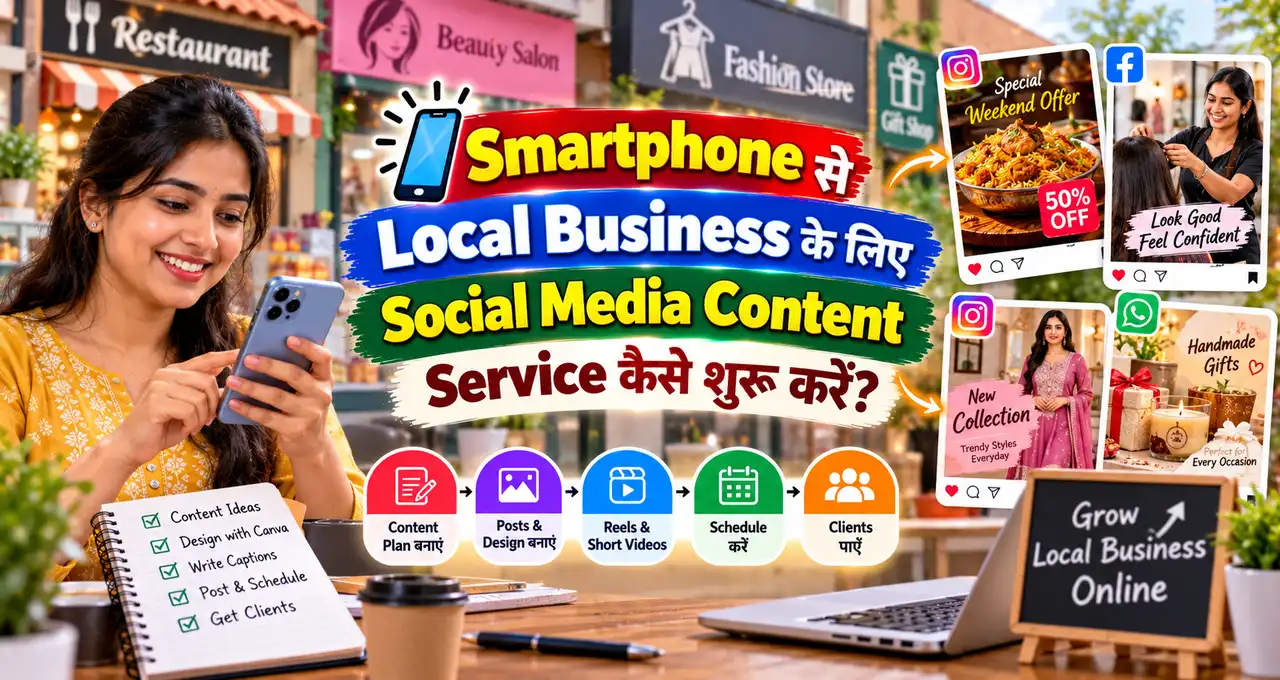


Local दुकानदार, salon, cafe, coaching centre और small service businesses को social media पर regular content चाहिए, लेकिन हर business full-time social media manager hire नहीं कर सकता। यही gap smartphone-based content service के लिए practical opportunity बन सकता है।
आप शुरुआत में expensive camera, laptop या office के बिना भी basic service दे सकते हैं—product photos, short Reels, captions, WhatsApp creatives और monthly content planning। लेकिन service बेचने से पहले deliverables, turnaround time, pricing और revision rules clear होना जरूरी है।
इस guide में idea से first client तक simple workflow समझेंगे।
इस लेख में आप क्या सीखेंगे?
- Service offer define करना
- Smartphone workflow बनाना
- Sample portfolio तैयार करना
- Pricing structure बनाना
- पहला client पाना
- Monthly service scale करना
Social Media Content Service में क्या बेच सकते हैं?
शुरुआत में “मैं social media manage करता हूँ” जैसी broad service बेचने की बजाय specific deliverables रखें।
Example starter services:
- Product photos.
- Short vertical videos/Reels.
- Instagram/Facebook post creatives.
- WhatsApp Status creatives.
- Captions और hashtags draft.
- Monthly content calendar.
- Google Business Profile post ideas.
अगर social media marketing का broader framework समझना हो, तो AI से Social Media Marketing guide useful foundation है।
किस Local Business को Target करें?
ऐसे businesses से शुरुआत करें जहाँ visual content naturally useful है:
- Salon और beauty parlour.
- Cafe और bakery.
- Clothing shop.
- Jewellery store.
- Gym और fitness studio.
- Coaching centre.
- Restaurant.
- Home baker.
- Furniture/home decor.
- Repair/service shop.
हर category का content अलग होगा। Restaurant में food visuals, salon में before/after policies और service highlights, coaching में student information और tips useful हो सकते हैं।
Smartphone से कौन-सा Basic Setup चाहिए?
शुरुआत के लिए high-end gear जरूरी नहीं। Basic setup:
- Decent smartphone camera.
- Clean lens.
- Natural window light.
- Simple tripod या stable stand.
- Plain background/clean counter.
- Editing app.
- Cloud folder या Drive.
Audio जरूरी हो तो quiet location और wired/wireless mic later add कर सकते हैं। पहले client आने से पहले equipment shopping में ज्यादा पैसा न फँसाएँ।
Step 1: एक Simple Service Package बनाएँ
Starter package example:
Monthly Content Lite
- 8 product/service photos.
- 4 short Reels.
- 8 captions.
- 8 WhatsApp Status creatives.
- 1 monthly content plan.
- 1 revision round.
यह सिर्फ़ sample structure है। अपनी capacity और local market के हिसाब से deliverables तय करें।
Service business की broader शुरुआत समझने के लिए घर से Service Business शुरू करने की guide useful है।
Step 2: Sample Portfolio Client के बिना कैसे बनाएँ?
Client न होने पर भी portfolio बन सकता है। किसी local product, घर की वस्तु या दोस्त के business को permission लेकर sample shoot करें।
Portfolio में variety रखें:
- One product photo.
- One before/after edit example.
- One 15-second Reel.
- One offer poster.
- One informative carousel.
- One WhatsApp Status.
Fake client name या fake results न दिखाएँ। “Sample project” label करना बेहतर है।
Step 3: Shoot करने से पहले Shot List बनाएं
Random videos shoot करने की बजाय 10-minute shot list बनाएं।
Example bakery:
- Shop exterior.
- Best-selling product close-up.
- Packaging.
- Preparation detail.
- Owner talking clip.
- Customer pickup moment, permission के साथ.
- Price/menu board.
एक visit में multiple posts के लिए raw content capture करना monthly service को efficient बनाता है।
Step 4: AI कहाँ help कर सकता है?
AI useful हो सकता है:
- Content calendar ideas.
- Reel hooks.
- Caption drafts.
- FAQ posts.
- Offer copy.
- Customer follow-up message.
- Monthly performance summary.
लेकिन business price, opening hours, offer dates, customer reviews और product claims verify करना जरूरी है। AI से fake review या fake urgency न बनवाएँ।
Step 5: Content Calendar कैसे बनाएँ?
एक local business के लिए simple mix:
| Content Type | Purpose |
|---|---|
| Product/Service | Offer समझाना |
| Behind the scenes | Trust |
| FAQ | Objection clear करना |
| Customer education | Useful content |
| Offer | Sales |
| Owner story | Connection |
हर post को sale post न बनाएं। Trust और information posts long-term में useful होते हैं।
Step 6: Pricing कैसे decide करें?
Pricing में सिर्फ़ shoot time नहीं, planning, travel, editing, revisions और communication भी शामिल करें।
Simple formula:
Planning time
+ Shoot time
+ Editing time
+ Travel cost
+ Tool/subscription cost
+ Revision buffer
=
Base service cost
उदाहरण के लिए, ₹2,000, ₹5,000 या ₹10,000 का पैकेज हर market में सही नहीं होगा। पहले अपनी delivery hours calculate करें, फिर price तय करें।
Per Post या Monthly Package?
Per-post model trial clients के लिए आसान है, लेकिन income unpredictable हो सकती है।
Monthly package business को consistency और आपको predictable workload देता है।
Starter strategy:
One paid trial
↓
Small package
↓
Monthly package
Free work लंबे समय तक करने की जरूरत नहीं है। Sample portfolio और one-time trial अलग-अलग चीजें हैं।
Step 7: पहला Client कैसे Find करें?
अपने area में 20 businesses की shortlist बनाएं। पहले ऐसे businesses देखें जिनका product/service अच्छा है लेकिन social media irregular है।
Approach:
Namaste, मैं local businesses के लिए smartphone से short Reels, product photos और social media creatives बनाता/बनाती हूँ।
मैंने आपके page को देखा और आपके [PRODUCT/SERVICE] के लिए 2–3 content ideas note किए हैं।
अगर useful लगे तो मैं एक small paid trial shoot/creative package share कर सकता/सकती हूँ।
क्या मैं examples भेज दूँ?
Mass spam न करें। हर business के लिए specific observation रखें।
Google पर Local Business Research कैसे करें?
Google Maps/Business Profile पर category search करके potential clients identify कर सकते हैं। Check करें:
- Recent photos हैं?
- Website/social links active हैं?
- Business information complete है?
- Customer questions repeat हो रहे हैं?
- Photos low-quality या outdated हैं?
Local discovery का broader framework Google पर Local Business को Customers तक पहुँचाने वाली guide में useful है।
First Meeting में क्या पूछें?
- आपका main product/service क्या है?
- कौन-सा product सबसे ज्यादा बिकता है?
- Target customer कौन है?
- कौन-सा platform important है?
- Monthly offers कितने होते हैं?
- Photos/videos shoot करने का best time?
- Approval कौन देगा?
- Brand colors/logo available हैं?
- क्या customer faces use करने की permission process है?
- क्या कोई claim/compliance restriction है?
Meeting के बाद written scope भेजें।
Simple Client Workflow
Onboarding
↓
Monthly Plan
↓
Shot List
↓
Content Shoot
↓
Edit
↓
Client Approval
↓
Final Files
↓
Monthly Review
Approval system clear होने से endless revisions कम होती हैं।
Files कैसे Deliver करें?
Folder structure रखें:
Client Name
├── Photos
├── Reels
├── Posters
├── Captions
└── Approved
File names meaningful रखें: salon-haircut-reel-01.mp4, festival-offer-post-v2.jpg जैसी naming future reuse आसान बनाती है।
Revision Policy पहले क्यों लिखें?
“Unlimited changes” शुरुआती freelancer के लिए problem बन सकती है। Scope में लिखें:
- 1 या 2 revision rounds.
- Revision में क्या शामिल है.
- Reshoot अलग charge होगा या नहीं.
- Client feedback deadline.
- Final approval process.
Wrong information आपकी mistake है तो correction revision quota से अलग handle करना fair हो सकता है।
Content Service में Copyright और Permission
Internet से random music, photos या competitor creatives उठाकर reuse न करें। Platform music libraries, licensed assets या client-owned media use करें।
Customer face/video publish करने से पहले permission लें। बच्चों, private spaces और sensitive information के लिए extra caution रखें।
Monthly Results कैसे Report करें?
Follower count अकेला metric नहीं है। Track करें:
- Posts published.
- Views/reach.
- Saves/shares.
- Profile visits.
- WhatsApp clicks.
- Enquiries.
- Bookings/orders if client tracks them.
“हमने sales 3x कर दी” जैसा claim तभी करें जब business data clearly support करे।
Service को धीरे-धीरे कैसे Scale करें?
पहले 1–3 clients पर process stable करें। उसके बाद templates, shot-list library, caption framework और scheduling system बनाएं।
Next upgrades:
- Better lighting.
- External mic.
- Faster editing workflow.
- Content planning template.
- Industry-specific packages.
Equipment पहले नहीं, recurring revenue के बाद upgrade करना safer है।
7-Day First Customer Plan
Day 1: One niche choose करें.
Day 2: 5 sample creatives बनाएं.
Day 3: Simple portfolio page/folder बनाएं.
Day 4: 20 local prospects identify करें.
Day 5: 5 personalized outreach messages भेजें.
Day 6: Interested business को paid trial offer करें.
Day 7: Feedback और objections note करें.
पहले week client मिलने की guarantee नहीं है। Goal outreach process शुरू करना है।
Common Mistakes
- Service scope बहुत broad रखना.
- Unlimited revisions देना.
- Fake portfolio results दिखाना.
- Client offer/date verify किए बिना post बनाना.
- Copyrighted music/assets random use करना.
- हर client के लिए same content copy करना.
- Payment terms लिखित में न रखें.
- Equipment पर पहले ज्यादा खर्च करना.
Starter Packages के 3 Practical Examples
Package का purpose client को choice देना है, confusion नहीं। शुरुआत में 2–3 packages enough हैं। नीचे सिर्फ़ structure examples हैं; price अपनी cost और local market देखकर तय करें।
Trial Package
- 1 short visit.
- 5 edited photos.
- 1 Reel.
- 2 captions.
- 1 revision round.
यह उन businesses के लिए useful है जो monthly commitment से पहले quality test करना चाहते हैं।
Monthly Lite
- 1 monthly shoot.
- 10–12 photos.
- 4 Reels.
- 8 captions.
- 8 WhatsApp creatives.
- Monthly content plan.
Monthly Plus
- 2 content visits.
- More Reels/photos.
- Offer creatives.
- Google Business Profile post ideas.
- Monthly performance summary.
Package में “daily posting” लिखने से पहले check करें कि client approvals, raw content और आपकी capacity उस frequency को support करते है या नहीं।
Client की Common Objections कैसे Handle करें?
“हम खुद photo डाल लेते हैं.”
आपका जवाब service value explain करना होना चाहिए: planning, consistent visual style, captions और batch content production। Competitor को खराब दिखाने की जरूरत नहीं।
“पहले free में करके दिखाओ.”
आप sample portfolio share कर सकते हैं और छोटा paid trial offer कर सकते हैं। एक custom full shoot free देना जरूरी नहीं।
“Sales guarantee करोगे?”
Clear बोलें कि content reach, presentation और enquiries improve करने में मदद कर सकता है, लेकिन guaranteed sales promise नहीं की जा सकती। Sales price, product, service quality, location और follow-up पर भी depend करती है।
“Unlimited changes चाहिए.”
Scope में fixed revision rounds रखें और major reshoot/change को separate work मानें।
Payment और Scope लिखित में क्यों रखें?
Simple WhatsApp confirmation, invoice या one-page scope में कम से कम ये points लिखें:
- Deliverables.
- Price.
- Payment timing.
- Shoot date.
- Delivery timeline.
- Revision rounds.
- Reshoot policy.
- Client approval responsibility.
- Raw files included हैं या नहीं.
Monthly package में advance या milestone structure अपनी business policy के हिसाब से तय करें। Payment collect करने के लिए वही method use करें जिसे आप properly track कर सकें।
एक महीने का Repeatable Workflow
Week 1: Client goals, offers और content calendar finalize करें.
Week 2: Batch shoot और first edits.
Week 3: Remaining creatives, captions और approvals.
Week 4: Performance review और next month plan.
इस model का फायदा यह है कि हर दिन random message पर नया creative बनाने की जरूरत कम होती है। Urgent offer posts अलग से handle किए जा सकते हैं।
कब Service Upgrade करनी चाहिए?
जब 2–3 clients के साथ workflow stable हो जाए और income recurring होने लगे, तभी paid tools या extra gear consider करें। Upgrade का reason clear होना चाहिए:
- Tripod stability improve करनी है.
- Indoor lighting weak है.
- Voice Reels के लिए clean audio चाहिए.
- Editing time बहुत ज्यादा लग रहा है.
- Client approval और scheduling automate करनी है.
“Professional दिखने” के लिए equipment खरीदना अलग बात है; actual delivery bottleneck solve करना अलग। पहले bottleneck identify करें।
आख़िर में एक छोटी सी बात
Smartphone से social media content service शुरू करने का सबसे practical तरीका है: एक niche चुनें, clear deliverables बनाएं, छोटा portfolio तैयार करें और nearby businesses को personalized paid trial offer करें।
पहला लक्ष्य agency बनना नहीं, repeatable workflow और 1–3 satisfied clients बनाना है। उसके बाद package, pricing और equipment gradually improve किए जा सकते हैं।
आप किस local business category से शुरुआत करना चाहेंगे—salon, cafe, coaching, shop या कोई और? Comments में बताइए और यह guide उस व्यक्ति के साथ share करें जो smartphone से service business शुरू करना चाहता है।