
















AI छोटे business के लिए writing, customer support, marketing, reporting और repetitive work में useful हो सकता है।
लेकिन सिर्फ़ इसलिए कोई tool business के लिए सही नहीं हो जाता क्योंकि वह नया है या बहुत popular है। गलत tool चुनने पर subscription cost बढ़ सकती है, customer data अनावश्यक रूप से share हो सकता है और AI का confident लेकिन गलत answer सीधे customer तक पहुँच सकता है।
इसलिए AI adoption का सही सवाल “कौन-सा tool लें?” नहीं, बल्कि “कौन-सा काम AI को देना safe और useful है?” होना चाहिए।
इस guide में cost, privacy, गलत जानकारी, customer trust, access control और human review जैसे practical risks समझेंगे, ताकि छोटा business बिना unnecessary complexity के AI को धीरे-धीरे अपनाए।
इस लेख में आप क्या सीखेंगे?
- AI cost सही समझना
- Privacy risk पहचानना
- गलत answers रोकना
- Human review तय करना
- Customer data सुरक्षित रखना
- सही tool चुनना
- Low-risk adoption plan बनाना
AI अपनाने से पहले Use Case क्यों तय करें?
Small business में सबसे common mistake है पहले tool खरीद लेना और बाद में सोचना कि इसका use कहाँ होगा।
Better approach उल्टा है।
पहले problem लिखें।
उदाहरण:
Customer बार-बार same questions पूछते हैं।
Social media captions बनाने में समय जाता है।
Daily sales report summarize करनी है।
Long documents से key points निकालने हैं।
अब पूछें:
क्या AI इस काम में time बचा सकता है?
क्या task में sensitive data आता है?
गलत answer का नुकसान कितना होगा?
क्या final output human verify कर सकता है?
अगर answer clear है, तभी tool evaluate करें।
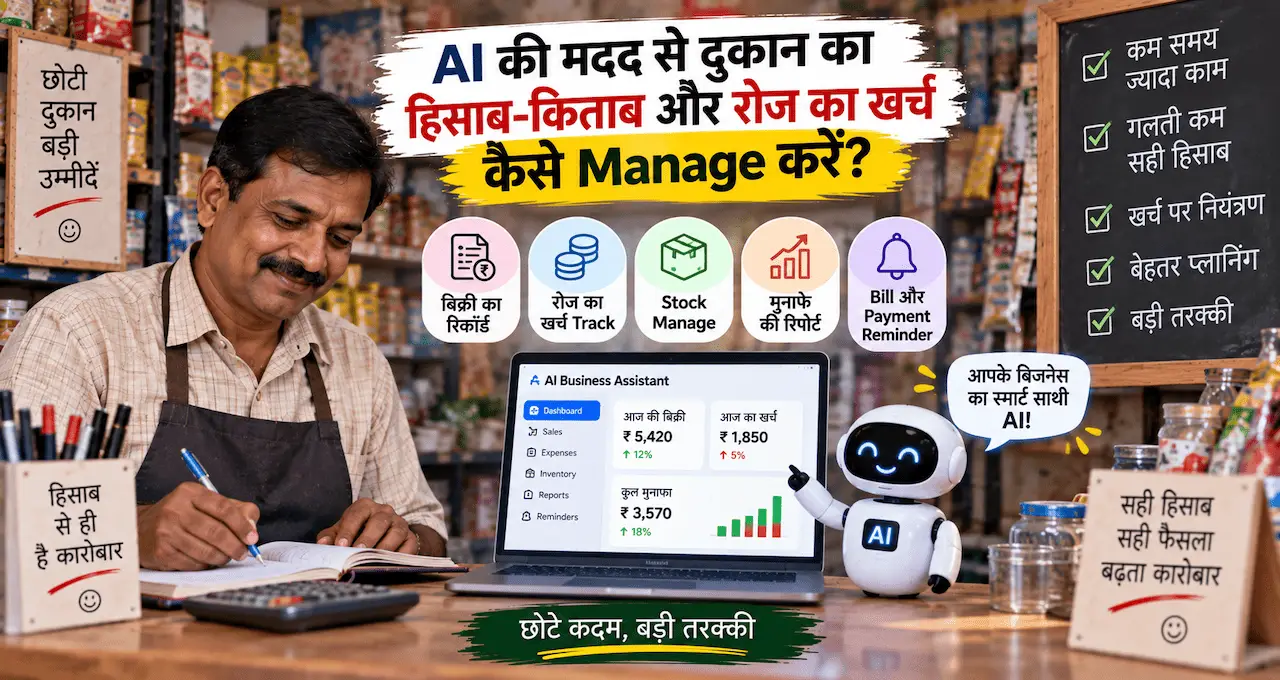
AI छोटे business में कहाँ practical मदद कर सकता है, इसके examples AI छोटे दुकानदारों और कारोबारियों का Business कैसे बदल सकता है? 10 Practical Uses में देख सकते हैं।
AI की असली Cost सिर्फ़ Subscription नहीं है
Business owner कई बार सिर्फ़ monthly tool fee देखता है।
लेकिन total cost में और भी चीजें हो सकती हैं:
- Subscription
- Team seats
- Extra usage
- Training time
- Setup time
- Integration work
- Human review
- Error correction
- Data cleanup
- Switching cost
मान लीजिए कोई AI tool सस्ता है, लेकिन हर output को 20 मिनट manually correct करना पड़ रहा है। दूसरी तरफ़ थोड़ा महंगा tool cleaner draft देता है और review time बचाता है।
तो सिर्फ़ monthly fee compare करना incomplete picture है।
Simple calculation रखें:
Tool Cost
- Setup Time Cost
- Review Time Cost
- Error Correction Cost
= Approximate AI Cost
फिर compare करें कि AI ने कितने hours या कितनी repetitive effort बचाई।
Free Tool हमेशा Cheapest क्यों नहीं होता?
Free plan attractive लग सकता है, लेकिन business use में कुछ questions अलग से check करने चाहिए।
क्या usage limits आपके काम के लिए enough हैं?
क्या team collaboration चाहिए?
क्या business data के लिए अलग controls available हैं?
क्या export या integration restrictions हैं?
क्या free version में branding या feature limitations हैं?
क्या policy बदलने पर workflow टूट सकता है?
Free tool testing के लिए useful हो सकता है, लेकिन core business process उस पर depend करने से पहले reliability और terms समझें।
Tool का नाम देखकर assumption न करें। Current pricing, data policy और business terms official source से verify करें।
Privacy Risk कहाँ से शुरू होता है?
AI privacy risk अक्सर तब शुरू होता है जब team convenience के लिए पूरा raw data prompt में paste कर देती है।
उदाहरण:
Customer की पूरी complaint history
Phone numbers
Addresses
Invoices
Supplier rates
Employee details
Internal strategy
Unreleased product information
हर task के लिए इतनी information ज़रूरी नहीं होती।
Data minimization rule रखें:
AI को सिर्फ़ उतना data दें जितना task पूरा करने के लिए वास्तव में ज़रूरी है।
अगर summary बनानी है और customer identity important नहीं है, तो नाम और phone number remove करें।
अगर expense categories analyze करनी हैं, तो bank account number की ज़रूरत नहीं है।
AI privacy पर broader precautions AI इस्तेमाल करते समय Privacy कितनी सुरक्षित है? Personal Data बचाने के 10 तरीके में detail में समझ सकते हैं।
कौन-सा Data AI में नहीं डालना चाहिए?
हर business की sensitivity अलग होगी, लेकिन default caution इन categories में रखें:
- Password
- OTP
- UPI PIN
- Card CVV
- Full banking credentials
- Unnecessary customer identity data
- Confidential contracts
- Private employee records
- Trade secrets
- Unreleased product information
- Sensitive health/legal records, अगर business context में आते हों
अगर tool या workflow को इनमें से किसी data की ज़रूरत लग रही है, तो पहले पूछें:
क्या data remove या mask किया जा सकता है?
क्या approved business plan/workspace चाहिए?
क्या access limited किया जा सकता है?
क्या task AI के बिना safer तरीके से हो सकता है?
Convenience privacy policy का replacement नहीं है।
AI गलत जानकारी क्यों दे सकता है?
Generative AI कई बार fluent और confident language में ऐसा answer दे सकता है जो factual रूप से गलत हो।
Business context में risk तब बढ़ता है जब AI:
गलत price बता दे।
पुरानी policy use करें।
Product feature invent कर दे।
Delivery date assume कर ले।
Refund approve जैसा language लिख दे।
Customer complaint का context गलत समझ ले।
इसे अक्सर AI hallucination कहा जाता है।
इस problem को detail में AI Hallucination क्या है? ChatGPT गलत जवाब क्यों देता है और कैसे पहचानें? में समझ सकते हैं।
Business rule simple रखें:
AI को source of truth न बनाएं।
Price का source price list है।
Inventory का source stock system है।
Policy का source approved policy document है।
AI इन sources से answer draft कर सकता है, लेकिन facts खुद से invent नहीं करने चाहिए।
High-Risk और Low-Risk AI Tasks अलग करें
हर AI task का risk same नहीं होता।
Low-Risk Tasks
- Caption ideas
- Meeting summary
- Internal brainstorming
- Draft email
- Content outline
- FAQ draft
गलती होने पर human जल्दी correct कर सकता है।
Medium-Risk Tasks
- Customer reply draft
- Product description
- Sales follow-up
- Expense categorization
- Report summary
इनमें human review रखना practical है।
High-Risk Tasks
- Refund approval
- Payment action
- Legal commitment
- Hiring rejection
- Sensitive customer decision
- Automatic financial transaction
- Safety-related advice
इन tasks को automatic AI decision पर छोड़ने से पहले बहुत stronger controls चाहिए। Small business के लिए कई cases में human-only decision बेहतर रहेगा।
Human Review कहाँ Mandatory रखें?
हर output manually review करना scale पर possible नहीं होता, इसलिए review rules बनाएं।
Human review mandatory रखें जब:
Money involve हो।
Customer complaint serious हो।
Price या discount mention हो।
Refund/return decision हो।
Legal या contractual language हो।
Sensitive data involve हो।
AI low confidence दिखाए।
Customer AI answer से disagree करे।
High-value order हो।
Business policy exception चाहिए।
Simple rule:
Low Risk → AI Assist
Medium Risk → AI Draft + Human Approval
High Risk → Human Decision
यह structure automation को practical बनाता है।
Customer Support में AI का Risk कैसे कम करें?
Customer support AI का popular use case है, लेकिन गलत reply trust को सीधा नुकसान पहुँचा सकता है।
Safe workflow:
Customer Message
↓
Category Identify करें
↓
Verified Knowledge Check करें
↓
AI Reply Draft करें
↓
Risk Check हो
↓
Auto Reply या Human Review
AI को clear instruction दें:
Price invent न करें।
Stock invent न करें।
Delivery date invent न करें।
Refund approval invent न करे।
Policy missing हो तो “verify करना होगा” कहे।
अगर customer angry है या payment issue है, human तक escalate करे।
Customer-facing AI setup से पहले approved FAQ और escalation rules तैयार करना ज़रूरी है।
गलत AI Output का Business Impact क्या हो सकता है?
AI error सिर्फ़ grammar mistake नहीं है।
Possible impact:
Customer trust कम होना
Wrong order
Refund dispute
Fake discount expectation
Employee confusion
Incorrect report
Bad marketing claim
Privacy incident
Extra support workload
यानी automation का फायदा तब खत्म हो सकता है जब correction cost बचाए हुए time से ज़्यादा हो जाए।
इसलिए AI success measure करते समय सिर्फ़ “कितना time बचा” न देखें।
Track करें:
Time saved
Error rate
Correction time
Customer complaints
Human escalation
Monthly tool cost
इन numbers से real value clearer होगी।
Tool Select करते समय Privacy Policy में क्या देखें?
हर AI tool के rules अलग हो सकते हैं और समय के साथ बदल सकते हैं।
Business use से पहले current official documentation में कम-से-कम यह check करें:
Data training के लिए use होता है या नहीं?
Retention कितनी है?
Data delete करने के controls क्या हैं?
Business/team plan में अलग privacy terms हैं?
Admin controls available हैं?
Team members क्या share कर सकते हैं?
Third-party integrations data कहाँ भेजती हैं?
Export और account deletion options क्या हैं?
Marketing page देखकर decision न लें। Official privacy, security और business terms भी पढ़ें।
और याद रखें: एक provider की policy दूसरे AI tool पर automatically apply नहीं होती।
Employee या Team Access कैसे Control करें?
छोटे business में अक्सर सभी लोग same login use करते हैं। यह convenient लग सकता है, लेकिन accountability और security दोनों को कमजोर करता है।
जहाँ possible हो:
Individual accounts रखें।
Role के हिसाब से access दें।
Shared passwords avoid करें।
Former employee का access जल्दी remove करें।
Sensitive workflows limited users तक रखें।
Prompt में customer data डालने के rules लिखें।
Team को बताएं कि कौन-सी information AI में नहीं डालनी है।
Technology से पहले process और responsibility clear होना ज़रूरी है।
AI Tool को Existing Business Process से कैसे जोड़ें?
गलत process को automate करने से problem तेज़ हो सकती है।
पहले manual workflow map करें।
उदाहरण:
Enquiry आए
↓
Requirement note हो
↓
Price verify हो
↓
Reply जाए
↓
Follow-up हो
↓
Order confirm हो
अब देखें कि AI कहाँ repetitive work कम कर सकता है।
Requirement summary?
Reply draft?
Follow-up reminder?
Weekly enquiry summary?
पूरे workflow को एक साथ automate करने की ज़रूरत नहीं।
एक low-risk step से शुरुआत करें।
Business process की basic planning के लिए Business कैसे शुरू करें? Business के लिए 10 जरूरी कदम और Practical Roadmap useful foundation है।
Shadow AI क्या problem पैदा कर सकता है?
कई businesses में official AI policy नहीं होती, फिर भी employees अपने पसंद के tools में company data डालना शुरू कर देते हैं।
इसे broadly shadow AI जैसा behavior कहा जा सकता है—AI use हो रहा है, लेकिन owner या management को पता नहीं कि कौन-सा data कहाँ जा रहा है।
Small business को complicated policy document की ज़रूरत नहीं है।
एक simple one-page rule भी useful हो सकता है:
Approved tools कौन-से?
Sensitive data क्या है?
Customer data कैसे handle होगा?
कौन-से tasks human approval मांगते हैं?
किस problem पर owner/manager को inform करना है?
Clear rules confusion कम करते हैं।
AI के लिए Simple Business Policy कैसे बनाएं?
एक छोटा internal policy note बनाएं।
Example:
Allowed
Public information summarize करना
Marketing drafts
Internal brainstorming
Non-sensitive templates
Review Required
Customer replies
Product descriptions
Prices और offers
Business reports
Not Allowed
Passwords/OTP
Full financial credentials
Unapproved confidential documents
Automatic refund/payment decision
Legal commitment without review
इसे team के काम के हिसाब से customize करें।
Policy tool-specific होने की बजाय risk-specific रखें ताकि tool बदलने पर पूरी policy rewrite न करनी पड़े।
AI का ROI कैसे measure करें?
AI adoption तभी useful है जब business result improve हो या effort meaningful तरीके से कम हो।
Simple before-and-after test करें।
AI से पहले:
Task time = 5 hours/week
AI के बाद:
Drafting = 1 hour
Review = 2 hours
Total = 3 hours/week
Time saved = 2 hours/week
अब tool cost और error correction भी जोड़ें।
अगर monthly subscription cost बहुत ज़्यादा है और saved time negligible है, तो tool शायद अभी justify नहीं करता।
अगर time बच रहा है, quality stable है और errors control में हैं, तो value clearer है।
एक ही काम के लिए बहुत सारे AI tools क्यों न लें?
Tool stacking hidden cost बन सकती है।
एक tool captions के लिए।
दूसरा images के लिए।
तीसरा summaries के लिए।
चौथा automation के लिए।
पाँचवाँ customer support के लिए।
कुछ समय बाद subscriptions, passwords, training और integrations manage करना अलग काम बन जाता है।
हर नए tool से पहले पूछें:
क्या existing tool यह काम reasonably कर सकता है?
क्या नया tool measurable improvement देगा?
क्या team इसे actually use करेगी?
क्या switching cost justify होती है?
Feature collection business strategy नहीं है।
AI output पर blind trust से कैसे बचें?
AI-generated content को तीन categories में check करें।
Facts
Date, number, price, feature, policy, name.
Claims
“Best”, “guaranteed”, “100% safe”, “fastest”, “approved”.
Actions
Customer को payment, refund, legal या financial step लेने को कहा जा रहा है?
जितना high-impact output होगा, verification उतना stronger होना चाहिए।
Marketing copy में भी AI को fake review, fake scarcity या fake result invent न करने दें।
Customer trust short-term conversion से ज़्यादा valuable है।
Generative AI और Normal Automation में फर्क समझें
हर problem के लिए generative AI ज़रूरी नहीं है।
अगर rule fixed है:
Invoice amount ₹10,000 से ऊपर हो तो manager approval चाहिए।
यह simple rule-based automation से बेहतर handle हो सकता है।
अगर task language understanding मांगता है:
Customer complaint का summary बनाना।
यह generative AI के लिए useful हो सकता है।
Rule-based काम को AI से complicated बनाना extra cost और uncertainty जोड़ सकता है।
Generative AI की basic working समझने के लिए Generative AI क्या है? ChatGPT और दूसरे AI Tools कैसे काम करते हैं? useful है।
AI Adoption के लिए 30-Day Low-Risk Plan
Week 1: एक Problem चुनें
एक repetitive, low-risk task identify करें।
Examples:
Content outline
FAQ draft
Internal summary
Caption ideas
Week 2: Controlled Test करें
Old या sample data पर AI output compare करें।
Track करें:
Time
Quality
Errors
Review effort
Week 3: Limited Real Use शुरू करें
एक employee या एक workflow में use करें।
Human review mandatory रखें।
Week 4: Result Review करें
पूछें:
Time बचा?
Errors acceptable हैं?
Privacy comfortable है?
Team use कर रही है?
Cost justify है?
Customer experience बेहतर है?
अगर answer weak है तो scale न करें।
AI adoption reversible और gradual रखना small business के लिए practical है।
AI Risk Checklist
किसी नए AI tool या workflow को approve करने से पहले check करें:
- Use case clear है?
- Business benefit measurable है?
- Total cost समझ में आती है?
- Sensitive data identify किया?
- Data minimization possible है?
- Official privacy terms check किए?
- AI output का source of truth clear है?
- Human review rule तय है?
- High-risk actions restricted हैं?
- Team access controlled है?
- Error correction process है?
- Tool बंद हो जाए तो backup process है?
अगर इनमें कई answers unclear हैं, तो adoption slow करना बेहतर है।
Common Mistakes जिनसे बचना चाहिए
- Trend देखकर tool खरीद लेना
- Subscription को total cost मानना
- Customer data पूरा paste करना
- AI को source of truth बनाना
- गलत answer बिना review भेजना
- Team के लिए usage rules न बनाना
- हर task automate करना
- High-risk decisions AI पर छोड़ना
- Too many tools लेना
- ROI measure न करना
- Privacy terms कभी न पढ़ना
- Backup workflow न रखना
AI adoption का goal maximum automation नहीं है।
Goal है useful automation with controlled risk।
AI speed के लिए, इंसान judgement और trust के लिए।
आख़िर में एक छोटी सी बात
छोटे business के लिए AI powerful assistant हो सकता है, लेकिन हर काम AI को देना smart strategy नहीं है।
सबसे safe शुरुआत यह है कि एक low-risk repetitive task चुनें, limited data के साथ test करें, output human से verify कराएं और फिर देखें कि time और cost में वास्तविक फायदा हो रहा है या नहीं।
Privacy के लिए minimum necessary data share करें। Accuracy के लिए approved source of truth रखें। Customer-facing और money-related decisions में human review मजबूत रखें। और हर नए tool को सिर्फ़ उसके features से नहीं, total cost और risk के साथ evaluate करें।
अगर AI business को तेज़ बनाता है लेकिन customer trust, privacy या accuracy कमजोर करता है, तो वह improvement नहीं है।
आपके business में AI अपनाने की सबसे बड़ी चिंता क्या है—Cost, Privacy, गलत Answers, Employee Use या Customer Trust? Comments में बताएं, ताकि उसी risk के लिए practical checklist और workflow पर अगली guide बनाई जा सके।