
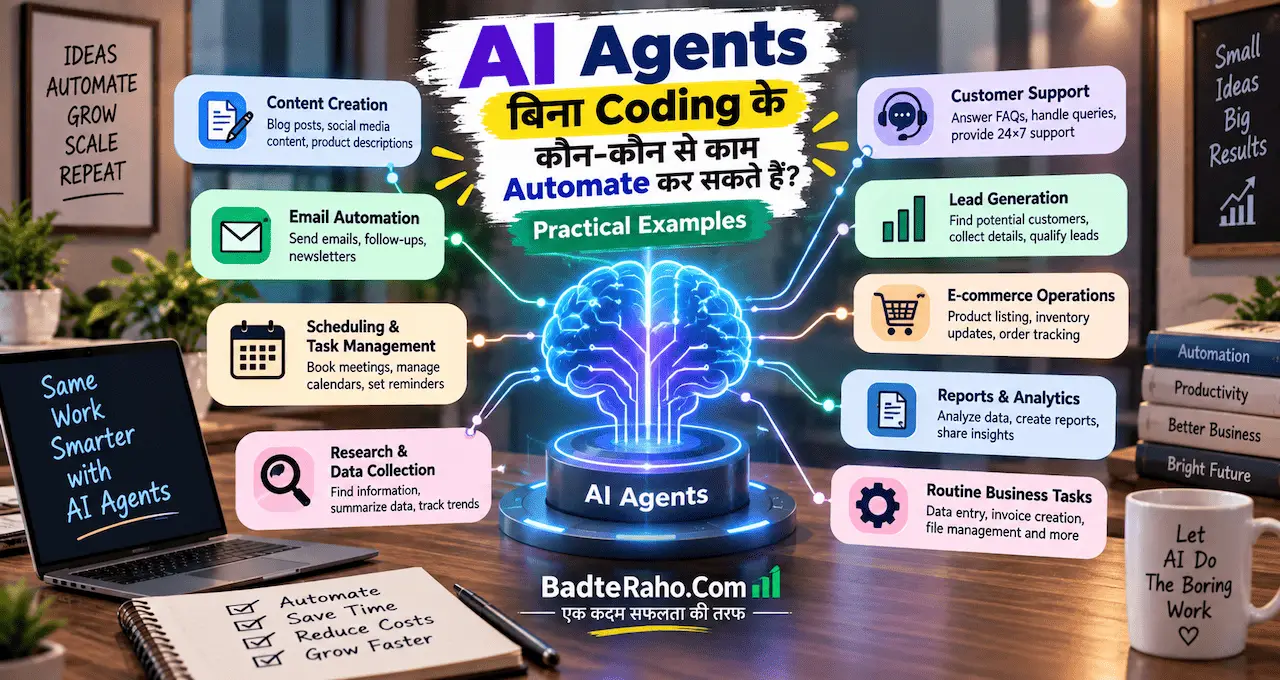






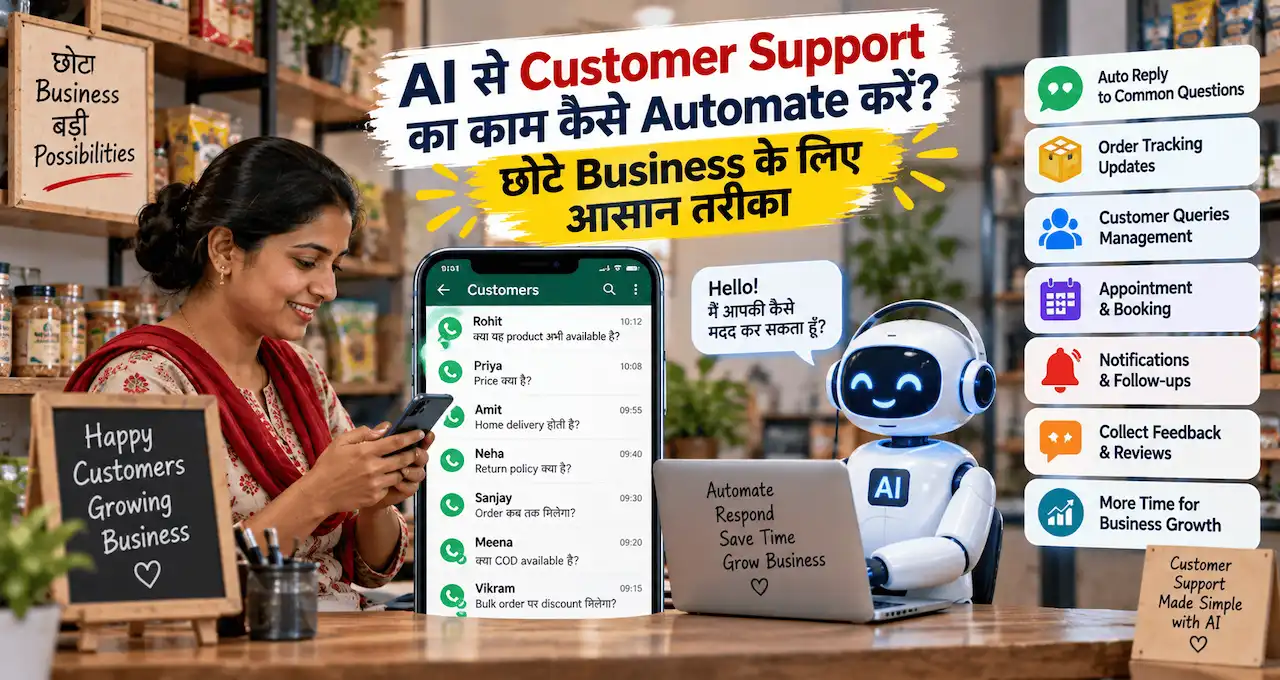





छोटे business में customer support अक्सर owner, family member या छोटी team खुद संभालती है।
Problem तब शुरू होती है जब WhatsApp, Instagram, email और website से एक साथ enquiries आने लगती हैं—हर बार वही price, timing, delivery, availability या process वाले सवालों का जवाब देना पड़ता है।
AI इस repetitive support work को काफी व्यवस्थित कर सकता है, लेकिन इसका मतलब customer से इंसान को पूरी तरह हटाना नहीं है। सही system में AI simple questions संभालता है, replies draft करता है, enquiries organize करता है और difficult cases सही व्यक्ति तक पहुँचाता है।
इस guide में समझेंगे कि छोटे business में customer support automation कहाँ useful है, कहाँ human approval ज़रूरी है और शुरुआत कैसे करें।
इस लेख में आप क्या सीखेंगे?
- Customer queries categorize करना
- FAQ replies automate करना
- Reply drafts जल्दी बनाना
- Follow-up system तैयार करना
- Human escalation सही रखना
- Support quality measure करना
AI Customer Support Automation क्या है?
Customer support automation का मतलब हर customer को robot से बात करवाना नहीं है।
इसका practical मतलब है repetitive support steps को system में organize करना।
उदाहरण:
Customer message आए
↓
System message पढ़े
↓
Question category identify करे
↓
Verified information से answer निकाले
↓
Simple case में reply भेजे
↓
Sensitive case human को भेजे
यहाँ AI customer की language समझने, intent identify करने और reply draft बनाने में मदद करता है।
अगर customer लिखता है:
“Delivery कितने दिन में होगी?”
तो यह FAQ हो सकता है।
लेकिन customer लिखता है:
“मेरा payment कट गया, लेकिन order confirm नहीं हुआ और मुझे आज ही solution चाहिए।”
तो इसे human escalation की ज़रूरत हो सकती है।
यही difference समझना अच्छे automation की foundation है।
AI छोटे business में और कहाँ useful हो सकता है, इसके practical examples AI छोटे दुकानदारों और कारोबारियों का Business कैसे बदल सकता है? 10 Practical Uses में भी देख सकते हैं।
सबसे पहले Support Questions की Categories बनाएँ
Automation शुरू करने से पहले पिछले 50–100 customer messages देखें।
उन्हें categories में divide करें।
उदाहरण:
- Price और package
- Delivery और timing
- Product availability
- Booking process
- Order status
- Payment issue
- Return/refund
- Complaint
- Technical problem
- Custom requirement
इस exercise से पता चलेगा कि कौन-से सवाल बार-बार आते हैं।
अगर 60% messages सिर्फ़ timing, price और delivery के बारे में हैं, तो पहले इन्हीं को automate करना useful होगा।
हर category के लिए तय करें:
Verified answer क्या है?
किस source से information आएगी?
कब human की ज़रूरत है?
कौन-सी information AI को invent नहीं करनी है?
Automation technology से पहले support policy clear होना चाहिए। अगर business process और customer journey अभी clear नहीं है, तो Business कैसे शुरू करें? Business के लिए 10 ज़रूरी कदम और Practical Roadmap से basic structure समझ सकते हैं।
1. Frequently Asked Questions के Replies Automate करें
Small business में बहुत-से questions predictable होते हैं।
जैसे:
“Shop कब खुलती है?”
“Home delivery available है?”
“Appointment कैसे book करें?”
“Minimum order क्या है?”
“Delivery charge कितना है?”
अगर answers fixed और verified हैं, तो approved FAQ knowledge base बनाया जा सकता है।
Workflow:
Customer Question
↓
Relevant FAQ Match
↓
Approved Answer
↓
Reply
लेकिन AI को खुद से price, policy या timing नहीं बनाना चाहिए।
अगर verified answer available नहीं है, तो बेहतर response होगा:
“इस information को confirm करने के लिए हमारी team से check करना होगा।”
यह invented answer से बेहतर है।
2. Customer Enquiry को Automatically Categorize करें
हर enquiry समान priority की नहीं होती।
AI incoming message को category में डालने में मदद कर सकता है।
उदाहरण:
“50 customized T-shirts चाहिए, अगले Tuesday तक।”
System इसे identify कर सकता है:
Category: Bulk Order
Product: Customized T-shirts
Quantity: 50
Deadline: Tuesday
Missing Detail: Sizes, design, delivery location
अब owner को पूरा message बार-बार पढ़ने की ज़रूरत नहीं।
Structured summary मिलने से response जल्दी हो सकता है।
यही approach salon, bakery, coaching, repair service, boutique और local agency जैसे businesses में भी useful हो सकती है।
3. AI से Reply Draft बनवाएँ, Final Facts Verified रखें
हर support reply fully automatic होना ज़रूरी नहीं।
बहुत practical model है:
Customer Message
↓
AI Draft
↓
Human Review
↓
Send
यह खासकर तब useful है जब enquiry custom हो।
मान लीजिए customer पूछता है:
“मुझे 25 लोगों के लिए catering चाहिए। Saturday evening delivery possible है?”
AI polite reply draft कर सकता है, लेकिन availability और price owner verify करेगा।
एक good support draft में चार चीजें होनी चाहिए:
Customer के सवाल का acknowledgement
Verified answer
Missing information का request
Next step
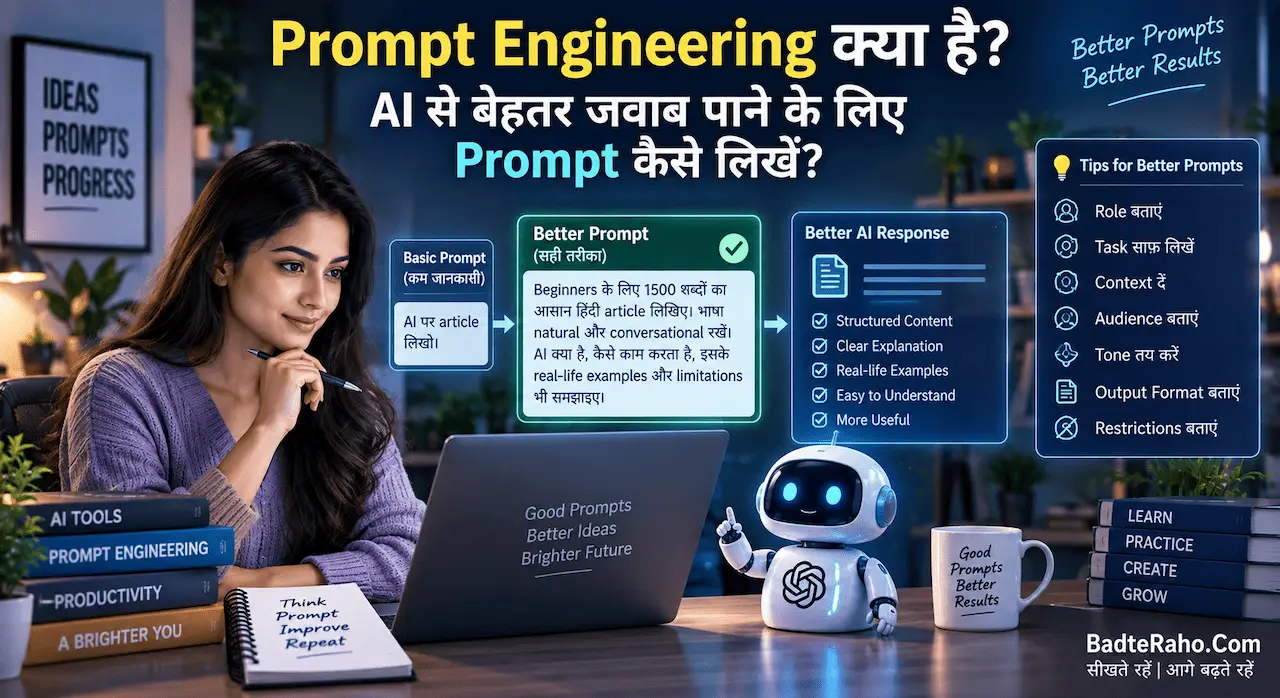
अगर prompts better लिखना सीखना है, तो Prompt Engineering क्या है? AI से बेहतर जवाब पाने के लिए Prompt कैसे लिखें? useful foundation है।
4. Follow-up Reminders Automate करें
कई enquiries के reply मिलने के बाद वहीं रुक जाती हैं।
Customer ने quotation लिया लेकिन जवाब नहीं दिया।
Appointment details भेजीं लेकिन booking confirm नहीं हुई।
Repair estimate भेजा लेकिन approval pending है।
ऐसे cases में automation task create कर सकता है।
उदाहरण:
Quotation Sent
↓
48 Hours Wait
↓
No Response
↓
Follow-up Reminder
AI follow-up message draft कर सकता है:
“नमस्ते, आपने [service] के बारे में enquiry की थी। अगर quotation या process को लेकर कोई सवाल हो तो बताइए, हम details clear कर सकते हैं।”
लेकिन fake urgency न बनाएँ।
“आज आखिरी मौका” या “सिर्फ़ 2 slots बचे हैं” तभी लिखें जब यह सच हो।
Customer support का goal pressure बनाना नहीं, friction कम करना है।
5. Order Status और Basic Updates Automate करें
Customer बार-बार पूछता है:
“Order कहाँ है?”
“Ready हुआ?”
“Dispatch हो गया?”
अगर आपके business में order status structured तरीके से track होता है, तो automated updates useful हो सकते हैं।
उदाहरण:
Order Confirmed
↓
In Progress
↓
Ready
↓
Dispatched
↓
Delivered
हर status change पर approved message भेजा जा सकता है।
लेकिन system और actual order status sync होने चाहिए।
अगर order अभी ready नहीं है तो AI को “ready for pickup” नहीं भेजना चाहिए।
Wrong automation support problem कम नहीं, बढ़ा देगा।
6. Long Customer Messages की Summary बनवाएँ
कुछ customers पूरी problem एक long paragraph में लिखते हैं।
Small team के लिए ऐसे messages जल्दी समझना मुश्किल हो सकता है।
AI summary बना सकता है:
Issue: Wrong item received
Order ID: Provided
Customer Request: Replacement
Urgency: Medium
Missing Detail: Product photo
अब team सीधे relevant action पर जा सकती है।
लेकिन summary final evidence नहीं है।
Refund, replacement या dispute में original customer message भी देखें।
AI important detail miss कर सकता है।
इसीलिए AI Hallucination क्या है? ChatGPT गलत जवाब क्यों देता है और कैसे पहचानें? समझना support automation में भी useful है।
Customer Support Automation का सही Workflow क्या होना चाहिए?
एक practical model यह हो सकता है:
Trigger
↓
Customer Message
↓
AI Classification
↓
Verified Knowledge Check
↓
Reply Draft
↓
Risk Check
↓
Auto Reply या Human Approval
↓
Conversation Log
↓
Follow-up
इसमें सबसे important हिस्सा “verified knowledge” है।
AI को source of truth न बनाएँ।
Source of truth हो सकता है:
- Current price list
- Delivery policy
- Opening hours
- Return policy
- Product catalogue
- Service area
- Booking process
इन documents को regularly update करना होगा।
पुरानी policy से बना perfect AI reply भी गलत होगा।
Knowledge Base कैसे बनाएँ?
बहुत complicated software से शुरुआत ज़रूरी नहीं है।
पहले simple document या spreadsheet बनाएँ।
Columns रख सकते हैं:
Question Category
Common Customer Question
Approved Answer
Escalation Needed?
Last Updated
उदाहरण:
Question: Delivery कितने दिनों में होती है?
Approved Answer: 2–4 working days, selected service areas में.
Escalation: अगर urgent delivery request हो.
लेकिन यह example structure है। अपने business की actual policy ही लिखें।
Knowledge base जितना clean होगा, automation उतना reliable होगा।
किन Support Cases को Human तक भेजना चाहिए?
हर question automated नहीं होना चाहिए।
इन cases में human escalation practical है:
Payment Problem
Payment कट गया लेकिन order confirm नहीं हुआ।
Refund या Return Dispute
Policy interpretation और exception हो सकते हैं।
Angry Customer
Tone और context carefully handle करना पड़ता है।
High-Value Order
Large quotation या custom commitment में review useful है।
Safety या Legal Issue
Sensitive complaint को generic AI reply पर न छोड़ें।
Repeated Failed Reply
Customer दो बार कह चुका है कि answer useful नहीं था।
Simple escalation rule रखें:
Low Risk → Automation
Medium Risk → Draft + Human Review
High Risk → Human Only
AI को कौन-सी बातें invent नहीं करनी चाहिए?
Support automation की सबसे dangerous mistake है confident गलत information।
AI को साफ instruction दें कि वह इन चीजों को invent न करे:
- Price
- Discount
- Stock
- Delivery date
- Refund approval
- Warranty
- Policy
- Product feature
- Appointment availability
- Legal commitment
अगर information missing है, तो response होना चाहिए:
“यह detail verify करनी होगी।”
Business trust बचाने के लिए uncertainty स्वीकार करना fabricated answer देने से बेहतर है।
Customer Data और Privacy का ध्यान कैसे रखें?
Support messages में personal information हो सकती है:
Phone number
Address
Order details
Payment information
Complaint history
किसी AI tool में customer data डालने से पहले उसकी privacy settings, business terms और data handling policy समझें।
जहाँ possible हो, unnecessary sensitive information remove करें।
Password, OTP, card PIN, CVV या banking credentials कभी support workflow में collect न करें।
Customer data safety पर detail में AI इस्तेमाल करते समय Privacy कितनी सुरक्षित है? Personal Data बचाने के 10 तरीके पढ़ सकते हैं।
WhatsApp और Social Media Support में क्या Approach रखें?
छोटे businesses में customer support अक्सर WhatsApp और Instagram DM से शुरू होता है।
यहाँ automation का goal conversation को robotic बनाना नहीं होना चाहिए।
Opening reply helpful रखें:
“नमस्ते! आपकी enquiry मिल गई है। कृपया product/service और requirement share करें।”
इसके बाद system relevant information collect कर सकता है।
उदाहरण:
Name
Requirement
Quantity
Location
Preferred Date
लेकिन शुरुआत में 10 questions एक साथ न भेजें।
Customer जितनी information naturally दे चुका है, वही दोबारा मत पूछें।
Support जितना आसान होगा, customer उतना कम frustrate होगा।
Support Automation में Sales को कैसे जोड़ें?
Customer support और sales अलग-अलग departments जैसे लग सकते हैं, लेकिन small business में दोनों connected हैं।
Customer पूछता है:
“क्या यह product मेरे use के लिए सही है?”
यह सिर्फ़ support question नहीं, buying decision भी है।
AI approved information के आधार पर options explain कर सकता है।
लेकिन upselling relevant होनी चाहिए।
अगर customer ₹500 का basic product पूछ रहा है तो हर बार expensive package push करना trust कम कर सकता है।
Sales और customer experience के balance को समझने के लिए Sales कैसे बढ़ाएं? छोटे Business के लिए 10 Practical तरीके और Customer Growth Guide useful है।
Customer Support Quality कैसे Measure करें?
Automation successful है या नहीं, सिर्फ़ “कितने messages AI ने handle किए” से decide न करें।
Track करें:
- First response time
- Resolution time
- Human escalation rate
- Repeated customer questions
- Wrong reply incidents
- Customer complaints
- Follow-up completion
- Resolved conversations
अगर automation के बाद response time कम हुआ लेकिन wrong replies बढ़ गए, तो system improve करना होगा।
Goal में ज्यादा automation नहीं है।
Goal है better support with less repetitive work।
एक Reusable AI Customer Support Prompt
आप मेरे small business के customer support assistant हैं।
Business Type: [Business Type]
Verified information:
[Price / Timing / Delivery / Policy / Service Area / Product Details]Customer message:
[Customer Message]पहले message को category में classify करें।
फिर:
- Customer का main question identify करें
- Provided verified information से answer दें
- Missing information हो तो उसे clearly ask करें
- कोई price, discount, stock, delivery date, refund approval, warranty, policy या product feature invent न करें
- Payment dispute, angry complaint, legal issue या policy exception हो तो “Human Review Required” लिखें
- Reply short, polite और natural रखें
Output:
Category:
Summary:
Missing Information:
Suggested Reply:
Human Review Required: Yes/No
इस prompt को पहले पुराने customer messages पर test करें।
Direct live automation से शुरुआत न करें।
पहले 7 दिनों का Practical Setup Plan
Day 1
पिछले customer messages collect करें।
Day 2
Top 10 repeated questions identify करें।
Day 3
Verified answers लिखें।
Day 4
Escalation rules बनाएँ।
Day 5
AI reply drafts test करें।
Day 6
20 old conversations पर errors check करें।
Day 7
Low-risk enquiries पर limited trial करें।
पहले week का goal 100% automation नहीं है।
Goal है यह पता लगाना कि automation कहाँ reliable है और कहाँ human judgement चाहिए।
Common Mistakes जिनसे बचना चाहिए
- हर message fully automate करना
- Old price list use करना
- Human escalation हटाना
- Customer data unnecessarily share करना
- AI-generated facts verify न करना
- Complaint में generic reply भेजना
- Follow-up को spam बना देना
- Automation का result measure न करना
Customer support में speed important है, लेकिन accuracy और trust उससे भी ज़्यादा important हैं।
AI speed के लिए, इंसान judgement और trust के लिए।
आख़िर में एक छोटी सी बात
AI customer support automation छोटे business के लिए तब useful है जब वह repetitive work कम करे—customer को confuse न करे।
पहले repeated questions identify करें।
फिर verified FAQ knowledge base बनाएँ।
Simple enquiries को automate करें, custom replies के लिए AI draft use करें और payment, refund, complaint या sensitive cases human तक भेजें।
Automation का सबसे अच्छा version वह नहीं है जिसमें owner customer से कभी बात ही न करे। सबसे अच्छा system वह है जिसमें owner का time उन conversations पर लगे जहाँ उसकी judgement और relationship सबसे ज़्यादा value देते हैं।
अगर automation से reply तेज़ हो, information consistent रहे और customer को सही समय पर human help मिले, तभी system वास्तव में useful है।
आपके business में customers सबसे ज़्यादा कौन-सा सवाल बार-बार पूछते हैं—price, delivery, booking, availability, order status या कोई दूसरा? Comments में बताएँ, ताकि उसी use case के लिए practical automation workflow बनाया जा सके।