







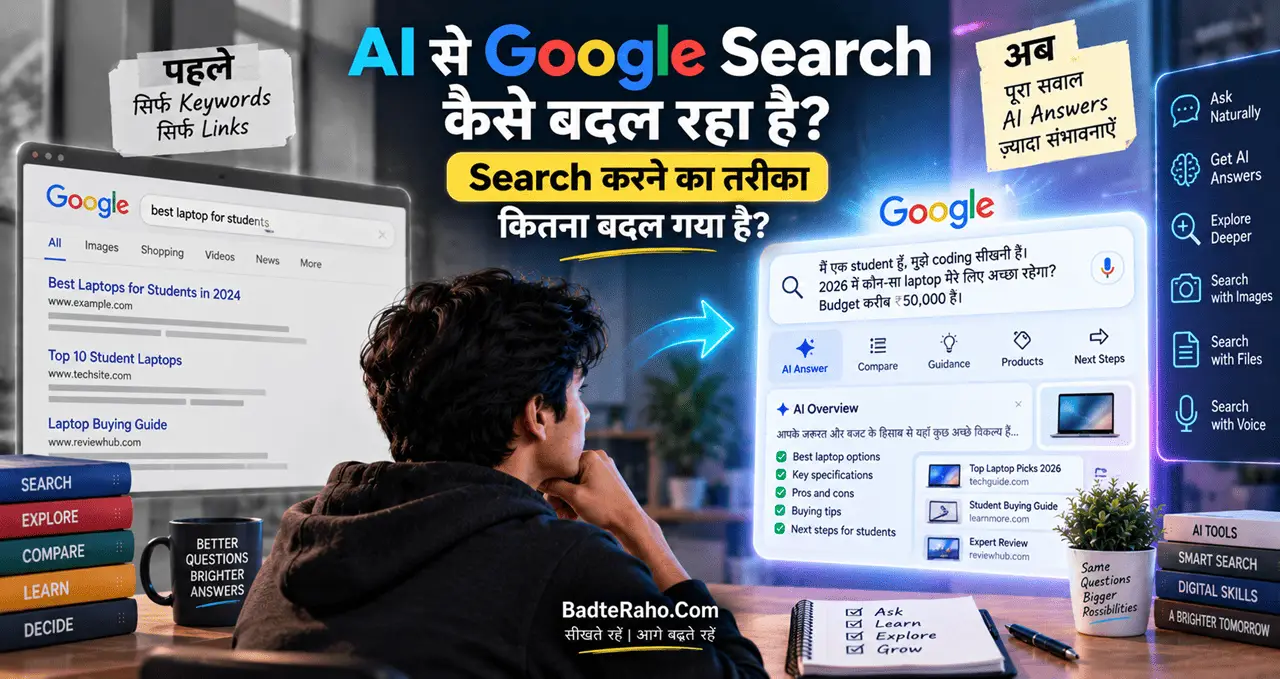



कुछ साल पहले Google पर Search करने का एक बहुत सीधा तरीका था।
आपने कोई सवाल लिखा, Search दबाया और सामने Websites की एक List आ गई। फिर आपने ऊपर से नीचे तक Results देखे, कुछ Links खोले, अलग-अलग Websites पढ़ीं और आखिर में अपनी ज़रूरत की जानकारी ढूँढी।
लेकिन अब Search करने का तरीका धीरे-धीरे बदल रहा है।
आज आप Google से सिर्फ़ “जानकारी कहाँ मिलेगी?” नहीं पूछ रहे हैं। आप उससे यह भी पूछ सकते हैं कि “मेरे लिए इसका मतलब क्या है?”, “इन दोनों में अंतर क्या है?”, “मुझे आगे क्या करना चाहिए?” या किसी बड़े सवाल को कई हिस्सों में समझाने के लिए कह सकते हैं।
Google Search में AI Overviews और AI Mode जैसे Features इसी बदलाव का हिस्सा हैं। Google के अनुसार, AI Mode अब एक Billion से ज्यादा Monthly Users तक पहुँच चुका है और AI Overviews के Monthly Active Users 2.5 Billion से ज्यादा हो चुके हैं। ये Google के अपने आँकड़े हैं, इसलिए इन्हें कंपनी द्वारा बताए गए आँकड़ों के रूप में समझना चाहिए।
लेकिन इसका मतलब यह नहीं है कि पुराना Google Search खत्म हो गया।
असल बदलाव यह है कि Search करने का तरीका बदल रहा है।
आइए इसे आसान भाषा में समझते हैं।
इस लेख में आप क्या सीखेंगे
इस लेख में हम जानेंगे:
- Google Search में AI क्या कर रहा है?
- AI Overviews क्या है?
- AI Mode क्या है?
- Traditional Search और AI Search में क्या अंतर है?
- अब Google पर सवाल किस तरह पूछना चाहिए?
- Long और conversational queries क्यों बढ़ रही हैं?
- Follow-up Questions का क्या फायदा है?
- AI Search में Websites और Links की भूमिका क्या है?
- Search में AI की गलत जानकारी से कैसे बचें?
- Students, Job Seekers और सामान्य Users के लिए इसका क्या मतलब है?
- Bloggers और Website Owners के लिए यह बदलाव क्यों महत्वपूर्ण है?
- आने वाले समय में Google Search किस दिशा में जा सकता है?
पहले Google पर Search कैसे करते थे?
एक आसान उदाहरण लेते हैं।
मान लीजिए आपको जानना है:
“भारत में Freelancing कैसे शुरू करें?”
पुराने तरीके में आप शायद Google पर लिखते:
Freelancing India beginners
या:
Freelancing कैसे शुरू करें
फिर Search Results में कई Websites आतीं।
आप एक Article खोलते।
फिर दूसरा।
फिर YouTube Video देखते।
फिर किसी दूसरे Website पर जाते।
अंत में अलग-अलग Sources की जानकारी को ख़ुद जोड़कर Answer बनाते।
यानी Google मुख्य रूप से आपको Information तक पहुँचने का रास्ता देता था।
अब Search में क्या बदल रहा है?
अब आप सवाल को ज्यादा Natural तरीके से पूछ सकते हैं।
उदाहरण:
“मैं भारत में Freelancing शुरू करना चाहता हूँ। मेरे पास सिर्फ़ Basic Computer Skills हैं और रोज़ 2 घंटे मिलते हैं। मुझे कौन-सी Skill सीखनी चाहिए और पहले 30 दिनों में क्या करना चाहिए?”
यह एक साधारण Keyword नहीं है।
यह एक Context वाला सवाल है।
AI-powered Search का बड़ा बदलाव यही है कि Search Engine लंबे, Complex और Multi-part Questions को समझने की दिशा में आगे बढ़ रहा है।
Google ने AI Mode को इसी तरह के Complex Questions के लिए बनाया है। Google के अनुसार, AI Mode सवाल को अलग-अलग Subtopics में बाँटकर कई Search Queries के जरिए Web पर जानकारी खोज सकता है और फिर उसे एक Response में व्यवस्थित कर सकता है।
यानी अब Search कुछ हद तक ऐसा हो सकता है:
आप सवाल पूछें → AI सवाल को समझे → कई चीज़ें खोजे → जानकारी जोड़े → जवाब दे → आप Follow-up पूछें।
AI Overviews क्या है?
Google Search में AI Overviews ऐसा AI-generated summary experience है जो कुछ Searches के ऊपर दिखाई दे सकता है।
मान लीजिए आपने पूछा:
“Machine Learning क्या है?”
Traditional Search में आपको Websites की List दिखाई देती थी।
AI Overview उपलब्ध होने पर Search के ऊपर आपको Topic का एक AI-generated Overview मिल सकता है, साथ में आगे पढ़ने के लिए Web Links भी दिए जा सकते हैं।
इससे आपको किसी Topic का Basic Idea जल्दी मिल सकता है।
लेकिन यहाँ एक महत्वपूर्ण बात है:
AI Overview को Final Authority नहीं समझना चाहिए।
AI-generated Answer में गलती हो सकती है। इसलिए खासकर Medical, Financial, Legal, Academic या किसी महत्वपूर्ण Decision से जुड़ी जानकारी के लिए Original Sources खोलकर Verify करना बेहतर है।
Google भी AI Search को सुधारते हुए यह मानता है कि AI Responses हमेशा सही नहीं हो सकते और Search में Web Results तथा Sources तक पहुँच महत्वपूर्ण बनी रहती है।
AI Mode क्या है?
AI Overviews और AI Mode को एक ही चीज़ समझना आसान है, लेकिन दोनों का Experience अलग हो सकता है।
AI Overview Search Results में AI-generated Summary दे सकता है।
वहीं AI Mode ज्यादा Conversational और Deep Search Experience देने के लिए बनाया गया है।
आप एक सवाल पूछ सकते हैं और फिर उसी Conversation में दूसरा सवाल पूछ सकते हैं।
उदाहरण:
पहला सवाल:
“भारत में Electric Vehicle खरीदते समय किन बातों का ध्यान रखना चाहिए?”
फिर आप पूछ सकते हैं:
“अगर मेरा Budget ₹10 लाख है तो किन चीज़ों की तुलना करनी चाहिए?”
फिर:
“Battery और Charging Cost भी समझाइए।”
यानी हर बार पूरी बात दोबारा लिखने की जरूरत कम हो सकती है।
Google ने AI Mode को Follow-up Questions, Advanced Reasoning और Multimodal Search जैसे Features के साथ विकसित किया है।
Search अब Keywords से Questions की तरफ क्यों जा रहा है?
पहले हम Google को कुछ शब्द देते थे।
अब हम Google को अपनी पूरी Problem बता सकते हैं।
उदाहरण के लिए:
पुराना तरीका
Best laptop under 50000
नया तरीका
“मैं Student हूँ, Coding सीखना चाहता हूँ और मेरा Budget ₹50,000 है। मुझे ऐसा Laptop चाहिए जिस पर Programming के साथ Basic Video Editing भी हो सके। किन Specifications को प्राथमिकता दूँ?”
दूसरा सवाल ज्यादा बड़ा है।
लेकिन इसमें Context भी ज्यादा है।
AI-powered Search का फायदा यही है कि वह सिर्फ़ एक Keyword Match करने के बजाय सवाल के Intent और Context को समझने की कोशिश करता है।
Google ने 2025 में बताया था कि AI Overviews के बाद लोग ज्यादा Complex और लंबे सवाल पूछ रहे थे; कंपनी ने यह भी कहा कि अमेरिका और भारत जैसे बड़े Markets में AI Overviews दिखने वाली Queries के उपयोग में 10% से ज्यादा वृद्धि देखी गई थी।
अब Google पर Search कैसे करना चाहिए?
यह शायद सबसे महत्वपूर्ण सवाल है।
AI Search के दौर में आपको Search Query को थोड़ा ज्यादा Conversational बनाना सीखना चाहिए।
सिर्फ़ यह मत लिखिए:
AI Jobs
इसके बजाय:
“2026 में AI से जुड़ी कौन-सी Jobs Beginners के लिए अच्छी हो सकती हैं और उनके लिए कौन-सी Skills सीखनी चाहिए?”
सिर्फ़ यह मत लिखिए:
UPI Scam
इसके बजाय:
“UPI Scam के आम तरीके कौन-से हैं और Payment करने से पहले किन चीज़ों को Verify करना चाहिए?”
सिर्फ़ यह मत लिखिए:
Study Focus
इसके बजाय:
“पढ़ाई करते समय मेरा Focus बार-बार टूट जाता है। 2 घंटे की Study Session को बेहतर तरीके से कैसे Plan कर सकता हूँ?”
इस तरह Search Engine को आपका Goal + Context + Problem ज्यादा स्पष्ट मिलता है।
Search Query का नया Formula
AI Search के लिए आप एक आसान Formula याद रख सकते हैं:
Topic + Context + Goal + Constraint
उदाहरण:
Topic: Freelancing
Context: मैं Beginner हूँ
Goal: पहला Client पाना है
Constraint: रोज़ सिर्फ़ 2 घंटे हैं
अब इससे एक बेहतर Search बन सकता है:
“मैं Freelancing में Beginner हूँ और रोज़ सिर्फ़ 2 घंटे दे सकता हूँ। पहला Client पाने के लिए कौन-सी Skill और कौन-सा 30-Day Plan अपनाऊँ?”
यही बदलाव Search को ज्यादा Useful बना सकता है।
Follow-up Questions Search को ज्यादा आसान बना रहे हैं
पहले अगर आपने एक Website खोली और फिर नया सवाल आया, तो आपको वापस Google पर जाकर नया Search करना पड़ता था।
Conversational AI Search में आप उसी Topic को आगे बढ़ा सकते हैं।
उदाहरण:
“AI क्या है?”
फिर:
“इसे आसान उदाहरण से समझाइए।”
फिर:
“Machine Learning इसमें कहाँ आती है?”
फिर:
“क्या इसके लिए Coding सीखना जरूरी है?”
इस तरह Search एक Question → Answer → Follow-up → Deeper Answer वाली बातचीत जैसा बन सकता है।
अगर आपको AI और Machine Learning का Basic अंतर समझना है, तो Machine Learning क्या है? वाला हमारा लेख पढ़ सकते हैं।
Search अब सिर्फ़ Text तक सीमित नहीं रह रहा
AI की वजह से Search का एक और महत्वपूर्ण बदलाव है—Multimodal Search।
यानी भविष्य का Search सिर्फ़ Text Type करने तक सीमित नहीं रह सकता।
आप Image, Voice, Files और दूसरे प्रकार के Context के साथ भी Search कर सकते हैं।
Google ने 2026 में अपने नए AI-powered Search Box के बारे में बताया कि वह Text, Images, Files, Videos और Chrome Tabs जैसे Inputs के साथ काम करने की दिशा में बढ़ रहा है।
इसका मतलब समझिए।
अगर आपके पास किसी पौधे की Photo है, तो आप सिर्फ़ उसका नाम पूछने के बजाय पूछ सकते हैं:
“यह कौन-सा पौधा है और इसकी देखभाल कैसे करें?”
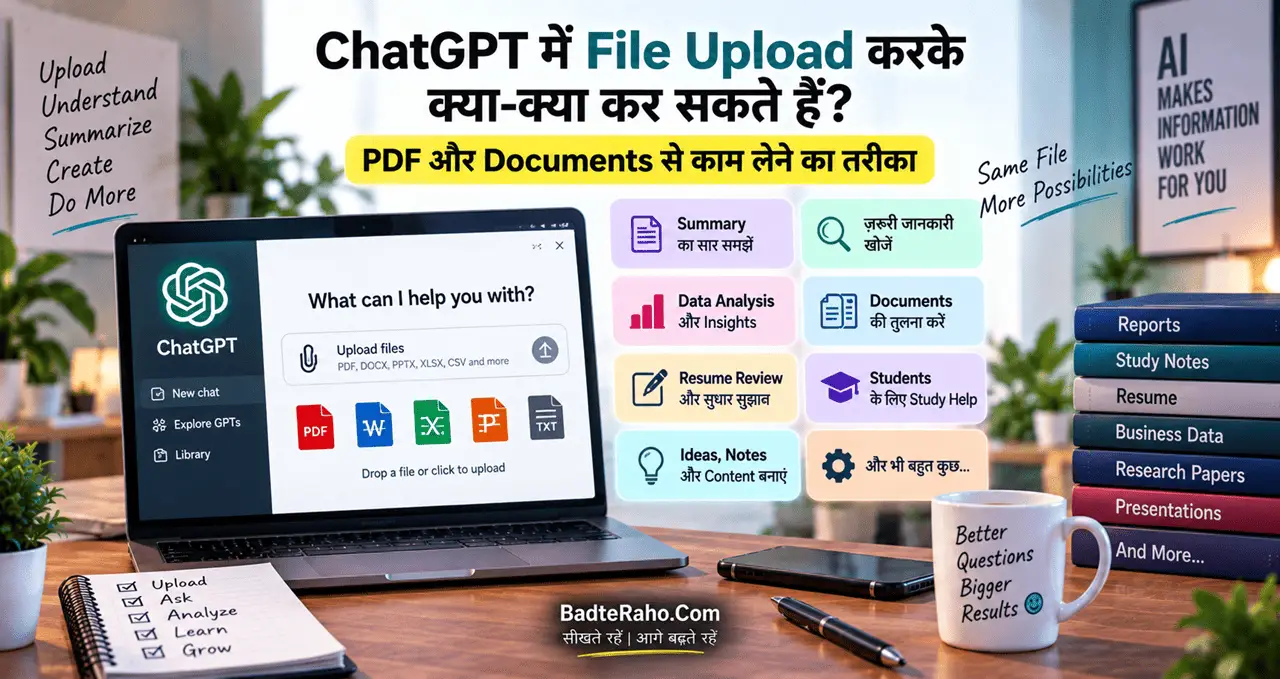
अगर आपके पास कोई Document है, तो आप उससे जुड़ा सवाल पूछ सकते हैं।
अगर आप किसी Product की Photo देखते हैं, तो आगे की जानकारी खोजने के लिए Image को Context की तरह इस्तेमाल किया जा सकता है।
यानी Search Box धीरे-धीरे सिर्फ़ “कुछ Type करने की जगह” नहीं रह रहा।
वह एक Information Interface बनने की दिशा में बढ़ रहा है।
क्या अब Websites खोलने की जरूरत नहीं पड़ेगी?
यह एक बड़ा सवाल है।
अगर AI हमें Summary दे देता है, तो क्या हम Websites खोलना बंद कर देंगे?
ज़रूरी नहीं।
Google खुद AI Search में Websites और Web Links की भूमिका बनाए रखने पर जोर दे रहा है।
कंपनी के अनुसार, AI Search में ज्यादा Complex Questions पूछे जाने के साथ Users को Web पर आगे Explore करने के लिए Links भी दिए जा रहे हैं। Google ने यह भी कहा है कि AI Search से आने वाले कुछ Clicks ज्यादा Quality वाले हो सकते हैं क्योंकि Users अक्सर किसी Topic को और गहराई से समझने के लिए Website पर जाते हैं।
यानी भविष्य का Search शायद ऐसा नहीं होगा:
AI Answer या Website
बल्कि:
AI Answer → Relevant Sources → Original Website → Deeper Information
हो सकता है।
और यही Website Owners के लिए बहुत महत्वपूर्ण बदलाव है।
AI Search में Source को Verify करना और भी जरूरी क्यों हो गया?
यहाँ एक थोड़ा उल्टा बदलाव हो रहा है।
AI आपको जवाब जल्दी दे सकता है।
लेकिन जल्दी मिलने वाला जवाब हमेशा सही जवाब नहीं होता।
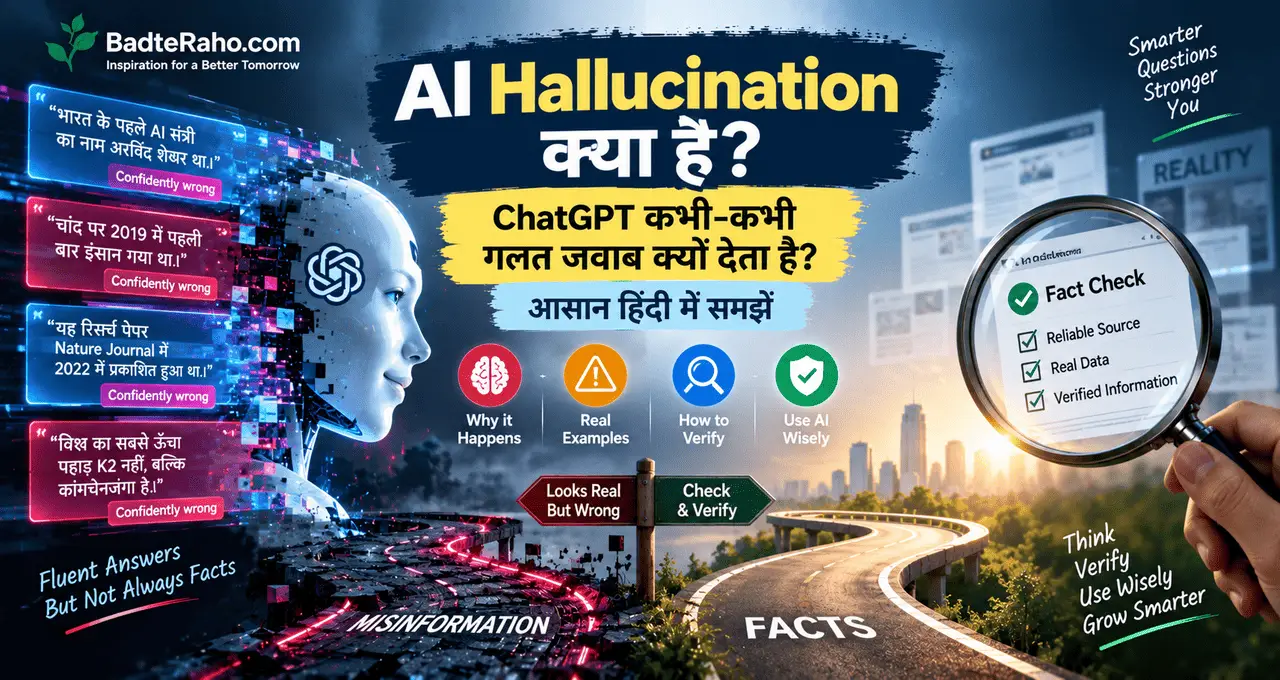
AI Systems कभी-कभी ऐसी जानकारी भी बना सकते हैं जो सुनने में सही लगे लेकिन वास्तव में गलत हो।
इसे आम तौर पर AI Hallucination कहा जाता है।
अगर आप AI के गलत जवाब के बारे में ज्यादा समझना चाहते हैं, तो AI Hallucination क्या है? वाला लेख पढ़ सकते हैं।
इसलिए AI Search इस्तेमाल करते समय एक अच्छी आदत बनाइए:
Answer पढ़ें → Source देखें → Original Website खोलें → Important Fact Verify करें।
खासकर जब:
- पैसे का सवाल हो
- Job या Career Decision हो
- Legal Information हो
- Health से जुड़ी जानकारी हो
- Government Rules हों
- Exam या Education की महत्वपूर्ण जानकारी हो
AI Search और ChatGPT में क्या अंतर है?
अब एक और सवाल उठता है:
“अगर Google AI Search कर रहा है, तो ChatGPT की जरूरत क्या है?”
दोनों का अनुभव कई जगह एक-दूसरे के करीब आ सकता है, लेकिन इनके मूल Use Cases में अंतर हो सकता है।
Google Search
मुख्य रूप से:
- Web Search
- Current Information
- Websites
- News
- Local Information
- Products
- Maps
- Web Sources
जैसी चीज़ों को खोजने के लिए उपयोगी है।
ChatGPT
मुख्य रूप से:
- Explanation
- Brainstorming
- Writing
- Analysis
- Learning
- Documents के साथ काम
- Ideas को व्यवस्थित करना
- Step-by-step बातचीत
जैसे कामों में उपयोगी हो सकता है।
हालांकि दोनों के Features लगातार विकसित हो रहे हैं और इनके बीच का अंतर कुछ मामलों में कम होता जा रहा है।
यानी सवाल यह नहीं है कि:
“Google या AI?”
बल्कि यह है:
“मेरे काम के लिए कौन-सा तरीका बेहतर है?”
Students के लिए Search कैसे बदल रहा है?
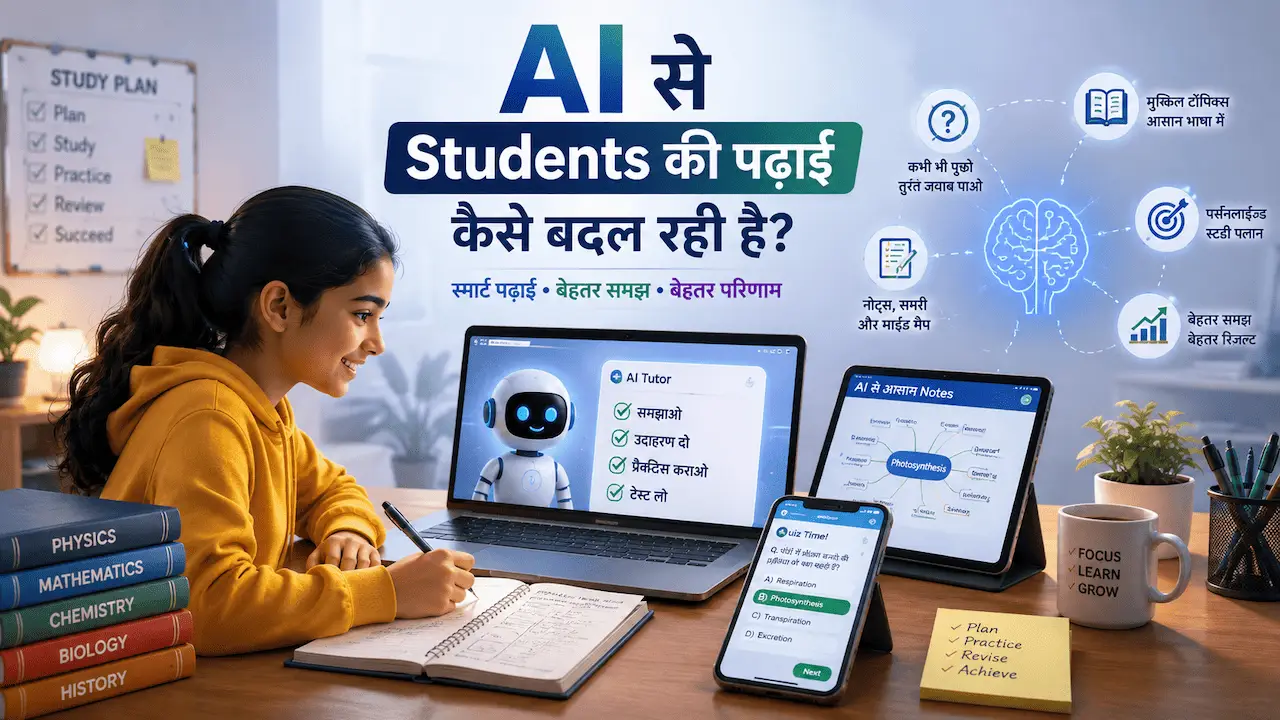
Students के लिए यह बदलाव काफी उपयोगी हो सकता है।
मान लीजिए कोई Student लिखता है:
“Photosynthesis”
यह बहुत Broad Query है।
लेकिन वह पूछ सकता है:
“Photosynthesis को Class 10 के Student की तरह आसान भाषा में समझाइए और अंत में 5 Important Questions भी दीजिए।”
अब Search ज्यादा Contextual हो गया।
फिर Student पूछ सकता है:
“अब इसे एक Real-Life Example से समझाइए।”
फिर:
“अब इसका 100 शब्दों का Revision Note बनाइए।”
यानी Search एक Learning Conversation जैसा अनुभव दे सकता है।
लेकिन Students के लिए भी यही नियम है:
AI का जवाब पढ़ें, समझें और अपनी Textbook/Syllabus से Verify करें।
सिर्फ़ AI का Answer याद कर लेना Learning नहीं है।
Job Seekers के लिए AI Search कैसे उपयोगी हो सकता है?
Job Search में भी सवाल बदल सकता है।
पहले:
“Digital Marketing Jobs”
अब:
“मैं Fresher हूँ और Digital Marketing सीख रहा हूँ। Entry-Level Job के लिए किन Skills और Projects को Resume में दिखाना चाहिए?”
फिर:
“अगर मेरे पास Experience नहीं है तो Portfolio कैसे बनाऊँ?”
फिर:
“Interview में कौन-से Questions पूछे जा सकते हैं?”
एक ही Topic पर लगातार Follow-up Questions पूछकर आप अपनी Research को ज्यादा Structured बना सकते हैं।
अगर आप Job Interview की तैयारी कर रहे हैं, तो Job Interview की तैयारी कैसे करें? वाला Guide भी देख सकते हैं।
Bloggers के लिए Google Search का यह बदलाव क्यों महत्वपूर्ण है?
यह बदलाव सिर्फ़ Users के लिए नहीं है।
Bloggers और Website Owners के लिए भी Search का पूरा Landscape बदल रहा है।
पहले SEO का एक बड़ा लक्ष्य था:
Google Search Results में Rank करना → User Click करे → Website पर आए।
अब बीच में AI-generated Responses भी आ सकते हैं।
इसलिए सिर्फ़ Keyword डालकर Article लिखना पर्याप्त नहीं हो सकता।
Content में होना चाहिए:
- Original Information
- Clear Explanation
- Useful Examples
- First-hand Experience
- Updated Information
- Trustworthy Sources
- Specific Answers
- Strong Structure
- Human Value
Google ने 2026 में AI Search के लिए Website Owners को Performance Insights और नए Controls देने की शुरुआत की है, जिससे यह स्पष्ट है कि Website Owners के लिए AI Search अब एक अलग और महत्वपूर्ण Search Environment बन चुका है।
क्या AI Search से Traditional SEO खत्म हो जाएगा?
नहीं।
लेकिन SEO का Focus बदल सकता है।
पहले सवाल था:
“मैं इस Keyword पर Rank कैसे करूँ?”
अब इसके साथ एक और सवाल जुड़ रहा है:
“अगर User इस Topic को AI Search में पूछे, तो मेरी Website की जानकारी उसके लिए Useful क्यों होगी?”
इसका मतलब है कि Content को सिर्फ़ Search Engine के लिए नहीं, बल्कि Real User और Information Need के लिए बनाना ज्यादा महत्वपूर्ण होता जा रहा है।
उदाहरण के लिए अगर आपका Article सिर्फ़:
“Freelancing क्या है?”
का Generic Answer देता है, तो उसमें अलग दिखना मुश्किल हो सकता है।
लेकिन अगर आप:
- Indian Beginners की Problems
- Real Examples
- Step-by-Step Process
- Common Mistakes
- Practical Pricing
- Portfolio Examples
- Useful Templates
जैसी चीज़ें जोड़ते हैं, तो Content ज्यादा Valuable बन सकता है।
क्या Search करने का तरीका पूरी तरह बदल जाएगा?
शायद नहीं।
कुछ Searches अभी भी बहुत Simple रहेंगे।
जैसे:
आज मौसम कैसा है?
दिल्ली से मुंबई की Flight कितनी है?
IPL का अगला Match कब है?
किसी Website का Address क्या है?
इनमें Traditional Search Results बहुत उपयोगी हो सकते हैं।
लेकिन Complex Questions में AI का Role बढ़ सकता है।
उदाहरण:
“मैं 3 दिन की Trip पर जाना चाहता हूँ, Budget ₹25,000 है, मुझे भीड़ पसंद नहीं है और मैं Historical Places देखना चाहता हूँ। Plan बनाइए।”
यह सिर्फ़ एक Keyword नहीं है।
यह एक Problem Statement है।
AI Search ऐसे सवालों को Handle करने के लिए बनाया जा रहा है।
Search का नया तरीका: Keyword नहीं, Context सोचिए
अगर आपको AI-powered Search से बेहतर Result चाहिए, तो एक छोटी आदत बदलें।
पहले सोचिए:
“मुझे Google में कौन-से Keywords लिखने हैं?”
अब सोचिए:
“मुझे वास्तव में जानना क्या है?”
फिर उसे Natural Language में लिखिए।
उदाहरण:
पुराने तरीके से
Best AI tools students
बेहतर Context के साथ
“मैं College Student हूँ और पढ़ाई के लिए AI का इस्तेमाल करना चाहता हूँ। कौन-से काम AI से कर सकता हूँ और किन कामों में खुद मेहनत करना जरूरी है?”
दूसरा सवाल आपकी जरूरत ज्यादा स्पष्ट करता है।
यही AI Search का एक बड़ा बदलाव है।
AI Search इस्तेमाल करते समय 7 गलतियाँ न करें
1. हर AI Answer को सही मान लेना
AI गलती कर सकता है।
2. Source देखे बिना Important Information मान लेना
जरूरी जानकारी हमेशा Verify करें।
3. बहुत छोटा और अस्पष्ट सवाल पूछना
Context देने से जवाब ज्यादा उपयोगी हो सकता है।
4. Follow-up Questions न पूछना
पहले Answer के बाद अपनी अगली जरूरत पूछें।
5. पुराने Articles पर पूरी तरह निर्भर रहना
Current Information के लिए Date और Source देखें।
6. एक ही AI Answer पर Decision लेना
महत्वपूर्ण फैसलों में Multiple Sources देखें।
7. AI को अपना पूरा Thinking Process सौंप देना
AI से मदद लें, लेकिन Final Judgment ख़ुद करें।
AI Search के दौर में एक Smart Search Formula
अगली बार Google पर Search करते समय यह Formula आज़माइए:
Context + Problem + Goal + Constraints
उदाहरण:
“मैं एक Beginner Blogger हूँ। मुझे AI और Technology पर Hindi में Article लिखना है। मेरा Audience Students और Young Professionals हैं। Topic Research करने के लिए किन Points को Cover करना चाहिए?”
अब Search Engine को पता है:
आप कौन हैं → Problem क्या है → Goal क्या है → Constraint क्या है।
इससे Search ज्यादा Intent-focused हो सकता है।
आने वाले समय में Search कैसा हो सकता है?
Google Search अभी भी लगातार बदल रहा है।
2026 में Google ने Search के लिए AI-powered Search Box, AI Mode, AI Overviews और Agentic Features की दिशा में कई बदलाव पेश किए हैं। कंपनी के अनुसार उसका लक्ष्य ऐसा Search बनाना है जिसमें User अपनी जरूरत को ज्यादा Natural तरीके से व्यक्त कर सके और Search उस जरूरत को समझकर Web से जानकारी खोजने में ज्यादा सक्रिय भूमिका निभाए।
इससे भविष्य का Search कुछ ऐसा दिखाई दे सकता है:
आप सिर्फ़ Search नहीं करेंगे।
आप अपनी Problem बताएँगे।
फिर Search:
समझेगा → खोजेगा → तुलना करेगा → जानकारी व्यवस्थित करेगा → Sources दिखाएगा → और आपको आगे Explore करने देगा।
यानी Search Engine धीरे-धीरे Answer Engine + Research Assistant + Discovery Tool जैसा अनुभव दे सकता है।
लेकिन इसका मतलब यह नहीं कि Human Judgment की जरूरत खत्म हो जाएगी।
बल्कि शायद उल्टा होगा।
जब Information और जल्दी मिलने लगेगी, तब सही Information पहचानने की क्षमता और महत्वपूर्ण हो जाएगी।
BadteRaho Tip 💡
AI Search में अच्छा सवाल पूछना एक नई Digital Skill बनता जा रहा है।
अगर आपको सिर्फ़ एक शब्द पता है, तो उसे Search करें।
लेकिन अगर आपको अपनी Problem पता है, तो उसे पूरे Context के साथ पूछें।
उदाहरण:
❌ “AI Career”
की जगह:
✅ “मैं Graduate हूँ लेकिन Coding में बहुत Strong नहीं हूँ। AI के दौर में कौन-सी Tech और Non-Tech Skills सीखकर Career बना सकता हूँ?”
दूसरा सवाल आपकी वास्तविक जरूरत बताता है।
और यही AI-powered Search की सबसे बड़ी ख़ासियत है।
अगर आप AI को बेहतर तरीके से Instructions देना सीखना चाहते हैं, तो Prompt Engineering क्या है? वाला Article जरूर पढ़ें।
Action Plan Box 🚀
आज से Google Search इस्तेमाल करते समय यह छोटा Experiment करें।
Step 1
किसी Topic को सिर्फ़ Keyword से Search करें।
Step 2
उसी Topic को एक पूरा सवाल बनाकर Search करें।
Step 3
Context जोड़ें।
Step 4
AI Overview या AI Mode उपलब्ध हो तो उसका Answer पढ़ें।
Step 5
दिए गए Sources में से कम से कम एक-दो Original Websites खोलें।
Step 6
अगर Answer अधूरा है तो Follow-up Question पूछें।
Step 7
Important Information को Verify करें।
कुछ दिनों तक ऐसा करने के बाद आपको खुद महसूस होगा कि AI के दौर में Search करना सिर्फ़ “सही Keyword ढूँढने” का काम नहीं रह गया है।
आख़िर में एक छोटी सी बात
Google Search खत्म नहीं हो रहा है।
Google Search बदल रहा है।
पहले हम Search Engine से पूछते थे:
“मुझे यह जानकारी कहाँ मिल सकती है?”
अब हम पूछ सकते हैं:
“मेरी Problem यह है—इसे समझने और Solve करने में मेरी मदद करो।”
यही बदलाव सबसे महत्वपूर्ण है।
AI Overviews, AI Mode, Conversational Search और Multimodal Search जैसी सुविधाएँ Search को ज्यादा Interactive बनाने की दिशा में बढ़ रही हैं। साथ ही, Web और Original Sources की भूमिका अभी भी महत्वपूर्ण है।
इसलिए आगे बढ़ने का सबसे अच्छा तरीका यह नहीं है कि आप सिर्फ़ AI पर भरोसा करें।
बल्कि:
AI से पूछें → Sources देखें → खुद समझें → Verify करें → फिर फैसला लें।
क्योंकि आने वाले समय में सिर्फ़ “Search करना” ही Skill नहीं होगा।
सही सवाल पूछना और सही जवाब पहचानना भी उतना ही ज़रूरी होगा।
आपको ये लेख कैसा लगा, हमें कमेंट करके ज़रूर बताएँ। अगर आपके पास भी कोई लेख, कहानी या कविता है, तो आप उसे हमें badteraho@gmail.com पर भेज सकते हैं। पसंद आने पर हम आपके लेख को आपके नाम के साथ BadteRaho.Com पर प्रकाशित करेंगे।
Keywords: AI से Google Search कैसे बदल रहा है, Google AI Search, AI Search क्या है, Google AI Mode, Google AI Overviews, AI Overview क्या है, Google Search 2026, AI से Search कैसे बदल रहा है, Google Search में AI, AI Search India, AI Mode India, Google Search का नया तरीका, Search करने का सही तरीका, AI से Google पर Search कैसे करें, conversational search, AI search engine, Google Search AI features, AI Search कैसे काम करता है, Google AI Search 2026, future of Google Search, AI और SEO, AI Search और SEO, AI search for students, Google Search tips, बेहतर Search कैसे करें