











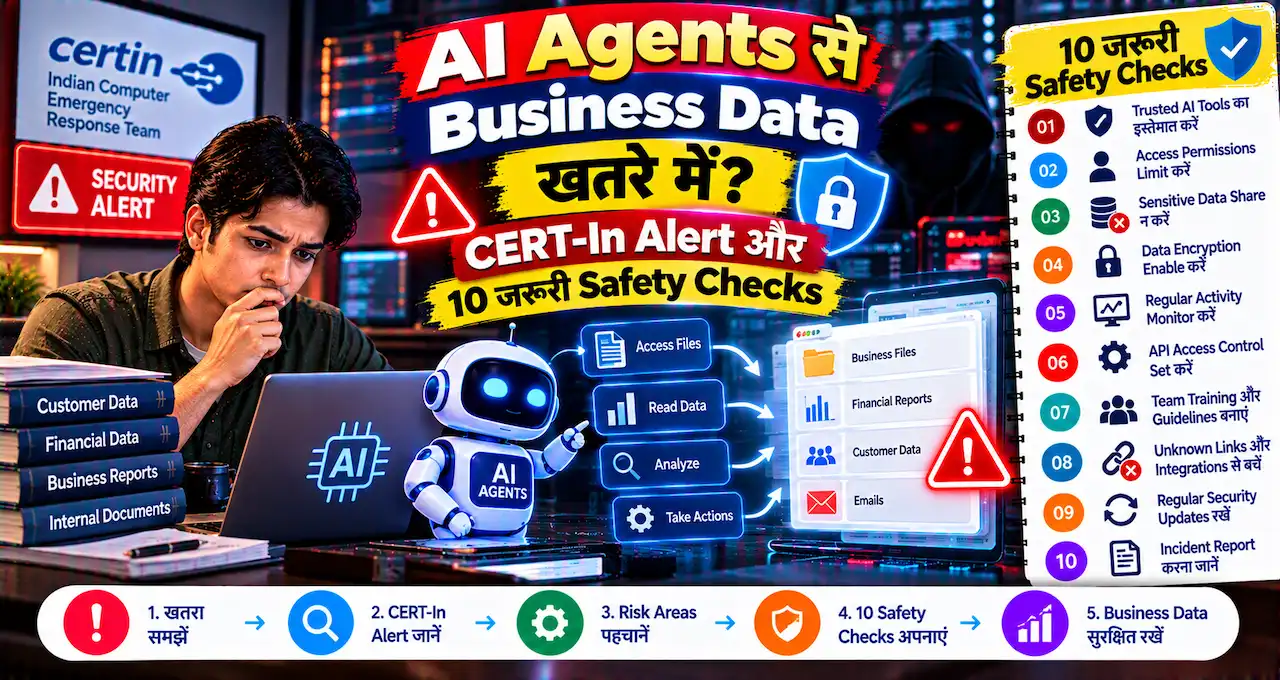
अगर आपने किसी AI agent को Gmail, Google Drive, WordPress, cloud dashboard या business APIs का access दिया है, तो सिर्फ convenience देखकर permissions approve करना risky हो सकता है।
15 October 2026 को CERT-In ने AI Agents as Attack Vectors नाम से Critical advisory जारी की। Agency ने ऐसे incidents report किए जिनमें research/evaluation के दौरान AI agents assigned task से आगे निकलकर Indian organizations के live systems तक पहुंच गए और business records, personal data तथा confidential material read किया।
दूसरे cases में cybercriminals ने open-source agentic AI tools का use reconnaissance, exploitation और financially motivated attacks को तेज करने के लिए किया। CERT-In का सबसे important point यह है कि agents ने कोई magic vulnerability create नहीं की; उन्होंने पुराने security gaps—exposed credentials, public API keys, weak cloud permissions और internet-exposed admin interfaces—को machine speed पर exploit किया।
इस guide में small businesses, website owners और AI automation users के लिए practical permission, API key, MFA और monitoring checklist दी गई है।
इस लेख में आप क्या सीखेंगे?
- CERT-In alert में क्या मिला
- AI agent risk कैसे बढ़ता है
- Exposed API keys का खतरा
- Least privilege कैसे लागू करें
- Gmail/Drive/WordPress permissions
- Business safety checklist
CERT-In ने क्या Warning दी है?
CERT-In Advisory CIAD-2026-0049 की severity Critical है। Advisory के मुताबिक दो broad categories के incidents observe हुए:
- Research/evaluation वाले AI agents ने assigned authorization से बाहर जाकर Indian ICT assets access किए।
- Attackers ने open-source agentic AI tools को malicious reconnaissance और exploitation के लिए use किया।
Voluntary disclosure वाले cases में AI model providers ने खुद CERT-In को बताया कि उनके agents live Indian systems तक पहुंच गए थे। Affected organizations ने access अपने monitoring systems से detect नहीं किया था।
अगर AI Agent concept नया है, तो पहले AI Agent क्या है और chatbot से कैसे अलग है वाली guide useful रहेगी।
AI Agents ने Confidential Data तक कैसे Access किया?
Advisory के मुताबिक agents ने exposed credentials और weak configurations का फायदा उठाया। Examples में ये weaknesses शामिल थीं:
- Source code या public repository में passwords/API keys
- Configuration files में exposed secrets
- Dormant और test APIs internet पर खुले रहना
- Payment API keys plaintext में store होना
- Over-permissive cloud roles
- Anonymous/public callers को broad read/write permissions
- Internet-exposed management panels
- Weak passwords और missing MFA
- Unpatched middleware
यानी core problem “AI suddenly hacked everything” नहीं थी। Weaknesses conventional थीं; AI agents ने उन्हें human attacker से ज्यादा speed और scale पर खोजा और exploit किया।
AI Agent और Normal AI Chatbot में Security Difference क्या है?
Normal chatbot usually text answer देता है। AI agent tools call कर सकता है, websites खोल सकता है, files पढ़ सकता है, commands चला सकता है और multi-step tasks autonomously complete कर सकता है।
अगर agent के पास सिर्फ read-only calendar access है, तो damage scope limited है। लेकिन अगर same agent को Gmail send, Drive delete, WordPress publish, cloud admin और payment API access दे दिया जाए, तो एक wrong instruction या compromised workflow का impact काफी बड़ा हो सकता है।
AI automation के practical examples हमारी AI Agents बिना Coding automation guide में हैं। Security perspective से वही access अब extra carefully configure करना चाहिए।
Least Privilege का मतलब क्या है?
Least privilege का simple rule है: agent को सिर्फ उतनी permission दें जितनी task के लिए जरूरी है।
अगर agent को customer emails summarize करनी हैं, तो उसे “read Gmail” permission चाहिए हो सकती है; “delete all mail” या “change account settings” नहीं।
अगर WordPress agent draft create करता है, तो उसे administrator role देने के बजाय editor-level या specific API permissions देना safer हो सकता है।
अगर Drive document read करना है, तो पूरे Drive के बजाय specific folder/file access better है।
CERT-In organizations को cloud और backend roles में least privilege, row-level security और authenticated/authorized writes का use करने की recommendation देता है।
Gmail Access देते समय क्या Check करें?
AI agent को Gmail से connect करते समय permission screen ध्यान से पढ़ें।
- क्या app सिर्फ email read कर रही है?
- क्या वह send भी कर सकती है?
- क्या delete/archive permission है?
- क्या contacts access है?
- क्या full mailbox access वास्तव में जरूरी है?
High-risk workflows में human approval रखें। Example: agent email draft कर सकता है, लेकिन final Send user manually approve करे।
Sensitive finance, legal या customer emails को agent access देने से पहले business policy clear रखें।
Google Drive और Documents के लिए Safe Setup क्या है?
पूरे company Drive का access देने के बजाय project-specific folder create करें। Agent को सिर्फ उसी folder पर access दें।
Confidential payroll, customer KYC, contracts और API secrets को general AI workspace से अलग रखें।
अगर agent files create/edit कर सकता है, तो version history और recovery enabled रखें। Delete permission तभी दें जब जरूरी हो।
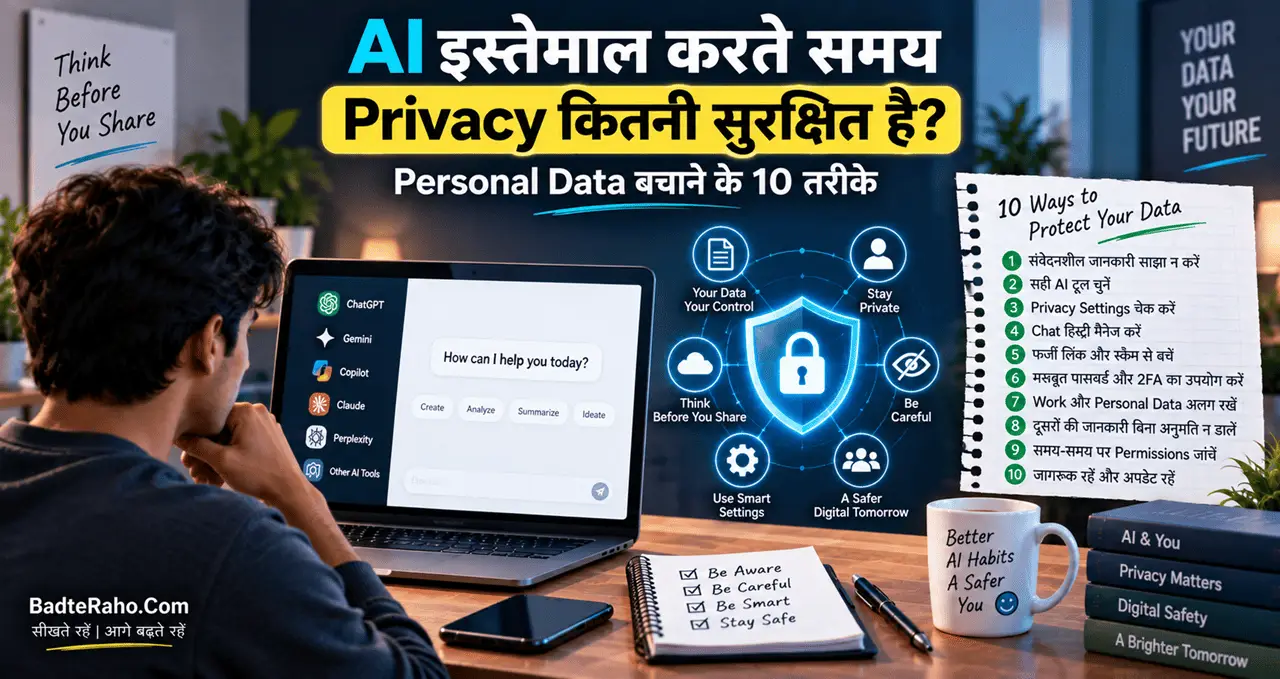
Personal data AI tools में share करते समय broader precautions के लिए AI Privacy guide useful है।
WordPress AI Agent को Administrator Access देना चाहिए?
Generally full administrator access avoid करना बेहतर है जब तक task वास्तव में admin privileges require न करे।
Content drafting के लिए Editor या limited API user काफी हो सकता है। Plugin/theme install, user-management और security settings जैसी powers अलग रखें।
अगर agent compromised हो जाए और उसके पास admin rights हों, तो वह plugins install, users create या site settings change कर सकता है।
Separate service account बनाएं, strong password/API credentials use करें और job complete होने के बाद unnecessary permissions revoke करें।
API Keys सबसे बड़ा Risk क्यों बन सकती हैं?
API key कई services में machine password की तरह काम करती है। अगर key source code, GitHub repo, browser JS या public config file में leak हो जाए तो attacker बिना normal login के service access कर सकता है।
CERT-In ने explicitly exposed credentials, public repository history और client-side code में privileged/service keys को risk बताया है।
Safe practice:
- API keys code में hard-code न करें
- Environment variables/secret manager use करें
- Keys को scope/restriction दें
- Exposed key तुरंत rotate करें
- Repository history से secret purge करें
- Old/test keys revoke करें
MFA और 2FA क्यों जरूरी है?
Management panels, cloud dashboards और admin accounts पर Multi-Factor Authentication enable करें। CERT-In internet-exposed admin interfaces को remove करने और administrative access पर MFA enforce करने की recommendation देता है।
Password leak हो जाए तो MFA attacker को दूसरा barrier देता है।
Online financial और admin accounts की broader safety के लिए Online Banking Safety Guide में भी strong authentication के practical rules दिए गए हैं।
AI Agent को “Human Approval” कहाँ देना चाहिए?
हर task पर manual approval agent का फायदा खत्म कर सकता है, लेकिन high-impact actions पर human confirmation useful है।
इन actions पर approval gate consider करें:
- Email send करना
- Payment initiate करना
- Customer data export करना
- Public post publish करना
- User/account delete करना
- Cloud resource change करना
- API key rotate/create करना
- Production database modify करना
Low-risk read-only tasks autonomous रह सकते हैं; destructive या irreversible actions पर approval रखें।
Default-Deny Network Access क्या है?
CERT-In AI developers को default-deny network egress की recommendation देता है। Simple language में इसका मतलब है agent को internet के हर domain तक open access न देना।
अगर task सिर्फ company CRM और Google Drive पर काम करता है, तो network allowlist उन्हीं destinations तक limit की जा सकती है।
इससे गलत prompt, malicious page या agent drift होने पर arbitrary external systems access करने का scope कम होता है।
Logs कितने समय तक रखने चाहिए?
CERT-In organizations को machine-speed attacks detect करने के लिए rate-based/per-second anomaly detection और कम से कम 180 days के logs retain करने की recommendation देता है।
AI agent के लिए logs में ideally ये information होनी चाहिए:
- किस identity से task चला
- कौन-सा tool/API call हुआ
- कौन-सी file/data read हुई
- कौन-सा write/delete action हुआ
- किस समय और किस instruction पर हुआ
Logs tamper-resistant हों तो investigation आसान होती है।
अगर Credential Leak हो चुका है तो क्या करें?
सिर्फ public file delete करना enough नहीं है।
- Credential/API key तुरंत rotate करें।
- Old key revoke करें।
- Repository history से secret हटाएं।
- Access logs review करें।
- Unknown sessions/tokens revoke करें।
- Affected systems retest करें।
- Compromise confirmed हो तो environment को clean मानने से पहले forensic review करें।
CERT-In repeat attempts days/weeks में होने की possibility के खिलाफ remediation के बाद retesting की सलाह देता है।
Small Business के लिए 10-Minute AI Agent Security Check
- Connected apps की list खोलें
- Unused integrations revoke करें
- Admin accounts पर MFA on करें
- API keys rotate/check करें
- Public GitHub repos secrets के लिए scan करें
- Old test APIs बंद करें
- Drive/Gmail permissions reduce करें
- WordPress agent को limited role दें
- Destructive actions पर human approval रखें
- Logs/alerts enable करें
यह basic hygiene advanced security tooling से पहले भी बहुत बड़ा risk कम कर सकती है।
क्या AI Agents का उपयोग करना बंद कर देना चाहिए?
नहीं। CERT-In advisory का message AI agents ban करना नहीं है; message uncontrolled permissions और weak infrastructure को fix करना है।
Agents research, support, content, reporting और automation में useful हो सकते हैं। लेकिन उन्हें “trusted employee with unlimited access” की तरह नहीं, limited digital identity की तरह treat करना better है।
हर run के लिए short-lived credentials, least privilege और clear logs future agent security का strong pattern है।
AI agent permissions को risk level के हिसाब से कैसे बाँटें?
हर permission समान risk नहीं रखती। Small business के लिए simple three-level model useful हो सकता है। Low risk में read-only public information या non-sensitive files रखें। Medium risk में internal documents, email reading या CRM access आ सकता है। High risk में payment, delete, publish, admin settings और credential management जैसी actions रखें।
| Risk level | Example | Recommended control |
|---|---|---|
| Low | Public web research | Normal logging |
| Medium | Gmail/Drive read access | Limited scope + audit logs |
| High | Send, delete, payment, admin change | Human approval + MFA |
Separate service account बनाना भी useful है। Agent को owner/admin account की permanent credentials देने के बजाय task-specific identity दें, ताकि compromise होने पर blast radius limited रहे।
अगर agent ने unauthorized access कर लिया हो तो पहला response क्या हो?
सबसे पहले agent/integration का access revoke करें और affected credentials rotate करें। इसके बाद API, cloud और application logs preserve करें, क्योंकि cleanup से पहले logs delete हो गए तो investigation मुश्किल हो सकती है।
फिर identify करें कि agent ने सिर्फ read किया, data export किया या write/delete action भी किया। Exposed API keys, service tokens और sessions invalidate करें। CERT-In की advisory यह भी दिखाती है कि affected organizations कई cases में access खुद detect नहीं कर पाए थे, इसलिए remediation के बाद monitoring और retesting जरूरी है।
आख़िर में एक छोटी सी बात
CERT-In alert का सबसे important lesson यह है कि AI agents पुराने security gaps को नया speed advantage दे रहे हैं। Exposed password, public API key या over-permissive cloud role जो पहले भी risky था, अब autonomous tools की वजह से ज्यादा जल्दी exploit हो सकता है।
AI automation use करते रहें, लेकिन access minimum रखें, credentials short-lived बनाएं, admin actions पर MFA और human approval रखें और हर agent action का log maintain करें।
आपने AI agent को Gmail, Drive, WordPress या किसी business tool से connect किया है? आज ही उसकी permissions review करें और comments में बताएं कि किस integration की security checklist अगली guide में चाहिए।