







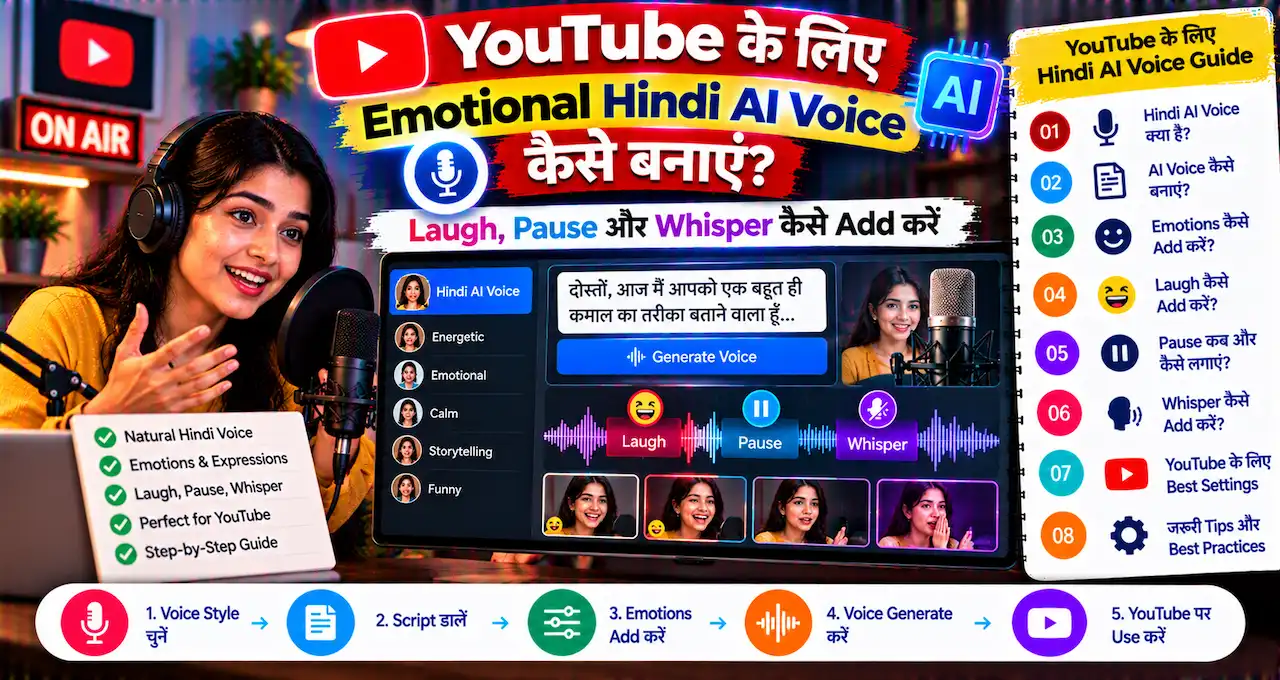



Normal text-to-speech voice साफ़ सुनाई दे सकती है, लेकिन storytelling, ads या YouTube Shorts में सिर्फ सही pronunciation काफी नहीं होता। कई बार voice को whisper करना, pause लेना, हँसना या किसी line को धीरे बोलना पड़ता है ताकि narration natural लगे।
Indian AI company Gnani AI ने 14 October 2026 को Timbre v3.0 launch किया। इसका मुख्य नया feature Audio Tags है—script के अंदर छोटे cues लिखकर voice delivery को control किया जा सकता है, जैसे
1 | <whispers> |
,
1 | <laugh> |
,
1 | <pauses> |
या
1 | <slow> |
।
Gnani का launch blog 13 voices, 13 audio tags और 10 languages बताता है। Current product page पर 12 visible inline tags listed हैं, इसलिए exact tag list future updates के साथ बदल सकती है। Practical rule यह है कि generation से पहले playground में currently available tags check करें।
इस guide में Hindi/Hinglish voice-over के लिए Timbre v3.0 का practical workflow, ready-to-use scripts और natural emotion के लिए best practices समझेंगे।
इस लेख में आप क्या सीखेंगे?
- Timbre v3.0 क्या है
- Audio Tags कैसे काम करते हैं
- Hindi voice-over कैसे बनाएं
- Laugh, pause, whisper और slow delivery कैसे add करें
- YouTube Shorts के लिए ready scripts
- Natural result के लिए practical tips
Gnani Timbre v3.0 क्या है?
Timbre v3.0 Gnani AI का expressive text-to-speech model है। Traditional TTS में user text लिखता है और model उसे voice में पढ़ता है। Timbre v3.0 उसी workflow में expression cues जोड़ता है।
Example:
आज एक secret बताने वाला हूँ…
यह tag model को बताता है कि आगे की line whisper-style delivery में बोलनी है। इसी तरह laugh, pause, sigh, slow या excited जैसे cues voice को flat reading से ज्यादा expressive बना सकते हैं।
अगर आप पहले Gemini TTS use कर चुके हैं, तो Gemini TTS से YouTube AI Voice-over बनाने की guide useful comparison देगी।
Audio Tags क्या होते हैं?
Audio Tags script के अंदर लिखे गए short instructions हैं जिन्हें model aloud पढ़ने के बजाय performance cue की तरह interpret करता है। Gnani की examples में tags जैसे whisper, laugh, sigh, pause, excited, slow और shouting शामिल हैं।
Current product page पर visible tags में ये examples दिखते हैं:
-
1<coughs>
-
1<excited>
-
1<exhales>
-
1<giggle>
-
1<laugh>
-
1<pauses>
-
1<shouting>
-
1<sigh>
-
1<slow>
-
1<sniffles>
-
1<whispers>
-
1<yawns>
Launch blog 13 audio tags का reference देता है, जबकि current product page 12 visible tags दिखाती है। इसलिए article publish/read करने के समय playground की actual tag list को source of truth रखें।
Hindi AI Voice-over बनाने का Basic Workflow
- Gnani AI playground/app खोलें।
- Timbre v3.0 model select करें।
- Available voices में से suitable voice चुनें।
- Hindi या Hinglish script paste करें।
- जहाँ expression चाहिए वहाँ audio tag add करें।
- Audio generate करके पूरा output सुनें।
- Tag placement या punctuation जरूरत के हिसाब से adjust करें।
- Final audio export/use करें, applicable plan/usage rights verify करके।
Gnani current product page 10 Indian languages, 13 voices और expressive tags support दिखाती है। Platform code-switching भी support करता है, हालांकि कुछ capabilities beta हो सकती हैं।
Audio Tag कहाँ लगाना चाहिए?
Gnani की recommendation है कि tag line के शुरू में या clause break पर रखें, ताकि model को clear context मिले कि अगला हिस्सा किस style में बोलना है।
Example:
यह offer सिर्फ आज रात तक है।
अभी checkout कर लें।
Tag को sentence के बिल्कुल अंत में रखने का फायदा नहीं होगा अगर उसके बाद बोलने के लिए कुछ है ही नहीं।
एक ही line में बहुत सारे opposite tags stack करने से result artificial हो सकता है। शुरुआत में एक segment पर एक या दो cues पर्याप्त हैं।
Ready-to-Use Script 1: YouTube Short Hook
Ruko, scroll mat karo! आज मैं आपको एक ऐसी AI trick दिखाने वाला हूँ जो सिर्फ 30 seconds में आपका काम आसान कर सकती है।
बस last step miss मत करना।
यह style fast-paced educational Short के लिए useful है। Hook में excitement और middle में छोटा pause viewer attention hold कर सकता है।
Ready-to-Use Script 2: Suspense Story
रात के दो बजे दरवाज़े पर तीन बार knock हुआ।
मैंने camera खोला… लेकिन बाहर कोई नहीं था।
फिर phone पर एक message आया—“दरवाज़ा मत खोलना।”
Storytelling में whisper और pause का use tension create करने के लिए किया जा सकता है। लेकिन हर sentence में effect डालने से impact कम हो जाता है।
Ready-to-Use Script 3: Product Advertisement
Diwali sale शुरू हो चुकी है!
Selected products पर special discount आज midnight तक available है।
Order करने से पहले terms और final price जरूर check करें।
Ad में excitement और important condition पर slower delivery useful हो सकती है। Financial या offer claims को voice effect से exaggerated न करें।
Ready-to-Use Script 4: Friendly Review
मैंने इस tool को तीन दिन test किया।
पहले result थोड़ा funny था, लेकिन second attempt surprisingly अच्छा निकला।
अब देखते हैं कि free plan में actually कितना काम हो सकता है।
Review content में छोटे natural reactions voice को scripted advertisement जैसा लगने से बचा सकते हैं।
Ready-to-Use Script 5: Tutorial Explanation
सबसे पहले Settings खोलें।
अब Security option पर tap करें और दो-step verification enable करें।
Recovery codes को screenshot में नहीं, safe जगह पर रखें।
Tutorial में slow tag difficult instruction के लिए useful है, जबकि बाकी narration normal pace पर रह सकती है।
Natural Hindi Voice के लिए 7 Practical Tips
1. पहले punctuation सही करें
Gnani खुद सलाह देता है कि script की punctuation clean रखें। Comma, full stop और question mark delivery को naturally shape करते हैं; हर emotion के लिए tag जरूरी नहीं है।
2. Hinglish को conversational लिखें
वही शब्द लिखें जो audience naturally बोलती है। बहुत formal translation voice को robotic बना सकती है।
3. एक sentence में बहुत tags न भरें
Light touch ज्यादा natural लगता है। शुरुआत में 1–2 tags per segment try करें।
4. Native speaker की तरह सुनें
Pronunciation technically सही हो सकती है लेकिन emotion context से mismatch कर सकता है। Final audio headphones पर पूरा सुनें।
5. Amounts और dates verify करें
Timbre Indian number/date formats के लिए optimized है, फिर भी ₹, dates, phone numbers और abbreviations final export से पहले check करें।
6. Shorts में long pauses avoid करें
15–30 second Short में unnecessary pause retention कम कर सकता है। Pause story beat या important instruction पर ही रखें।
7. Voice identity consistent रखें
Series content में बार-बार अलग voice use करने के बजाय same narrator voice maintain करें, ताकि channel identity बने।
YouTube Shorts के लिए कौन-से Tags ज्यादा Useful हैं?
| Use case | Useful tag |
|---|---|
| Strong hook | excited |
| Secret/tip | whispers |
| Story beat | pauses |
| Complex instruction | slow |
| Friendly reaction | laugh / giggle |
| Dramatic emotion | sigh |
Voice effect content का substitute नहीं है। Weak script पर dramatic tags लगाने से Short engaging नहीं हो जाएगा। Script hook, pacing और payoff पहले strong होने चाहिए।
क्या यह Audiobook और Podcast में भी Use हो सकता है?
हाँ। Gnani खुद audiobooks, YouTube voiceovers, podcasts, Reels/Shorts, e-learning और ads को Timbre v3.0 के use cases में दिखाता है।
Long-form narration में tags कम frequency पर use करें। हर paragraph में laugh/pause डालना listener fatigue create कर सकता है। Audiobook में chapter transition, dialogue mood और suspense moments पर controlled expression ज्यादा effective है।
क्या Timbre v3.0 Free है?
Gnani की current product page “2,500 free TTS minutes” के साथ start करने का message दिखाती है और card required नहीं बताती। लेकिन pricing, trial conditions और commercial rights समय के साथ बदल सकते हैं।
Client project, monetized YouTube channel या ad campaign में use करने से पहले current terms और plan limits check करें। Free trial available होना automatically unlimited commercial permission का proof नहीं है।
Timbre v3.0 vs Gemini TTS: कौन-सा चुनें?
दोनों tools का use-case overlap कर सकता है, लेकिन workflow अलग है। Timbre v3.0 का standout feature inline expression tags और Indian-language voice use cases हैं। Gemini TTS Google ecosystem और different voice-generation capabilities के साथ useful हो सकता है।
Best choice sample script पर A/B test करके करें। Same 20-second Hindi script दोनों tools में generate करें और pronunciation, emotion, latency, cost और licensing compare करें।
YouTube creators के broader tool options के लिए YouTube creators के AI tools guide भी useful है।
AI Voice Use करते समय क्या Avoid करें?
- किसी real person की voice बिना permission imitate करना
- Fake endorsement बनाना
- Financial/medical claim को misleading emotion से exaggerate करना
- Voice को human recording बताकर deceive करना
- Commercial rights check किए बिना client work publish करना
अगर real-person voice cloning या misleading synthetic media involved हो, तो deepfake risk अलग से consider करें।
Sources / References
Emotion Tags को Test करने का Best तरीका क्या है?
पूरी 5-minute script पर सीधे tags लगाने के बजाय पहले 15–20 second का test segment बनाएं। उसी sentence का एक normal version और एक tagged version generate करें। फिर pronunciation, pace, emotion और unnatural pauses compare करें।
Example testing sequence:
- Script बिना tag generate करें।
- Same line में सिर्फ एक
1<pauses>
add करें।
- फिर एक suitable expression tag जैसे
1<whispers>
या
1<excited>try करें।
- दोनों outputs headphones पर सुनें।
- जो version natural लगे, वही pattern बाकी script में use करें।
यह method इसलिए useful है क्योंकि emotion tags context-sensitive हैं। वही
1 | <excited> |
tag product launch में अच्छा लग सकता है, लेकिन serious financial warning में inappropriate लगेगा।
Shorts, Ads और Audiobook में Tag Density अलग क्यों रखें?
Shorts में हर second valuable है, इसलिए hook पर एक expressive cue और key transition पर pause काफी हो सकता है। Advertisement में offer line, urgency और disclaimer के लिए different delivery useful हो सकती है। Audiobook में tags बहुत कम frequency पर use करना बेहतर है, ताकि narration theatrical या tiring न लगे।
| Format | Practical tag use |
|---|---|
| 15–30 sec Short | 1–3 meaningful cues |
| 30–60 sec Ad | Hook + key offer + disclaimer pacing |
| Long tutorial | Mainly pause/slow on important steps |
| Audiobook | Selective dialogue/emotion moments |
Final voice-over publish करने से पहले loudness, background music और captions के साथ full mix सुनें। Standalone TTS output अच्छा लगना और final video में natural लगना दो अलग checks हैं।
Hindi/Hinglish pronunciation में brand names, English acronyms और regional words अलग तरह से बोले जा सकते हैं। Final export से पहले ऐसे words की spelling phonetic तरीके से adjust करके sample सुनें, ताकि voice natural लगे और important name गलत pronounce न हो।
आख़िर में एक छोटी सी बात
Timbre v3.0 का practical फायदा यह है कि Hindi/Hinglish voice-over को सिर्फ text पढ़ने वाली आवाज़ से आगे ले जाकर script के अंदर ही delivery direction दी जा सकती है। Whisper, pause, laugh और slow जैसे tags storytelling, Shorts और ads में useful हैं, लेकिन natural result के लिए उन्हें कम और सही जगह use करना बेहतर है।
पहले एक 15–20 second script पर 2–3 tags test करें और पूरा audio सुनकर ही longer content बनाएं। अगर output monetized या client project में जाएगा, तो final export से पहले current pricing और usage rights जरूर verify करें।