


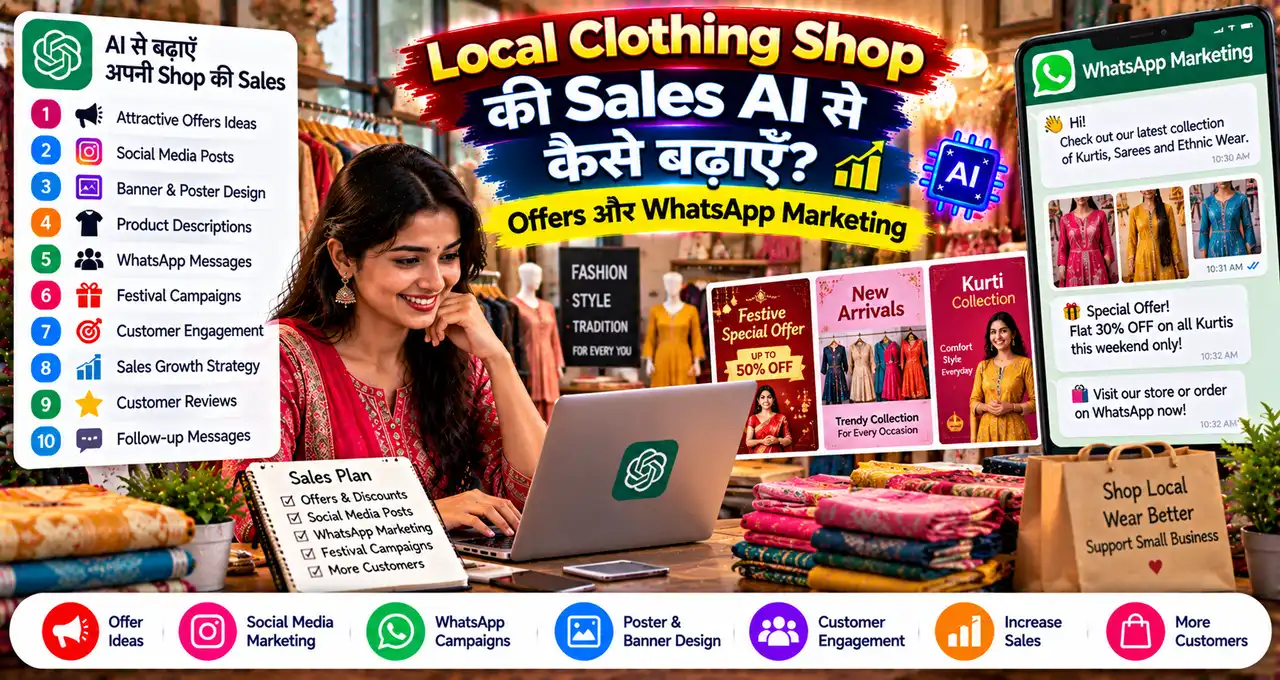


दुकान में नई collection रखी है, लेकिन WhatsApp पर वही पुरानी “New stock available” वाली photo घूम रही है। Clothing shop की marketing बेहतर करने के लिए पहले customer को सही product दिखाना होगा।
AI captions, offer ideas और follow-up drafts बनाने में मदद कर सकता है। लेकिन sales तब बनती है जब photo, price, size और दुकान का जवाब आपस में match करें।
इस guide में product list से लेकर WhatsApp enquiry और सात दिन के छोटे test तक का workflow मिलेगा। शुरुआत के लिए महँगा automation setup ज़रूरी नहीं है।
सबसे पहले उस सवाल का जवाब तैयार करें जो customer हर photo के बाद पूछता है—“मेरे size में है?”
इस लेख में आप क्या सीखेंगे?
- सही products का चयन
- Photos और catalogue तैयार करना
- Margin देखकर offer बनाना
- Permission वाली WhatsApp messaging
- Enquiry से sale का हिसाब
- सात दिन का test
Campaign से पहले दुकान की तैयारी
AI से पहले अपनी product information ठीक करें
आपकी दुकान में kurtis, shirts, trousers या accessories हों, पहले छोटी verified product list बनाएँ। उसमें SKU, actual photo, fabric, size, price और stock रखें।
“Premium quality” जैसी broad line से ग्राहक को fit नहीं समझ आता। Length, measurement और available colours जैसी जानकारी अधिक काम आती है।
| Field | क्या लिखें? |
|---|---|
| Product code | सरल पहचान, जैसे K-101 |
| Sizes | अभी उपलब्ध sizes और measurement |
| Fabric | Supplier से verified material |
| Price | वास्तविक selling price और applicable charges |
| Stock | हर size/colour की उपलब्ध quantity |
| Policy | Exchange, return और delivery की वास्तविक शर्तें |
AI से missing facts न भरवाएँ। “Cotton blend” को “100% cotton”, सामान्य fabric को “silk” या limited stock को “all sizes available” नहीं बनना चाहिए।
Basic setup के लिए WhatsApp Business इस्तेमाल करने की guide देखें। Catalogue और saved replies का फायदा सही data के साथ मिलता है।
पूरी दुकान नहीं, पहले एक customer segment चुनें
Office wear खरीदने वाला customer और wedding shopping करने वाला customer अलग सवाल पूछेगा। एक ही message सभी को भेजना अक्सर irrelevant लगता है।
पहले एक use case चुनें: daily wear, office basics, festive outfits या kidswear. उसके लिए पाँच से आठ products पर्याप्त शुरुआती test हो सकते हैं।
Past enquiries देखें। लोग price पर रुकते हैं, size नहीं मिलता, fabric समझ नहीं आता या shop तक आने का समय नहीं मिलता?
AI को ये anonymized questions दें और recurring themes माँगें। Customers के phone numbers या उनकी पूरी chats देना ज़रूरी नहीं है।
छोटे business की AI marketing में यही आधार काम आता है: audience, offer और next action स्पष्ट हों।
Product photo को सुंदर बनाते समय सच बनाए रखें
साफ background, natural light और सामने का पूरा shot लें। Stitching, print और fabric texture के close-ups भी रखें।
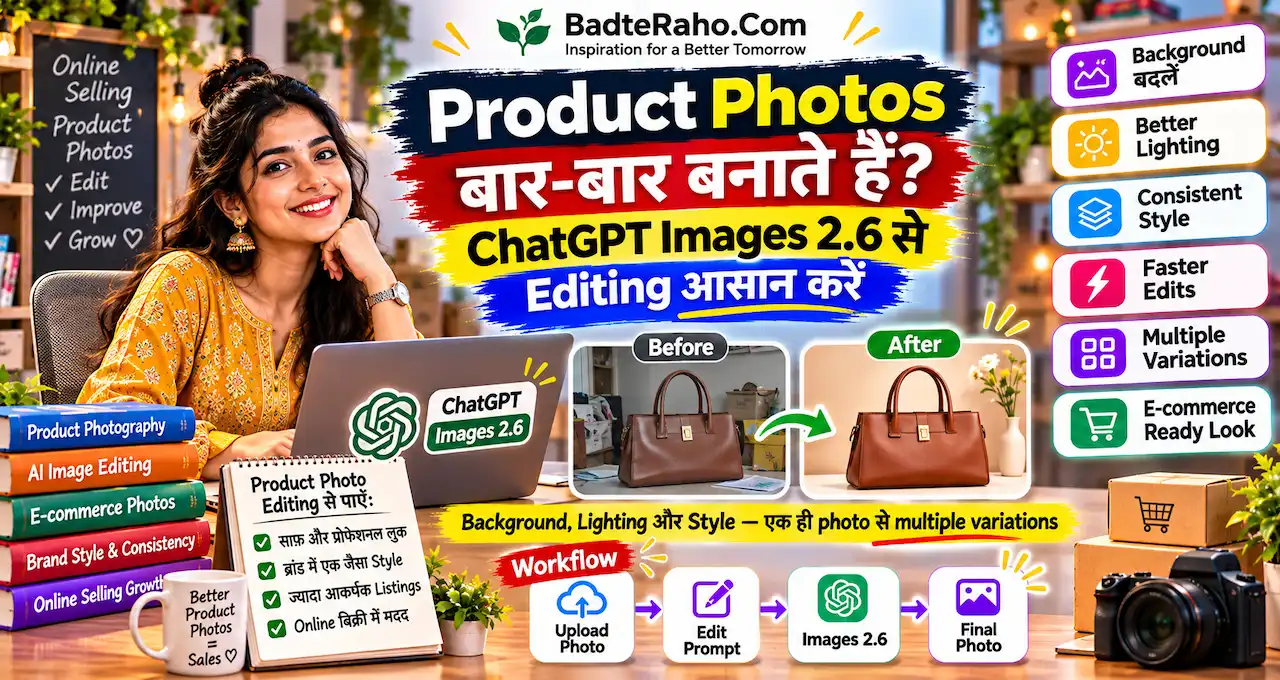
AI से background साफ करवाना उपयोगी हो सकता है। लेकिन product का colour, design, length और embroidery बदल जाए, तो image बिक्री के लिए misleading बन सकती है।
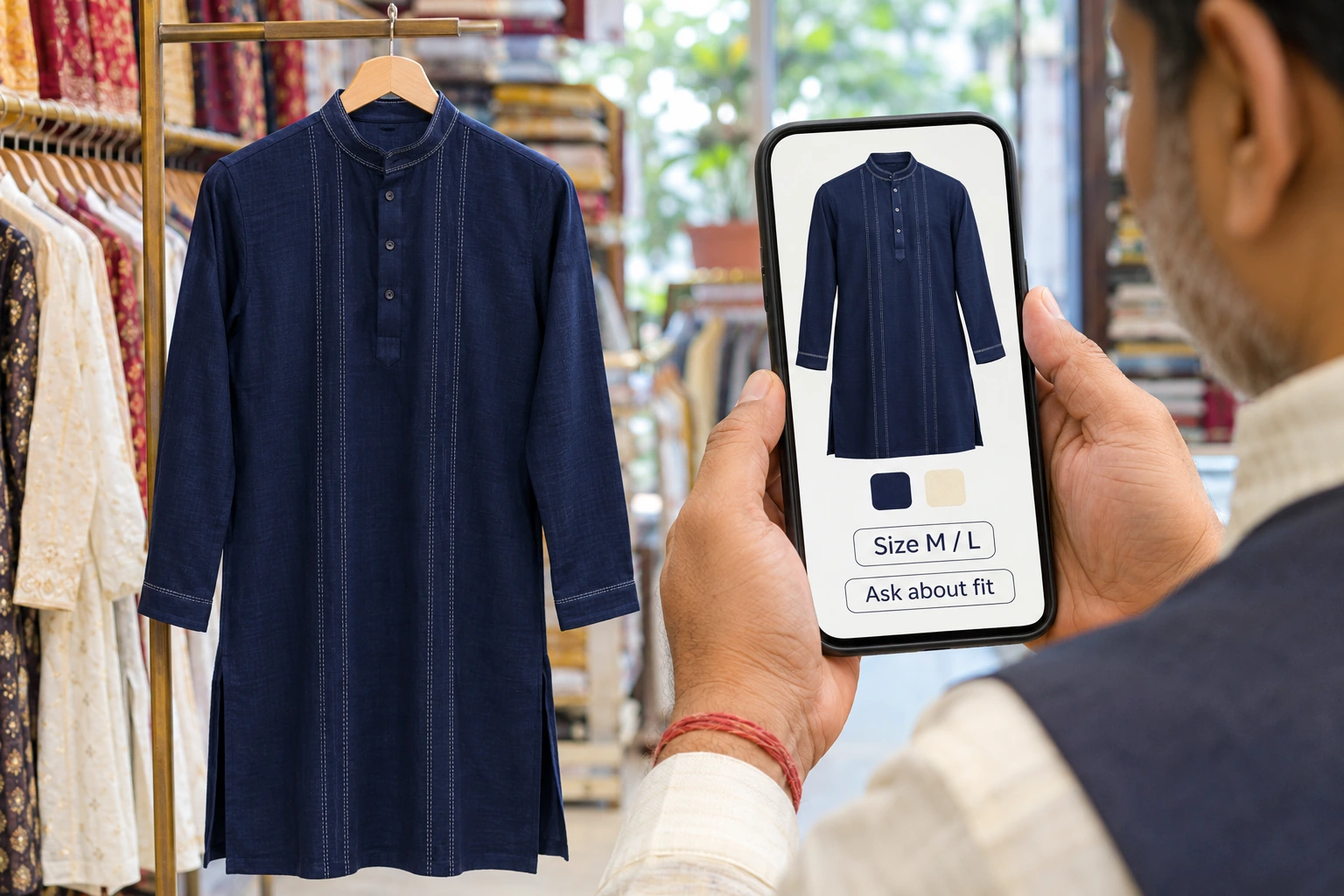
Edited image को original garment के साथ compare करें। Navy को royal blue, plain border को embroidered या छोटे print को बड़ा दिखाना customer expectation बदल देता है।
- एक सामने का पूरा shot रखें।
- एक back या side view दें।
- एक fabric/detail close-up जोड़ें।
- Size chart को वास्तविक measurement से बनाएँ।
- AI model इस्तेमाल करें, तो actual fit का प्रमाण न बताएं।
हर product के लिए अलग visual style बदलने से catalogue बिखरा लग सकता है। समान lighting और background से comparison आसान रखें।
ऐसा offer बनाएँ जिसका हिसाब साफ हो
Clothing shop की marketing में offer कैसे तय करें?
“सब पर 30% off” लिखने से पहले margin देखें। Customer को कम price मिले, लेकिन हर sale पर दुकान का नुकसान हो, तो campaign उपयोगी नहीं है।
मान लें एक shirt की खरीद ₹500, packing/payment cost ₹30 और selling price ₹800 है। यह केवल illustrative example है।
| स्थिति | Calculation | Rent और staff से पहले बचत |
|---|---|---|
| Normal price | ₹800 − ₹500 − ₹30 | ₹270 |
| 10% discount | ₹720 − ₹500 − ₹30 | ₹190 |
| 20% discount | ₹640 − ₹500 − ₹30 | ₹110 |
यह net profit नहीं है। Return, alteration, delivery, rent और staff जैसे बाकी खर्च अलग हो सकते हैं। अपने actual bills के अनुसार हिसाब करें।
Discount के अलावा useful alternatives भी देखें: verified bundle price, appointment पर styling help या तय products पर alteration सुविधा। जो दे नहीं सकते, उसे offer न बनाएँ।
business costs जाँचने का तरीका यहाँ मदद करता है। Revenue के साथ प्रति order बची रकम भी देखें।
यह prompt offer की तैयारी में इस्तेमाल करें
मेरी local clothing shop के लिए तीन छोटे campaign options बनाओ। पहले product facts और unit economics जाँचो। Missing purchase cost, stock या offer dates हों तो सवाल पूछो। केवल मेरी verified जानकारी इस्तेमाल करो।
हर option में target customer, product selection, customer benefit, clear next action और margin risk लिखो। Fake urgency, guaranteed sales, invented reviews या गलत fabric claims न जोड़ो। एक option बिना discount के भी दो।
Shop type: [कुर्ती और office wear]
Products और stock: [अपनी verified list]
Purchase और selling prices: [रकम]
Allowed extra costs: [packing / delivery / alteration]
Audience: [अपना segment]
Campaign dates: [तारीखें]
Output language: [Hindi-English]
Options में से एक चुनें। तीनों campaigns एक साथ चलाएँगे, तो किस बदलाव से फर्क पड़ा, यह समझना कठिन होगा।
WhatsApp पर enquiry से follow-up तक
WhatsApp message में कौन-सी जानकारी होनी चाहिए?
एक अच्छा message product पहचानने, अपनी ज़रूरत से मिलाने और अगला सवाल पूछने में मदद करता है। पूरी दुकान का catalogue एक साथ भेजना आवश्यक नहीं है।
यह hypothetical draft देखें। भेजने से पहले brackets की सारी जानकारी सही भरें।
नमस्ते [नाम], आपने [category] के नए arrivals की updates के लिए सहमति दी थी। हमारी [product/category] collection में [verified sizes/colours] उपलब्ध हैं।
Product code: [code]
Price: [verified price और charges]
Details: [fabric और fit की सही जानकारी]
Photos या measurement चाहिए, तो [एक सरल reply keyword] भेजें। Updates बंद करवाने के लिए STOP लिख सकते हैं।
Customer ने enquiry की थी, इसका मतलब हर future promotion की permission अपने-आप नहीं मिल गई। Updates के लिए स्पष्ट consent लें और उसे record करें।
WhatsApp की current business policy opt-in और opt-out का सम्मान करने को कहती है। Unrelated groups में नंबर जोड़ना या खरीदी हुई contact list पर promotions भेजना उचित शुरुआत नहीं है।
Business App और Business Platform/API के messaging rules अलग हो सकते हैं। Templates, service window और charges वाले नियम अपने इस्तेमाल हो रहे product में जाँचें।
Customer पूछे “price?” तो केवल number न भेजें
Price के साथ product code, available size और next step दें। इससे दो लोगों की अलग garments पर चल रही बातचीत मिलती नहीं है।
उदाहरण: “K-101 ₹[price] में है। अभी [sizes] उपलब्ध हैं। आपको measurement chart चाहिए या shop पर trial का समय बताऊँ?”
यह canned response तभी useful है जब stock सही हो। Sold-out item का reply automate होकर जाता रहे, तो भरोसा कम होता है।
| Customer का सवाल | जवाब में क्या स्पष्ट करें? |
|---|---|
| मेरे size में है? | Measurement और अभी का stock |
| Original colour क्या है? | Natural-light photo और screen variation की सीमा |
| Exchange मिलेगा? | Actual policy और applicable conditions |
| Delivery कब होगी? | Location और verified dispatch/delivery estimate |
| Discount है? | सिर्फ़ approved offer और उसकी अवधि |
customer support के AI drafts इस्तेमाल कर सकते हैं। Payment dispute, policy exception या sensitive complaint में human response रखें।
Follow-up करें, दबाव न बनाएँ
किसी ने size पूछा और बातचीत रुक गई, तो उसी context में सीमित follow-up उपयोगी हो सकता है। रोज़ “बुक कर दूँ?” भेजना परेशान कर सकता है।
एक छोटा message रखें: “आपने K-101 का measurement पूछा था। क्या कोई fit detail और चाहिए? फिलहाल निर्णय नहीं लिया हो, तो कोई बात नहीं।”
Fake “आखिरी piece” या “offer आज खत्म” तभी लिखें जब यह सच हो। AI को urgency invent करने से रोकें।
Repeat orders की planning के लिए context के साथ customer follow-up देखें। हर customer को एक जैसा reminder भेजना लक्ष्य नहीं होना चाहिए।
छोटा campaign चलाएँ और नतीजा देखें
Campaign का result कैसे मापें?
एक छोटा test, एक साफ measure.
Views और likes उपयोगी संकेत हैं, लेकिन shop का उद्देश्य enquiry को सही sale में बदलना है। एक छोटी tracking sheet बनाएँ।
- Reach: किस audience तक post या update पहुँचा?
- Relevant enquiries: कितने लोगों ने size, price या trial पूछा?
- Visits: कितने customers shop आए या measurement तक पहुँचे?
- Sales: कितने paid orders हुए?
- Returns और cost: Campaign के बाद वास्तव में कितना बचा?
मान लें 20 relevant enquiries से 4 orders हुए। Enquiry-to-order conversion 20% है। यह example है, industry benchmark या expected result नहीं।
उसके साथ देखें कि कितने orders लौटे। Low-quality sales पर भारी discount देकर conversion बढ़ाना लंबे समय में उपयोगी नहीं हो सकता।
एक product card का अच्छा उदाहरण कैसा होगा?
मान लें K-101 एक navy kurta है। नीचे की जानकारी काल्पनिक template है; इसे वास्तविक stock और measurements से भरें।
Product code: K-101. Colour: [actual colour].
Fabric: [verified composition]. Sizes: [available sizes].
Length और chest measurement: [अपना chart]. Price: [सही रकम]. Exchange: [लागू policy].
अब caption का काम यह data दुहराना नहीं, customer को उसका उपयोग समझाना है। उदाहरण के लिए office outfit है, तो fit और styling की सही जानकारी दें।
“हर body type पर perfect” जैसे absolute claims न लिखें। Fit व्यक्ति और measurement पर निर्भर है। Customer को अपनी ज़रूरत मिलाने का रास्ता दें।
Model photo में jewellery या accessory दिखे, तो बेच रहे product में क्या शामिल है, स्पष्ट करें। Styling के कारण पूरे set की गलत expectation नहीं बननी चाहिए।
पहला test कमजोर रहे, तो क्या बदलें?
| जो दिख रहा है | अगला छोटा test |
|---|---|
| Views हैं, enquiries कम | Photo और customer use case स्पष्ट करें |
| Size के बाद बातचीत रुकती है | Measurements और size availability दिखाएँ |
| Price के बाद response नहीं | Relevant audience और product value जाँचें |
| Orders हैं, returns ज़्यादा | Fit, colour और policy expectations सुधारें |
एक समय में एक मुख्य बदलाव करें। Photo, offer और audience तीनों बदल देंगे, तो result का कारण समझना कठिन होगा।
कम enquiries वाले छोटे sample में एक sale का फर्क भी बड़ा percentage दिखा सकता है। जल्दबाज़ी में campaign को सफल या असफल घोषित न करें।
Positive feedback और repeat interest को record करें, लेकिन customer की permission के बिना उसे public testimonial न बनाएँ। AI से fake review बनवाना marketing का विकल्प नहीं है।
सात दिन का छोटा action plan
- दिन 1: एक category और customer segment चुनें।
- दिन 2: पाँच verified product cards और measurements बनाएँ।
- दिन 3: Unit cost देखकर एक offer तय करें।
- दिन 4: Consent वाले audience के लिए post और message तैयार करें।
- दिन 5: Enquiries का जवाब देकर missing information दर्ज करें।
- दिन 6: केवल relevant context में follow-up करें।
- दिन 7: Orders, margin और returns देखकर अगला test चुनें।
पहले week में stock का पूरा system बदलने की ज़रूरत नहीं है। एक छोटा campaign सीखने का साधन बनाएँ।
आख़िर में एक छोटी सी बात
AI captions तेज़ बना सकता है, लेकिन दुकान की credibility असली product और सही जवाब से बनती है। अच्छी marketing customer की उलझन कम करती है।
पाँच products, सही photos और एक साफ offer से शुरुआत करें। फिर evidence देखकर अपना अगला कदम तय करें।
आपकी clothing shop में customers सबसे ज़्यादा size, price या fabric में से क्या पूछते हैं? अपना अनुभव बताएँ और guide उपयोगी लगे, तो comments में अपनी राय दें।