









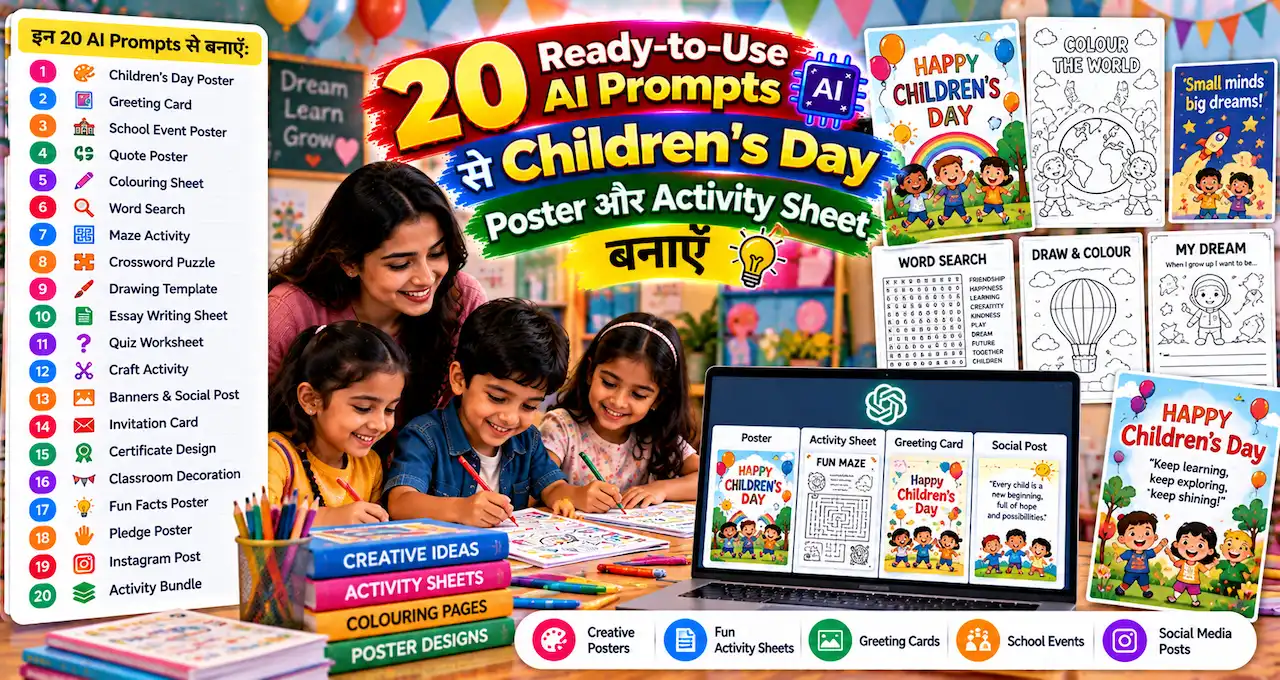
Children’s Day poster के साथ बच्चों की काम की activity sheet भी बनानी है?
School में सिर्फ colourful illustration काफी नहीं होती। Worksheet में age-appropriate instructions और valid answer key जरूरी हैं, तभी वह classroom में उपयोगी होगी।
यहाँ 20 ready-to-use AI prompts हैं जिनसे poster, quiz, word activity, coloring page और printable worksheets बना सकते हैं। हर prompt में age group, subject और output जैसे editable fields मिलेंगे। साथ में prompt-building tips और reusable Master Prompt भी हैं।
किसी भी worksheet को बच्चों तक देने से पहले teacher या parent को content और answers जरूर जाँचने चाहिए।
इस लेख में आप क्या सीखेंगे?
- 20 classroom prompts सीखें
- Posters और worksheets बनाएं
- Age-appropriate activities चुनें
- Answer key सही जाँचें
- Printable formats सही रखें
- Master prompt customize करें
Prompt 1: School Children’s Day Poster
Best for: Children’s Day classroom design
Style: School Children’s Day Poster
Create a cheerful Children’s Day school poster background for India. Bright but clean colors, diverse school children reading, drawing and playing together, classroom/school campus feeling, friendly illustration style, large clean space at top for title and bottom for school name/date, no unrelated or invented text, A4 portrait layout.
Keep the “School Children’s Day Poster” outcome central rather than turning it into a generic template. Make a classroom-ready resource with clear readable instructions and appropriate difficulty. Posters must contain the exact approved visible text; worksheets need solvable activities and a separately checked answer key. Avoid overly small fonts, unverified facts and invented school or student details. Check readability in an A4 print preview. Make the final result useful for the selected classroom age, not just decorative.
Class and age: [Exact Group]
Activity goal: [Learning Outcome]
Visible heading: [Exact Text]
Output: [Poster / Worksheet / Quiz]
Format: [A4 Portrait / 4:5]
पहले actual input से छोटा sample check करें और फिर full output तैयार करें।
Prompt 2: Minimal Modern Poster
Best for: Children’s Day classroom design
Style: Minimal Modern Poster
Design a modern minimal Children’s Day poster background with playful geometric shapes, books, pencils, stars and happy children silhouettes. Use a clean white background with bright primary accents, large empty center area for text, professional school communication style, no generated words, A4 portrait.
Keep the “Minimal Modern Poster” outcome central rather than turning it into a generic template. Make a classroom-ready resource with clear readable instructions and appropriate difficulty. Posters must contain the exact approved visible text; worksheets need solvable activities and a separately checked answer key. Avoid overly small fonts, unverified facts and invented school or student details. Check readability in an A4 print preview. Make the final result useful for the selected classroom age, not just decorative.
Class and age: [Exact Group]
Activity goal: [Learning Outcome]
Visible heading: [Exact Text]
Output: [Poster / Worksheet / Quiz]
Format: [A4 Portrait / 4:5]
इस concept में output की clarity और सही details को प्राथमिकता दें।
Prompt 3: Coloring Sheet
Best for: Children’s Day classroom design
Style: Coloring Sheet
Create a black-and-white printable Children’s Day coloring sheet for ages 5–7. Include happy children, balloons, books, crayons and a simple playground. Thick clean outlines, large coloring areas, no tiny details, no unrelated or invented text except a blank title box, A4 printable layout.
Keep the “Coloring Sheet” outcome central rather than turning it into a generic template. Make a classroom-ready resource with clear readable instructions and appropriate difficulty. Posters must contain the exact approved visible text; worksheets need solvable activities and a separately checked answer key. Avoid overly small fonts, unverified facts and invented school or student details. Check readability in an A4 print preview. Make the final result useful for the selected classroom age, not just decorative.
Class and age: [Exact Group]
Activity goal: [Learning Outcome]
Visible heading: [Exact Text]
Output: [Poster / Worksheet / Quiz]
Format: [A4 Portrait / 4:5]
Final result अपने चुने format में फिर से देखें; automatic crop हमेशा सही नहीं होगा।
Prompt 4: “About Me” Activity
Best for: Children’s Day classroom design
Style: “About Me” Activity
Create a simple printable “About Me” Children’s Day activity sheet for ages 7–10. Include boxes for: My Name, My Favourite Book, Something I Am Good At, Something I Want to Learn, My Favourite Game and Draw Yourself. Use large readable labels and simple kid-friendly layout. Keep language easy.
Keep the ““About Me” Activity” outcome central rather than turning it into a generic template. Make a classroom-ready resource with clear readable instructions and appropriate difficulty. Posters must contain the exact approved visible text; worksheets need solvable activities and a separately checked answer key. Avoid overly small fonts, unverified facts and invented school or student details. Check readability in an A4 print preview. Make the final result useful for the selected classroom age, not just decorative.
Class and age: [Exact Group]
Activity goal: [Learning Outcome]
Visible heading: [Exact Text]
Output: [Poster / Worksheet / Quiz]
Format: [A4 Portrait / 4:5]
पहले actual input से छोटा sample check करें और फिर full output तैयार करें।
Prompt 5: Gratitude Card
Best for: Children’s Day classroom design
Style: Gratitude Card
Create a Children’s Day gratitude card worksheet where students complete: “I am thankful for…”, “A friend who helps me…”, “Something that makes me happy…”, and “One kind thing I will do…”. Age 8–12, simple English, cheerful border, A4 with two cards per page.
Keep the “Gratitude Card” outcome central rather than turning it into a generic template. Make a classroom-ready resource with clear readable instructions and appropriate difficulty. Posters must contain the exact approved visible text; worksheets need solvable activities and a separately checked answer key. Avoid overly small fonts, unverified facts and invented school or student details. Check readability in an A4 print preview. Make the final result useful for the selected classroom age, not just decorative.
Class and age: [Exact Group]
Activity goal: [Learning Outcome]
Visible heading: [Exact Text]
Output: [Poster / Worksheet / Quiz]
Format: [A4 Portrait / 4:5]
इस concept में output की clarity और सही details को प्राथमिकता दें।
Prompt 6: Word Search Generator
Best for: Children’s Day classroom design
Style: Word Search Generator
Create a 12×12 word-search puzzle for Children’s Day for ages 9–12. Use 12 words related to childhood, learning, friendship, play and creativity. Provide the word list and a separate answer key. Double-check that every listed word is actually present in the grid.
Keep the “Word Search Generator” outcome central rather than turning it into a generic template. Make a classroom-ready resource with clear readable instructions and appropriate difficulty. Posters must contain the exact approved visible text; worksheets need solvable activities and a separately checked answer key. Avoid overly small fonts, unverified facts and invented school or student details. Check readability in an A4 print preview. Make the final result useful for the selected classroom age, not just decorative.
Class and age: [Exact Group]
Activity goal: [Learning Outcome]
Visible heading: [Exact Text]
Output: [Poster / Worksheet / Quiz]
Format: [A4 Portrait / 4:5]
Final result अपने चुने format में फिर से देखें; automatic crop हमेशा सही नहीं होगा।
Prompt 7: Hindi Word Activity
Best for: Children’s Day classroom design
Style: Hindi Word Activity
बच्चों के लिए Children’s Day पर 10 आसान Hindi शब्दों की activity sheet बनाओ। हर शब्द के सामने एक छोटा clue और खाली जगह दो। कक्षा 3–5 के स्तर की भाषा रखो। अंत में अलग answer key दो और spelling manually verify करने के लिए words की सूची भी दो।
Keep the “Hindi Word Activity” outcome central rather than turning it into a generic template. Make a classroom-ready resource with clear readable instructions and appropriate difficulty. Posters must contain the exact approved visible text; worksheets need solvable activities and a separately checked answer key. Avoid overly small fonts, unverified facts and invented school or student details. Check readability in an A4 print preview. Make the final result useful for the selected classroom age, not just decorative.
Class and age: [Exact Group]
Activity goal: [Learning Outcome]
Visible heading: [Exact Text]
Output: [Poster / Worksheet / Quiz]
Format: [A4 Portrait / 4:5]
पहले actual input से छोटा sample check करें और फिर full output तैयार करें।
Prompt 8: Fun Quiz
Best for: Children’s Day classroom design
Style: Fun Quiz
Create a 10-question Children’s Day classroom quiz for Indian students aged 10–13. Mix general childhood, school values, creativity and simple India-related questions. Keep it fun, not exam-like. Provide four options and a separate answer key. Avoid uncertain current-affairs questions.
Keep the “Fun Quiz” outcome central rather than turning it into a generic template. Make a classroom-ready resource with clear readable instructions and appropriate difficulty. Posters must contain the exact approved visible text; worksheets need solvable activities and a separately checked answer key. Avoid overly small fonts, unverified facts and invented school or student details. Check readability in an A4 print preview. Make the final result useful for the selected classroom age, not just decorative.
Class and age: [Exact Group]
Activity goal: [Learning Outcome]
Visible heading: [Exact Text]
Output: [Poster / Worksheet / Quiz]
Format: [A4 Portrait / 4:5]
इस concept में output की clarity और सही details को प्राथमिकता दें।
Prompt 9: Classroom Bingo
Best for: Children’s Day classroom design
Style: Classroom Bingo
Create a 5×5 classroom bingo activity for Children’s Day. Each square should contain a safe social prompt such as “likes drawing”, “has read a book this week”, “can name a favourite game”, “helped a friend”. Avoid sensitive personal questions. Include a free center square.
Keep the “Classroom Bingo” outcome central rather than turning it into a generic template. Make a classroom-ready resource with clear readable instructions and appropriate difficulty. Posters must contain the exact approved visible text; worksheets need solvable activities and a separately checked answer key. Avoid overly small fonts, unverified facts and invented school or student details. Check readability in an A4 print preview. Make the final result useful for the selected classroom age, not just decorative.
Class and age: [Exact Group]
Activity goal: [Learning Outcome]
Visible heading: [Exact Text]
Output: [Poster / Worksheet / Quiz]
Format: [A4 Portrait / 4:5]
Final result अपने चुने format में फिर से देखें; automatic crop हमेशा सही नहीं होगा।
Prompt 10: Kindness Challenge
Best for: Children’s Day classroom design
Style: Kindness Challenge
Create a 7-day kindness challenge sheet for children ages 8–12. One simple action per day: thank someone, help at home, share, listen carefully, clean your study area, encourage a friend, write a gratitude note. Make it positive and non-competitive.
Keep the “Kindness Challenge” outcome central rather than turning it into a generic template. Make a classroom-ready resource with clear readable instructions and appropriate difficulty. Posters must contain the exact approved visible text; worksheets need solvable activities and a separately checked answer key. Avoid overly small fonts, unverified facts and invented school or student details. Check readability in an A4 print preview. Make the final result useful for the selected classroom age, not just decorative.
Class and age: [Exact Group]
Activity goal: [Learning Outcome]
Visible heading: [Exact Text]
Output: [Poster / Worksheet / Quiz]
Format: [A4 Portrait / 4:5]
पहले actual input से छोटा sample check करें और फिर full output तैयार करें।
Prompt 11: Creative Story Starter
Best for: Children’s Day classroom design
Style: Creative Story Starter
Create five one-paragraph story starters for Children’s Day writing practice for ages 10–14. Themes: friendship, imagination, school adventure, helping others and future dream. Keep each starter under 60 words and add three guiding questions.
Keep the “Creative Story Starter” outcome central rather than turning it into a generic template. Make a classroom-ready resource with clear readable instructions and appropriate difficulty. Posters must contain the exact approved visible text; worksheets need solvable activities and a separately checked answer key. Avoid overly small fonts, unverified facts and invented school or student details. Check readability in an A4 print preview. Make the final result useful for the selected classroom age, not just decorative.
Class and age: [Exact Group]
Activity goal: [Learning Outcome]
Visible heading: [Exact Text]
Output: [Poster / Worksheet / Quiz]
Format: [A4 Portrait / 4:5]
इस concept में output की clarity और सही details को प्राथमिकता दें।
Prompt 12: Drawing Challenge
Best for: Children’s Day classroom design
Style: Drawing Challenge
Create a printable Children’s Day drawing challenge sheet with six boxes: My Dream School, A Helpful Robot, My Favourite Game, A Book Cover, A Kind Superhero and My Future Invention. Use clean black-and-white layout with large drawing spaces and short instructions.
Keep the “Drawing Challenge” outcome central rather than turning it into a generic template. Make a classroom-ready resource with clear readable instructions and appropriate difficulty. Posters must contain the exact approved visible text; worksheets need solvable activities and a separately checked answer key. Avoid overly small fonts, unverified facts and invented school or student details. Check readability in an A4 print preview. Make the final result useful for the selected classroom age, not just decorative.
Class and age: [Exact Group]
Activity goal: [Learning Outcome]
Visible heading: [Exact Text]
Output: [Poster / Worksheet / Quiz]
Format: [A4 Portrait / 4:5]
Final result अपने चुने format में फिर से देखें; automatic crop हमेशा सही नहीं होगा।
Prompt 13: Certificate Background
Best for: Children’s Day classroom design
Style: Certificate Background
Create a clean Children’s Day participation certificate background for a school. A4 landscape, playful but professional border, subtle books and stars icons, large blank areas for student name, activity and signature, no unrelated or invented text, no fake school logo.
Keep the “Certificate Background” outcome central rather than turning it into a generic template. Make a classroom-ready resource with clear readable instructions and appropriate difficulty. Posters must contain the exact approved visible text; worksheets need solvable activities and a separately checked answer key. Avoid overly small fonts, unverified facts and invented school or student details. Check readability in an A4 print preview. Make the final result useful for the selected classroom age, not just decorative.
Class and age: [Exact Group]
Activity goal: [Learning Outcome]
Visible heading: [Exact Text]
Output: [Poster / Worksheet / Quiz]
Format: [A4 Portrait / 4:5]
पहले actual input से छोटा sample check करें और फिर full output तैयार करें।
Prompt 14: Classroom Poster — Be Kind
Best for: Children’s Day classroom design
Style: Classroom Poster — Be Kind
Create a classroom poster background around “Kindness, Curiosity, Creativity”. Show diverse children collaborating on art and science activities, cheerful illustration style, clean central space for adding the three words manually, A3 portrait, no unrelated or invented text.
Keep the “Classroom Poster — Be Kind” outcome central rather than turning it into a generic template. Make a classroom-ready resource with clear readable instructions and appropriate difficulty. Posters must contain the exact approved visible text; worksheets need solvable activities and a separately checked answer key. Avoid overly small fonts, unverified facts and invented school or student details. Check readability in an A4 print preview. Make the final result useful for the selected classroom age, not just decorative.
Class and age: [Exact Group]
Activity goal: [Learning Outcome]
Visible heading: [Exact Text]
Output: [Poster / Worksheet / Quiz]
Format: [A4 Portrait / 4:5]
इस concept में output की clarity और सही details को प्राथमिकता दें।
Prompt 15: Maze Activity
Best for: Children’s Day classroom design
Style: Maze Activity
Create a simple printable maze for ages 6–8 where a child helps a book reach a school library. Large paths, clear start and finish, black-and-white, A4 half-page size, no misleading dead ends too small for children, include separate solved path description.
Keep the “Maze Activity” outcome central rather than turning it into a generic template. Make a classroom-ready resource with clear readable instructions and appropriate difficulty. Posters must contain the exact approved visible text; worksheets need solvable activities and a separately checked answer key. Avoid overly small fonts, unverified facts and invented school or student details. Check readability in an A4 print preview. Make the final result useful for the selected classroom age, not just decorative.
Class and age: [Exact Group]
Activity goal: [Learning Outcome]
Visible heading: [Exact Text]
Output: [Poster / Worksheet / Quiz]
Format: [A4 Portrait / 4:5]
Final result अपने चुने format में फिर से देखें; automatic crop हमेशा सही नहीं होगा।
Prompt 16: Match the Pair
Best for: Children’s Day classroom design
Style: Match the Pair
Create a Children’s Day “Match the Pair” worksheet for ages 6–9 with 8 pairs: book-library, pencil-notebook, ball-playground, plant-water, paintbrush-color, lunchbox-food, teacher-classroom, friend-help. Use simple icons and clear two-column layout.
Keep the “Match the Pair” outcome central rather than turning it into a generic template. Make a classroom-ready resource with clear readable instructions and appropriate difficulty. Posters must contain the exact approved visible text; worksheets need solvable activities and a separately checked answer key. Avoid overly small fonts, unverified facts and invented school or student details. Check readability in an A4 print preview. Make the final result useful for the selected classroom age, not just decorative.
Class and age: [Exact Group]
Activity goal: [Learning Outcome]
Visible heading: [Exact Text]
Output: [Poster / Worksheet / Quiz]
Format: [A4 Portrait / 4:5]
पहले actual input से छोटा sample check करें और फिर full output तैयार करें।
Prompt 17: My Goal Card
Best for: Children’s Day classroom design
Style: My Goal Card
Create a goal card worksheet for ages 10–14 with prompts: One skill I want to learn, One habit I want to improve, One person I can ask for help, My first small step, Date I will review it. Friendly design, no pressure language, A4 with four cards.
Keep the “My Goal Card” outcome central rather than turning it into a generic template. Make a classroom-ready resource with clear readable instructions and appropriate difficulty. Posters must contain the exact approved visible text; worksheets need solvable activities and a separately checked answer key. Avoid overly small fonts, unverified facts and invented school or student details. Check readability in an A4 print preview. Make the final result useful for the selected classroom age, not just decorative.
Class and age: [Exact Group]
Activity goal: [Learning Outcome]
Visible heading: [Exact Text]
Output: [Poster / Worksheet / Quiz]
Format: [A4 Portrait / 4:5]
इस concept में output की clarity और सही details को प्राथमिकता दें।
Prompt 18: Group Activity Plan
Best for: Children’s Day classroom design
Style: Group Activity Plan
Design a 30-minute Children’s Day classroom group activity for 25 students ages 11–14 with no expensive materials. Include objective, materials, 5-minute introduction, 15-minute group task, 5-minute sharing and 5-minute reflection. Keep it inclusive and safe.
Keep the “Group Activity Plan” outcome central rather than turning it into a generic template. Make a classroom-ready resource with clear readable instructions and appropriate difficulty. Posters must contain the exact approved visible text; worksheets need solvable activities and a separately checked answer key. Avoid overly small fonts, unverified facts and invented school or student details. Check readability in an A4 print preview. Make the final result useful for the selected classroom age, not just decorative.
Class and age: [Exact Group]
Activity goal: [Learning Outcome]
Visible heading: [Exact Text]
Output: [Poster / Worksheet / Quiz]
Format: [A4 Portrait / 4:5]
Final result अपने चुने format में फिर से देखें; automatic crop हमेशा सही नहीं होगा।
Prompt 19: Photo Booth Background
Best for: Children’s Day classroom design
Style: Photo Booth Background
Create a colorful Children’s Day photo booth background for a school event. Books, balloons, stars, art supplies and playful school icons, clean center space where children can stand, landscape 16:9, bright cheerful colors, no unrelated or invented text or logos.
Keep the “Photo Booth Background” outcome central rather than turning it into a generic template. Make a classroom-ready resource with clear readable instructions and appropriate difficulty. Posters must contain the exact approved visible text; worksheets need solvable activities and a separately checked answer key. Avoid overly small fonts, unverified facts and invented school or student details. Check readability in an A4 print preview. Make the final result useful for the selected classroom age, not just decorative.
Class and age: [Exact Group]
Activity goal: [Learning Outcome]
Visible heading: [Exact Text]
Output: [Poster / Worksheet / Quiz]
Format: [A4 Portrait / 4:5]
पहले actual input से छोटा sample check करें और फिर full output तैयार करें।
Prompt 20: Full Activity Pack Planner
Best for: Children’s Day classroom design
Style: Full Activity Pack Planner
Create a Children’s Day printable activity pack for ages [AGE]. Include cover page, one coloring sheet, one word game, one reflection activity, one creative writing task and one certificate. Keep instructions age-appropriate, provide answer keys separately, and flag any factual content that needs teacher verification.
Keep the “Full Activity Pack Planner” outcome central rather than turning it into a generic template. Make a classroom-ready resource with clear readable instructions and appropriate difficulty. Posters must contain the exact approved visible text; worksheets need solvable activities and a separately checked answer key. Avoid overly small fonts, unverified facts and invented school or student details. Check readability in an A4 print preview. Make the final result useful for the selected classroom age, not just decorative.
Class and age: [Exact Group]
Activity goal: [Learning Outcome]
Visible heading: [Exact Text]
Output: [Poster / Worksheet / Quiz]
Format: [A4 Portrait / 4:5]
इस concept में output की clarity और सही details को प्राथमिकता दें।
Age के हिसाब से Worksheet कैसे बदलें?
| Age | Best activity style |
|---|---|
| 5–7 | Coloring, matching, simple maze |
| 8–10 | Word games, short writing, drawing |
| 11–14 | Quiz, reflection, teamwork, story |
Age mismatch worksheet को frustrating बना सकता है।
Printable Sheet बनाते समय 8 Checks
- Font बड़ा और readable?
- Instructions one-step और clear?
- Answer key सही?
- Facts verified?
- Margins printable area में?
- Images age-appropriate?
- Sensitive questions नहीं?
- Spelling manually checked?
AI-generated Worksheet को Direct Print क्यों न करें?
AI puzzle में missing word, duplicate answer या impossible maze बना सकती है। Final print से पहले teacher/parent को पूरा worksheet solve करके देखना चाहिए।
Study prompts और notes के लिए AI Education guide भी useful है।
Poster Text को उसी Prompt में कैसे रखें?
Image prompt के अंत में exact “Happy Children’s Day” wording, school name, event date और venue के editable fields दें। पहले text सहित complete classroom poster generate कराएँ। Hindi/English spelling, date और layout check करें। अगर model text बार-बार गलत लिखे तो specific correction दें; manual Canva या PowerPoint editing केवल fallback रखें।
School Activity Pack को Difficulty के हिसाब से कैसे Design करें?
एक ही worksheet पूरी class के लिए बहुत आसान या बहुत difficult हो सकती है। Teacher basic, standard और challenge variation बना सकता है। Example: word search में younger group के लिए 8 words और older group के लिए 15 words रखें।
AI prompt में “same learning goal, three difficulty levels” लिखने से differentiated classroom material draft हो सकता है। Final level teacher manually check करे।
Ready Prompt: Three Difficulty Levels
Create three versions of the same Children’s Day vocabulary activity for ages 7, 10 and 13. Keep the learning theme identical but change vocabulary complexity, instructions and challenge level. Provide separate answer keys. Flag any fact that needs teacher verification.
Group Activities में Inclusion कैसे रखें?
Activity ऐसी न हो जिसमें सिर्फ fast reader या confident speaker जीत सके। Drawing, writing, discussion और observation जैसे multiple participation modes रखें। Sensitive family, income, religion या health questions avoid करें।
Printable Design के Technical Checks
- A4 safe margins
- Black-and-white print में readable contrast
- Font कम-से-कम classroom-readable size
- Cutting lines clear
- Answer key separate page
- Too much ink-heavy background avoid
Screen पर सुंदर dark background school printer पर expensive या unreadable हो सकता है।
AI-generated Puzzle Verify कैसे करें?
Word search में listed word वास्तव में grid में है या नहीं, maze solvable है या नहीं और multiple-choice answer unique है या नहीं—इन checks को teacher खुद करे। AI से “verify again” कहना helpful है, लेकिन human solve test जरूरी है।
Activity Sheet को Reuse कैसे करें?
Editable master file बनाएं और school name/date को separate layer/text box में रखें। अगले year सिर्फ theme/colors और activity set update करना आसान होगा।
Students की Photos Use करते समय Privacy
Poster या certificate sample में real students की identifiable photos public AI tools में बिना permission upload न करें। School policy और parent consent follow करें। Generic illustration safer हो सकती है।
Low-Ink Printable Version क्यों बनाएं?
School printer पर 30 copies निकालनी हों तो dark backgrounds costly होते हैं। Same activity का grayscale/low-ink version रखें। Borders thin, backgrounds white और icons simple रखें।
Poster और worksheet अलग design goals हैं: poster colorful हो सकता है; worksheet readability-first होना चाहिए।
Teacher Review Card
- Learning objective clear?
- Age appropriate?
- Instructions tested?
- Answer key verified?
- Print readable?
- No sensitive questions?
इन six checks के बाद ही bulk print करें।
Classroom Use का Simple Rule
AI worksheet तभी “ready” मानी जाए जब teacher उसे एक बार खुद solve करके देख ले। Print quantity 30 हो तो पहले सिर्फ एक test copy निकालना paper और ink wastage कम कर सकता है।
Tip: Test print हमेशा करें.
Reusable Master AI Prompt
ऊपर के prompts को अपनी जरूरत के हिसाब से बदलने के लिए यह editable template use करें।
Create a complete Children’s Day classroom resource with correct language and age-appropriate tasks. Show exact approved text; produce an answer key for objective activities. Do not invent school names or educational facts. Flag uncertain content for teacher review.
Class: [Age / Level]
Resource: [Poster / Worksheet / Activity]
Learning goal: [Goal]
Approved visible text: [Text]
Format: [A4 / Social]
आख़िर में एक छोटी सी बात
Children’s Day के लिए AI सबसे useful तब है जब वह teacher का time बचाए, लेकिन final educational quality human review से तय हो। Poster सुंदर होना अच्छा है, लेकिन worksheet clear, age-appropriate और factually correct होना ज्यादा important है।
Children’s Day के लिए आप poster, quiz या worksheet में क्या बनाएँगे? किस age group के लिए कौन-सा prompt उपयोगी रहा, comments में बताएँ।