


















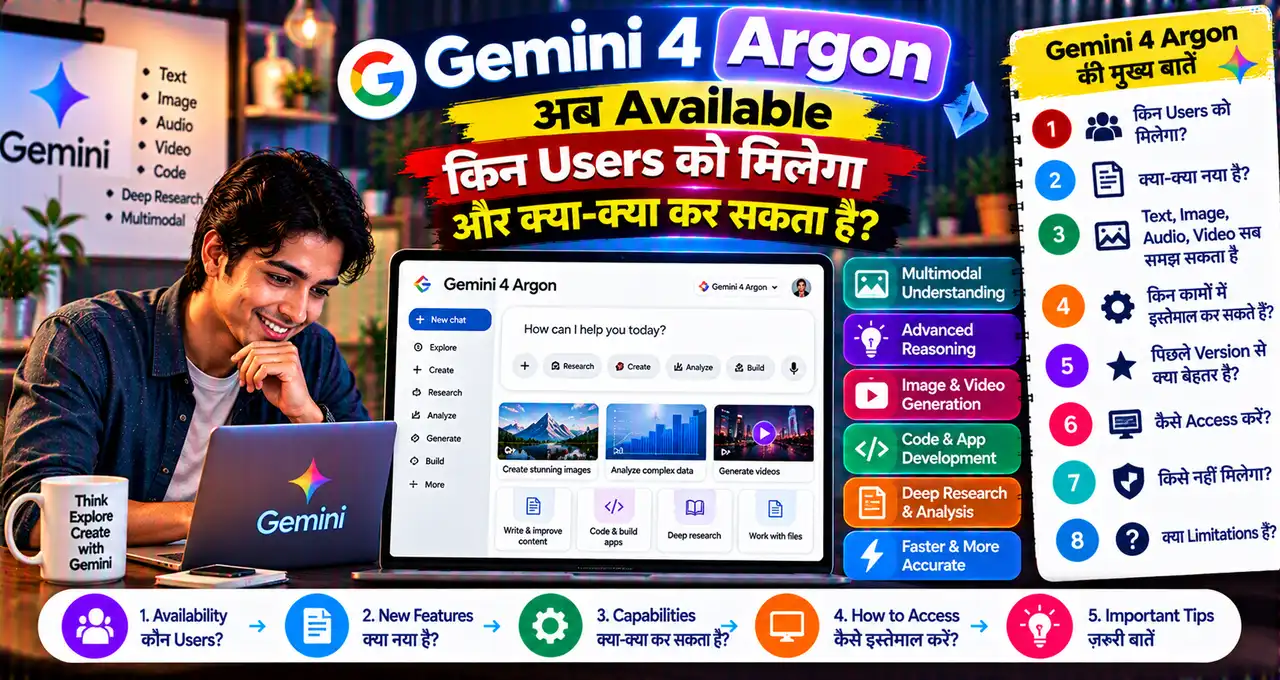
अगर आपने Gemini 4 Argon के launch के बारे में सुना था लेकिन model आपके account में दिखाई नहीं दे रहा था, तो अब situation बदल गई है। Google ने 13 October 2026 को Argon की broader global availability announce की है।
Gemini 4 Argon अब Gemini app और AI Mode in Search में Google AI Pro और Ultra subscribers के लिए available है। Developers और enterprises के लिए API access भी open है, जबकि Google Antigravity में Argon access Google AI Ultra users को दिया गया है।
यह free users के लिए universal rollout announcement नहीं है। इसलिए “Gemini 4 सबके लिए free हो गया” कहना गलत होगा। Availability plan, product और region/account के हिसाब से अलग हो सकती है।
इस guide में समझेंगे कि Argon कहाँ मिलेगा, Gemini app में कैसे select/use करें, Tasks और connected apps कैसे काम करते हैं और किन practical jobs में नया model ज्यादा useful हो सकता है।
इस लेख में आप क्या सीखेंगे?
- Gemini 4 Argon क्या है
- किन users को access मिलेगा
- Gemini app में कैसे use करें
- Tasks mode क्या करता है
- 40+ connected apps कैसे काम करते हैं
- Developers के API options
Gemini 4 Argon क्या है?
Gemini 4 Argon Google DeepMind का frontier model है जिसे long, multi-step और complex real-world tasks के लिए position किया गया है। Google coding, finance, legal, cybersecurity और science जैसे domains में इसकी deep-reasoning capability highlight करता है।
Argon सिर्फ short Q&A model नहीं है। Google इसे ऐसे workflows के लिए दिखा रहा है जहाँ model को कई files, instructions और tools के साथ structured task पूरा करना होता है—जैसे large project context को proposal में बदलना, complex code work करना या multiple sources से research synthesize करना।
AI model को effective instruction देना अब भी important है। Better prompts के लिए Prompt Engineering guide useful रहेगी।
Gemini 4 Argon किन Users के लिए Available है?
| Product | Current Access |
|---|---|
| Gemini App | Google AI Pro और Ultra subscribers |
| AI Mode in Search | Google AI Pro और Ultra subscribers |
| Google Antigravity | Google AI Ultra subscribers |
| Gemini API | Developers/enterprises via paid access |
| Google AI Studio | Developer access, plan/tier conditions apply |
Google की 13 October announcement इसे globally available बताती है, लेकिन individual features, connected apps और task actions account तथा country के हिसाब से अलग हो सकते हैं।
अगर आपके पास Google AI Pro access किसी bundled offer से है, तो plan status verify करें। India में relevant offer समझने के लिए Jio Google Gemini Pro free offer guide देख सकते हैं।
क्या Free Gemini Users Argon Use कर सकते हैं?
Current official Gemini app announcement Pro और Ultra subscribers को Argon access देती है। Free-tier universal access announce नहीं किया गया है।
इसलिए free account में Argon model दिखाई न दे तो यह necessarily technical problem नहीं है। Plan eligibility पहले check करें।
Google Future में model access बदल सकता है, इसलिए Gemini app के model picker और current plan page को source of truth मानें।
Gemini App में Argon कैसे Use करें?
अगर आपका Google AI Pro/Ultra account eligible है, तो basic workflow यह रहेगा:
- Gemini app या web version खोलें।
- उसी Google account से sign in करें जिस पर Pro/Ultra plan active है।
- Model selector/model picker खोलें।
- Gemini 4 Argon option available हो तो select करें।
- अपना task, files और instructions दें।
- Long task में model की progress updates review करें।
- Final output publish/use करने से पहले facts verify करें।
Google कहता है कि Argon longer tasks में progress updates बेहतर तरीके से देता है और responses में unnecessary repetition/hedging कम करने की कोशिश करता है।
Argon किन कामों में ज्यादा Useful हो सकता है?
1. Large Documents Analyze करना
Multiple PDFs, reports या project files से key points, differences और structured output बनवाना Argon का strong use case हो सकता है।
2. Complex Coding
Large codebase, migration, debugging और long-horizon engineering tasks के लिए Google Argon की coding capability highlight करता है।
3. Research और Source Synthesis
कई sources से evidence combine करके report, proposal या structured analysis बनाना useful हो सकता है।
4. Business Workflows
Project context से proposal deck बनाना, email draft करना और repetitive workflow automate करना Google के showcased examples में शामिल है।
5. Cybersecurity/Technical Analysis
Google Argon को cybersecurity defenders और complex technical tasks के लिए भी position करता है, हालांकि high-risk work में human oversight जरूरी है।
Gemini का नया Tasks Mode क्या है?
Google ने Gemini app में chat से Tasks पर switch करने वाला control भी highlight किया है।
Normal chat में आप question पूछते हैं और response लेते हैं। Tasks mode में Gemini connected tools/apps के साथ multi-step work execute कर सकता है और कुछ jobs आपकी active presence के बिना भी आगे बढ़ा सकता है।
Example:
- Project information organize करना
- Connected apps से data collect करना
- Document/proposal तैयार करना
- Future repetitive workflow setup करना
Task permissions देते समय access scope जरूर देखें। AI agent और chatbot का फर्क समझने के लिए AI Agent guide useful है।
Gemini अब 40+ Apps से Connect कैसे होता है?
Google के मुताबिक Gemini ecosystem अब 40 से ज्यादा apps/services से connect हो सकता है। Examples में Adobe, Shopify, OpenTable, Instacart और दूसरे productivity, creativity और lifestyle tools शामिल हैं।
Connected apps का purpose context switching कम करना है। Example के लिए user chat से design workflow, shopping task, booking या business tool interaction शुरू कर सकता है।
लेकिन “40+ apps” का मतलब हर app हर country, account और plan पर available नहीं है। Gemini Settings में actual Connected Apps list check करें।
Connected App Enable कैसे करें?
General workflow:
- Gemini Settings खोलें।
- Connected Apps/Extensions section देखें।
- Required service select करें।
- Permission screen पढ़ें।
- सिर्फ जरूरी access approve करें।
- Chat में app को @mention या natural-language request से invoke करें।
Unused integrations बाद में disconnect कर दें। Full Drive, email या business account access देते समय privacy और permission scope समझना जरूरी है।
Argon और Normal Gemini Model में Practical Difference क्या है?
हर simple question के लिए frontier model जरूरी नहीं होता। Quick rewrite, short answer या basic brainstorming lighter/faster model से भी हो सकता है।
Argon का फायदा तब ज्यादा meaningful है जब task में:
- बहुत context हो
- कई steps हों
- Multiple files/sources हों
- Complex reasoning चाहिए
- Coding/technical precision matter करे
- Connected tools के साथ execution हो
Simple काम के लिए expensive/high-capability model use करना हमेशा जरूरी नहीं। सही model task complexity के हिसाब से चुनें।
Documents Analyze करने का Example
मान लीजिए आपके पास पांच supplier quotations, एक requirements PDF और past purchase spreadsheet है। Argon को सिर्फ “best vendor बताओ” न कहें।
Better instruction:
इन files को compare करो। Price, warranty, delivery time और payment terms की table बनाओ। Missing information अलग दिखाओ। कोई assumption मत करो। अंत में decision criteria के आधार पर 3 options summarize करो।
इस तरह model को clear structure मिलेगा और hallucination risk कम होगा।
Coding में Argon कैसे Use करें?
Developers Gemini API, AI Studio और Google Antigravity जैसे tools में Argon use कर सकते हैं। Google Antigravity को agent-first coding environment के रूप में position करता है।
Large migration में model को पूरा production access देने से पहले sandbox/test environment use करें। AI-generated code को review, tests और security checks के बाद ही production में deploy करें।
AI agents की permissions careless हों तो security risk बढ़ सकता है, इसलिए autonomous coding workflow में least privilege और logs जरूरी हैं।
Gemini 4 Argon API कितना cost करेगा?
Google ने public API के लिए introductory pricing announce की है। Official announcement के मुताबिक introductory period में Argon $2 per million input tokens और $10 per million output tokens पर launch हुआ, जबकि 30 November 2026 के बाद stated price $4 input और $20 output per million tokens लागू होने वाला है।
Pricing API users के लिए है; Gemini app subscription pricing अलग है। Billing से पहले current Gemini API pricing page check करें क्योंकि rates बदल सकते हैं।
Argon Use करते समय Privacy का क्या ध्यान रखें?
Connected apps model को ज्यादा useful बनाती हैं, लेकिन data-access scope भी बढ़ाती हैं।
- Unnecessary apps connect न करें
- Sensitive folder access limit करें
- Business secrets blindly upload न करें
- Generated email/send actions review करें
- High-impact tasks पर human approval रखें
- Unused connections revoke करें
AI tools में personal data safety के practical rules AI Privacy guide में दिए गए हैं।
क्या Argon ChatGPT का replacement है?
ऐसा binary comparison useful नहीं है। दोनों ecosystems अलग models, plans, connected apps और workflows offer करते हैं।
आपके लिए बेहतर tool इस बात पर depend करेगा कि आप Google ecosystem, coding environment, files, connected apps, pricing और specific task requirements में क्या use करते हैं।
Practical approach यह है कि same real task पर output quality, speed और workflow friction compare करें—marketing benchmark claims पर decision न लें।
Beginners किन Mistakes से बचें?
- Argon को free-for-everyone समझना
- हर connected app को full permission देना
- Generated facts verify न करना
- Simple task में unnecessarily complex workflow बनाना
- Production code बिना testing deploy करना
- Plan/region availability check किए बिना feature assume करना
Argon कब चुनें और कब normal Gemini model काफी है?
Gemini 4 Argon का strongest use complex, long-horizon work है। हर short question के लिए frontier model select करना जरूरी नहीं है। Quick rewrite, short summary, basic brainstorming या simple factual query lighter model से भी effectively हो सकती है।
Argon तब ज्यादा useful है जब task में कई files, long context, codebase, multiple constraints या tool-based execution शामिल हो। उदाहरण के लिए 10 documents compare करके recommendation बनाना, large code migration plan करना या connected apps के साथ multi-step business workflow चलाना Argon-type workload है।
| Task | Suggested choice |
|---|---|
| Short rewrite / caption | Faster normal Gemini model |
| Long report + multiple files | Argon useful हो सकता है |
| Large coding/debugging task | Argon consider करें |
| Simple web-style question | Argon जरूरी नहीं |
| Connected-app multi-step task | Argon/Tasks workflow useful हो सकता है |
Tasks mode use करते समय permission scope भी task के हिसाब से रखें। अगर काम सिर्फ Drive document पढ़ना है, तो unnecessary send/delete permissions approve न करें। Long-running task complete होने के बाद generated output, source files और high-impact actions manually review करना बेहतर है।
Large files या connected-app task शुरू करने से पहले desired output format भी लिखें—जैसे summary, comparison table, action list या code patch। इससे frontier model की extra reasoning useful direction में जाती है और unnecessary long answer कम होता है। High-stakes finance, legal या security work में Argon का output expert review का replacement नहीं है।
आख़िर में एक छोटी सी बात
Gemini 4 Argon का important update सिर्फ नया model launch नहीं है, बल्कि उसकी practical availability बढ़ना है। Pro/Ultra users इसे Gemini app और AI Mode में use कर सकते हैं, जबकि developers API और AI Studio workflows में access ले सकते हैं।
Argon का real फायदा simple questions में नहीं, बल्कि complex files, coding, research और connected-app tasks में दिखाई देगा। Feature use करते समय plan eligibility, permissions और output verification तीनों check करें।
आप Argon को सबसे पहले coding, document analysis, research या business automation में use करना चाहेंगे? Comments में अपना task बताएं ताकि अगली guide में उसी का ready-to-use prompt workflow बनाया जा सके।