


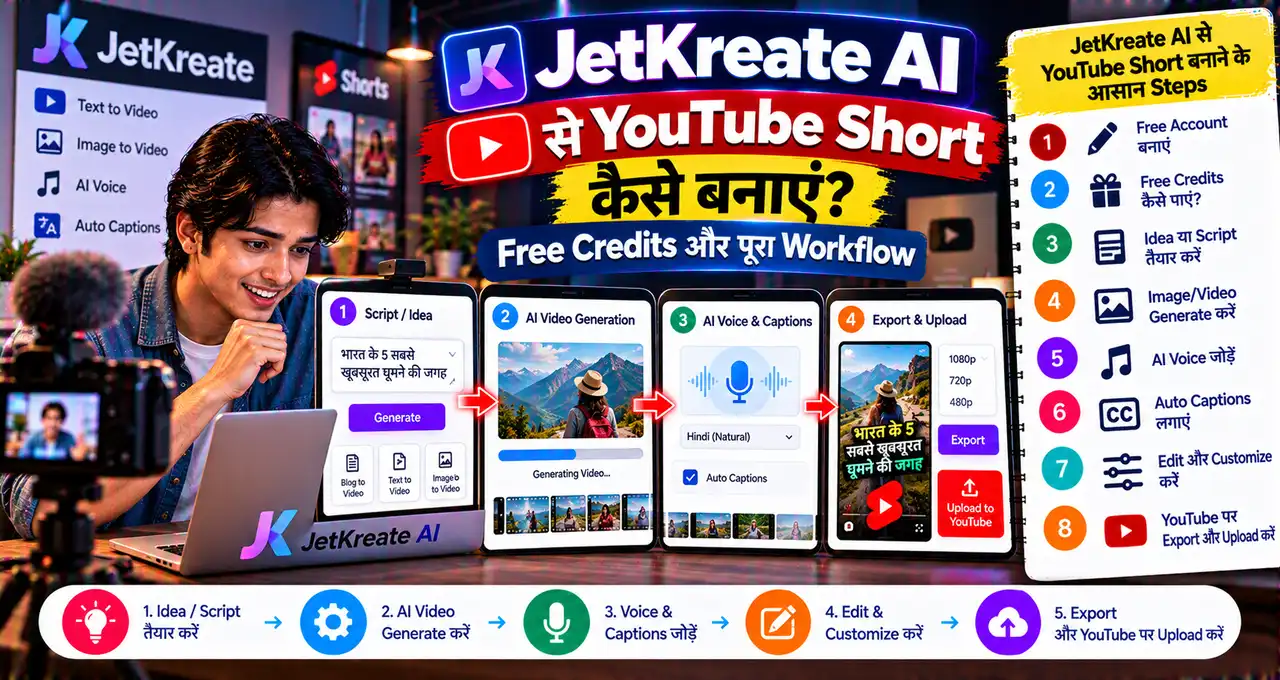
अगर आप YouTube Short, Instagram Reel, product video या AI story बनाना चाहते हैं, तो अक्सर script, image, video और voice-over के लिए अलग-अलग tools खोलने पड़ते हैं। JetKreate इसी workflow को एक जगह लाने की कोशिश करता है।
JetSynthesys ने 15 October 2026 को JetKreate launch किया। Platform में script writing, AI images, image-to-video, text-to-video, voice-over, sound effects और background music जैसे tools एक connected workspace में मिलते हैं।
सबसे useful बात यह है कि JetKreate खुद एक single AI model नहीं है। यह Google Veo 3.1, ByteDance Seedance 2.0, Nano Banana Pro, GPT Image 2, Seedream 5.0 Pro और ElevenLabs जैसे models को एक interface में access देता है।
इस guide में हम समझेंगे कि 300 starter credits से शुरुआत कैसे करें, एक idea को Short में कैसे बदलें, किस काम के लिए कौन-सा model useful हो सकता है और paid commercial use से पहले किन terms को check करना चाहिए।
इस लेख में आप क्या सीखेंगे?
- JetKreate क्या है
- 300 credits कैसे मिलेंगे
- AI Short workflow
- कौन-से models available हैं
- Pricing कैसे काम करती है
- Commercial use की condition
JetKreate AI क्या है?
JetKreate एक all-in-one AI creation platform है जहाँ user एक sentence, photo, reference या trend से शुरुआत करके script, image, video और audio तक पूरा creative workflow बना सकता है।
Official website का positioning simple है: idea को अलग-अलग disconnected tools में ले जाने के बजाय एक project के अंदर script से visuals, visuals से motion और motion से audio तक move करें।
Platform 9:16, 1:1 और 16:9 जैसे common aspect ratios support करता है, इसलिए Short/Reel, square social post और normal YouTube video तीनों workflows possible हैं।
अगर आप अलग-अलग creator tools compare करना चाहते हैं, तो YouTube creators के useful AI tools वाली guide भी useful रहेगी।
Free Account में कितने Credits मिलते हैं?
JetKreate की current pricing page पर Free plan के साथ 300 starter credits listed हैं। Free plan में हर tool और model try करने का access दिया गया है और render शुरू करने से पहले credit cost दिखाई जाती है।
Important point यह है कि public pricing page हर model के लिए एक permanent fixed credit table नहीं दिखाता। Generation cost selected model, mode और output settings के अनुसार UI में दिखाई जा सकती है।
इसलिए “300 credits में exactly इतने videos बनेंगे” जैसा fixed claim करना सही नहीं होगा। Generate दबाने से पहले screen पर दिखाई दे रही cost check करें।
JetKreate यह भी कहता है कि system error की वजह से failed generation पर credits automatically refund किए जाते हैं।
Current Pricing Plans क्या हैं?
| Plan | Price | Credits |
|---|---|---|
| Free | $0 | 300 starter credits |
| Creator | $18/month | 1,600/month |
| Pro | $49/month | 4,400/month |
| Studio | $139/month | 13,900/month |
Paid plans में credit packs top-up करने का option भी listed है। Prices future में बदल सकती हैं, इसलिए payment से पहले current pricing page check करें।
JetKreate में कौन-कौन से AI Models मिलते हैं?
Launch के समय platform कई popular third-party models को एक workspace में combine करता है। Current website पर इनमें ये नाम prominently listed हैं:
- Google Veo 3.1 — cinematic video और sound
- Seedance 2.0 — motion-heavy video scenes
- Nano Banana Pro — image editing और character/product consistency
- GPT Image 2 — text-heavy layouts, thumbnails और posters
- Seedream 5.0 Pro — detailed/stylized images
- ElevenLabs — voice-over, dubbing और voice changing
Model list समय के साथ बदल सकती है। JetKreate खुद भी user को model choose करने या task के लिए suitable engine select करने देता है।
AI models को better instruction देने के लिए Prompt Engineering guide useful foundation है।
एक Idea से AI Short कैसे बनाएं?
JetKreate का सबसे practical use-case एक idea को complete short-form video में बदलना है। Example topic लेते हैं:
“2050 में Indian street food stall कैसा होगा?”
Step 1: Script तैयार करें
Script tool में topic दें और 25–35 second की short story बनवाएं। Hook, 3–4 visual beats और ending रखें।
Step 2: Key Images बनाएं
हर scene के लिए consistent character और location वाले key frames generate करें। Face/clothes/location details repeat करें ताकि continuity बेहतर रहे।
Step 3: Images को Video में Animate करें
Generated frame को video model में भेजकर camera motion, character movement और scene duration define करें। Motion-heavy shot में Seedance और cinematic scene में Veo जैसे model options useful हो सकते हैं।
Step 4: Voice-over बनाएं
Script की narration को ElevenLabs voice workflow में generate करें। Voice tone और pace Short की duration के हिसाब से रखें।
Step 5: Sound और Refinement
Ambient sound, effects या music add करें। फिर clips और audio को refine करके final output export करें।
यानी basic pipeline हो जाती है:
Idea → Script → Images → Video Clips → Voice-over → Sound → Final Output
Google Flow और JetKreate में क्या फर्क है?
दोनों tools AI video creation में useful हैं, लेकिन approach अलग है।
Google Flow Google के video-generation ecosystem और Scenebuilder पर focused है। JetKreate multiple companies के image, video और voice models को एक connected workspace में लाता है।
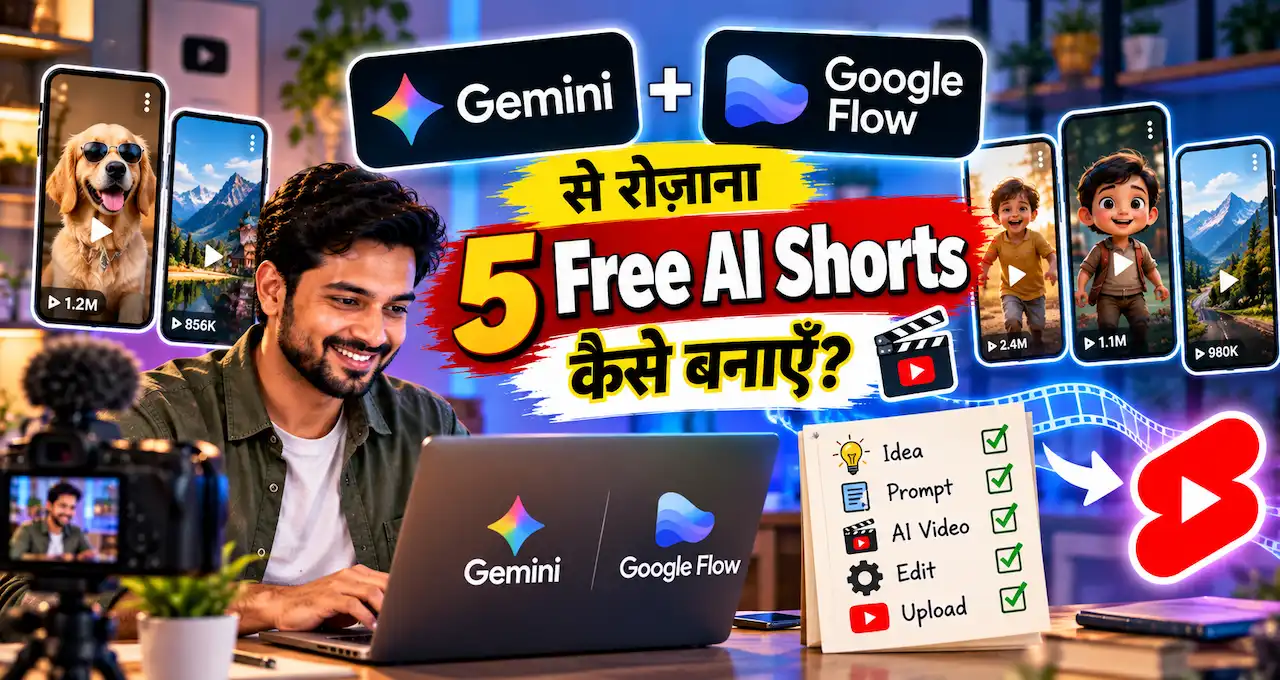
अगर आपका main goal Google Flow के free daily credits से Short बनाना है, तो Gemini + Google Flow free AI Shorts workflow ज्यादा direct रहेगा।
JetKreate उन creators के लिए interesting है जो model switch करना चाहते हैं—जैसे image के लिए Nano Banana, video के लिए Veo/Seedance और voice के लिए ElevenLabs—लेकिन अलग-अलग websites पर जाना नहीं चाहते।
300 Starter Credits का Smart Use कैसे करें?
Starter credits testing budget की तरह use करें, production quota की तरह नहीं।
- पहले low-cost image/script experiments करें।
- Video generate करने से पहले prompt और reference final करें।
- Render button के पास दिखाई दे रही credit cost check करें।
- एक ही scene की unnecessary multiple variations avoid करें।
- Character reference पहले lock करें।
- Expensive model तभी use करें जब output सच में final-quality चाहिए।
Video generations आम तौर पर image/script operations से ज्यादा compute-heavy हो सकती हैं, इसलिए credits जल्दी खत्म हो सकते हैं। Exact cost JetKreate UI में current render के समय check करना best है।
क्या Free Plan की Creations Commercially Use कर सकते हैं?
यहाँ सावधानी जरूरी है। JetKreate FAQ explicitly कहती है कि paid plans पर generated creations, terms के subject to, commercial projects, client work, social campaigns और brand marketing में use की जा सकती हैं।
इस wording से free-plan commercial rights automatically assume नहीं करने चाहिए। अगर आप monetized YouTube channel, client project या paid advertising के लिए output use करना चाहते हैं, तो current Terms of Use पढ़ें और plan-specific rights confirm करें।
Third-party models की licensing conditions भी relevant हो सकती हैं। Platform एक workspace देता है, लेकिन copyright और commercial-use responsibility खत्म नहीं होती।
Personal Photos Upload करते समय Privacy का क्या ध्यान रखें?
JetKreate की Privacy Policy के मुताबिक prompts और uploaded images/audio/video requested generation देने के लिए third-party AI/infrastructure providers तक process हो सकते हैं। Launch providers में Google Cloud, BytePlus और India-based infrastructure partners जैसी services शामिल हो सकती हैं।
JetKreate कहता है कि वह currently user Inputs/Outputs को अपने foundation models train करने के लिए use नहीं करता और third-party model providers को foundation-model training के लिए authorize नहीं करता। फिर भी providers service operation, security और abuse prevention के लिए limited logs process कर सकते हैं।
इसलिए unnecessary confidential files, client secrets या sensitive IDs upload न करें। AI tools में personal information protect करने के लिए AI Privacy guide useful है।
JetKreate किन Creators के लिए Useful हो सकता है?
- YouTube Shorts creators
- Instagram/Reels creators
- Small-business product-video makers
- AI storytellers
- Freelance designers
- Marketing teams
- Creators जो multiple AI models compare करना चाहते हैं
अगर आपका workflow सिर्फ एक model पर चलता है, तो dedicated tool simpler और cheaper हो सकता है। लेकिन कई models और media formats एक project में चाहिए हों तो connected workspace convenience दे सकता है।
Beginners किन Mistakes से बचें?
- Credit cost देखे बिना expensive render शुरू करना
- हर scene में अलग character description देना
- 300 credits को unlimited free plan समझना
- Free output के commercial rights assume करना
- Private client assets बिना permission upload करना
- एक ही prompt की बहुत सारी variants generate करना
- Final video में music/voice licensing ignore करना
JetKreate में कौन-सा model कब चुनें?
JetKreate की convenience का फायदा तभी मिलता है जब हर काम के लिए सबसे महंगा model चुनने के बजाय task के हिसाब से model select किया जाए। Image बनाने, existing image edit करने, cinematic video generate करने और voice-over तैयार करने की जरूरत अलग-अलग होती है।
एक simple rule रखें: पहले final output तय करें, फिर model चुनें। अगर सिर्फ thumbnail या character reference चाहिए, तो video model चलाने की जरूरत नहीं है। अगर आपके पास पहले से अच्छी image है और सिर्फ motion चाहिए, तो image-to-video workflow ज्यादा practical हो सकता है। Voice-over के लिए भी video render दोबारा करने के बजाय audio tool अलग use किया जा सकता है।
| काम | Practical approach |
|---|---|
| Script/idea | पहले पूरा scene plan lock करें |
| Character image | Image model से reference तैयार करें |
| Consistent scene | Same reference और description repeat करें |
| Cinematic movement | Video model तभी use करें जब shot final हो |
| Voice-over | Final script के बाद audio generate करें |
हर render से पहले JetKreate UI में दिखाई दे रही credit cost check करें। Platform की current pricing page generation से पहले cost दिखाने की बात कहती है, इसलिए credit planning guesswork पर नहीं होनी चाहिए।
एक Short बनाने से पहले 7-point pre-render checklist
- Video का final duration और aspect ratio तय है?
- Character का face, कपड़े और visual style lock है?
- हर scene की action एक sentence में clear है?
- Reference image final है या अभी experiment चल रहा है?
- Voice-over script duration के अंदर fit होती है?
- Render की shown credit cost check की है?
- Commercial project है तो current plan rights verify किए हैं?
यह checklist इसलिए useful है क्योंकि AI video workflow में सबसे महंगा mistake अक्सर खराब prompt नहीं, बल्कि बिना planning के बार-बार regeneration करना होता है। Starter credits को testing और final renders के बीच divide करें, ताकि पूरा budget शुरुआती experiments में खत्म न हो।
Practical stop rule: अगर scene story का काम कर रहा है, character recognizable है और कोई major visual error नहीं है, तो सिर्फ “थोड़ा और बेहतर” result के लिए लगातार regenerate न करें। पहले सभी scenes का rough sequence पूरा करें, फिर सिर्फ उन shots पर credits खर्च करें जो final video को सच में कमजोर कर रहे हैं। इससे starter credits experimentation में खत्म होने के बजाय finished output तक पहुँचते हैं।
आख़िर में एक छोटी सी बात
JetKreate की biggest attraction कोई single “best AI model” नहीं है, बल्कि script, image, video और voice tools को एक workflow में जोड़ना है। Free account के 300 starter credits platform test करने के लिए useful हैं, लेकिन हर render की cost और commercial-use terms पहले check करनी चाहिए।
अगर आप already Google Flow, Nano Banana या ElevenLabs जैसे tools अलग-अलग use करते हैं, तो JetKreate का real value यह होगा कि क्या connected workflow आपका time और switching कम करता है।
आप JetKreate में सबसे पहले AI Short, product video या cinematic story में से क्या बनाना चाहेंगे? Comments में अपना use-case बताएं ताकि आगे model-by-model practical comparison बनाया जा सके।