

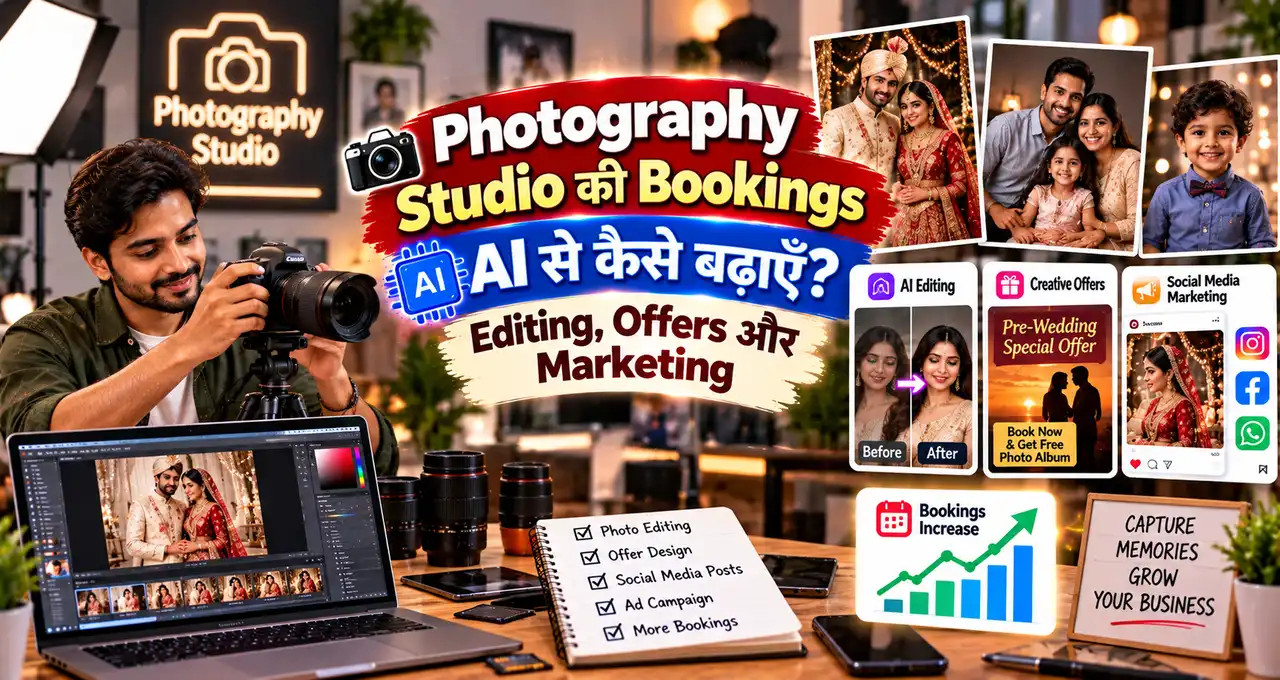
Photography studio की bookings सिर्फ़ अच्छे camera से नहीं बढ़तीं; customer को आपका work देखना, package समझना, enquiry का जल्दी जवाब मिलना और booking process आसान लगना भी जरूरी है।AI इस पूरे workflow में मदद कर सकता है—photo selection, basic editing support, captions, offer copy, FAQ, enquiry follow-up, content calendar और local marketing ideas तक। लेकिन AI को fake portfolio, fake reviews, unrealistic skin/body edits या guaranteed booking claims के लिए use नहीं करना चाहिए।इस guide में practical तरीके समझेंगे जिनसे studio अपना existing work बेहतर present कर सकता है और enquiries को organized booking process में बदल सकता है।
इस लेख में आप क्या सीखेंगे?
- Studio offer clear करना
- AI editing workflow बनाना
- Social content plan करना
- Enquiry follow-up improve करना
- Local leads बढ़ाना
- Repeat/referral system बनाना
सबसे पहले Booking Funnel समझें
Studio की booking journey अक्सर ऐसी होती है:Instagram/Google/Referral↓Portfolio देखना↓Price/availability पूछना↓Package compare करना↓Follow-up↓Advance/booking↓Shoot↓Delivery↓Review/Referralअगर किसी एक stage पर friction है, तो ज्यादा views भी booking में convert नहीं होंगे।Small business marketing का broader AI workflow AI Social Media Marketing guide में useful foundation देता है।
Step 1: Services को साफ़ Packages में बदलें
“Wedding photography available” बहुत broad है। Customer को decision आसान बनाने के लिए package structure useful है।Example:
- Pre-wedding basic.
- Wedding photography.
- Photo + video combo.
- Birthday/event coverage.
- Product photography.
- Portrait shoot.
हर package में actual deliverables, hours, edited photos, video length, album, travel और delivery timeline clear रखें।AI से package wording draft करवा सकते हैं, लेकिन price और deliverables studio owner verify करेगा।
Step 2: AI से Portfolio Selection में Help लें
Large shoot के बाद hundreds of files होती हैं। AI-enabled tools duplicate shots, blur या similar frames identify करने में मदद कर सकते हैं, लेकिन final selection human review से करें।Portfolio में variety रखें:
- Wide scene.
- Portrait.
- Details.
- Natural moments.
- Low-light work.
- Different event types.
एक ही style के 30 photos डालने की बजाय 10–15 strong images ज्यादा effective हो सकती हैं।
Step 3: Editing में AI कहाँ Useful है?
AI-supported editing से repetitive work तेज़ हो सकता है:
- Exposure suggestions.
- Noise reduction.
- Background cleanup.
- Object removal.
- Colour consistency.
- Batch adjustments.
लेकिन portrait editing में face shape, skin tone या body को misleading तरीके से बदलना avoid करें। Client expectation और consent important हैं।Final delivered image का natural look और studio style consistent रहना चाहिए।
Step 4: Before/After Content सावधानी से Use करें
Editing skill दिखाने के लिए before/after post useful हो सकता है, लेकिन client permission लें। Private event photo को बिना permission marketing content न बनाएं।Caption में यह clear किया जा सकता है कि change lighting, colour correction या retouching का है।Fake “raw vs final” example generate करके उसे real client work की तरह present न करें।
Step 5: 30-Day Social Content Mix बनाएँ
Studio content सिर्फ़ finished wedding photos नहीं होना चाहिए। Mix रखें:
- Portfolio highlights.
- Behind-the-scenes.
- Venue tips.
- Pose guidance.
- What to wear.
- Package FAQ.
- Editing process.
- Client testimonial, permission के साथ.
- Seasonal offer.
- Availability update.
AI से calendar draft बनवाकर actual shoot material के हिसाब से edit करें।
Step 6: Reels के लिए Simple Formula
15–25 second Reel structure:0–3 sec: Hook4–10 sec: Shoot clips11–18 sec: Final photos19–22 sec: Package/use caseLast: CTAHooks:
- “Pre-wedding shoot plan कर रहे हैं?”
- “Indoor lighting में photos flat क्यों लगती हैं?”
- “Wedding package book करने से पहले ये 3 बातें पूछें.”
AI hooks और captions दे सकता है, लेकिन final clips आपका actual work होना चाहिए।
Step 7: Offer कैसे बनाएं?
Discount देने से पहले margins देखें। Better offers कई तरह के हो सकते हैं:
- Early booking benefit.
- Photo + video combo.
- Extra prints.
- Short teaser video.
- Weekday package.
- Seasonal slot offer.
“50% off today only” fake urgency की बजाय actual valid dates और slot conditions लिखें।Business poster/offer layout ideas के लिए Dhanteras business poster prompts festive campaigns में useful हैं।
Step 8: Enquiry Reply Template तैयार रखें
Fast और complete reply booking chance improve कर सकता है।
Namaste [Name], enquiry के लिए धन्यवाद।Event: [TYPE]Date: [DATE]Location: [LOCATION]हमारे relevant package में:[DELIVERABLES]Price:[PRICE]Availability:[STATUS]अगर आप event timing और expected coverage hours share करें तो मैं exact package confirm कर सकता/सकती हूँ।
AI से personalized reply बनवा सकते हैं, लेकिन availability और price हमेशा verify करें।
Step 9: Follow-Up कब करें?
Customer enquiry के बाद तुरंत spam न करें। Simple sequence:Day 0: Complete responseDay 1–2: Helpful follow-upLater: No-pressure closingExample:
Hi [Name], बस check कर रहा/रही हूँ कि package details clear थीं या नहीं। अगर timing, venue या deliverables को लेकर कोई question है तो बताइए।
AI follow-up और repeat-order communication के broader use AI Sales Follow-up guide में detail से दिए गए हैं।
Step 10: Google पर Local Visibility Improve करें
Photography studio local search से leads पा सकता है। Google Business Profile पर:
- Correct category.
- Address/service area.
- Phone.
- Updated photos.
- Opening hours.
- Website/social links.
- Real reviews.
Fake review खरीदना avoid करें। Completed client से honest review मांगें।
Local visibility improve करते समय हर enquiry source note करें—Google, Instagram, WhatsApp, referral या walk-in। साथ में enquiry date, requested service और booking हुई या नहीं भी लिखें। 3–4 हफ्तों बाद यह छोटा record बताएगा कि कौन-सा channel सिर्फ़ views दे रहा है और कौन actual booking enquiries ला रहा है; फिर marketing time और offers उसी data के हिसाब से adjust करें।
Local business visibility के practical steps Google Local Business guide में useful हैं।
Step 11: WhatsApp Business को Booking Tool बनाएं
Quick replies बनाएं:
- Package details.
- Availability request.
- Advance policy.
- Location/travel.
- Delivery timeline.
- Album/video FAQ.
Catalog में service packages add कर सकते हैं अगर आपके workflow के लिए suitable हो। Exact features current WhatsApp Business version के अनुसार verify करें।
Step 12: Client Data और Photos सुरक्षित रखें
Photography studio personal memories handle करता है। इसलिए file access, cloud sharing और deletion policy clear रखें।
- Client folders अलग रखें.
- Public link permissions check करें.
- Private photos AI tools में upload करने से पहले privacy terms देखें.
- Marketing use के लिए permission लें.
- Final delivery और backup period policy लिखें.
Client photo automatically marketing asset नहीं बन जाती।
Monthly Marketing Dashboard
| Metric | Track क्यों करें? |
|---|---|
| Enquiries | Lead volume |
| Qualified enquiries | Relevant leads |
| Bookings | Conversion |
| Average booking value | Revenue quality |
| Referral bookings | Client satisfaction signal |
| Google/Instagram leads | Channel performance |
अगर 20 enquiries से 4 bookings आती हैं, conversion 20% है। Next month सिर्फ़ followers नहीं, enquiry quality और booking conversion भी देखें।
AI से Monthly Review कैसे करें?
मेरे photography studio का monthly marketing data analyse करें।Data:Instagram enquiries: [X]Google enquiries: [X]Referral enquiries: [X]Bookings: [X]Average booking value: [X]Most requested service: [X]Common objections: [LIST]Output:1. कौन-सा channel strongest दिखता है?2. कहाँ follow-up improve हो सकता है?3. कौन-सा package simplify करना चाहिए?4. अगले महीने के 5 content ideas.5. 3 low-cost experiments.6. Missing data.No guaranteed growth prediction.Do not invent customer reasons.
Common Mistakes
- Portfolio में fake AI photos डालना.
- Package deliverables unclear रखना.
- Reply देर से करना.
- Unlimited revisions/edits promise करना.
- Fake urgency बनाना.
- Client photo permission ignore करना.
- Only likes track करना.
- Google reviews ignore करना.
30-Day Booking Improvement Plan
Week 1: Packages, portfolio और enquiry template clean करें.Week 2: 8–10 useful social posts/Reels publish करें.Week 3: Google profile, reviews और follow-up process improve करें.Week 4: Enquiries, bookings और objections analyse करके next offer decide करें.हर step में goal measurable रखें। “AI use किया” metric नहीं; response time, enquiries और booking conversion useful metrics हैं।
Lead Qualification पहले क्यों करें?
हर enquiry booking-ready नहीं होती। अगर studio हर lead को same detailed proposal भेजेगा तो time ज्यादा लगेगा। पहले 5 basic questions पूछें:
- Event date.
- Location.
- Event type.
- Coverage hours.
- Photo/video/album requirement.
इन answers से पता चलता है कि कौन-सा package relevant है और travel/availability issue है या नहीं। इससे quote जल्दी बनता है और customer को irrelevant options नहीं भेजने पड़ते।
Quotation को Simple और Comparable रखें
Quotation में सिर्फ़ total price न लिखें। Deliverables clearly break करें:
- Shoot duration.
- Number of photographers/videographers.
- Edited photos.
- Teaser/highlight video.
- Album details.
- Travel/stay.
- Delivery timeline.
- Advance amount.
- Cancellation/reschedule policy.
AI quotation wording draft कर सकता है, लेकिन actual price, taxes, travel और delivery commitment studio owner verify करेगा।दो packages compare कराते समय differences bold/clear रखें ताकि customer सिर्फ़ price न देखे, value भी समझ सके।
Seasonal Offer Planning कैसे करें?
Wedding season, festive season, school functions या summer portrait campaigns में offer useful हो सकता है, लेकिन discount default strategy नहीं होना चाहिए।Alternative offers:
- Early-booking bonus.
- Free extra print set.
- Short social-media teaser.
- Weekday package.
- Photo + video bundle.
- Referral credit, अगर policy clear हो.
Offer की actual cost पहले calculate करें। “Free album” भी studio के लिए real production cost रखता है।
Shoot Day Workflow Standardize करें
Marketing तभी sustainable है जब delivery strong हो। Shoot day के लिए checklist रखें:
- Client/event contact confirmed.
- Venue/time confirmed.
- Gear checklist.
- Backup batteries/cards.
- Shot priorities.
- Special family/group requests.
- Consent-sensitive shots.
- Backup workflow.
AI shot-list ideas दे सकता है, लेकिन live event में photographer की judgment सबसे important रहती है।
Delivery के बाद Booking Cycle खत्म नहीं होता
Final files deliver होने के बाद follow-up करें:Step 1: Confirm करें कि files/download/album ठीक मिला।Step 2: Honest review माँगें.Step 3: Marketing use permission अलग से माँगें.Step 4: Referral या future-event reminder तभी भेजें जब suitable हो.Client ने wedding shoot कराया है तो बाद में maternity, baby shoot, anniversary या family portrait जैसी future services relevant हो सकती हैं—लेकिन aggressive cross-sell न करें।
Referral System Simple कैसे रखें?
Referral program हो तो terms clear रखें। Example:
- Referral किस booking value पर valid है?
- Benefit किसे मिलेगा?
- Cash, print credit या service add-on?
- कब apply होगा?
Fake “refer 3 friends and earn guaranteed ₹X” जैसे claims avoid करें। Existing happy clients से natural referrals ज्यादा valuable होते हैं।
AI Use का Weekly Routine
Monday: Content calendar और captions.Tuesday: Portfolio selection और edit queue.Wednesday: Reels scripts और FAQ posts.Thursday: Enquiry follow-ups.Friday: Offer/availability post.Weekend: Shoot delivery, reviews और next-week planning.यह fixed rule नहीं; purpose यह है कि AI random use की बजाय repeatable business workflow में आए।
Availability Calendar और Response Time को भी System बनाएं
Photography enquiry में date सबसे critical information होती है। Simple calendar में booked, tentative और available dates अलग रखें ताकि दो clients को accidentally same slot promise न हो।Enquiry आते ही full proposal देना जरूरी नहीं, लेकिन acknowledgement जल्दी भेजना useful है: “Date और venue share करें, availability check करके package भेजता/भेजती हूँ।” फिर fixed response window रखें, ताकि customer को clarity मिले और studio team पर 24×7 reply pressure भी न बने।
आख़िर में एक छोटी सी बात
Photography studio में AI का सबसे practical use editing speed से आगे है—यह content planning, enquiry replies, package communication और follow-up process को भी organized कर सकता है।लेकिन booking बढ़ाने का base वही रहेगा: strong real portfolio, clear pricing, fast response और trustworthy client experience।आपके studio में सबसे बड़ी challenge क्या है—enquiries कम आना, follow-up, pricing या social media content? Comments में बताइए। अगर यह guide useful लगी, तो इसे किसी photographer या studio owner के साथ share करें।